A Clearer Handover from Sales to Support in Blesta
Separate customer answers, accepted agreements and the next team action in Blesta. A practical handover routine using PD Onboard, Agreements and Notes.
A useful Blesta support handover tells the next colleague what has been agreed, what is still missing and what they must do next. The handover fails when those three things are mixed together: a collected answer is mistaken for a completed action, or a signed document is mistaken for a ready-to-launch service.
Here is a suggested sales-to-support workflow using PD Onboard, PD Agreements and PD Notes. It is a team process across separate modules, not a claim that they automatically pass statuses or records between one another.
A fictional example: handing a new hosting account to support
A small host has agreed a service with a customer. The next colleague needs the setup answers, the relevant accepted document and a clear outstanding action. Instead of a message saying “everything is ready”, use three explicit checks.
| Question at the handover | Where to look | What it does not prove |
|---|---|---|
| Has the customer supplied the requested setup information? | The relevant Onboard checklist and answers | That staff have completed the service work |
| Which document wording did the customer accept? | The relevant Agreements acceptance record | That every practical setup question has been answered |
| Who owns the next action, and when is it due? | A Notes record and reminder | That the action has already been completed |
1. Separate missing information from unfinished work
Use PD Onboard to make customer requests explicit. Review the relevant answers and confirmations at handover. If an answer is missing, state exactly what is needed and who will follow up. If the customer has supplied it but staff have not acted, record that as unfinished team work instead.
This distinction prevents a common loop: the next colleague asks the customer again even though the answer already exists. It also avoids calling an account ready simply because a checklist shows progress.
2. Identify the accepted version where it matters
Where your process uses an agreement, check the relevant record in PD Agreements. It retains versioned acceptance evidence, so a colleague can distinguish the accepted wording from a later published version.
Record a short reference in the handover rather than copying the whole document into a note. The agreement record remains the place to inspect the accepted text. Treat this as a separate check from onboarding completion.
3. Write the next action as a decision-ready note
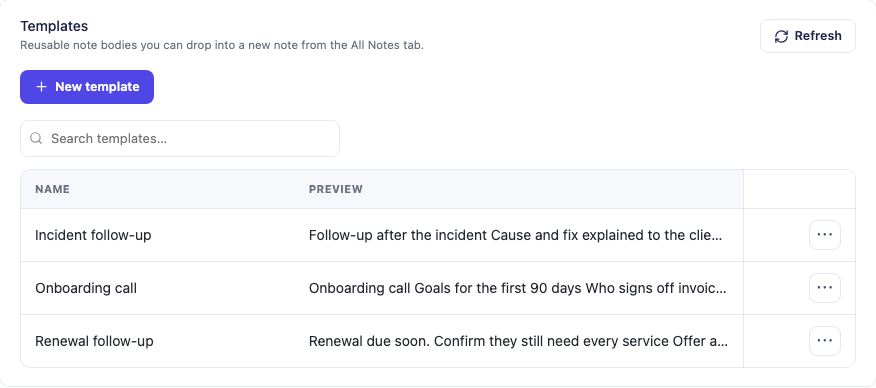
PD Notes can hold the team’s context against the appropriate client, service or domain. Use the service when the action concerns one service, rather than leaving an account-wide statement that could be applied to the wrong item.
A useful handover note answers five questions:
- What is this handover about?
- What has already been checked?
- What is waiting, and on whom?
- What must the next colleague do?
- Who owns that action, and when should it be reviewed?
Example handover: Setup answers reviewed. Waiting for the customer’s maintenance-window confirmation. Next action: check the reply, confirm the window with the customer and record the outcome against this service. Assigned colleague to review tomorrow.
This is a suggested note structure, not an automatically generated record. Fill it with actual checked facts. Keep passwords and access secrets out of the note.
4. Let the receiving colleague check the handover
Before the previous colleague leaves the task, the receiving person should be able to locate the relevant record and explain the next action without guessing. If they cannot, improve the note while the context is still available.
When the action is complete, record the outcome. If it is still waiting, update the next action and review date deliberately. Do not use a colour or tag as an undocumented substitute for a clear status explanation.
Keep customer communication separate from internal coordination
An internal handover can contain working context that is not intended as a customer update. PD Notes is staff-only by default; customer visibility is a deliberate choice involving the master option and the individual note. Check that choice rather than assuming a note belongs in the client area.
The customer update should explain what they need to do or what has changed. The internal note should explain how colleagues will follow it through. Those are related messages with different jobs.
Measure whether the process helps
Review a small set of handovers: could the next colleague find the answer, identify the waiting party and act without asking the previous person? Count repeated requests for information already supplied. Use those observations to simplify the process rather than adding more mandatory notes.
Start with PD Notes if shared context is your only gap. Add PD Onboard for structured customer input and PD Agreements when versioned acceptance belongs in the workflow. Each module has its own purpose; the team’s handover routine joins them together.
Frequently asked questions
Do these modules synchronise the handover automatically?
This article describes a team routine. It does not rely on automatic status synchronisation between Onboard, Agreements and Notes.
Is a completed checklist the same as a completed service task?
No. Customer input and staff execution are different stages. Check the answers, then record and complete the next team action.
Do we need all three modules?
No. Use the parts that solve a real gap. Shared notes may be sufficient if you do not need a structured checklist or versioned acceptance.
Should customers see the internal handover?
Keep internal coordination separate from the customer update. Review the visibility options before deliberately sharing any note.
