Versioned terms, contracts and SOWs your customers actually sign — with evidence you can produce years later
Made and supported by Projektif Digital Ltd.
Runs inside PD Modules, the panel
every module installs into.
Billing & SalesClients & Productivity
Write your Terms, AUP, DPA or a statement of work and publish it as an immutable version — the text can never change under a signature.Proof you can produce years later: the exact version signed, the method used and a status you can trust.Chase the ones that matter — see who still owes you a signature, and email them their signing link in one click.Customers review and sign right inside their own Blesta client area — no attachments, no chasing over email.Aim an agreement at a product add-on and ask only customers who match all your conditions — a support addendum goes to exactly the right customers, with no manual chasing.Signing that works for everyone — keyboard and screen-reader friendly, with a typed-name option so no customer is blocked from accepting.1 / 6
PD Agreements lets a hosting company put its Terms of Service, Acceptable Use Policy, Data Processing Agreement or any statement of work in front of the right customers, have them sign it, and keep proof of exactly what each customer agreed to. You write the agreement once in Blesta and publish it as a numbered version. Customers sign inside their own client area, and every signature is stored with the version, a content fingerprint, the date and time, and the method used.
It is built for hosts and agencies who need more than a tick box. When a chargeback, an abuse complaint or a data-protection question arrives years later, you can produce the signed record and an evidence PDF instead of an argument.
Why hosts choose PD Agreements
Proof, not a tick box. Publishing freezes the text as a version with its own SHA-256 fingerprint, publisher, time and change note. Earlier versions stay exactly as published, so a customer who signed version 1 stays attached to what version 1 said.
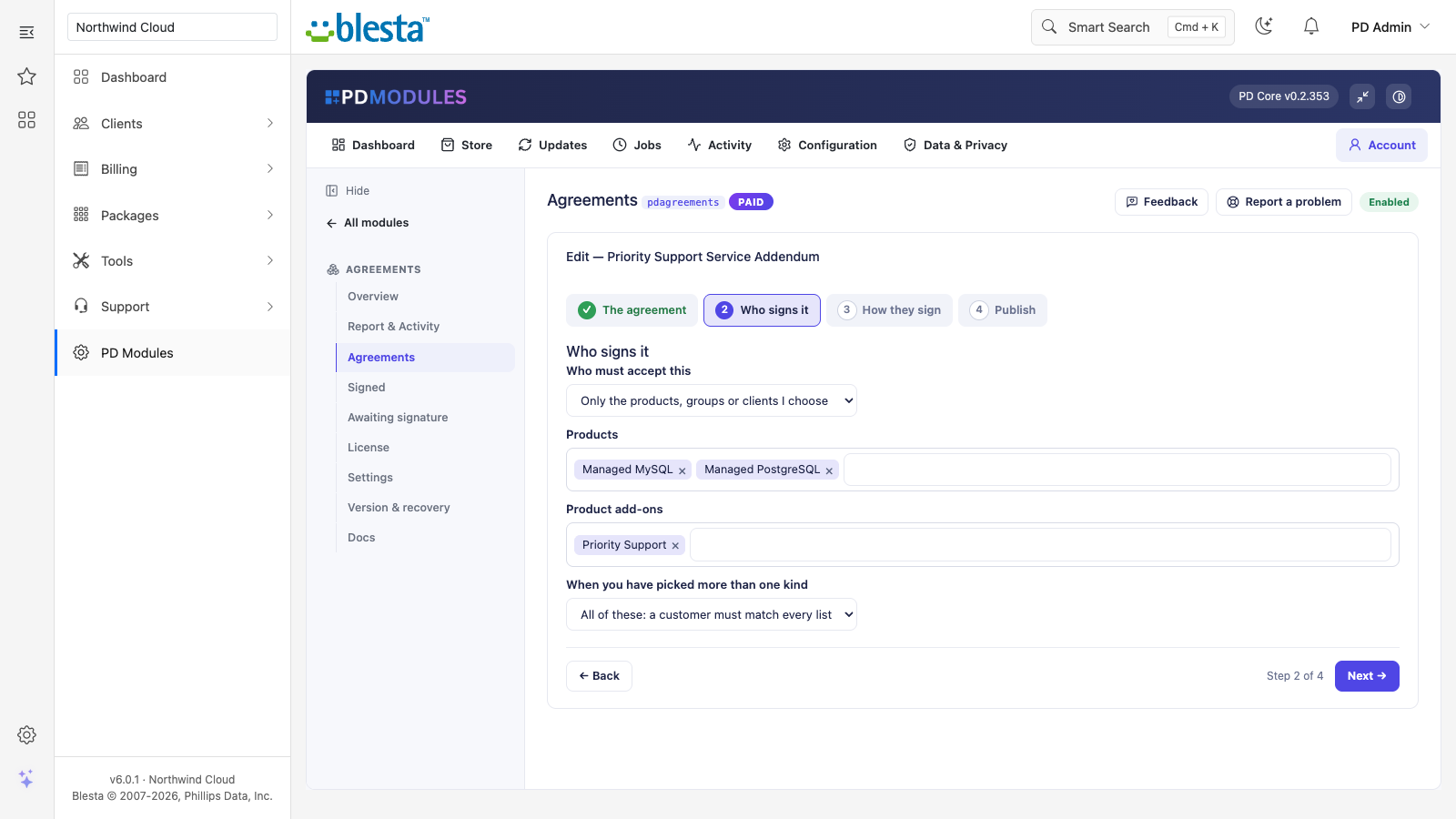
Ask only the customers who need to sign. Aim an agreement at everyone, or at chosen packages, package groups, client groups or individual clients. A support addendum can go only to customers who ordered the support add-on package. Choose "any of these" or "all of these", and leave out clients who have a package or group you name. An exclusion always wins.
Changed terms, asked again. Publish a new version and, if you tick "everyone who signed an earlier version must accept this one", earlier signers are asked again. Customers already on the current version are never asked twice, and a customer is only shown agreements that apply to them.
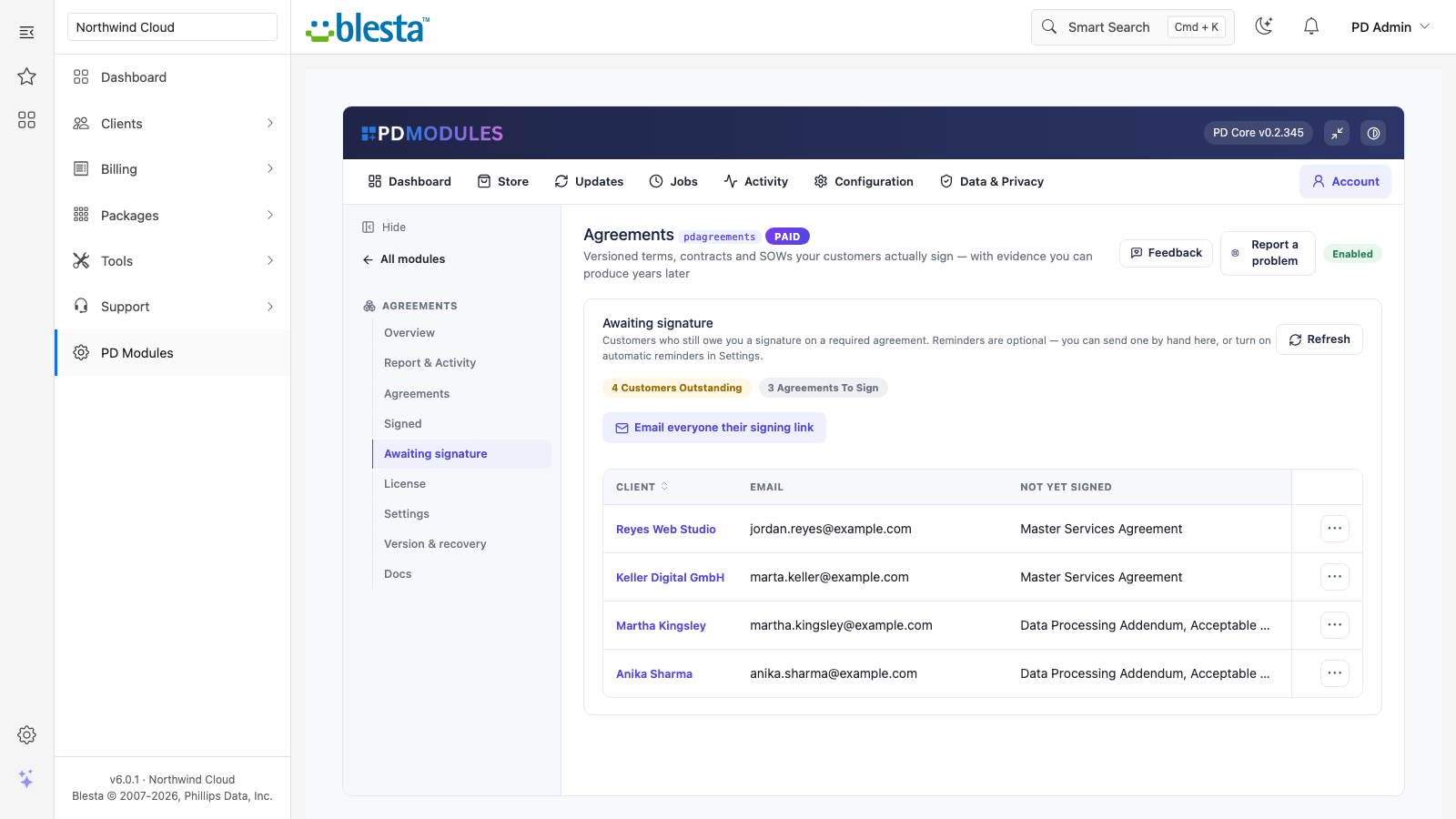
No chasing by hand. An Awaiting signature list shows every customer who owes a signature and exactly what is missing. Email one customer, or everyone, their signing link in one click, or switch on automatic reminders, which email everyone outstanding at most every N days through a company email you can edit and translate.
Customers never leave their account. They review, sign and download their own signed copies inside the Blesta client area. There are no attachments to send and no chasing over email.
Evidence that stays yours. PD Agreements makes no outbound calls. The evidence PDF is generated on your own server, and your signatures live in your own Blesta database.
How it works
Write the agreement. Compose it in plain Markdown, choose its type and how the customer signs, and save it as a draft. A draft is never shown to customers.
Choose who signs and when. Pick the customers it applies to, and ask on their next visit or on demand. An agreement aimed at nothing is never enforced.
Publish. The text is frozen as a numbered version with its fingerprint.
Customers sign. They read, tick, and sign with a typed name, a drawn signature or a tick box, whichever you chose.
You keep the proof. Open any signature to download its evidence PDF, or export signatures to CSV.
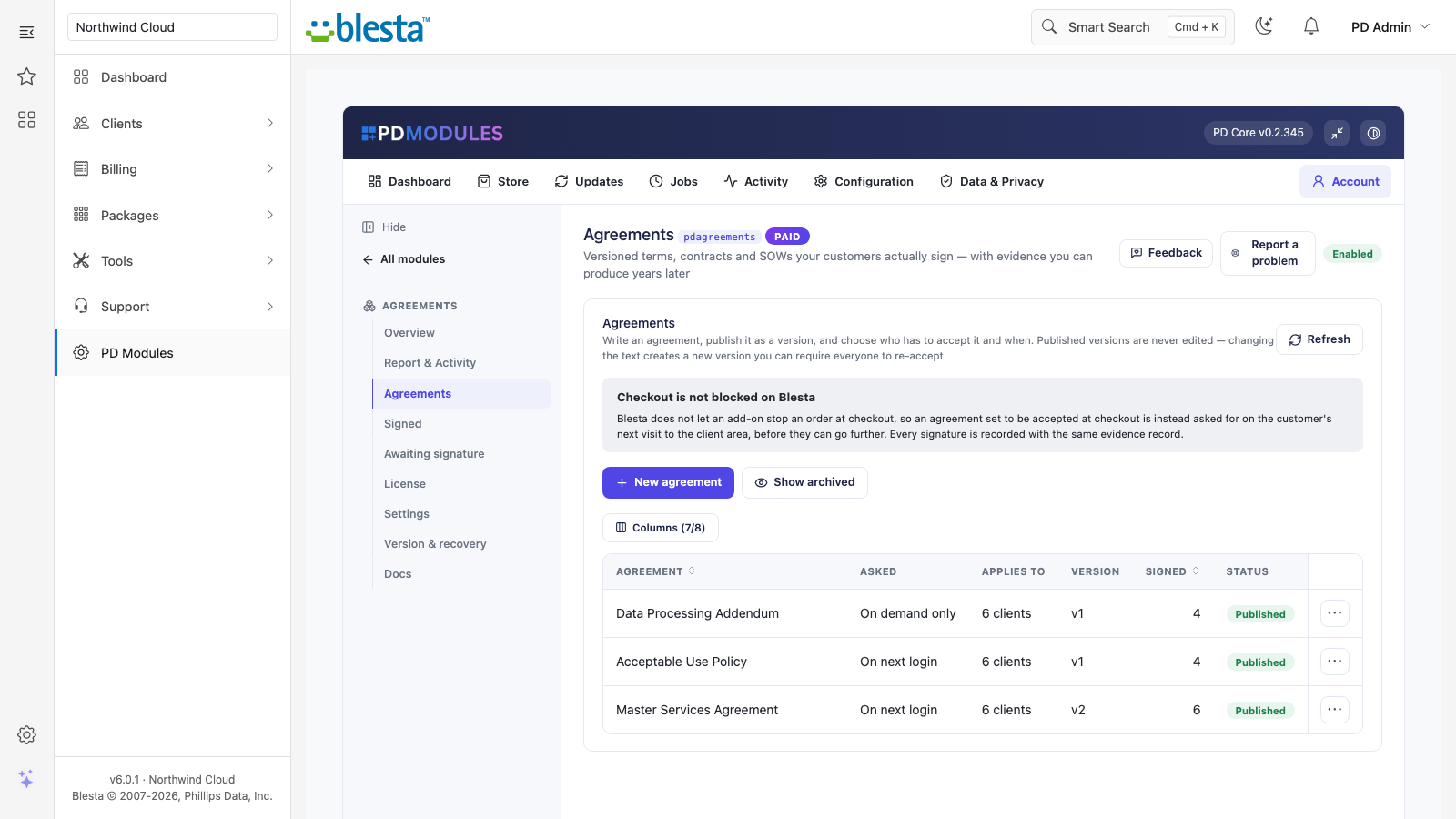
Write terms, AUP, DPA or a statement of work and publish each as an immutable version
What you get in Blesta
Writing and versioning
Agreements of any kind: terms, acceptable use, data processing, statements of work, or your own
Numbered, immutable versions, each with fingerprint, publisher, time, change note and a re-accept flag
Drafts that stay private until published
Delete an agreement to stop it being asked; every signature and the exact versions signed are kept
Targeting and timing
Asked on the customer's next visit to the client area, or on demand. On Blesta an agreement set to "at checkout" is asked on the customer's next visit after ordering, before they go further, because Blesta's order flow cannot be stopped by an agreement. An on-demand agreement never blocks anything, and the acceptance is still recorded
Packages, package groups, client groups and individual clients
Aim an agreement at an add-on package (a package in an add-on package group, ordered for a service); customers who have one are asked on their next visit
Put an agreement in front of one client whatever its targeting says, and take it back again; anything they signed is kept
One switch pauses every checkout agreement, another every next-visit agreement, without deleting anything
Aim an agreement at an add-on and ask only customers who match every condition
Signing
Tick box, typed full name (the default) or drawn signature, set per agreement
"Require scroll" keeps the accept control disabled until the customer reaches the end of the document, and short documents unlock at once
A drawn-signature agreement can be signed by typing a name instead, and the record shows the method actually used
A grace period of N days adds "Remind me later"
Evidence and records
Each acceptance records the version, fingerprint, date and time, source, and, while "record IP address" is on, the IP address and browser
Evidence PDF with title, version, signer details, method, the signature or typed name, the full text as accepted, the fingerprint, a reference number and your own footer line
A signature can be revoked with a reason and time recorded, never deleted; a revoked customer is asked again
Signatures and the audit log export to CSV, filtered by agreement and date range, with the IP and browser columns left out when you have switched recording off
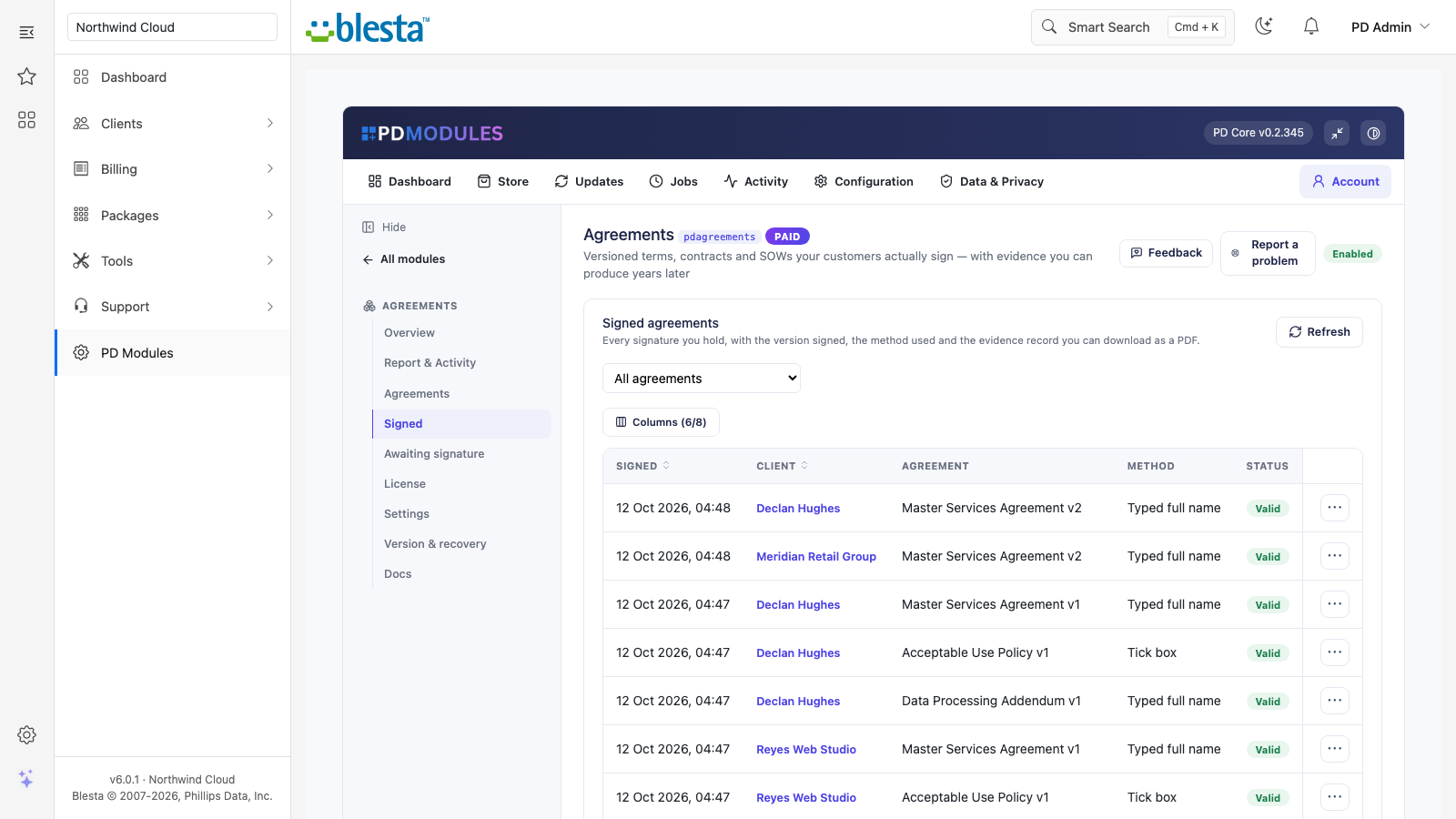
Every signature with the version signed, the method used and its status
Running it day to day
The client profile shows an Agreements row: signed, outstanding, evidence links, and a copyable signing link you can email
Choose what an unsigned customer can still do: by default they can pay invoices and open tickets, or you can block everything except new orders, or everything until they sign. Sign-out, password reset and the signing page always work
Read-only assistant tools answer who has signed what and who is outstanding; the tools that change something ask for confirmation and are audited
See who still owes a signature and email them their signing link in one click
What your customers get
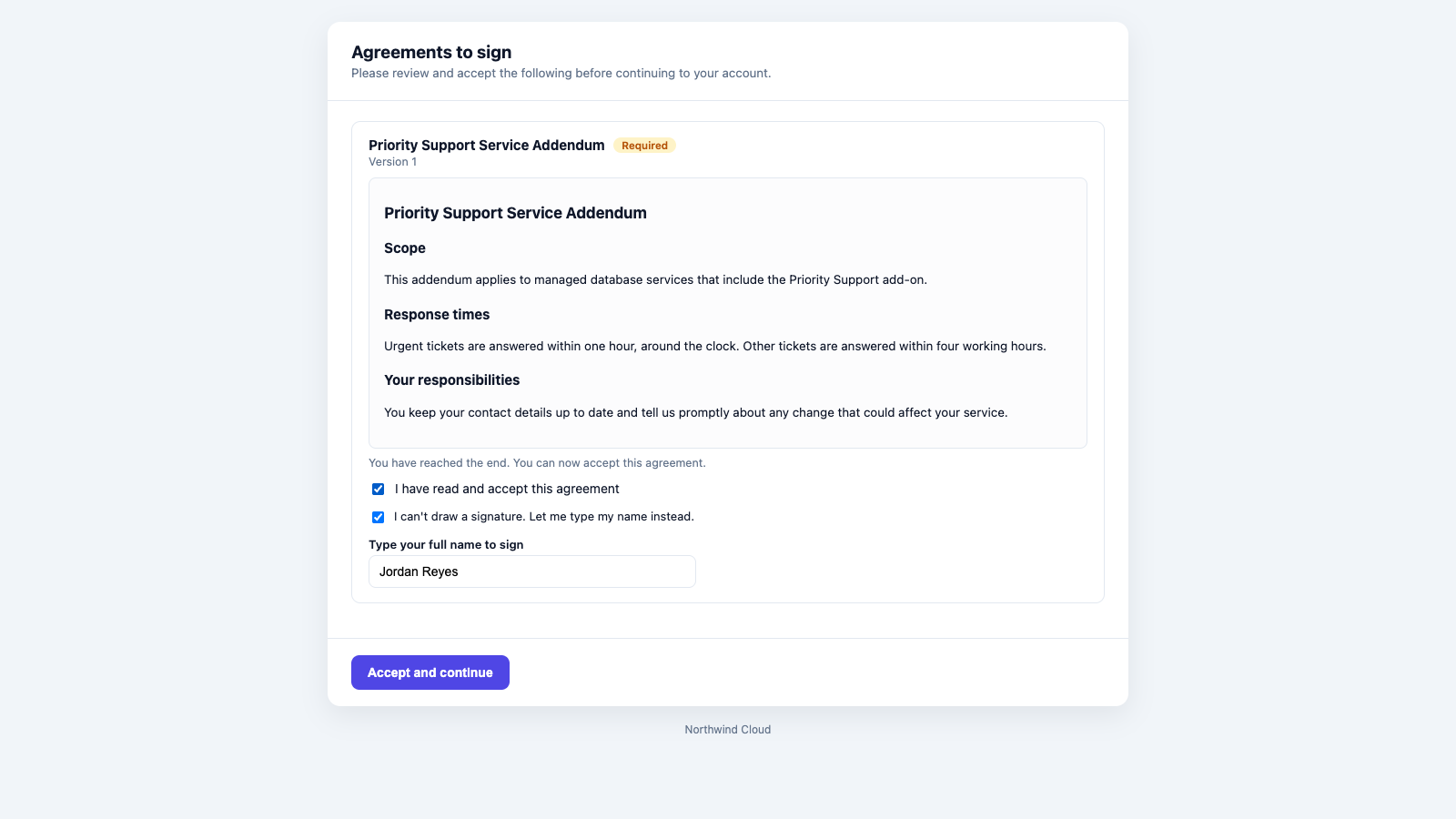
A signing page in their own account: the document, a tick, and their name as a signature
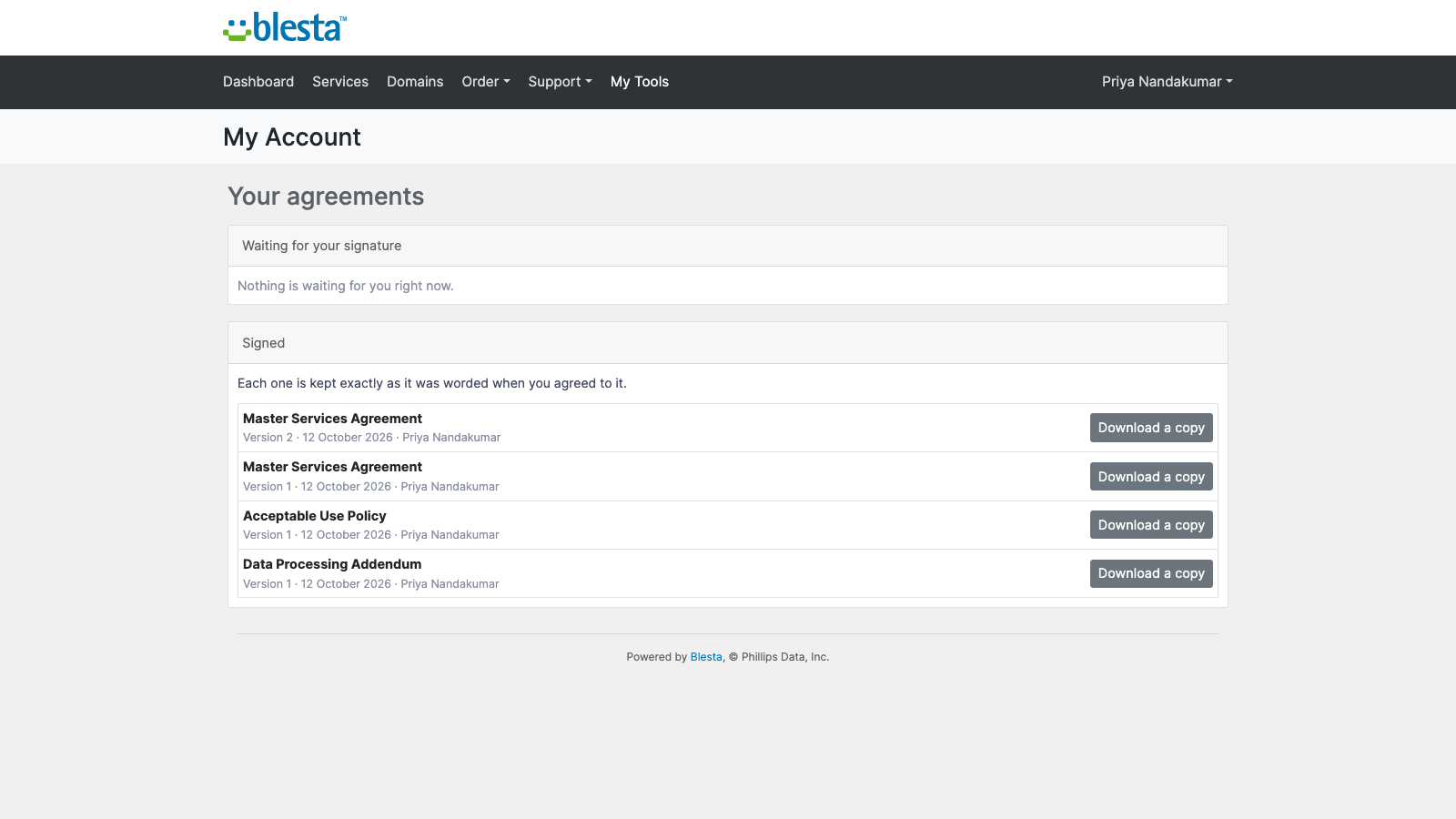
Their own signed copies: each signed agreement lists its version and date with a download, and nobody else's copies are visible
Accessible signing: a keyboard-only or screen-reader customer can reach the end of the agreement, accept it and sign, with a typed-name option so no one is blocked
Customers review and sign inside their own client areaTyped-name signing for customers who cannot draw one
Security built in
Signatures are never deleted and published text can never change
Customers can only open their own signing records
The authenticated API refuses callers without a valid connection token, and a connection limited to some clients cannot read or change any other client
A drawn signature is stored in your database as an image and is never returned by the assistant tools
Uninstalling removes the module's tables and settings; the reminder email template is kept
One product, every feature
PD Agreements is one paid module with everything included. There are no add-on tiers. It installs into PD Modules in one click, updates itself, and adds its own tables without modifying Blesta files.
If your subscription ever lapses, the signatures you have already collected stay readable and downloadable. Managing agreements locks once the licence has expired, and asking customers to sign stops only if it is later suspended.
Requirements
Blesta 6 or later on PHP 8.2 or later, with the ionCube Loader
PD Modules, the free control panel every PD module installs into
Questions
Does this replace the Blesta "Terms of Service" tick box?
It replaces what that tick box is for. Blesta's order form links to a terms URL and records nothing; PD Agreements shows the document itself, records who accepted which version, and gives you a downloadable evidence record. You can leave Blesta's own terms setting in place or clear it — they do not conflict.
Is a typed name or a drawn signature legally binding?
In most jurisdictions an electronic signature is capable of being binding, and what decides a dispute is the evidence that a specific person accepted a specific text at a specific time — which is exactly what is stored: the version, a fingerprint of the wording, the date and time, the IP address and browser, and the signature itself. Whether a particular method suits your contract type and country is a question for your legal adviser.
What happens when I change my terms?
Publishing creates a new version; existing signatures stay attached to the version they signed. Tick "everyone who signed an earlier version must accept this one" and customers on older versions are asked again on their next visit to the client area. If you do not tick it, they are left alone and only new customers see the new version.
Can I edit a published version?
No, deliberately — the value of the record is that the text cannot be changed after the fact. Edit and publish again: you get a new version, and version history shows what changed and when.
Will an unsigned customer be locked out of everything?
Only if you choose that. By default an unsigned customer can still pay invoices and open tickets, so you never block a customer from paying you. You can tighten it to "nothing until signed" or loosen it to "everything except placing new orders". Logging out and password reset are always available.
Does anything leave my server?
No. PD Agreements makes no outbound calls. Agreements, signatures and evidence records live in your own Blesta database, and the evidence PDF is generated on your server using the PDF engine already bundled with Blesta.
Can a customer get a copy of what they signed?
Yes — by default they see their signed agreements in their client area and can download the same evidence PDF you can. You can turn that off in Settings.
Can I delete a signature?
You can revoke one, which records the reason and the time and asks the customer to sign again. You cannot delete it, because a record you can quietly remove is not evidence. Deleting an agreement removes it from your list and stops anyone being asked, but every signature keeps its evidence record, with the exact text that was signed.
Does it work with my client theme?
Yes. The signing page is a standalone screen with its own styles, so it looks the same whatever your client-area theme, and the customer's agreements page sits inside your Blesta client area like any other page. You can override both, and your overrides survive updates.
What if my subscription lapses?
Your customers are never locked out — the signing surfaces keep working and everything you have already collected stays readable and downloadable. Authoring new agreements and chasing signatures is what pauses until the licence is active again.
What does it cost to run, on top of the subscription?
Nothing beyond the module subscription. PD Agreements runs entirely inside your Blesta and does not connect to a paid third-party service, so there is no usage bill, no per-message or per-GB charge, and no metered anything.
Can customers who use a keyboard or screen reader sign?
Yes. The agreement scrolls from the keyboard, the signature pad is labelled for screen readers, and a customer who cannot draw a signature can choose to type their name instead. The record shows the method actually used.
Can I aim an agreement at a particular add-on, or at customers who match several conditions?
Yes. Target products, product groups, add-on packages, client groups or individual clients, and choose whether a customer is asked when they match any of your choices or only when they match all of them. You can also ask a single client to sign any published agreement.
Can I export signatures for an auditor?
Yes. Download the signatures or the audit log as a CSV for any period. A drawn signature appears as yes or no rather than the image, and the IP address and browser columns are left out when you have turned that recording off.
Can I stop asking customers who have bought a particular add-on or plan?
Yes. In the agreement, under "Except these customers", pick the add-ons, products, product groups or client groups to leave out. A customer who has any of them is not asked, whatever else you targeted, including an agreement for everyone. It is checked every time, so when a customer buys the add-on they stop being asked with nothing for you to remove, and if they lose it they are asked again. Signatures already collected are kept.
Can I take back an agreement I asked a client to sign?
Yes. Open the agreement and press Remove beside the client in the list of clients asked by name, or press Remove on their page in your admin area. They are no longer asked because they were named, and anything they already signed is kept. If your targeting still reaches them they are still asked, and the screen tells you so.
What’s new in 0.2.43
Leave customers out of an agreement: choose add-ons, products, product groups or client groups to except, and anyone who has one is no longer asked, for example once they buy a waiver add-on. You can also take back an agreement you asked one client to sign, from the agreement or the client's page.