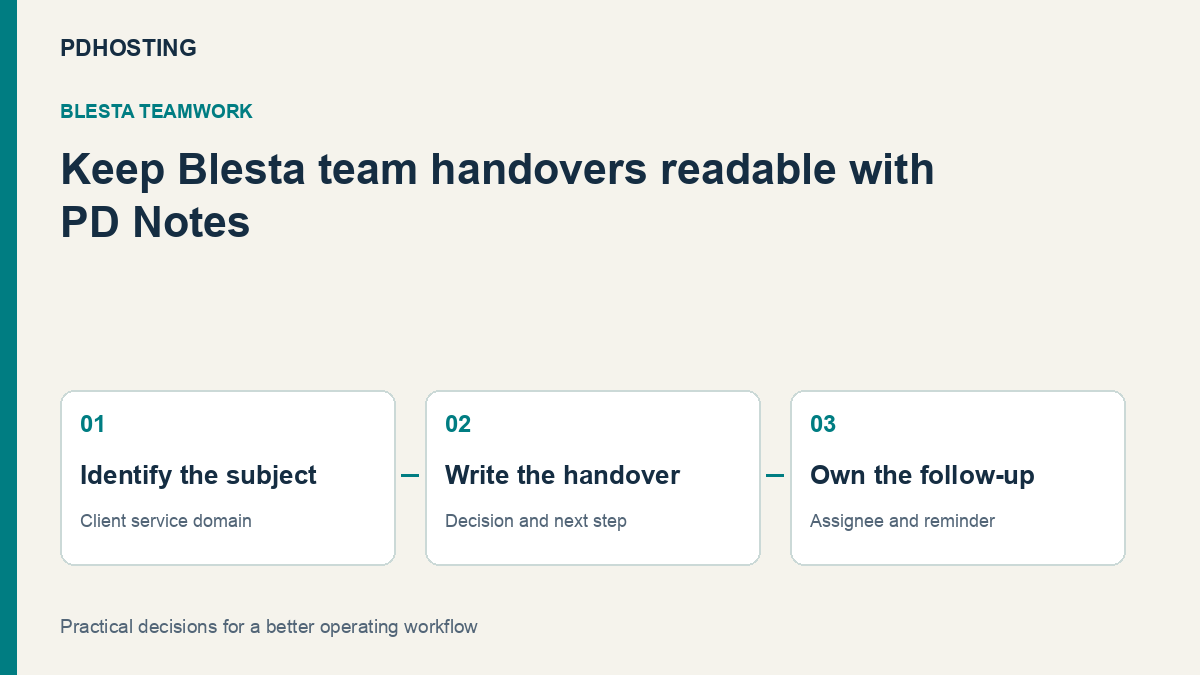
Blesta Notes and Reminders: Better Context for Client and Service Handovers
Keep customer, service and domain context in Blesta with PD Notes: reusable handover templates, due-date reminders, tags and deliberate customer sharing.
A customer conversation rarely ends when the immediate task is finished. Someone still needs to remember the agreed next step, the service it concerns and the reason a particular decision was made.
PD Notes adds rich, organised notes and reminders to Blesta clients, services and domains. Staff can keep context where it belongs, start from reusable templates, highlight important information and set a follow-up date rather than relying on a personal reminder outside the account.
For a hosting team or agency, the value is continuity. The next person opening the account can find a useful record, and the person responsible for a follow-up has a defined action to review.
Put the note against the right thing
Some information belongs to the overall client relationship. Other information concerns one hosting service or a particular domain. PD Notes supports those three scopes instead of forcing every observation into a single undifferentiated account note.
A hypothetical agency might record the client’s preferred project contact at client level, an agreed maintenance window against a particular service and a transfer-planning detail against a domain. Each note then has a clearer purpose for the next staff member.
Scope is useful because customers often have more than one service. A note about one application should not be mistaken for a condition applying to the whole account. A clear title and the correct association make that distinction easier to see.
The note body supports Markdown, with optional colour and tag organisation. Use it to make the agreed facts and next action readable, rather than storing a dense transcript that someone must reconstruct later.
Use a template for the questions staff should remember
Templates provide reusable note bodies for recurring work. An onboarding call, a service handover or a renewal discussion can start from the same useful set of prompts.
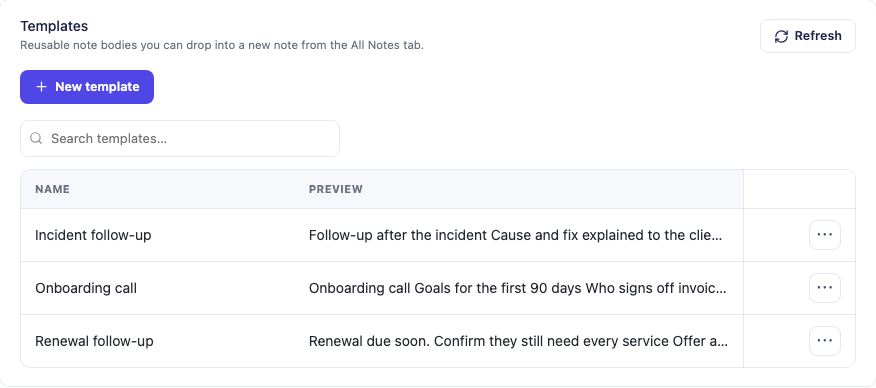
This actual product screen shows demonstration templates. They illustrate reusable structure, not automatically completed customer records.
Imagine a hosting team introducing a new application service. Its handover template could prompt the operator to record the agreed contact, the relevant service, the action completed and the next review date. The operator then fills in the facts for that customer.
A template is not automatic merge-field substitution. Review the resulting note and replace any prompts deliberately. The purpose is to help staff ask and record the right questions, not create a convincing-looking note without evidence.
That distinction keeps the feature useful as the team grows. New colleagues can follow a consistent structure while the final record still reflects the actual conversation.
Give the next action a date and an owner
PD Notes reminders attach a due date and assignee to a note. The Reminders view separates due work from upcoming items, helping staff review what needs attention.
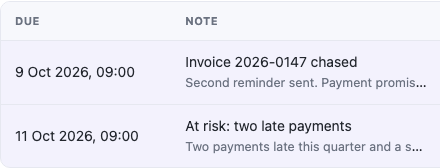
The cropped real view shows example reminder dates and note summaries. It is demonstration content, not customer account information accessed for this article.
A hypothetical migration follow-up might ask the assigned operator to confirm the customer’s acceptance after a planned change. The note explains what is being checked; the due date makes the follow-up visible in the team’s work.
Optional reminder emails or a daily digest can support that routine. They depend on the configured mail and scheduled processing, so do not treat the date as a guarantee of an inbox message at an exact minute.
An assignee identifies who should act. It is not a promise that nobody else with staff access can read the note. Keep access expectations separate from task ownership.
Make important context easy to scan
Pinning, colours and tags help distinguish the information staff need quickly. A pinned note can keep an important account instruction visible. A consistent tag can help staff find related onboarding or migration work later.
The All Notes view provides search and filters for the supported fields and scopes. Use the actual search and filter controls rather than assuming a free-text tag behaves like a separate workflow state.
| Information | Useful place or control | Why it helps |
|---|---|---|
| General relationship context | Client-scoped note | Follows the account across services |
| One service’s maintenance agreement | Service-scoped note | Avoids applying it to unrelated services |
| Domain-specific administration | Domain-scoped note | Keeps the registration context distinct |
| Recurring handover prompts | Template | Helps staff record a consistent set of facts |
| A future action | Reminder and assignee | Makes the next step reviewable |
| Information needed immediately | Pin, colour and clear title | Makes the important point easier to find |
The taxonomy does not need to be elaborate. A small set of consistent labels is often more useful than many overlapping tags that nobody applies the same way.
Keep internal notes and customer information distinct
Notes begin as staff-only unless visibility is deliberately changed. For supported client- and service-scoped notes, the optional customer view can expose selected information read-only on the client-area home page. Domain notes remain staff-only.
That gives the host a useful way to share an agreed action or maintenance note without publishing every internal observation. Review both the wording and visibility before deciding a note belongs in the customer’s account.
For example, an internal planning note may contain several staff questions. A customer-facing note should state the agreed information the customer can use. Those are different audiences even when the subject is the same service.
The global customer-visibility option and an individual note’s saved state are separate controls. Turning off a global display is not the same as rewriting every stored visibility flag or recalling a message already sent.
Share with a colleague without confusing it with assignment
The module supports emailing a note to a colleague with an optional message. That can help bring a specific item to another staff member’s attention during a handover.
It is separate from assigning a reminder. Sending a colleague a copy does not automatically give the note a due date, make them the assignee or clear an existing customer-visible state. Use each control for its intended purpose.
Customer sharing is also a distinct operation. Review recipient, body and account visibility together. A message attempt and a visible portal note are separate outcomes, and a sent email cannot be recalled by hiding the note later.
Do not store service passwords or provider keys in ordinary notes. Keep the handover context here and use an appropriate credential-management route for the secret itself.
Make the record useful to someone who was not there
A good handover note answers a few concrete questions: what happened, which account item it concerns, what was agreed and who does what next. It avoids assuming that the next reader remembers the original call.
In an illustrative hosting workflow, the first operator records the maintenance outcome, adds the next check and assigns the reminder. A colleague later opens the same service context and can continue from the documented agreement rather than asking the customer to repeat the whole story.
PD Notes provides the structure and account placement for that continuity. The quality of the record still comes from the team keeping it current, specific and appropriate for its audience.
Explore PD Notes for Blesta for current details. The guides explain templates, reminders and customer visibility.
Frequently asked questions
Can I attach notes to individual Blesta services?
Yes. PD Notes supports client, service and domain scopes, letting staff place context against the relevant item.
Can a note have a reminder and assignee?
Yes. Due dates and assignees support follow-up review in the Reminders view, with optional configured email or digest behaviour.
Do templates fill in customer details automatically?
Treat them as reusable note bodies. Review and complete the actual facts rather than assuming automatic placeholder substitution.
Can customers see every staff note?
No. Customer visibility is deliberate and depends on the supported scope and settings. Domain notes remain staff-only.
Does emailing a colleague assign the reminder to them?
No. Sharing a copy and assigning a reminder are separate operations. Set each one intentionally.
Does hiding a note recall an email already sent?
No. Portal visibility and an existing email copy are separate. Review the recipient and content before sharing.
