PD Site Sentinel for WHMCS

PD Site Sentinel — Outside-In Security Monitoring for the Websites You Host

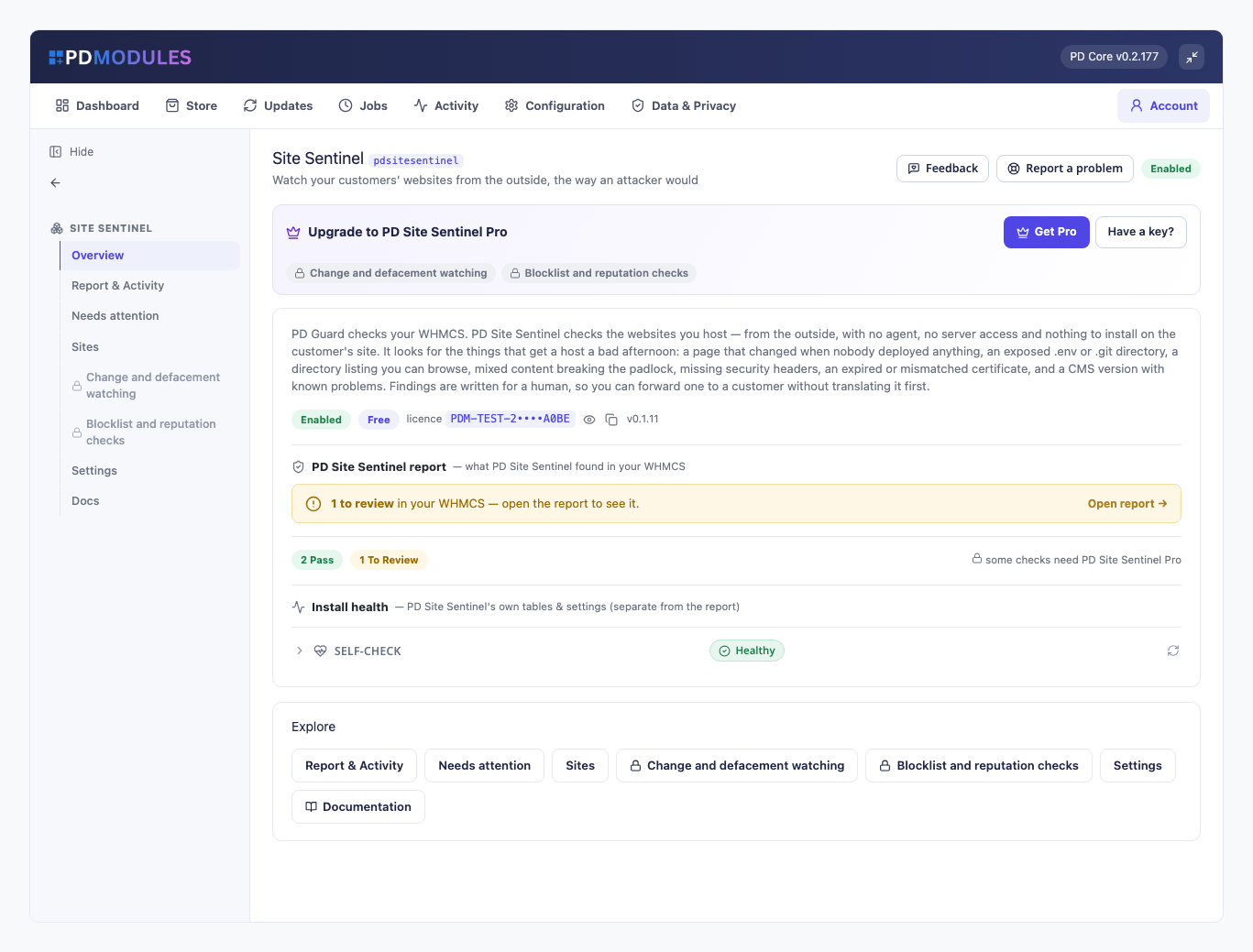
Watch your customers' websites from the outside, the way an attacker would

Made and supported by Projektif Digital Ltd. Runs inside PD Modules, the panel every module installs into.

Monitoring & Alerts Security & Fraud

PD Site Sentinel watches the websites you host from the outside, the way an attacker would. It looks for the things that give a host a bad afternoon: an exposed .env file or backup archive, a directory listing anyone can browse, an expired or mismatched certificate, mixed content that breaks the padlock, missing security headers and a CMS advertising an old version. Every finding is written in plain words, so you can forward it to a customer without translating it first.

There is no agent to install, no server access and nothing to put on the customer's site. It uses ordinary read-only web requests, exactly as a visitor would, and never logs in, uploads or changes anything. It is built for hosting companies who want to catch problems on customer sites before the customer, or a stranger, does. The core is free; Pro adds change and defacement watching and blocklist checks.

Why hosts choose PD Site Sentinel

Found from the outside, so nothing to install. Because it only makes the requests a browser makes, it works on any site you host, whatever it runs on, with no access to the server and no code on the customer's site.

Findings people trust. A 200 response is not enough to raise an exposed-file finding. The body has to look like the file: an .env needs KEY=value lines, a Git config a [core] section, a SQL dump real SQL, and anything served as an HTML page is treated as an error page. That is the difference between a scanner you act on and one you switch off.

Worst first, in words a customer understands. The list puts the most serious findings at the top, and each says what was found and what it means. Missing security headers are graded advisory, never urgent, and a CMS version is described as a hint.

Honest about what it could not see. A site that cannot be reached is reported as unreachable, not as clean and not as a security problem. Without a Google Safe Browsing key the blocklist check stays off and nothing implies it ran.

Coverage without setup. Customer websites are added automatically from their services and removed with them. A site you added by hand is never removed automatically.

Alerts that stay meaningful. Only new serious findings are emailed, to the addresses you set or your system address. Warnings and advisories are not, so an alert still means something.

How it works

  1. Install it. PD Site Sentinel installs from PD Modules in one click. Sites are enrolled automatically from hosting services that have a domain.
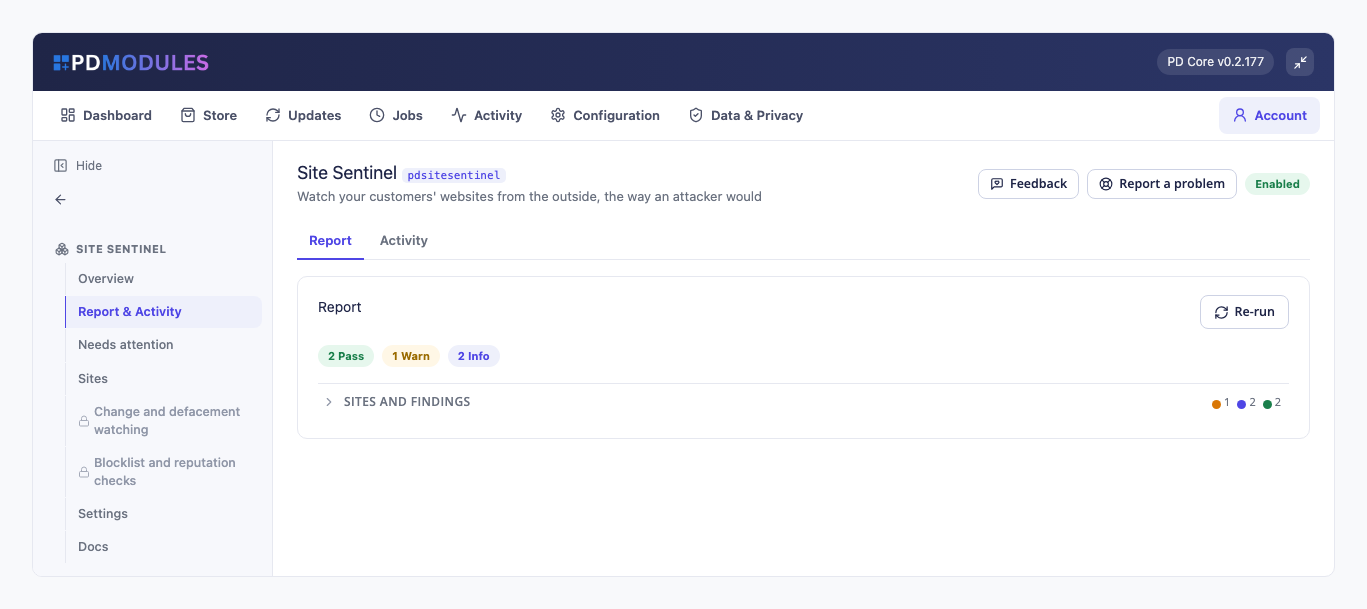
  2. It scans daily. The scheduled job scans the sites that are due, in batches (40 by default), and reports a failure as a failed run rather than hiding it. You can scan on demand at any time.
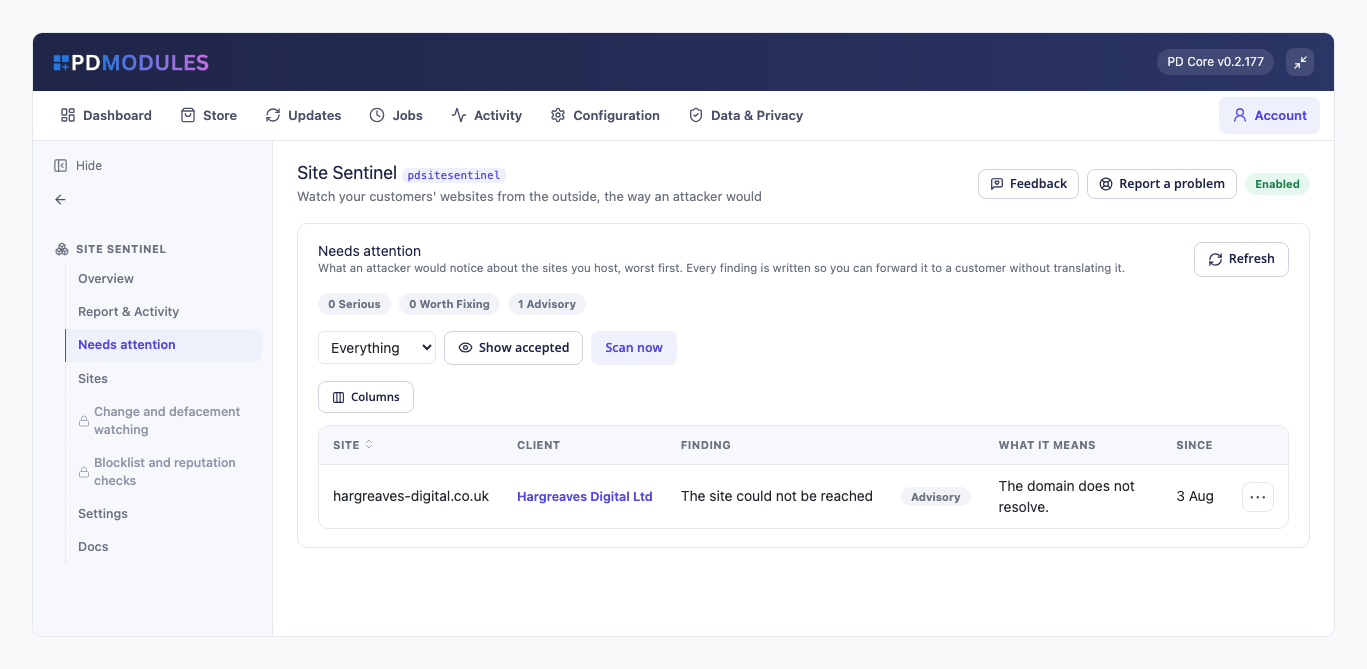
  3. You see what needs attention. Findings are listed worst first, with the site, the customer, what was found and what it means.
  4. You tell the customer, or they see it themselves. Forward a finding as written, or let the customer see a short security summary for their own site.

What you get in WHMCS

What it checks

  • Exposed files: /.env, /.git/config, /wp-config.php.bak, /config.php.bak, /database.sql and /backup.zip, and directory listings detected from the server-generated index
  • Certificates: expired is serious, expiring within three weeks a warning, a name mismatch serious, with wildcards matched the way browsers match them
  • Mixed content: only real http resources (scripts, styles, images, frames) on an https page, never plain links
  • Security headers, graded advisory
  • CMS identification from the generator the site publishes, flagging only a major version several releases behind
  • Each check can be switched on or off

Running it day to day

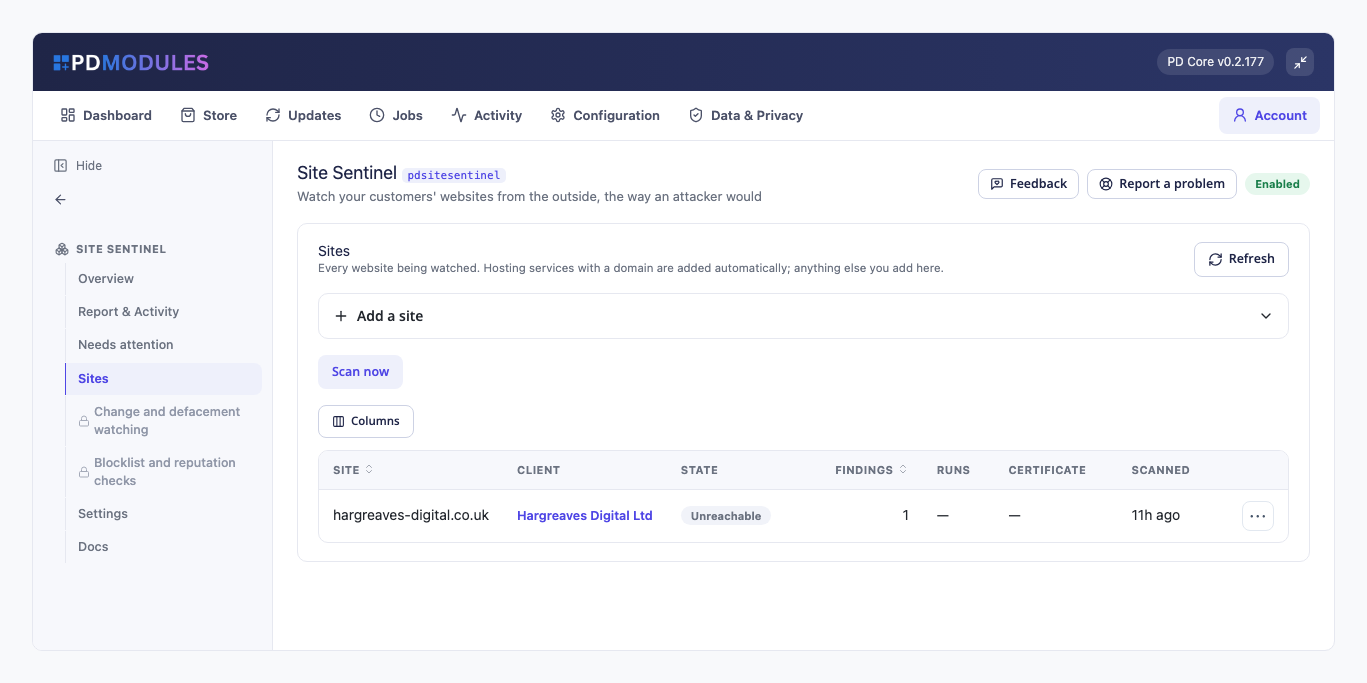
  • A Sites list showing every website watched with its customer and state, most serious first
  • A Needs attention list with Scan now
  • Add a site by hand for anything that is not a hosting service
  • Findings feed the security section of PD Care Reports, if you use it

Pro: change and defacement watching

  • Each scan fingerprints the home page with scripts, styles, comments, markup and long numbers removed, so a rotating banner or a timestamp does not raise an alert and replaced text does
  • The first scan sets the baseline. A site that changes constantly can have change alerts switched off on its own row

Pro: blocklist and reputation checks

  • Checks each site against Google Safe Browsing using your own free API key, stored encrypted
  • Off until you add a key, and it says so

What your customers get

  • A short security summary for their own sites, on their WHMCS service page. It is on by default
  • Detail only when you choose. Individual findings are shown to a customer only if you switch that on; it is off by default
  • Never another customer's data. Each customer sees only their own sites

Security built in

  • Everything is read-only. It never logs in, uploads or changes a customer's site.
  • Only requests to the scanned sites, and to Google Safe Browsing if you add a key, leave your server. Nothing is sent to us.
  • The Safe Browsing key is stored encrypted.

Free, with a Pro tier

PD Site Sentinel is free. All the checks above, automatic enrolment, alerts and the customer summary cost nothing for up to ten sites (you can set the limit from 1 to 25). Sites beyond it are listed and labelled Not scanned (free limit), so you are never left believing a site is watched when it is not.

Pro is £12 per month. It lifts the limit and adds change and defacement watching and blocklist checks. It upgrades in place on the same licence, with nothing to reinstall.

If Pro lapses you get a 14-day grace period with everything working. After that scanning carries on as the free tier, your sites and findings are kept, and change watching and blocklist checks stop.

Requirements

  • WHMCS 9 or later and PHP 8.2 or later, with the ionCube Loader
  • A working WHMCS cron
  • PD Modules (free), which installs PD Site Sentinel
Questions

Does this scan files on the server?

No. Everything is done from the outside with ordinary read-only web requests, exactly as a visitor's browser would. No agent, nothing installed on the customer's site, and no server access — which also means it works for a site you host on someone else's infrastructure.

Is this a malware scanner?

No, and it does not claim to be. It cannot see inside a file it cannot read. What it does see is the outside view: what an attacker and Google can find without any access at all — an exposed credentials file, a browsable directory, a defaced page, a blocklisting.

Will it flood me with false alarms?

That is the main thing it was designed against. A 200 response is not enough to raise an exposed-file finding — the body has to look like the file, and anything served as HTML is treated as an error page. Mixed content counts resources only. The page fingerprint ignores scripts, timestamps and counters. A site we could not reach produces one advisory note, not a page of findings.

A customer's site changes constantly and keeps alerting.

Turn off change watching for that one site on the Sites tab. Every other check keeps running.

Is it safe to scan customer sites?

Yes — a handful of ordinary GETs per site, spread across a batch. Nothing is exploited, written or brute-forced. You are checking sites on your own infrastructure for security problems, which is what a responsible host should do.

Why does the blocklist check say it is off?

Because no Google Safe Browsing API key has been supplied. Rather than skip the check silently and let an absence of findings look like a clean result, the module leaves it off and says so. Add a key in Settings and it starts working.

Should I show findings to my customers?

The summary, yes. The detail is off by default for a good reason: "your .env file is downloadable" in the client area is itself a disclosure, visible to anyone with access to that account. Turn it on for technical customers only.

What happens if Pro lapses?

Scanning continues as the free tier. Your sites and findings are kept; change watching and blocklist checks stop.

Does this expire, or turn into a paid version later?

The free tier never expires — it arrives with your PD Modules licence and keeps working, with no trial clock and nothing that switches off later. If you add Pro and then let it lapse, only the Pro features step down, in stages: a 14-day grace period where everything still works, then the Pro features lock and the module carries on as the free version. Nothing is deleted, nothing you configured is lost, and adding Pro again restores it immediately.

What does it cost to run, on top of the subscription?

Only what you already pay your provider, plus Pro if you add it. The free tier costs nothing and Pro is a flat subscription — neither takes a cut of your provider usage. PD Site Sentinel connects to your own account with your own credentials, so the provider bills you directly at your rates.

What data leaves my server?

Your customers' data stays in your WHMCS. To confirm your licence, the platform sends us four things and nothing else: your licence key, the domain, your server's own IP address and the directory it is installed in — the four values recorded against your licence in your client area. Alongside that we see which module and version you run and whether its licence is healthy, so we can ship compatible updates. We never receive your clients' personal data, your credentials, or the contents of your WHMCS. Crash reports are off unless you turn them on, and a diagnostic report is only ever sent when you send one, after showing you a preview you can edit.

Which WHMCS and PHP versions does it need?

WHMCS 9 or later, on PHP 8.2 or later. It installs alongside whatever else you run — it adds its own tables and templates rather than modifying WHMCS files, so it does not collide with other vendors' modules or with a customised theme. Uninstalling removes its own tables and settings and leaves no orphans behind.

How do I get help?

Open a ticket from your client area, or use Get help inside the PD Modules panel, which attaches a diagnostic report — you see a preview of exactly what it contains, and can exclude any part of it, before anything is sent. Support is included with an active subscription; bug reports are welcome whatever your licence state.

What’s new in 0.1.30

  • A site you paused now reads "Paused" on the Sites tab, not "Not scanned (free limit)".
  • Findings name a CMS the way its makers spell it, such as WordPress and TYPO3, so they can be forwarded as they are.
  • Without Pro, the oldest sites up to your limit are the ones scanned, and the Sites tab now labels exactly the others.
  • The Sites list now shows the most serious problems first, and the Safe Browsing key is stored encrypted.
  • The findings list keeps its explanations readable on narrower admin screens instead of squeezing them into a thin column.
  • Links on this module's screens open the right client, service and product pages on every platform.

Get your website online with PD Hosting

UK hosting, domains and support from a real team. From a first site to a full server.

Terms and Conditions  ·  Privacy Policy

PD Hosting is the trading name of Projektif Digital Ltd, registered in England and Wales, company number 12482555.

PD Hosting
Privacy Overview

This website uses cookies so that we can provide you with the best user experience possible. Cookie information is stored in your browser and performs functions such as recognising you when you return to our website and helping our team to understand which sections of the website you find most interesting and useful.