
PD Modules — One Panel for Every PD Module, With Updates That Apply Themselves
The control panel our modules run inside — one licence, one place, updates in a click.
Made and supported by Projektif Digital Ltd.
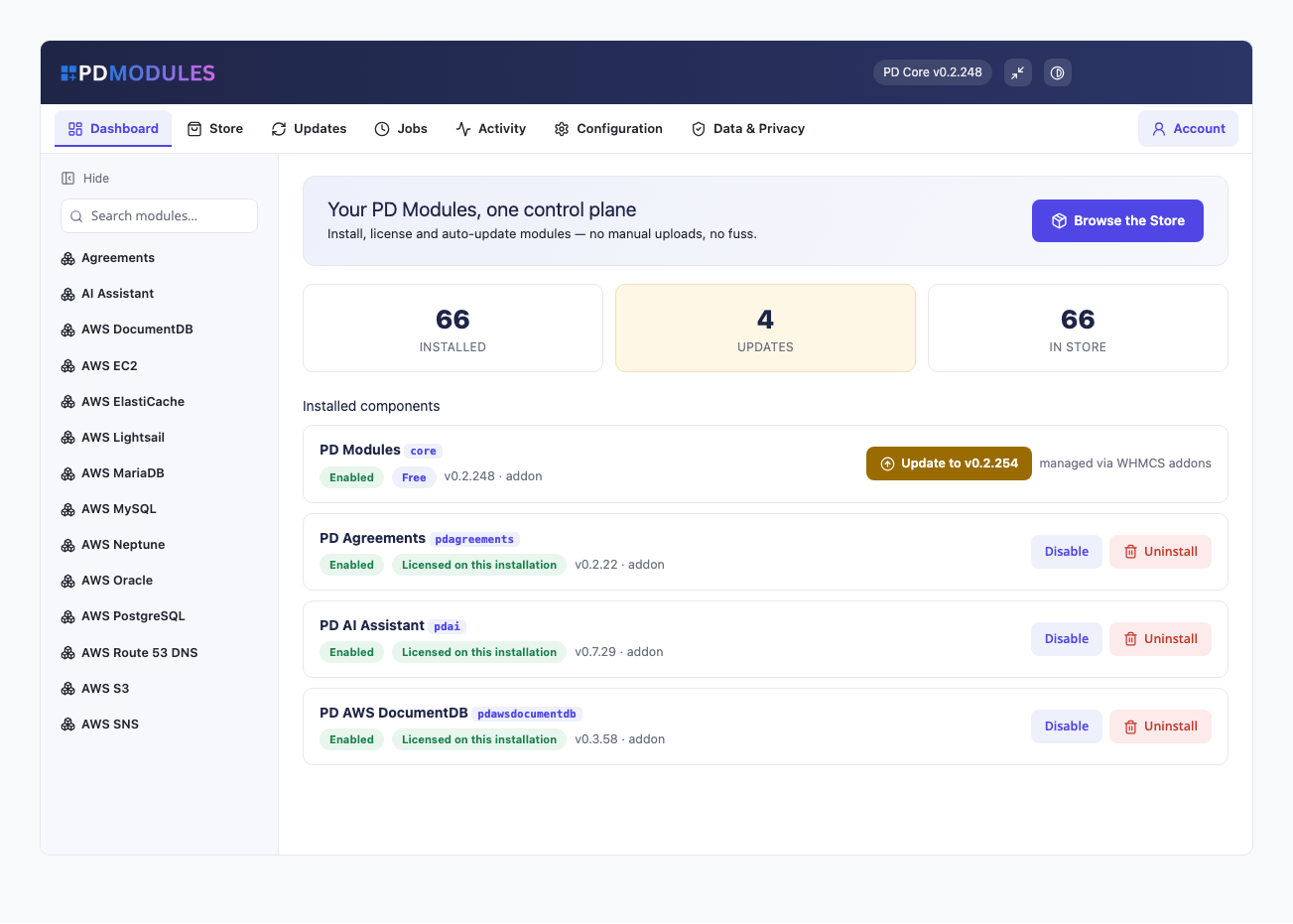
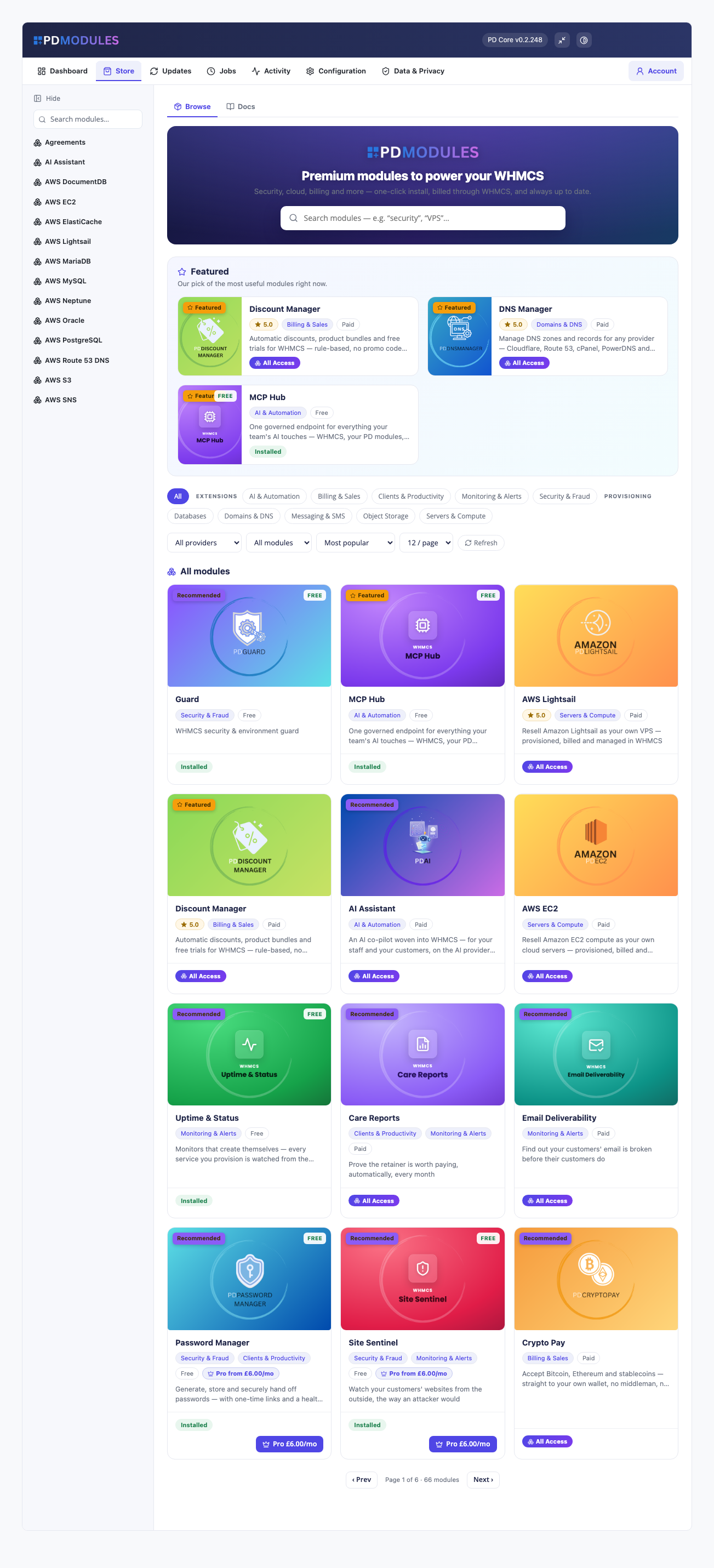
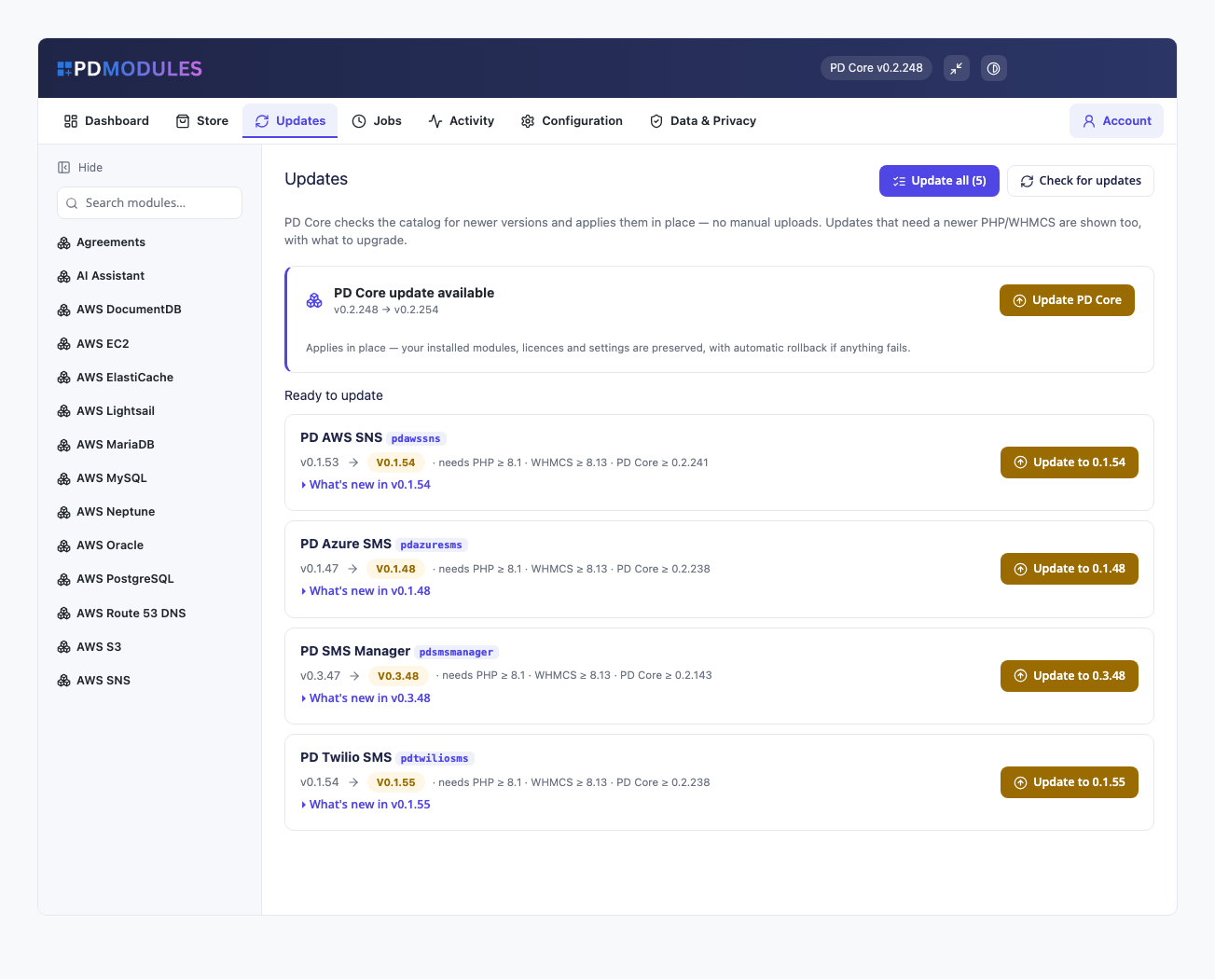
PD Modules is the free control panel that installs, updates, rolls back and licenses every PD module from one place inside your WHMCS admin. You upload it once. After that, every module you take, free or paid, appears in a store inside the panel, installs in a click, updates itself and keeps its licence in order. You never download a zip or overwrite a file by hand again.
It is for hosting companies running more than one PD module, or planning to, who want one tidy place to see what is installed, what is licensed and what needs attention, rather than a folder of packages and a spreadsheet of keys. It costs nothing: you pay only for the paid modules you choose.
Why hosts choose PD Modules
One panel instead of a pile of uploads. Install, enable, disable, update and uninstall every module from the same screen. A search box and a sidebar take you straight to any module's own pages.
One licence, however many modules. Your installation holds a single PD Modules licence. Each paid module you buy is added to it, so there is no second key to install and no separate account per module. A second installation, such as a staging box or a second company, takes its own licence.
Updates that cannot leave you half-way. An update is verified as genuine and tested where it cannot affect anything before it replaces your files. If any step fails, the version you had stays exactly as it was. Prefer not to click at all? Automatic updates are there, and off until you switch them on.
A way back. Every module has a Version and recovery page with its full release history and a Roll back button on the latest releases. Rolling back changes files only, so your data and settings stay put, and you can update forward again whenever you like.
You can see what leaves your server. The Data and Privacy page keeps a ledger of every outbound request that has actually been made. Crash telemetry is off until you turn it on, and nothing is sent to us that you have not been shown.
Support inside the panel. Pidi, PD Modules AI Support, answers questions about your modules, checks your installation and prepares fixes for you to approve. It is free for licensed installations.
How it works
- Install the panel once. Upload the package and activate it, and give your staff roles access. That upload is the only one you ever make by hand.
- Connect your account. Choose Sign in and connect. Your modules and licences are imported automatically, with no key to copy. If you would rather, paste a licence key instead.
- Browse the store and install. Free modules install straight away. Paid modules are bought through your own account and appear the moment the order completes.
- Stay current. Updates are listed with what changed in each. Apply one, apply all, or let automatic updates handle it.
What you get in WHMCS
Installing and licensing
- A store inside your admin: search, filter by category and provider, see what each module does and what it costs, including free and Pro tiers
- One-click install with the right version for your WHMCS and PHP
- Account connection that imports every module and licence you own
- Invoices, renewal dates and licence status visible from inside the panel
- Free modules are tied to your account as well, so updates and support reach you; it costs nothing
- Disconnect at any time: modules stay installed and keep their data, and simply stop receiving updates and licence checks until you reconnect
Updating and recovery
- An Updates page listing every newer version with its release notes, and an Update all button
- Updates that need a newer PHP or WHMCS are shown too, with what to upgrade
- Repair re-installs the version you already have with fresh copies of every file, leaving data, settings and services untouched
- Version history and rollback for each module, with a confirmation before anything happens
- PD Modules updates itself the same way, with the same safety net
Background jobs
- A Jobs page showing every background task: what it is for, how often it runs, when it last ran and what happened, in words rather than codes
- Pause one job without affecting the others
- Installs, updates and provisioning run as tracked jobs: close the page and the work carries on, and a job interrupted part-way is picked up rather than left half-finished
- Runs on your existing WHMCS cron, the one WHMCS itself needs; an optional per-minute cron makes installs and updates finish in seconds, with the exact command shown on the Jobs page
Data and privacy
- A plain-words list of what we always receive: what identifies the installation and the versions it runs
- A ledger of every outbound request, so you can check rather than take our word
- Crash telemetry off by default; problem reports sent only when you press the button, after a preview where you can untick any part or download the bundle and send it yourself
- Your clients' details, invoices, tickets and card data are never read or sent, and credentials are stripped from anything that is
- Recent errors recorded on your installation, listed for you
Pidi, PD Modules AI Support
- Reads the page you are on, so "What can I do on this page?" gets an answer about that very page
- Knows every PD module, installed or not: features, guides and prices
- Runs a health check on your installation and explains each finding in plain words, and tests a module's connection
- Sits beside failing checks, failed updates, failed jobs and recorded errors with an Ask Pidi button that starts the question for you
- Prepares changes as a card showing exactly what will change. Nothing happens until you press Apply
- When a change needs a key or password, the card has its own box. Pidi never sees passwords or keys
- Prepares install, update, enable, disable, rollback and repair cards, and can prepare a problem report for you to review and send
- Conversations are searchable, kept for 30 days and can be deleted
- Free for licensed installations, with answers processed in the EU
It stays out of the way
PD Modules adds its own pages and its own database tables and changes nothing else. It modifies none of your WHMCS files, so upgrading WHMCS is unaffected, and it sits alongside other vendors' modules and a customised theme without collisions. Uninstalling a module removes that module's own tables, settings and files and nothing else, so a reinstall behaves like a first install. Your customers never see the panel: it is admin-only.
Free, and fair when payments lapse
PD Modules costs nothing and has no paid tier. If a paid module's subscription ever lapses, nothing is deleted and nothing of yours is touched. There is a grace period with everything working, then admin management of that module locks while your own customers carry on being served, and only after that do customer-facing features pause, behind a neutral message that never mentions licensing. Hosted AI processing and the in-browser server console, which we pay to run for you, stop on lapse. A short network problem is not a lapse: the panel remembers its last good answer and keeps working. Renewing restores everything.
Requirements
- WHMCS 9 or later and PHP 8.2 or later, with the ionCube Loader
- Admin access and a way to put one package on your server
- An account with us, which is free
Questions
What is PD Modules, and do I need it?
It is the panel our modules run inside — you install it once, and every module you buy appears in it. You do not buy it separately: it arrives with the first module you get, free or paid.
Do I need a licence for every module?
No. Your installation holds one PD Modules licence and every module you buy is added to it — one key, one place to manage everything. A second installation, such as a staging box or a second company, takes its own licence.
How do updates work?
Each module checks for its own updates and applies them in one click, with a rollback if anything goes wrong. You can also turn on automatic updates and leave it alone. There is never a zip to download or files to overwrite.
Will it interfere with my billing system?
No. It adds its own pages and its own database tables and modifies none of your billing system's files, so upgrading your billing system is unaffected. Uninstalling removes its own tables and settings and leaves no orphans.
What happens if my subscription lapses?
Nothing of yours is touched and nothing is deleted. There is a grace period where everything keeps working, then admin management locks while your own customers carry on being served, and only after that do customer-facing features stop — behind a neutral message that never mentions licensing to them. Renewing restores everything immediately.
Does it work on Blesta as well as WHMCS?
Yes — the same panel, the same modules and the same licence on either platform. A module states which platforms its current version supports on its own page.
What does it need to run?
PHP 8.2 or later, and a supported version of your billing system. It installs alongside whatever else you run and does not collide with other vendors' modules or with a customised theme.
What’s new in 0.2.387
- "Get it free" in the Store installs a free module on a licensed installation without first connecting a PD account.
- Installing a module you already own from its Store page shows its progress, and the module is ready to open the moment it finishes; before, it could say "Module not found" until you reloaded the page.
- In dark mode the Jobs page's job groups, the privacy documents, the sidebar search, a module's questions and answers in the Store, release-note headings, the Data & Privacy page and the main buttons are readable.
- Uninstalling a module removes all of its data, even when one of its scheduled tasks was running at the time.
- When Pidi changes a setting for you, every setting you did not ask about stays exactly as it was.
