PD Guard gives a WHMCS host a clear picture of how safe their billing install is, and tells them the moment something gets worse. One click runs a health and security report written for the exact WHMCS and PHP versions you run, every finding comes with a plain-language fix, and sign-in alerts and failed-login protection cover the gaps WHMCS leaves open. The free version does all of that. PD Guard Pro adds an admin access lock, scheduled monitoring, file-integrity and malware scans and deeper audits.
It is built for hosts and agencies who run WHMCS themselves and want to find problems before a customer, or an attacker, does, without hunting through documentation or paying for a separate security service.
Why hosts choose PD Guard
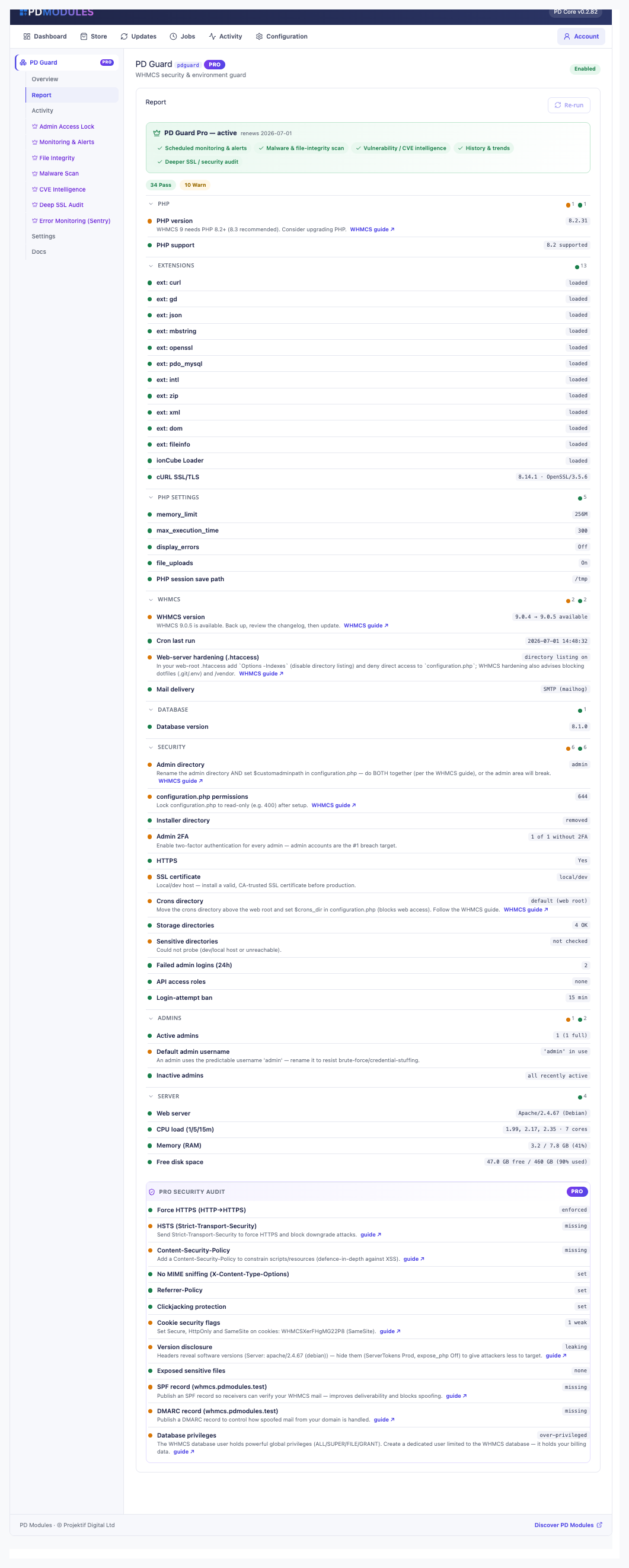
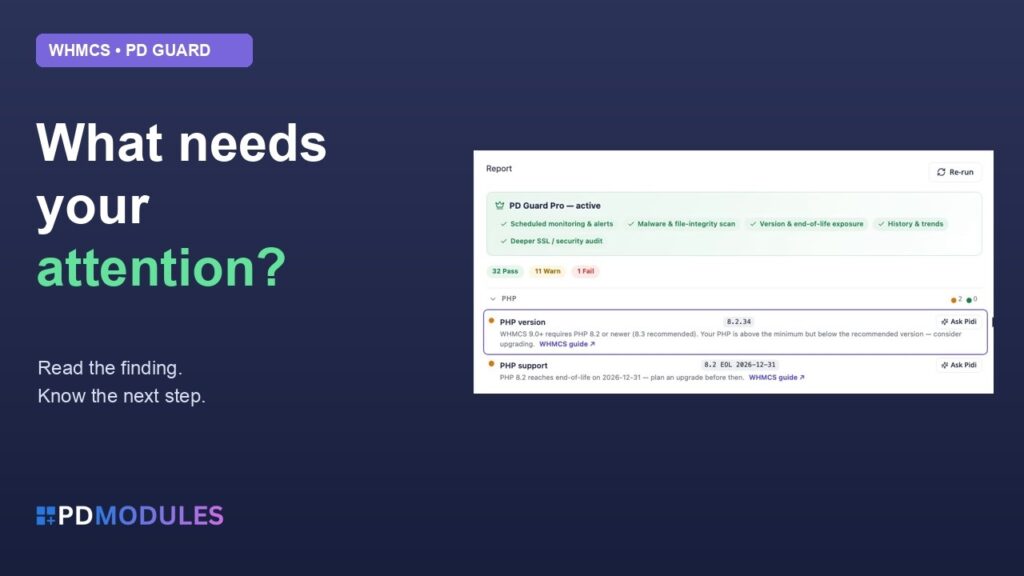
Know what is wrong, and how to fix it. The report is grouped into PHP, extensions, PHP settings, WHMCS, database, security, admins and server resources. Every finding is marked pass, warning or fail with a fix beside it, and links to the official WHMCS guide for the version you run, where one exists.
It judges your version, not a generic checklist. PHP is measured against the minimum and recommended versions for the WHMCS release actually installed, and it fails only below the real floor. You are not told to upgrade something WHMCS does not require.
Safe to run at any time. The report is read-only. PD Guard never edits configuration.php, .htaccess or your WHMCS settings, so there is nothing to undo. Results are cached for ten minutes, and Re-check forces a fresh run.
Closes gaps WHMCS leaves open. WHMCS keeps only each client's last sign-in and does not email you when an IP is banned. PD Guard keeps the full history, alerts you, and emails your clients when their account is used from a new place.
Nothing to run, nothing to pay per use. Checks run on your own server. Nothing is metered, and no third-party account is needed for the free features.
Free to start, Pro when you want it to act. Everything in the free version works with no trial clock. Pro is a second addon on the same licence, with nothing new to install.
How it works
- Install PD Guard from PD Modules. It adds a Guard section to your WHMCS admin. No separate server or agent.
- Open the Report. Read the 40+ checks, starting with anything marked fail or warning, and follow the fix and guide link beside each.
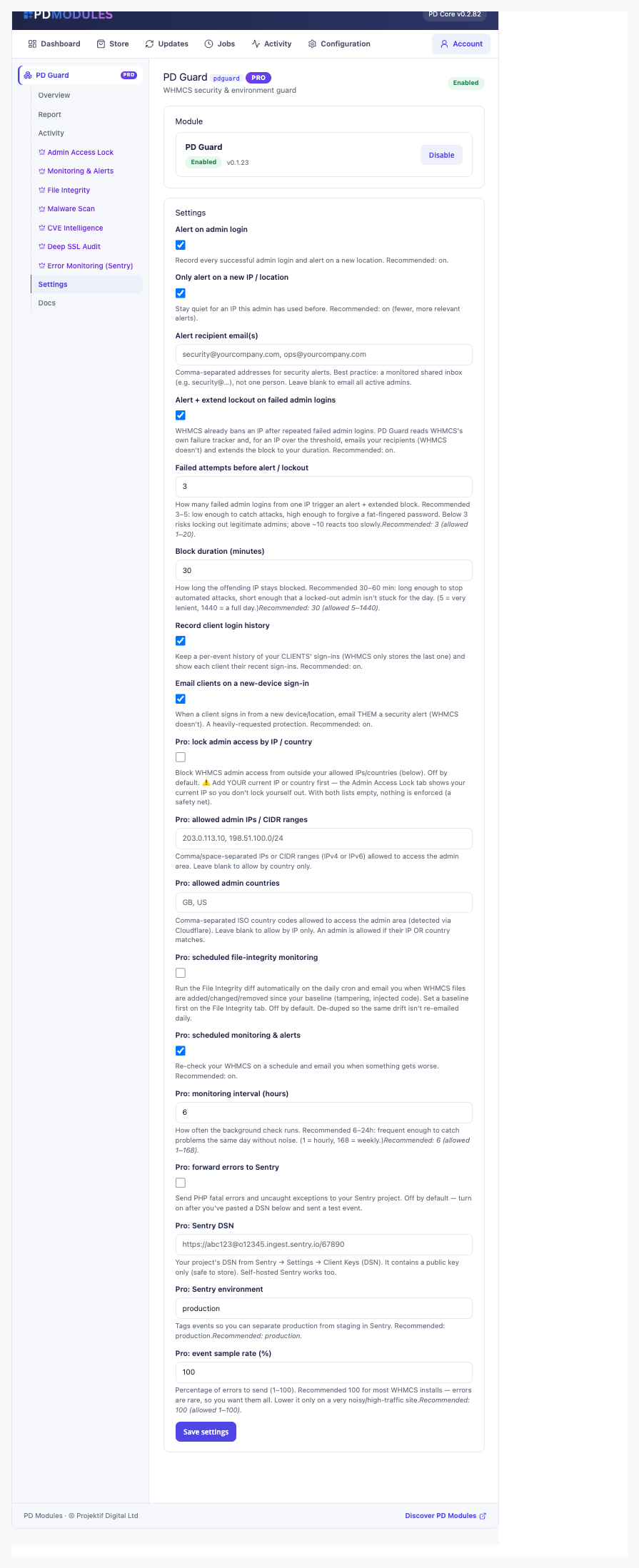
- Switch on the alerts you want. Set who receives security alerts, turn on failed-login protection and client sign-in history, and save.
- Add Pro if you want it watching for you. Turn on scheduled monitoring, set a baseline for file integrity, and lock the admin area to your own addresses and countries.
What you get in WHMCS
Health and security report (free)
- 40+ checks across PHP, extensions, PHP settings, WHMCS, database, security, admins and server resources
- Follows WHMCS's own hardening guide: renamed admin directory, read-only
configuration.php, installer directory removed, crons directory moved out of the web root - Warns when maintenance mode, hooks debug mode or Display Errors is left on, and when mail goes out through PHP
mail() instead of SMTP or a mail provider - Says when a newer WHMCS release is available, and when the cron has not run for over 24 hours (fails after 48)
- Admin hygiene: an admin named "admin", admins with no sign-in for 90 days or more, leftover disabled admins, and admins without two-factor authentication
- SSL certificate check: an untrusted or self-signed certificate fails, one expiring within 14 days warns
- Probes whether
attachments/ and downloads/ are reachable over the web, and says "not checked" on a local host instead of guessing - CPU load against core count, RAM and free disk, with warning and failure thresholds
- Shows WHMCS's failed-login ban length and warns when it is off
Sign-in protection (free)
- Every successful admin sign-in is recorded with its address. By default you are emailed only when an admin signs in from an address not seen before; you can alert on every sign-in or switch alerts off
- Alerts go to the addresses you list, or to every active admin when the list is blank
- When an IP reaches the failed-login threshold you are emailed, and the IP stays in WHMCS's Banned IPs for at least your chosen duration (5 to 1,440 minutes), extending a shorter WHMCS ban
- One alert per lockout, not one per cron run; the block clears by itself when it expires
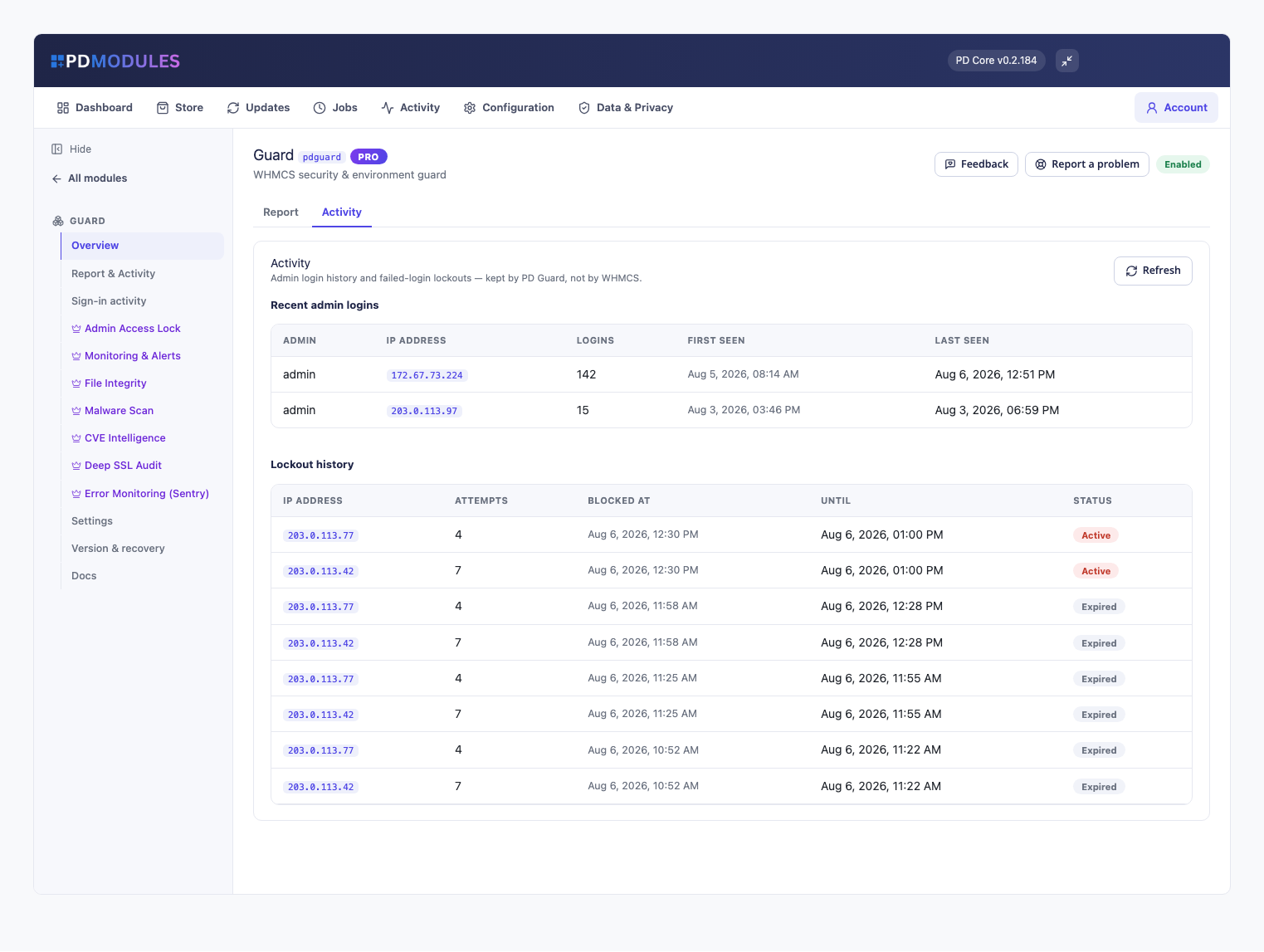
- Sign-in activity lists admin and customer sign-ins together, with address, count and first and last seen, and a customer's name opens their profile
- Activity shows admin sign-ins, client sign-ins and lockouts side by side, newest first
Pro: act on it
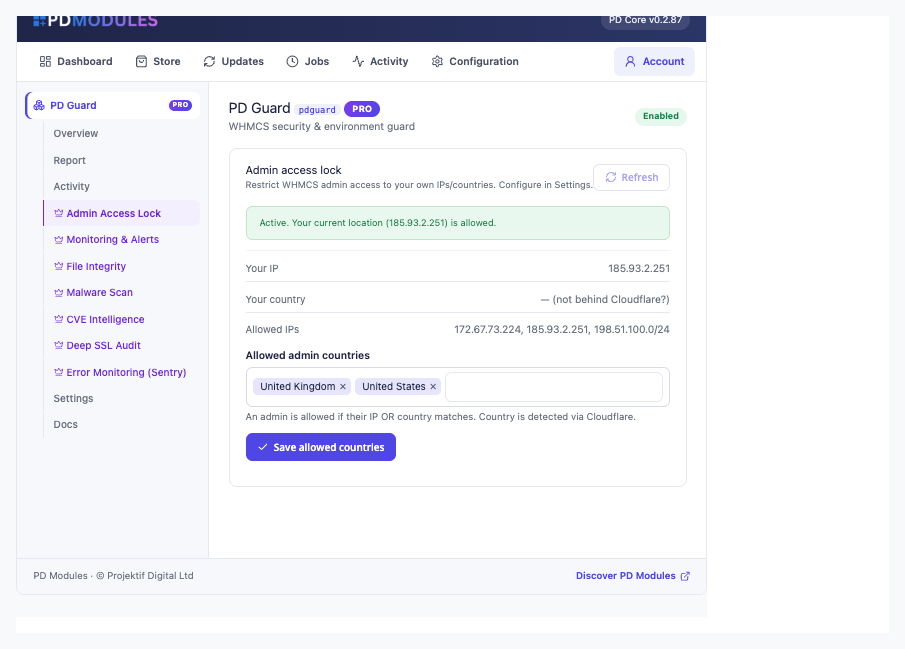
- Admin Access Lock: admin requests from outside your allowed IPs, CIDR ranges (IPv4 or IPv6) and countries get an "Access denied" page, including form posts and background requests. The customer area is unaffected. Saving a policy that would lock you out is refused, naming the address to add
- Monitoring and alerts: the full audit re-runs every 1 to 168 hours and emails only when a check gets worse, listing what changed. Alerts can also go to a Slack webhook or an HTTPS endpoint
- File Integrity: fingerprints your PHP files and shows what was added, changed or removed since a baseline you accept
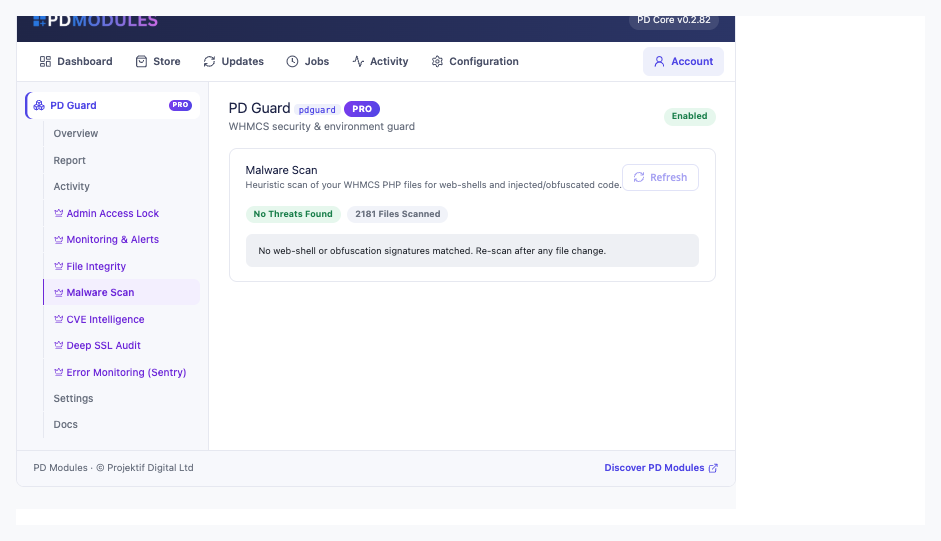
- Malware Scan: flags known web-shells and obfuscated or injected code, labelled as WHMCS core or your own files so false positives can be told apart. It runs on your server only when you click Scan now
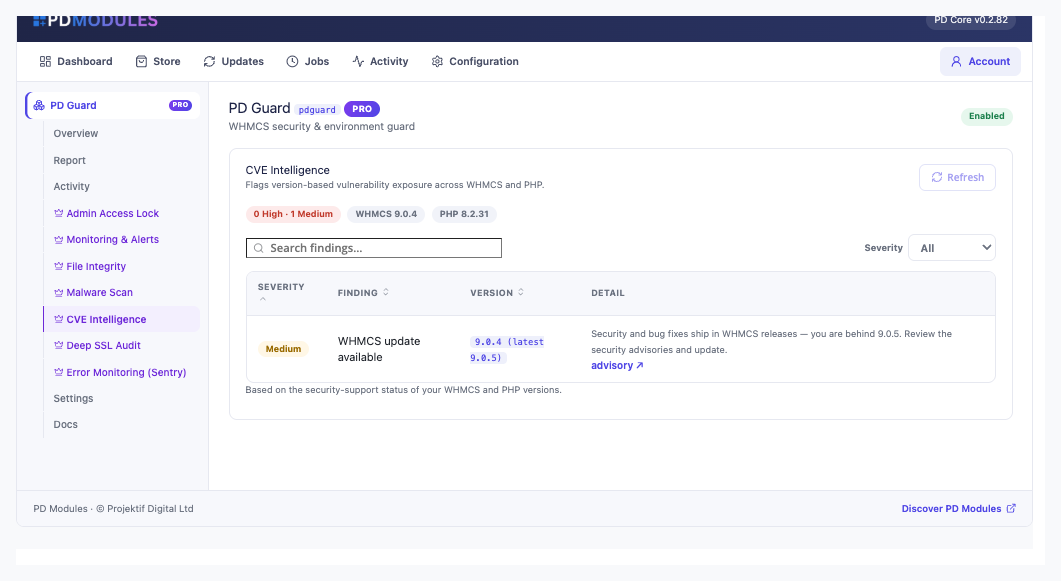
- Version Exposure: flags end-of-life or near-end-of-life PHP and unsupported WHMCS versions
- Deep SSL audit and Security Audit: negotiated protocol and cipher, certificate chain and hostname, then force-HTTPS, security headers, cookie flags, version disclosure, exposed files, SPF and DMARC, and database privileges
- Error monitoring: PHP fatals and uncaught exceptions sent straight to your own Sentry project, off until you switch it on
What your customers get
- A Recent sign-ins panel on their client-area home page, with the time, address and country of recent sign-ins, so they can spot access that is not theirs
- A security email on a new device or location, sent from a WHMCS email template you can reword and translate per language
- The panel renders natively on the bundled client themes and can be translated through an override folder that updates never overwrite
Security built in
- The malware and file-integrity scans run on your own server and only when you ask, never on page load.
- A sign-in's country is worked out offline from the address; no third-party lookup is made.
- Nothing leaves your server except alert emails, the webhook you configure (Pro), the Sentry events you opt into and the SSL checks of your own site.
- Forwarded visitor addresses are trusted only from Cloudflare or a proxy you list, so the admin lock cannot be walked past with a forged header.
Free and Pro
PD Guard is free. PD Guard Pro is £12 per month and is added to the same licence in place. If Pro lapses, PD Guard keeps running as the free module and your data and settings are kept. The free report, alerts, failed-login protection and sign-in history never switch off. Uninstalling removes the module's tables, settings, files and scheduled jobs.
Requirements
- WHMCS 9 or later on PHP 8.2 or later, with the ionCube Loader
- PD Modules, the free control panel every PD module installs into
- No separate server, agent or third-party account for the free features