PD Password Manager — Generate, Store & Securely Hand Off Passwords in WHMCS
Generate, store and securely hand off passwords — with one-time links and a health check
Made and supported by Projektif Digital Ltd.
Runs inside PD Modules, the panel
every module installs into.
Clients & ProductivitySecurity & Fraud
An encrypted store for the credentials your team shares — with strength scored on every entry.Hand a password to a customer on a link that dies after one view.Rules you set once, so every password your team issues meets them.The whole module at a glance, with every tool a click away.Reset a service password and hand the new one over, in one step.A standing health check on the install, plus a full activity trail.1 / 6
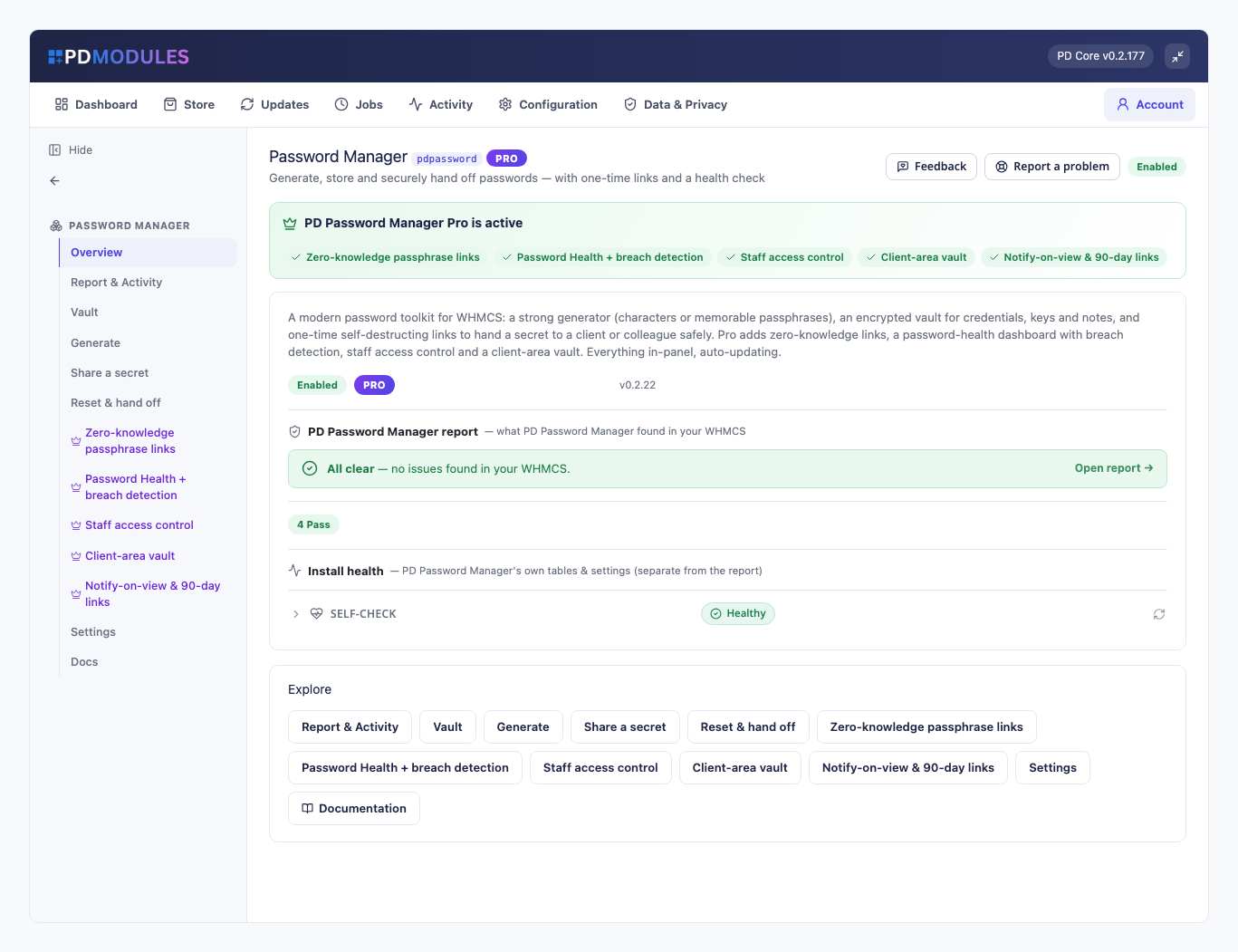
PD Password Manager lets a WHMCS host generate strong passwords, keep shared credentials in an encrypted vault, and hand a password to a customer on a link that destroys itself after one view. No more passwords pasted into support tickets or emailed in plain text. The free version covers the generator, the vault, one-time links and an audit trail. PD Password Manager Pro adds passphrase-protected links, a password health check with breach detection, staff access control and a customer-facing vault.
It is built for hosting companies and agencies whose support team handles customer logins every day and needs a safer, more accountable way to do it.
Why hosts choose PD Password Manager
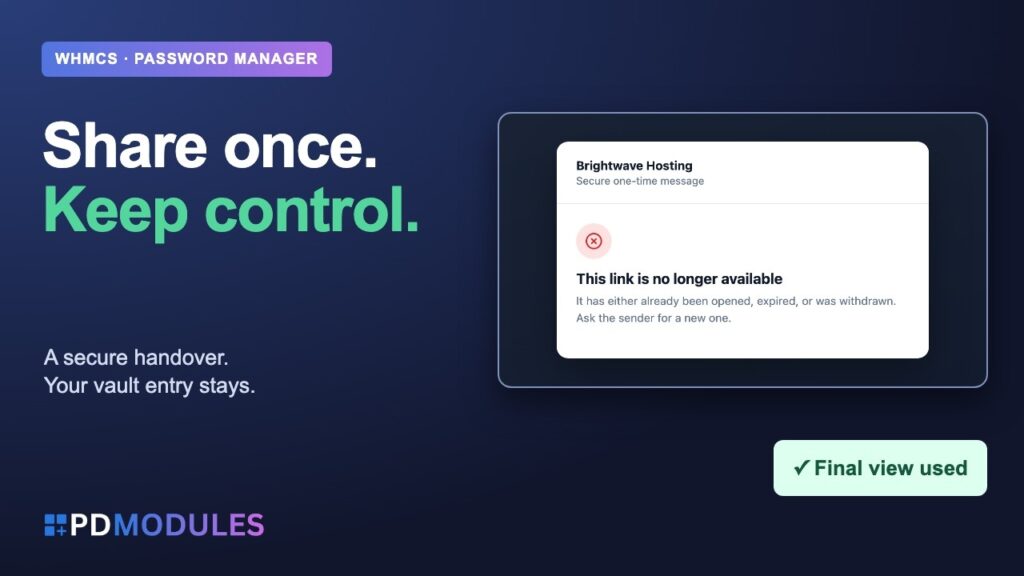
Stop sending passwords in plain text. A secret goes out as a one-time link. It reveals once and is then permanently destroyed; a second open shows "no longer available". If two people open it at the same moment, only one sees the secret.
A leaked database or a leaked link is not enough. Vault entries are encrypted at rest under a key held on your server, so a database dump alone cannot read them. A one-time link's key is split between the link and the server, so neither a database leak nor a leaked link can reveal it on its own. If the server cannot hold its encryption key, saving secrets is refused rather than stored weakly.
Know who looked. Revealing a stored password is recorded with who did it and which entry. Creating, updating, deleting, sharing and revoking are all recorded in Activity.
Link previews cannot burn a secret. A chat or email preview bot that merely fetches the URL does not use it up; the secret is shown only on a deliberate click.
Everything on your own server. Passwords are generated locally from a cryptographically secure source and nothing is sent anywhere. No paid third-party service is used and nothing is metered.
Free to start, Pro when you need it. Pro is a second addon on the same licence. If it lapses, the module carries on as the free version and nothing is deleted.
How it works
Install PD Password Manager from PD Modules. It adds a Password Manager section to your WHMCS admin.
Generate or store. Create a password or passphrase, or save a login, API key, secure note or card detail to the vault.
Hand it over. Share a secret as a one-time link, or pick a client and service in Reset & hand off.
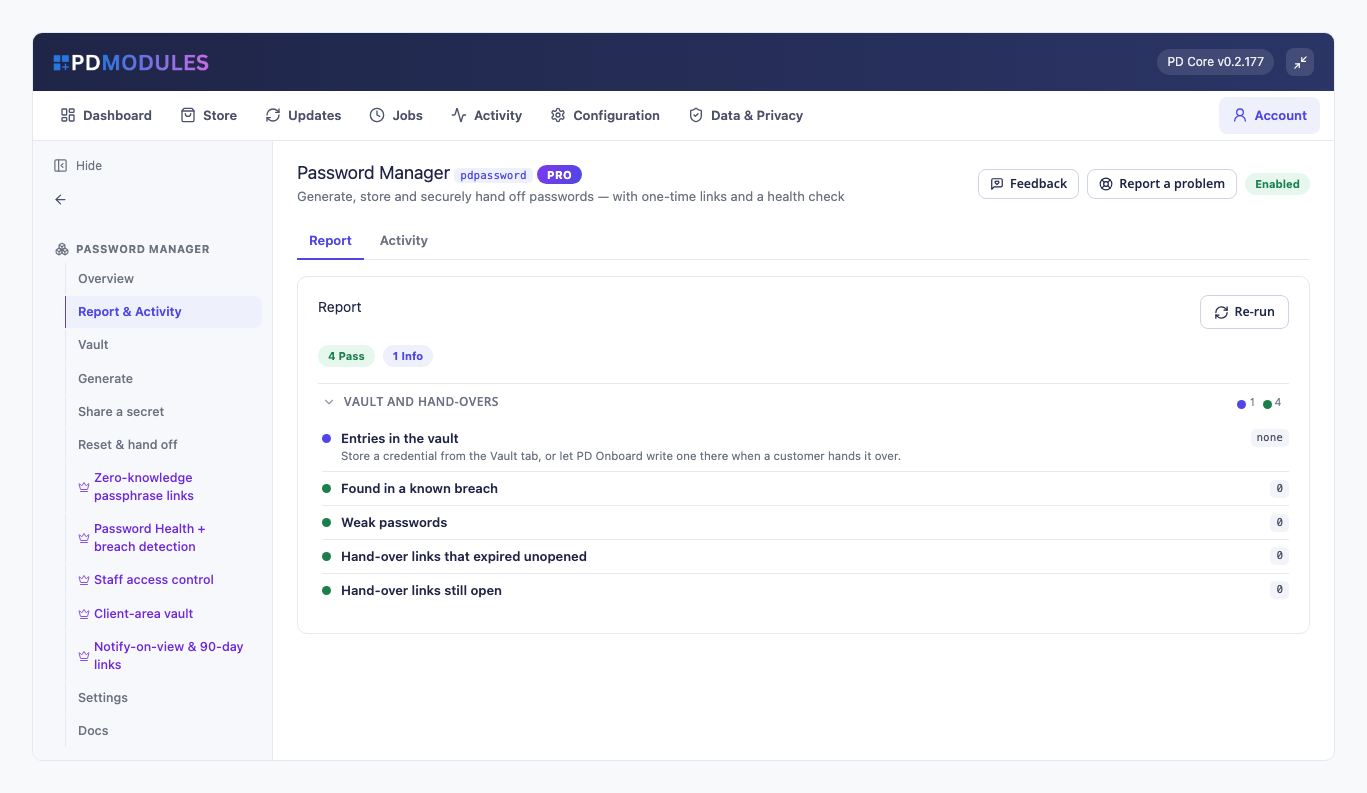
Watch it land. Recent links shows whether each link is active, opened or expired, so you know when a customer has collected it.
What you get in WHMCS
Generator
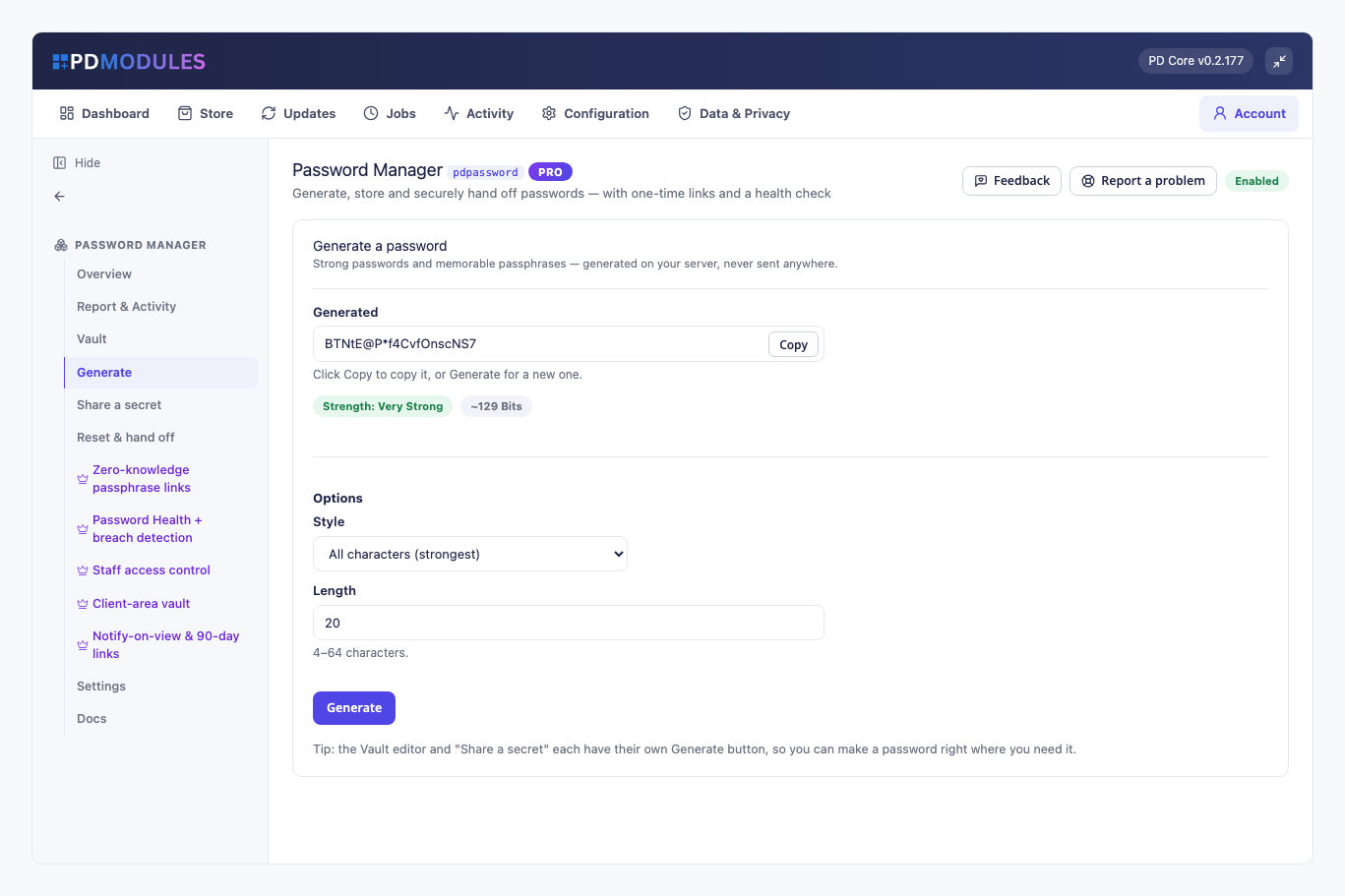
Character passwords from 4 to 64 characters in four styles: all characters, letters and numbers, easy to read (no look-alike characters) or easy to say
Every result contains at least one character of each class the style uses
Passphrases of 3 to 8 memorable words with your choice of separator, capitalisation and an optional number
A strength meter with an entropy estimate, and Generate buttons inside the vault editor, Share a secret and Reset & hand off
Vault
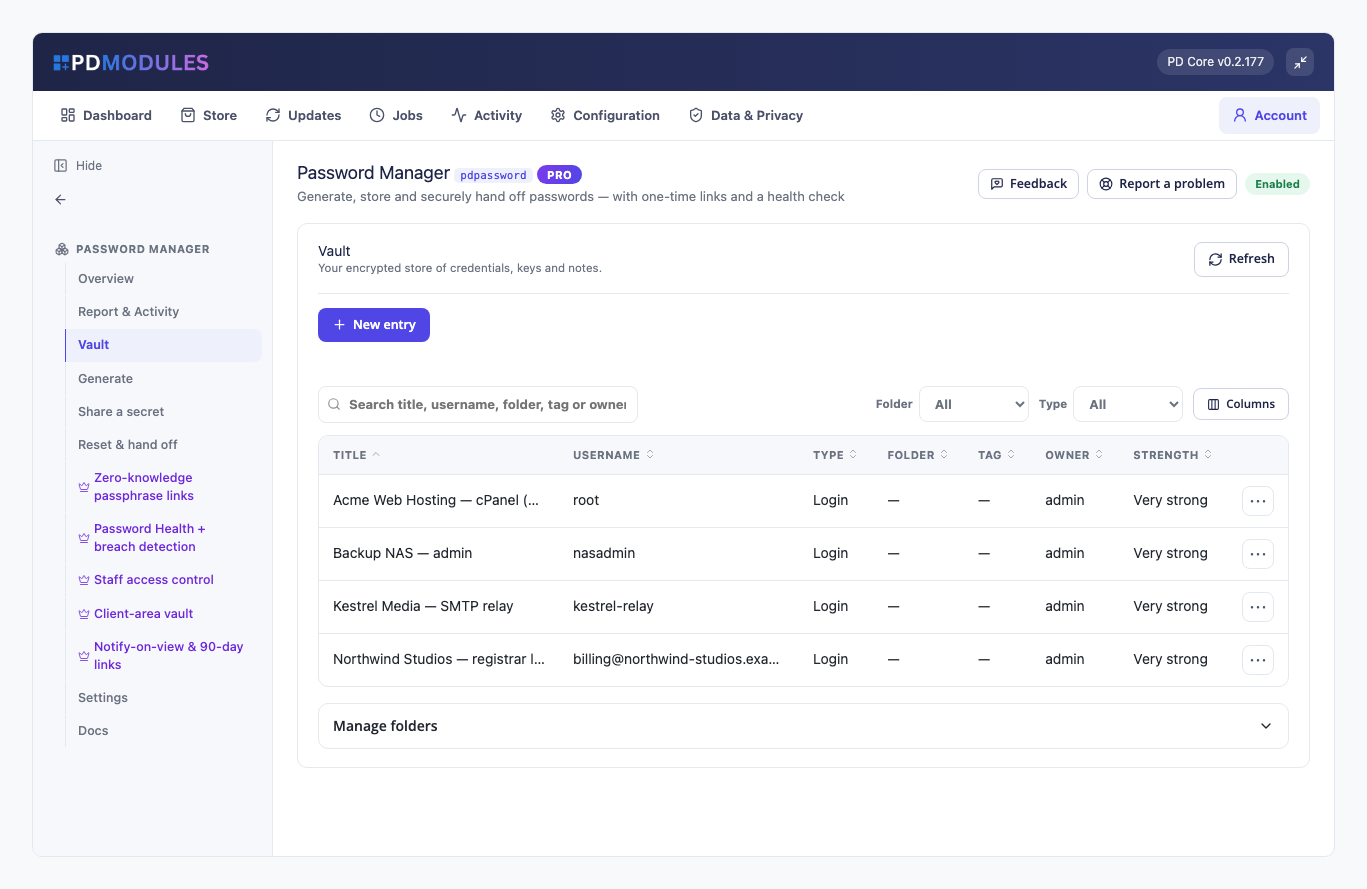
Stores logins, API and licence keys, secure notes and card details, with folders and tags
Search covers titles, usernames, URLs and tags; filter and rate entries by strength
Attach an entry to a client by searching their name, company or email, and it is there when you open that client's account
A password stays hidden until an admin deliberately clicks Reveal. Secrets are kept exactly as typed, so spaces and characters such as &, < and > are not altered
Deleting asks for confirmation and is recorded
One-time links
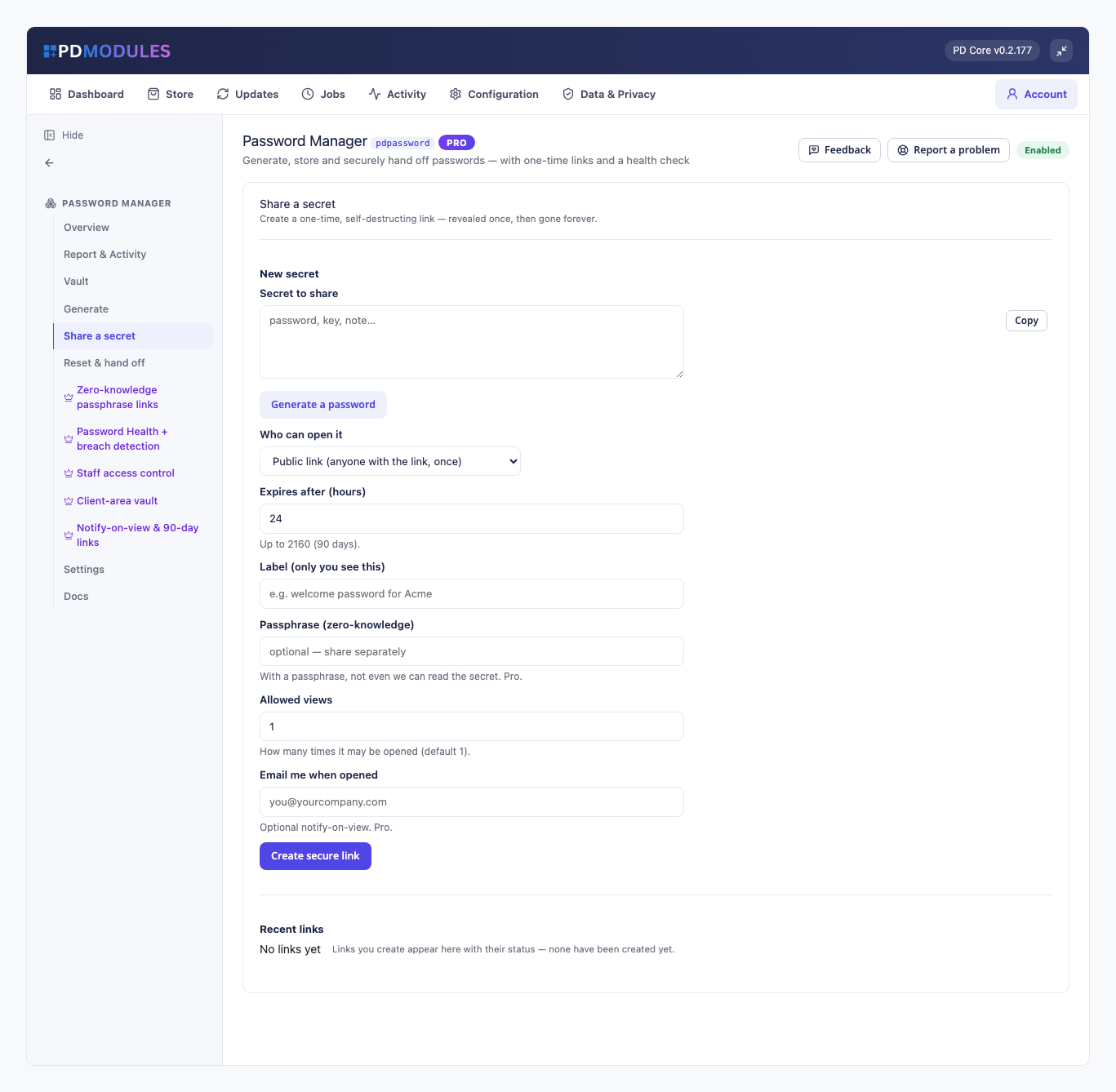
Deliver to anyone with the link, or restrict to the signed-in client it was addressed to. Choose which modes are allowed, and a default
Free links live up to 24 hours and are single-view
The link token never reaches web-server logs or the Referer header
Revoke a link from Recent links so it can never be opened. The link is shown to you once, right after it is made
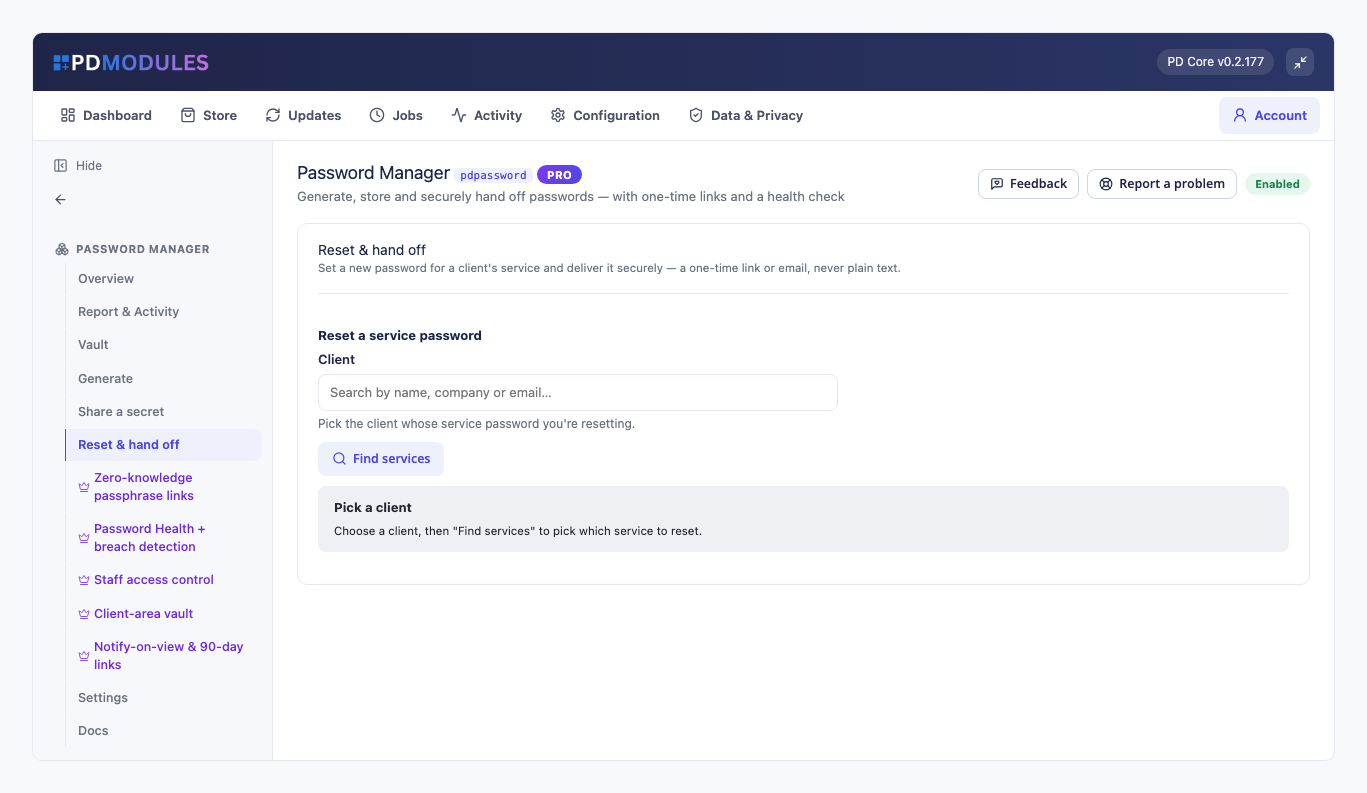
Reset & hand off: pick a client and one of their services, fill a strong password and email the client the one-time link through an editable template. If the email cannot be sent, the screen says so and the link stays ready to copy
On a support ticket
Staff see the ticket client's saved credentials in the ticket's main area and can reveal one, with the reveal recorded and role permissions respected
Share this login sends a client the username and password a service already has, in one step, without changing the service's password. It gives you a reply to paste into the ticket that says where the client will find it and never contains the password
A client can add a login to their ticket without writing it in the message. It is stored encrypted, only staff whose role may reveal can open it, and you set how long after the ticket closes it is deleted, from immediately to 30 days. Staff are told when a client shares or removes one
Pro
Passphrase-protected links: a link cannot be read without a passphrase that is stored nowhere. A wrong passphrase does not use up the view; after too many wrong tries the link locks. You can require a passphrase on every public link
Multi-view, 90-day and notify-on-view links: allow more than one view, extend life up to 90 days, and email the sender the moment the secret is opened
Password Health: flags weak, reused and ageing passwords with a 0 to 100 score and a fix-it list
Breach check: uses the k-anonymity range service of a public breach database. Only the first five characters of a hash leave your server; the password and its full hash never do. If the service is unreachable, passwords are not reported as clean
Staff access control: give roles view, reveal and manage rights separately. The built-in Full Administrator role always keeps full access
Client-area vault: off until you turn it on and mark an entry visible. A customer sees and reveals only their own entries, in a page inside their client area, with a Saved credentials panel and a My Credentials link
What your customers get
A secure message, not a plain-text password. A signed-in client with an unopened client-area link sees a Secure messages panel on their home page; after signing in, the addressed client opens the link and it reveals
Their own credentials, when you choose (Pro). Reveal and copy a login in the portal without raising a ticket
Everything customers see is built from language files and templates, so it can be translated and reworded in an override folder that updates never overwrite
Security built in
Vault secrets are encrypted at rest; each install uses its own key.
Passwords and passphrases are generated on your server and never sent anywhere.
The assistant tools are never given a password, an encrypted value or a link token, and nothing they do decrypts the vault.
Anything containing HTML, such as a title or username, is shown as text and never executed.
Free and Pro
PD Password Manager is free and never expires. PD Password Manager Pro is £10 per month, added to the same licence in place. If Pro lapses, a 14-day grace period keeps its features working, then the Pro features lock and the module carries on as the free version. Nothing is deleted and adding Pro again restores it. Export what you want to keep before uninstalling; uninstalling removes the vault, links, activity and settings tables.
Requirements
WHMCS 9 or later on PHP 8.2 or later, with the ionCube Loader
PD Modules, the free control panel every PD module installs into
WHMCS Password Manager: Share Vault & Hosting Logins Securely | PD Modules.
Watch on YouTube.
The player loads from YouTube when you press play.
Questions
What do I get for free, and what needs Pro?
Free gives you the password generator, the encrypted vault, reset-and-hand-off and one-time self-destructing links (public or client-area). Pro adds the password health and breach dashboard, staff access control, the client-area vault, passphrase-protected links, notify-on-view and longer link lifetimes.
How does the one-time link stay secure?
You share a link, not the password itself. The secret is revealed a single time and then destroyed, and unopened links expire after the lifetime you set — so nothing is left sitting in an inbox. Free links last up to 24 hours; Pro extends that up to 90 days.
How is breach detection done without exposing passwords?
The Pro health dashboard checks stored passwords against known breaches using k-anonymity, so full passwords never leave your server. It also flags weak, reused and stale credentials so you know what to rotate.
Can my clients store and retrieve their own passwords?
With Pro you can enable a client-area vault and mark individual entries visible to a client, so they copy their own credentials from their portal — no support ticket needed. It stays off until you turn it on, and entries are staff-only by default.
Can I control which staff can see stored credentials?
Yes, with Pro. Staff access control lets you decide per role who can view, create and reveal credentials, so the vault isn't wide open to every admin.
What happens to my data if I stop paying for Pro?
The module simply reverts to the free tier — the generator, vault and one-time links keep working and your stored data stays intact. Pro features are just locked until you upgrade again.
Does this expire, or turn into a paid version later?
The free tier never expires — it arrives with your PD Modules licence and keeps working, with no trial clock and nothing that switches off later. If you add Pro and then let it lapse, only the Pro features step down, in stages: a 14-day grace period where everything still works, then the Pro features lock and the module carries on as the free version. Nothing is deleted, nothing you configured is lost, and adding Pro again restores it immediately.
What does it cost to run, on top of the subscription?
Nothing metered. The free tier costs nothing, Pro is a flat subscription, and PD Password Manager runs inside your WHMCS without connecting to a paid third-party service — so there is no usage bill, no per-message or per-GB charge, and no surprise on top of what you chose to pay.
Which WHMCS and PHP versions does it need?
WHMCS 9 or later, on PHP 8.2 or later. It installs alongside whatever else you run — it adds its own tables and templates rather than modifying WHMCS files, so it does not collide with other vendors' modules or with a customised theme. Uninstalling removes its own tables and settings. Two things are kept on purpose: the new-password email template, which you may have reworded, and the install's encryption key file, which opens nothing on its own and is used again if you reinstall.
What’s new in 0.2.59
Share a secret can now share a client's service login or a saved vault entry without you seeing or copying the password, and each vault entry has a Share button. A password that belongs to a client can only be shared with that client.
 Featured