PD Guard — Security & Environment Guard for Blesta
Blesta security & environment guard
Made and supported by Projektif Digital Ltd.
Runs inside PD Modules, the panel
every module installs into.
Security & Fraud
A full security audit of your Blesta — every finding explained, with the fix spelled out.Who signed in to your admin area, from which address, how often and since when.Lock the admin area to your own addresses and countries — anyone else is turned away.Heuristic malware scanning finds web-shells and injected code hiding in your Blesta files before they cause damage.Every PHP file added or changed since your trusted baseline, so tampering cannot hide.Re-checked in the background — a change for the worse reaches your inbox and your webhook.1 / 6
PD Guard gives a Blesta host a clear picture of how safe their install is, and tells them the moment something gets worse. One click runs a health and security report judged against Blesta's own requirements, every finding comes with a plain-language fix, and sign-in alerts tell you when an admin signs in from somewhere new. The free version does all of that. PD Guard Pro adds an admin access lock, scheduled monitoring, file-integrity and malware scans and deeper audits.
It is built for hosts and agencies who run Blesta themselves and want to find problems before a customer, or an attacker, does, without paying for a separate security service.
Why hosts choose PD Guard
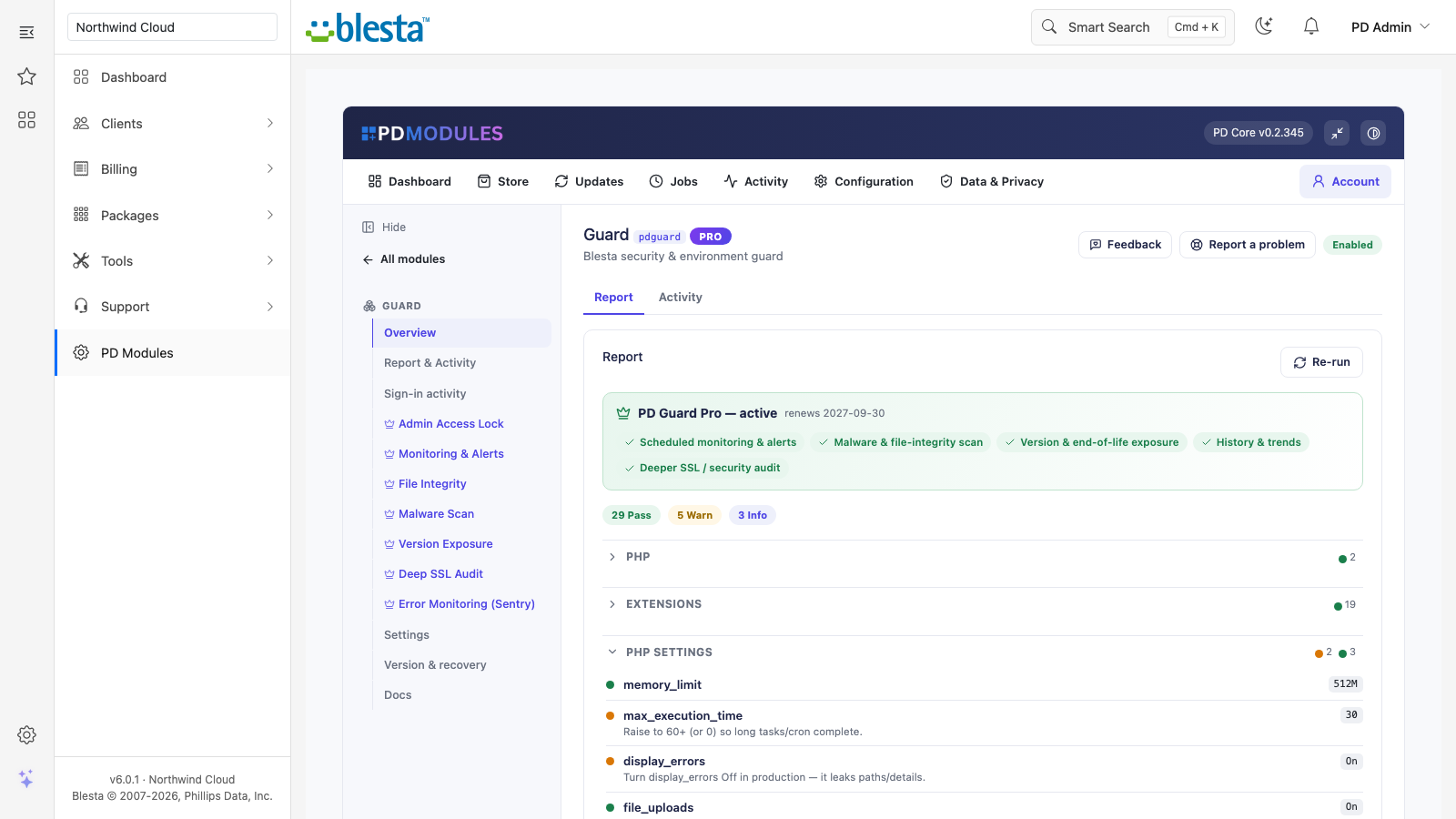
Know what is wrong, and how to fix it. The report is grouped into PHP, extensions, PHP settings, Blesta, database, security, staff accounts and server resources. Every finding is marked pass, warning or fail with a fix beside it.
Judged by Blesta's rules. PHP is measured against the minimum and recommended versions for Blesta, and the report and vulnerability scan use Blesta's own requirements. Checks that cannot run on Blesta are listed as not run, so a clean report means everything checkable was checked.
Safe to run at any time. The report is read-only and changes nothing in Blesta. Results are cached for ten minutes, and Re-check forces a fresh run.
Sees who is signing in. Blesta keeps only the most recent sign-in. PD Guard keeps every address each admin and customer signs in from, with a count and first and last seen, and emails a customer when their account is used from a new device or location.
Nothing to run, nothing to pay per use. Checks run on your own server. Nothing is metered, and no third-party account is needed for the free features.
Free to start, Pro when you want it to act. Everything in the free version works with no trial clock. Pro is a second addon on the same licence, with nothing new to install.
How it works
Install PD Guard from PD Modules. It adds a Guard section under PD Modules in your Blesta admin. No separate server or agent.
Open the Report. Read the findings, start with anything marked fail or warning, and follow the fix beside each.
Switch on the alerts you want. Set who receives security alerts and whether to record client sign-in history, then save.
Add Pro if you want it watching for you. Turn on scheduled monitoring, set a baseline for file integrity, and lock the admin area to your own addresses and countries.
The security report: findings grouped by area, each marked pass, warning or info with a fix beside it
What you get in Blesta
Health and security report (free)
Checks across PHP, extensions, PHP settings, Blesta, database, security, staff accounts and server resources
Staff accounts: how many are active, a staff sign-in named "admin", staff with no sign-in for 90 days or more, deactivated staff, and staff without two-factor authentication
SSL certificate check: an untrusted or self-signed certificate fails, one expiring within 14 days warns
Probes whether sensitive folders such as uploaded attachments are reachable over the web, and says "not checked" on a local host instead of guessing
CPU load against core count, RAM and free disk, with warning and failure thresholds
Blesta has no failed-login ban setting, so the report says so and advises rate-limiting in front of Blesta. PD Guard does not offer failed-login lockout on Blesta
Sign-in protection (free)
Every successful admin sign-in is recorded with its address. By default you are emailed only when an admin signs in from an address not seen before; you can alert on every sign-in or switch alerts off
Alerts go to the addresses you list, or to every active admin when the list is blank
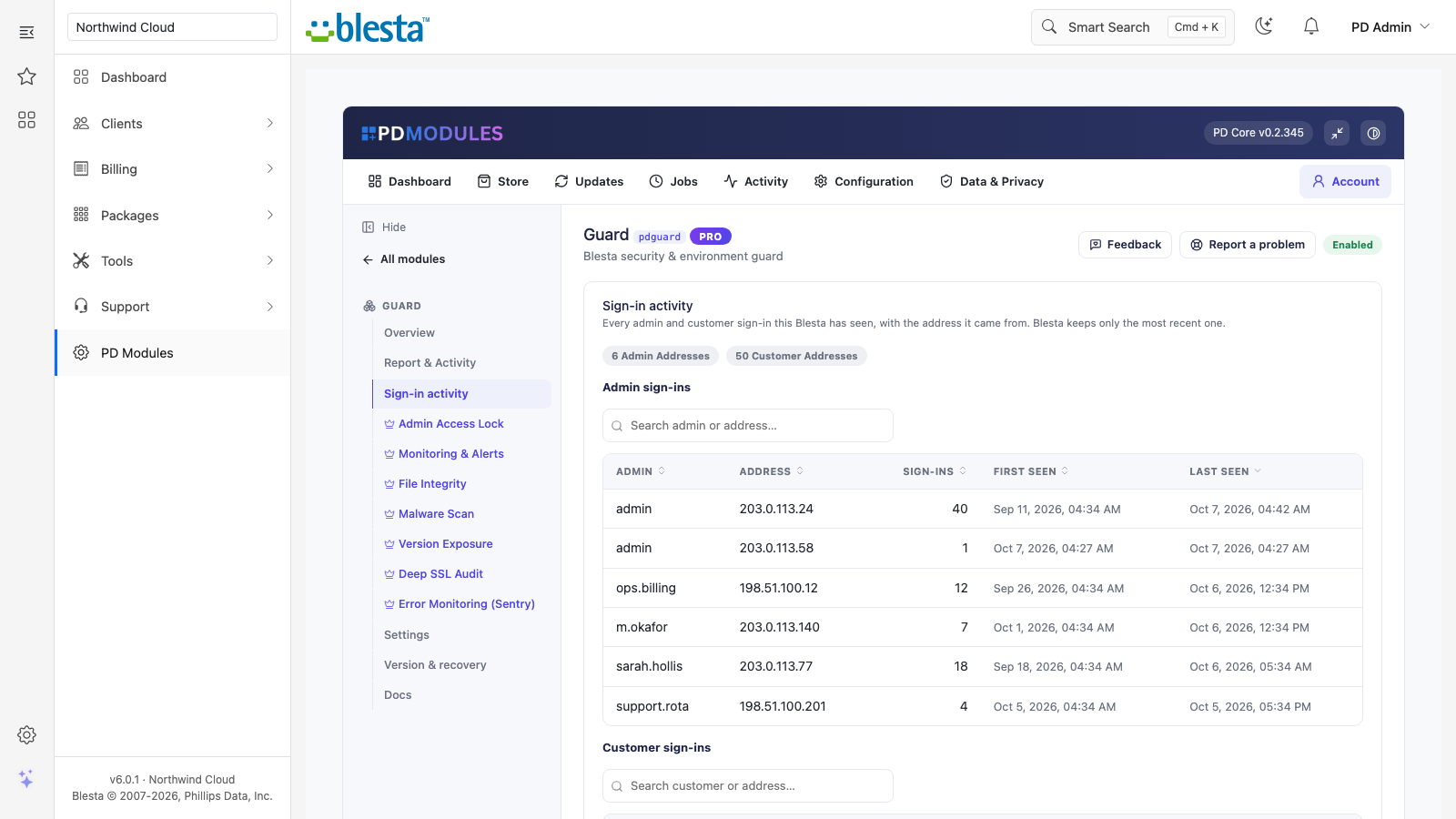
Sign-in activity lists admin and customer sign-ins together, with address, count and first and last seen, and a customer's name opens their profile
Customer emails can be edited and translated under Settings > Company > Emails
Sign-in activity: every admin and customer sign-in with its address, how often and since when
Pro: act on it
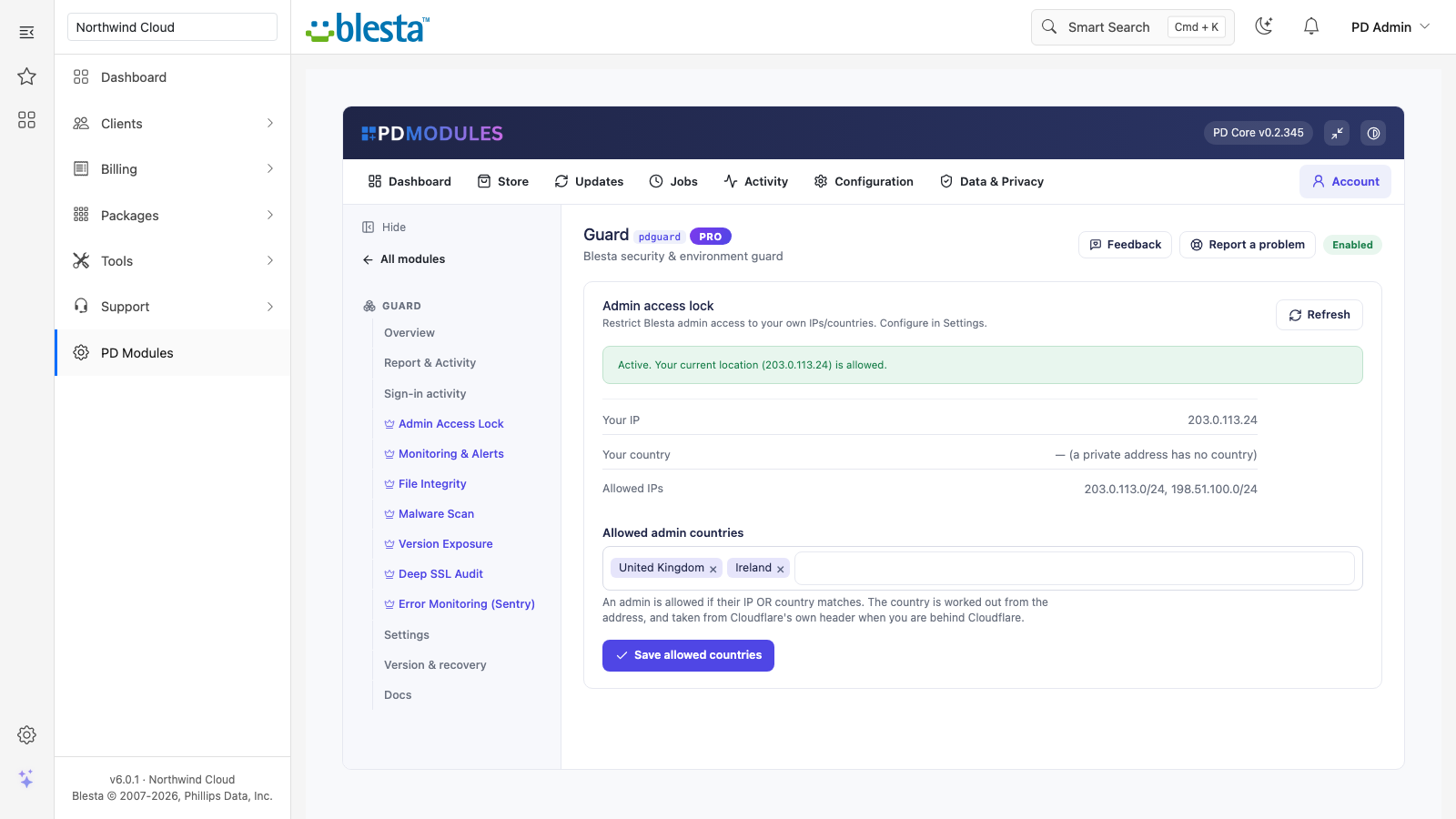
Admin Access Lock: admin requests from outside your allowed IPs, CIDR ranges (IPv4 or IPv6) and countries get an "Access denied" page. The customer area is unaffected. Saving a policy that would lock you out is refused, naming the address to add. It needs PD Modules 0.2.328 or later; on an older PD Modules the tab says the lock is not enforced
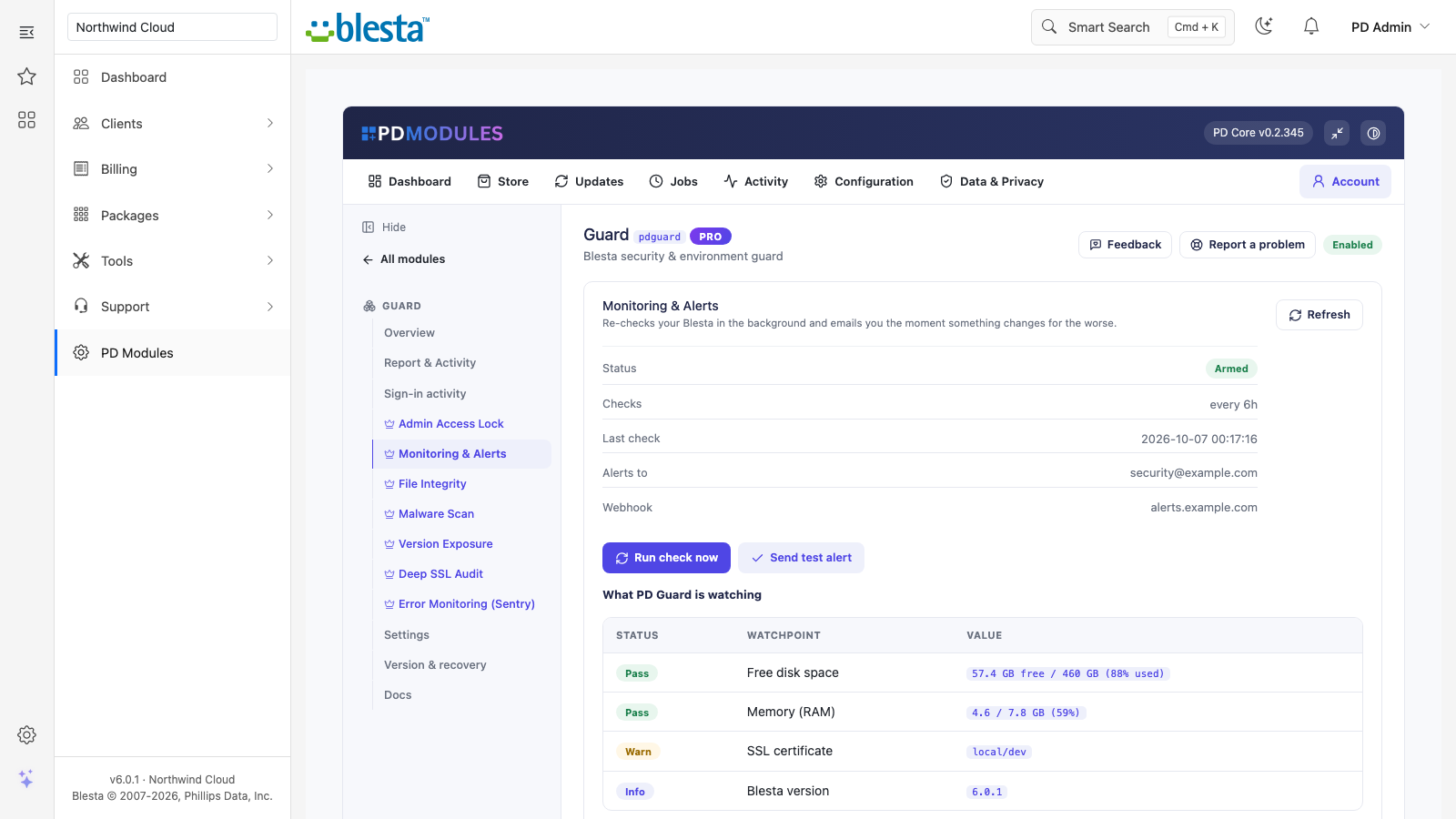
Monitoring and alerts: the full audit re-runs every 1 to 168 hours and emails only when a check gets worse, listing what changed. Alerts can also go to a Slack webhook or an HTTPS endpoint, and Send test alert proves delivery
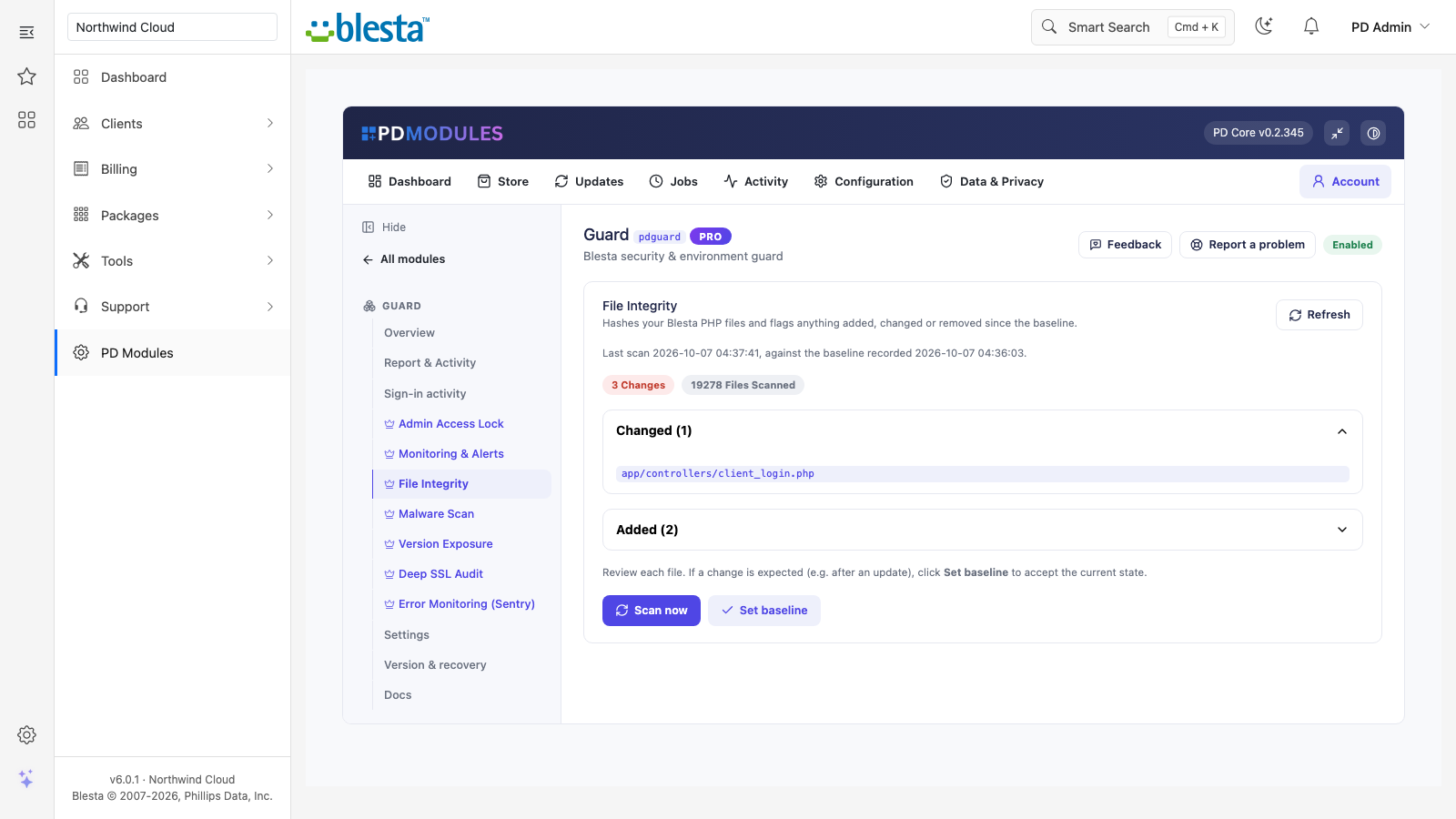
File Integrity: fingerprints your PHP files and shows what was added, changed or removed since a baseline you accept. Scheduled runs email when files drift
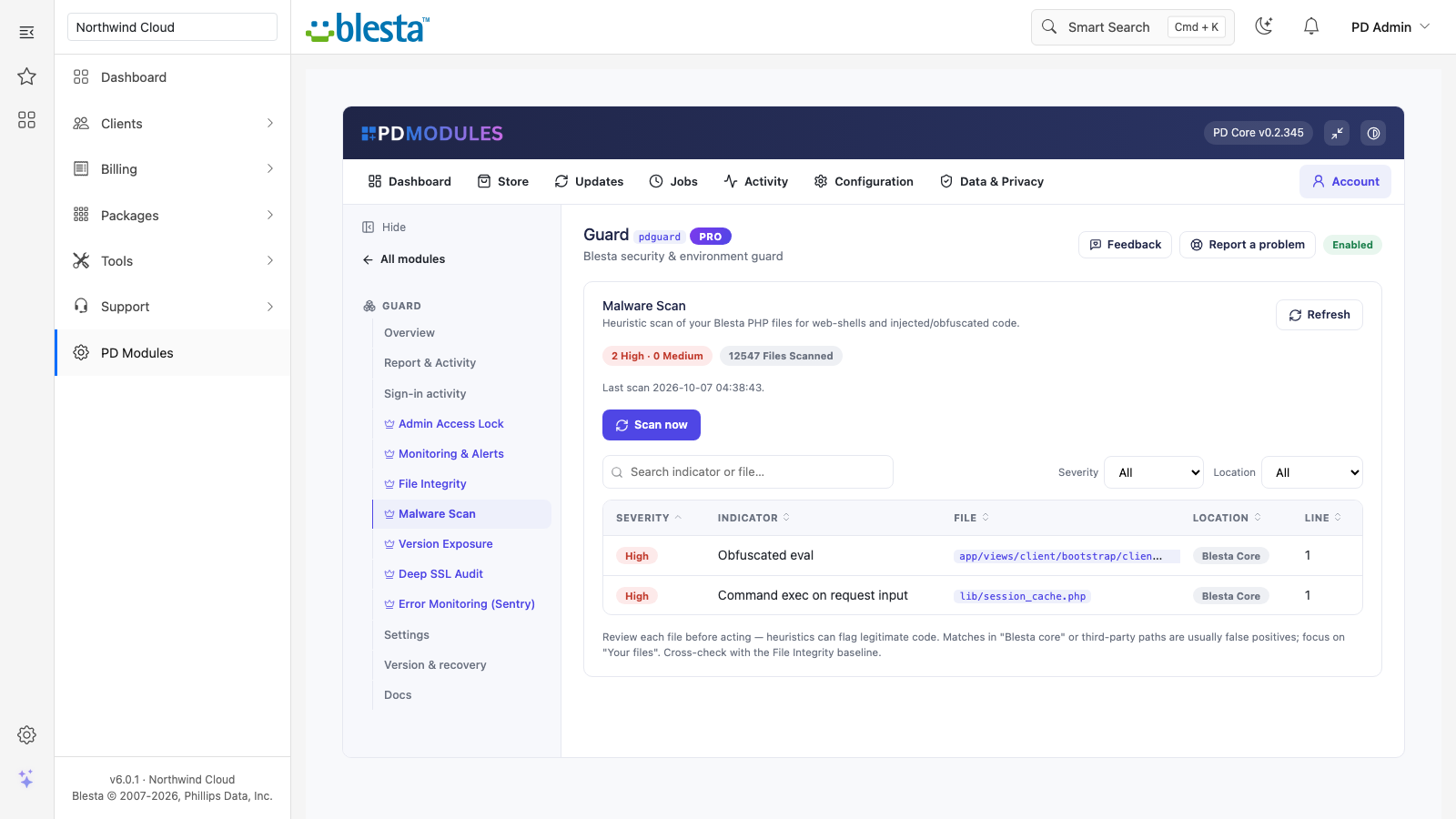
Malware Scan: flags known web-shells and obfuscated or injected code, labelled as Blesta core or your own files so false positives can be told apart. It runs on your server only when you click Scan now
Version Exposure: flags end-of-life or near-end-of-life PHP. The newer-release check is not available on Blesta, and the tab says so
Deep SSL audit and Security Audit: negotiated protocol and cipher, certificate chain and hostname, then force-HTTPS, security headers, cookie flags, version disclosure, exposed files, SPF and DMARC, and database privileges
Error monitoring: PHP fatals and uncaught exceptions sent straight to your own Sentry project, off until you switch it on
Admin Access Lock (Pro): your current address and country, the allowed ranges and the countries you permitFile Integrity (Pro): every file changed or added since your trusted baselineMonitoring and Alerts (Pro): armed, re-checked every six hours, with alerts to your inbox and webhook and the watch list below
What your customers get
Their recent sign-ins, shown to each customer, so they can spot access that is not theirs
A security email on a new device or location, which you can reword and translate
Security built in
The malware and file-integrity scans run on your own server and only when you ask, never on page load.
A sign-in's country is worked out offline from the address; no third-party lookup is made.
Nothing leaves your server except alert emails, the webhook you configure (Pro), the Sentry events you opt into and the SSL checks of your own site.
Forwarded visitor addresses are trusted only from Cloudflare or a proxy you list, so the admin lock cannot be walked past with a forged header.
Free and Pro
PD Guard is free. PD Guard Pro is £12 per month and is added to the same licence in place. If Pro lapses, PD Guard keeps running as the free module and your data and settings are kept. The free report, alerts and sign-in history never switch off. Uninstalling removes the module's tables, settings, files and scheduled jobs.
Requirements
Blesta 6 or later on PHP 8.2 or later, with the ionCube Loader
PD Modules, the free control panel every PD module installs into
No separate server, agent or third-party account for the free features
Questions
What do I need to run PD Guard?
Just WHMCS 9 or newer on PHP 8.2+ with the ionCube Loader. It installs, updates and uninstalls in one click from your admin area — no separate server, agent or third-party account required to use the free features.
Is the free version actually useful, or just a teaser?
It's genuinely useful on its own. The full version-aware health & security report, admin login alerts, failed-login protection, client sign-in history with alerts when a client signs in from a new address, and the sign-in activity view are all free. Pro adds active, scheduled protection on top.
How does free vs Pro work, and what if Pro lapses?
PD Guard is a free base product; PD Guard Pro is an optional recurring addon on the same licence that unlocks the extra features — no new licence and no separate install. If Pro lapses it reverts to the free module automatically, and your data and settings are preserved.
Does PD Guard change or break my WHMCS?
No. The report is read-only and safe to run anytime — it tells you what to fix rather than changing your configuration. PD Guard never replaces WHMCS's own protections; it complements them and fills the gaps in one place.
What data leaves my server?
The checks, sign-in history and alerts run on your own WHMCS, and the malware and file-integrity scans run on it too, only when you click Scan now (or on the daily check you can switch on). Alerts are emailed through your own WHMCS and, if you add one, posted to your Slack or webhook URL. Error monitoring sends errors straight to your own Sentry project, not through us. Nothing else leaves your server.
Which WHMCS versions and themes are supported?
WHMCS 9 or newer. PD Guard is an admin-side tool, so it works regardless of your client theme. The client sign-in panel renders on the standard bundled themes.
What does it cost to run, on top of the subscription?
Nothing metered. The free tier costs nothing, Pro is a flat subscription, and PD Guard runs inside your WHMCS without connecting to a paid third-party service — so there is no usage bill, no per-message or per-GB charge, and no surprise on top of what you chose to pay.
What’s new in 0.1.84
The Report now checks your staff accounts: how many are active, a sign-in named "admin", staff with no sign-in for 90 days, deactivated staff and staff without two-factor authentication.
Clearer wording when no country can be found for your address, and the malware scan note now says which matches deserve a closer look.