PD Cloud Cost & Margin shows a hosting company which of its resold cloud services are losing money, and which cloud resources are still billing with nobody paying for them. It reads your real cloud bill, matches every charge to the WHMCS service that caused it, and sets that against what you charge the customer.
It is built for hosts who resell cloud servers, databases and storage with PD provisioning modules, and who would otherwise find out about a wrong price, or a volume left behind by a cancellation, only when the provider's invoice arrives.
Why hosts choose PD Cloud Cost & Margin
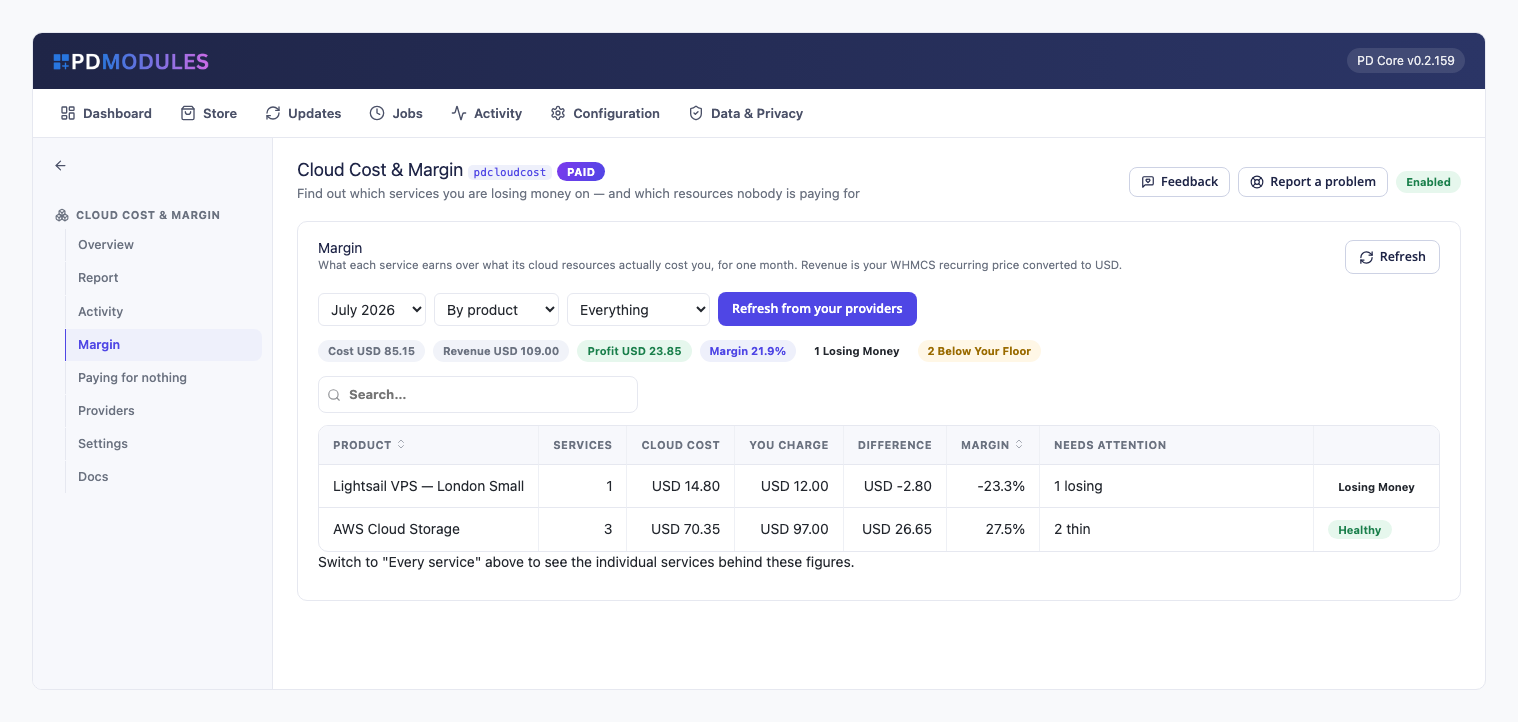
Know which services lose money. Margin lists, for one month at a time, what each service costs against what you charge for it, worst first, with links to the service, its client and its product. A service costing more than it charges is flagged "Losing money", and one earning less than your margin floor (20% by default) is flagged "Below your floor".
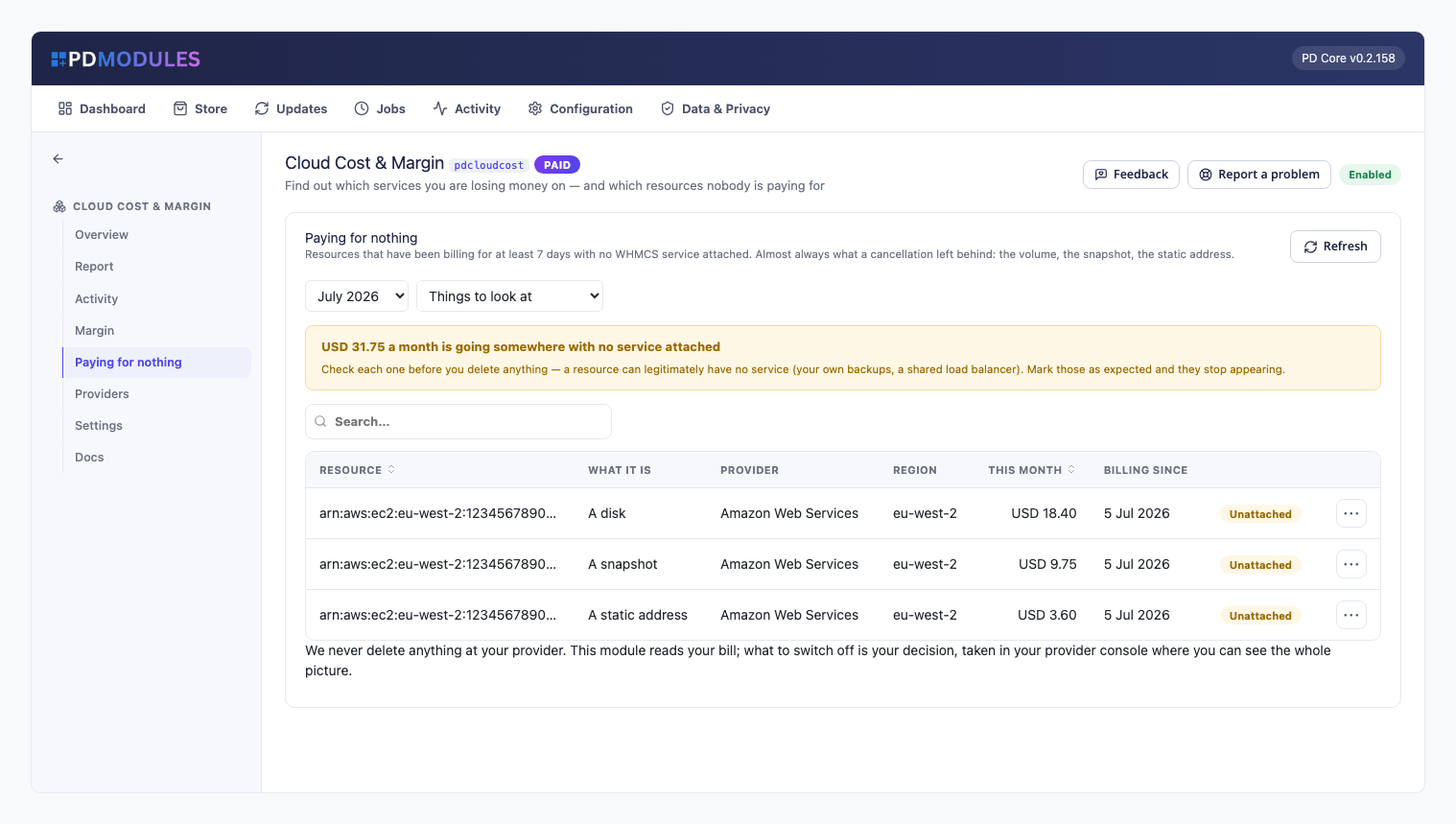
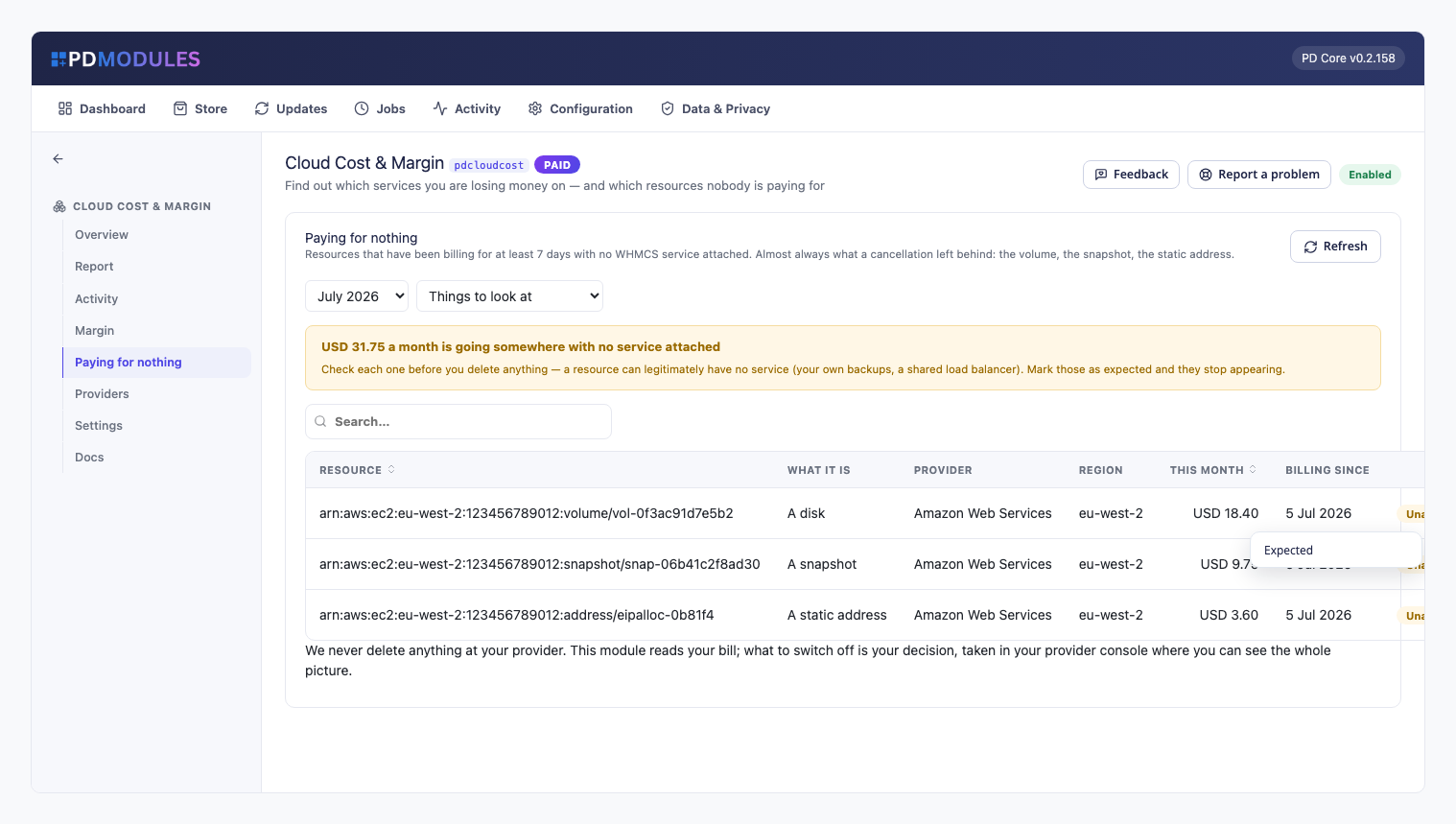
Find what a cancellation left behind. "Paying for nothing" lists disks, snapshots and addresses that have been billing for at least the number of days you set (7 by default) with no service attached, most expensive first, with what each is, its region, this month's cost and since when it has been billing.
Your bill, not an estimate. Nothing is guessed. A service with revenue and no measured cost is listed as "No cost data yet", never as a healthy margin, and the headline figures count only services whose cost was actually measured.
Matched exactly, never by guessing. A charge is matched to a service through the names and tags the PD module gave the resource when it built it. Anything built by hand carries no marker and shows under "Paying for nothing" until you set it aside, so you can trust a match when you see one.
One customer or one plan is one row. Margin rolls up per product and per client, so a customer or a whole plan that loses money is a single line.
Read-only, always. The module never deletes or changes anything at your provider. It only reads the bill, and what to switch off stays your decision.
How it works
- Install alongside your PD cloud modules. AWS costs are read with the credentials your PD AWS modules already hold, with nothing new to set up. Azure, Google Cloud and DigitalOcean are brought in by pasting their per-resource cost export.
- Set your comparison. Choose the currency and rate used to compare, your margin floor and your orphan thresholds in Settings.
- Costs refresh daily. A scheduled job pulls costs once a day, or you can press Refresh from your providers.
- Read the Margin tab. Filter to what is losing money and open the service behind it.
- Clear up the leftovers. Check "Paying for nothing", then fix the real ones in your provider console and mark legitimate ones as expected so they stop appearing.
What you get in WHMCS
Margin
- Cost against revenue per service, per product and per client, for the month you choose, worst first
- Revenue is the service's recurring price turned into a monthly figure: a yearly plan is divided by twelve, and one-time and free services count as no monthly revenue, so a cloud cost they carry shows as a loss
- Revenue is converted into the provider's billing currency at the rate you set, and a service billed in another of your currencies is first converted at your billing system's own rate
- The current month is always partial because providers publish billing data hours to a day behind, so completed months are the ones to compare
Paying for nothing
- Orphan age counts from when the resource was first seen billing, so something left behind months ago stays on the list from the first day of a new month
- Resources under a minimum monthly cost (1 by default) are left out
- Set a resource aside as "Expected" and it moves to "Ones you have set aside", with a "Look at it again" button to put it back
- Tax, support plans and other charges that belong to no resource are left out rather than shown as orphans
Providers
- AWS is read from Cost Explorer for every AWS account set up as a server for a PD AWS module. If AWS refuses, for example for a missing permission or because resource-level data is off, the Providers tab names the reason instead of showing a zero
- Because AWS keeps resource-level detail for only about fourteen days, the daily refresh keeps each day it reads and a month is the sum of its days
- Paste a per-resource cost export from AWS, Azure, Google Cloud or DigitalOcean, header row included. The module finds the resource, cost, service, region and currency columns by reading the header, adds several lines for one resource together, and skips credits and zero-cost lines
- Importing a month again replaces that month rather than adding to it, and an export in a different currency from your comparison currency is refused with the reason
- Each provider shows how it is read, whether this month has data, how many resources were read and how many matched a service
Staying informed
- An optional email digest, off by default, mentions each newly-affected service or resource once a month, never the whole list every day
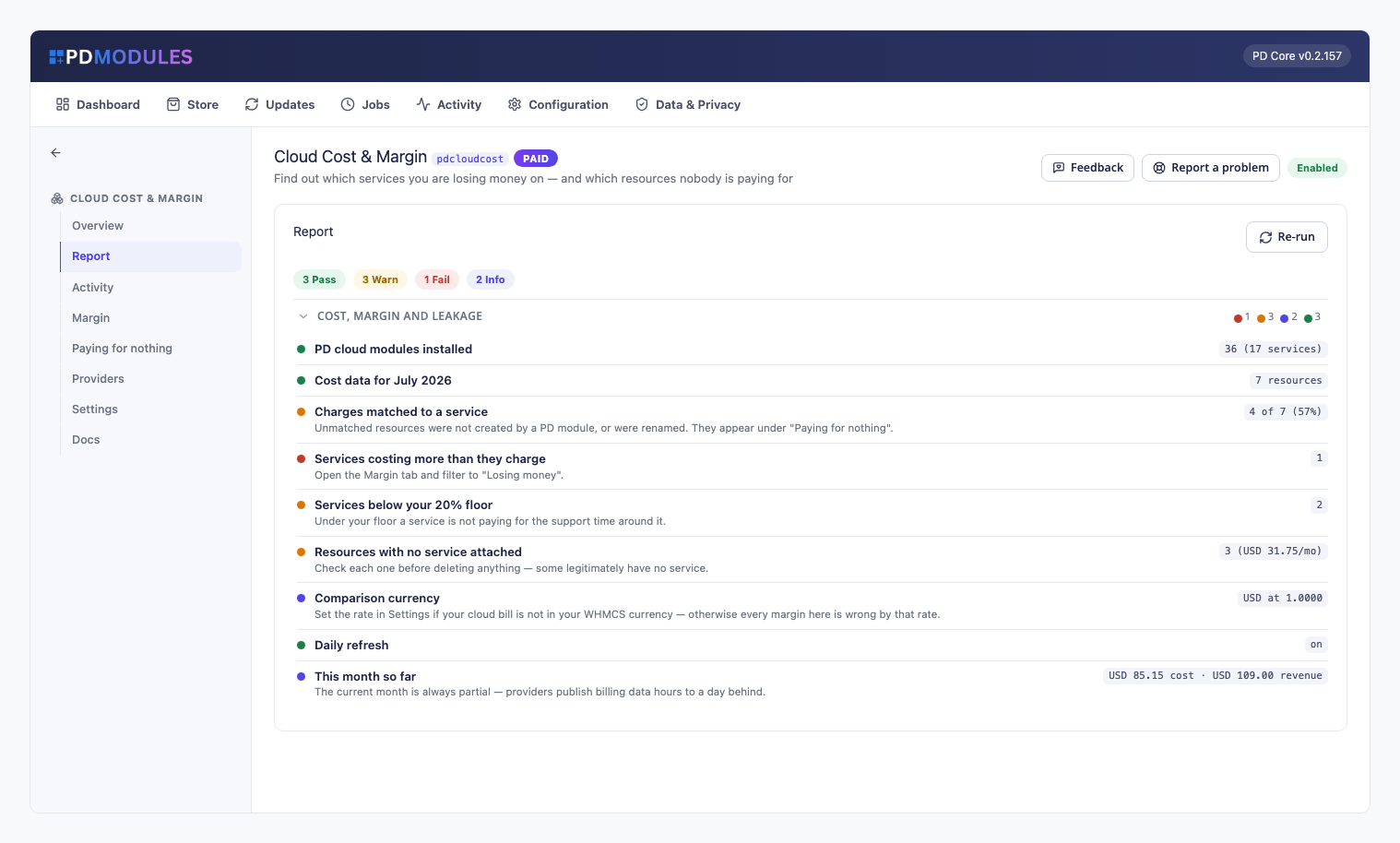
- A module report says whether a PD cloud module is installed, whether this month has cost data, how many charges matched, how many services lose money, and what the orphans cost
- Read-only assistant tools answer "which services cost more than they earn" and "which resources is nobody paying for"
- Refreshes, imports and resources set aside are logged in the module's Activity
Security built in
- AWS cost reads go from your server to your own AWS account only
- No second copy of any secret is kept: AWS is read with the credentials your PD AWS modules already store
- The licence check sends only your licence key, domain, server IP and install directory, plus module and version, never customer data
- Customers never see any of it: the module adds no client-area pages
One product, every feature
PD Cloud Cost & Margin is one paid module with everything included. There are no add-on tiers. It installs into PD Modules in one click, updates itself, and adds its own tables and scheduled job without modifying WHMCS files. AWS cost reads cost a small amount per request at AWS; the once-a-day refresh keeps that to pennies a month, and pasting an export costs nothing.
If your subscription ever lapses, you get 14 days of grace with everything working. After that, the margin figures already worked out stay readable, while refreshing, importing, the orphan list and the digest pause until it is active again.
Requirements
- WHMCS 9 or later on PHP 8.2 or later, with the ionCube Loader
- At least one PD cloud provisioning module; without one the module still totals your bills, but Margin stays empty and every charge appears under "Paying for nothing"
- For AWS, a Cost Explorer permission on your AWS credentials
- PD Modules, the free control panel every PD module installs into