PD MCP Hub gives the AI assistants your team already uses a controlled way into WHMCS. It is one secure endpoint that tools such as Claude and OpenAI Codex can connect to, so a support agent can ask an assistant about a client, an invoice or a ticket and get a real answer from your own system. What each assistant is allowed to do is decided by a connection you create for it, and nothing that matters happens without a person agreeing to it. PD MCP Hub is free.
It is built for hosts who want the benefit of AI assistants in their day-to-day work without giving any of them the keys to the business. Each assistant gets exactly the reach you grant, every call is recorded, and a serious action waits for you.
Why hosts choose PD MCP Hub
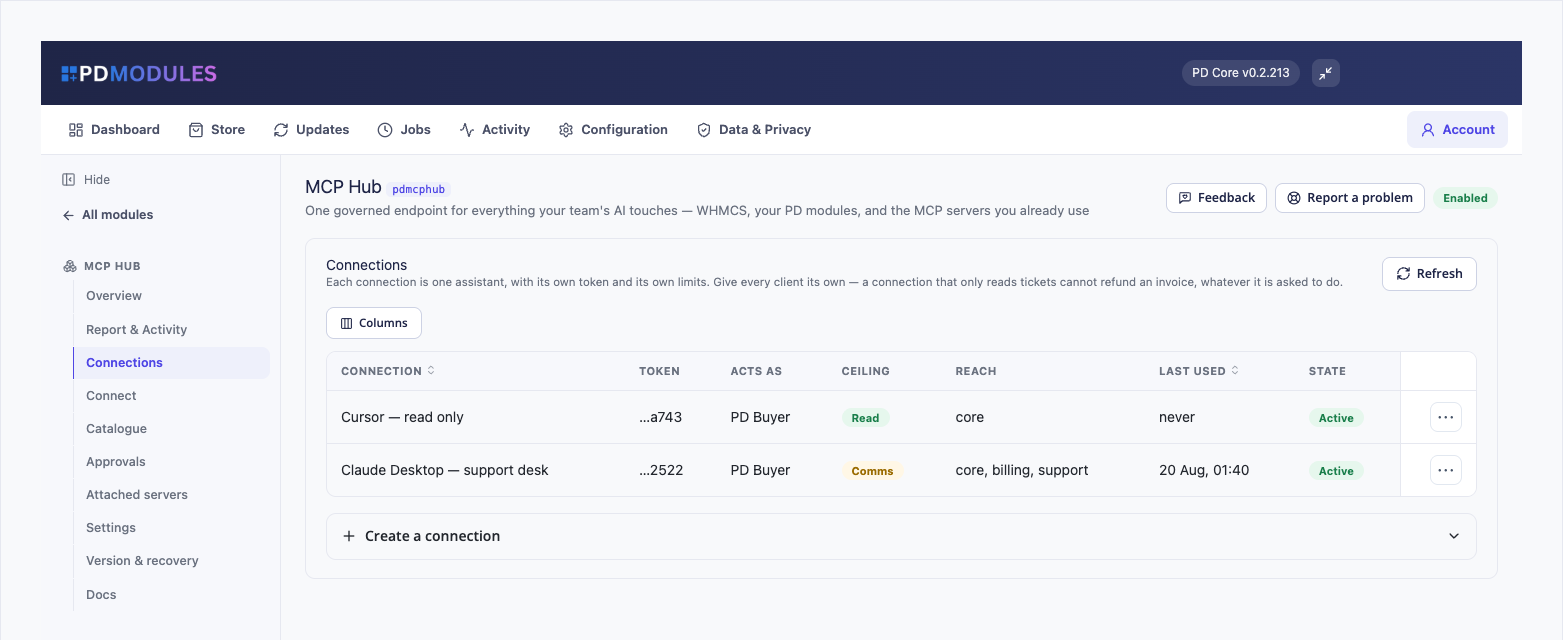
One connection per assistant, each with its own limits. Every connection has its own token, its own risk ceiling, its own areas of WHMCS and the administrator it acts as. Give the assistant that reads your support queue no financial tools at all, and an instruction hidden in a ticket has nothing to reach.
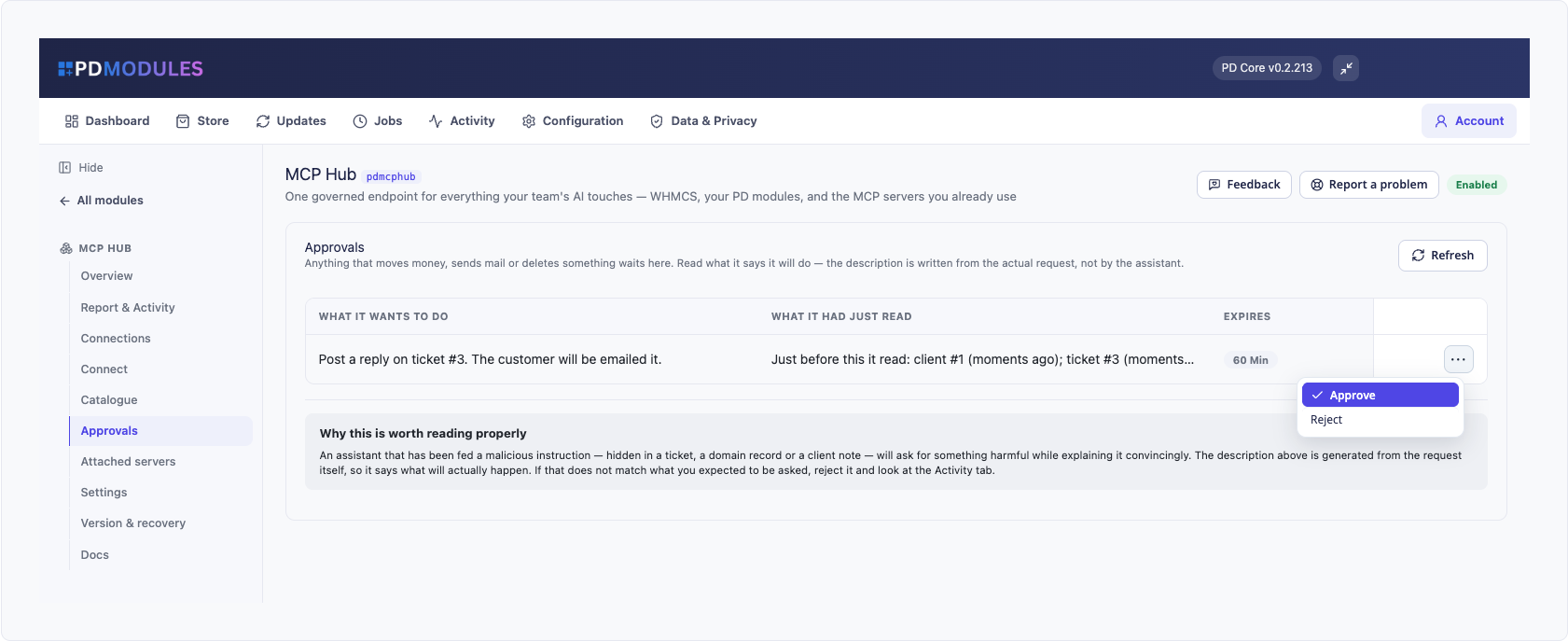
A person approves anything serious. Refunds, payments, cancellations, ticket replies and anything that deletes wait in Approvals. The description is written from the actual request, not by the assistant, and shows what the assistant had just read. An approval covers only the request shown, for that connection, once, and for an hour. Rejecting tells the assistant not to retry.
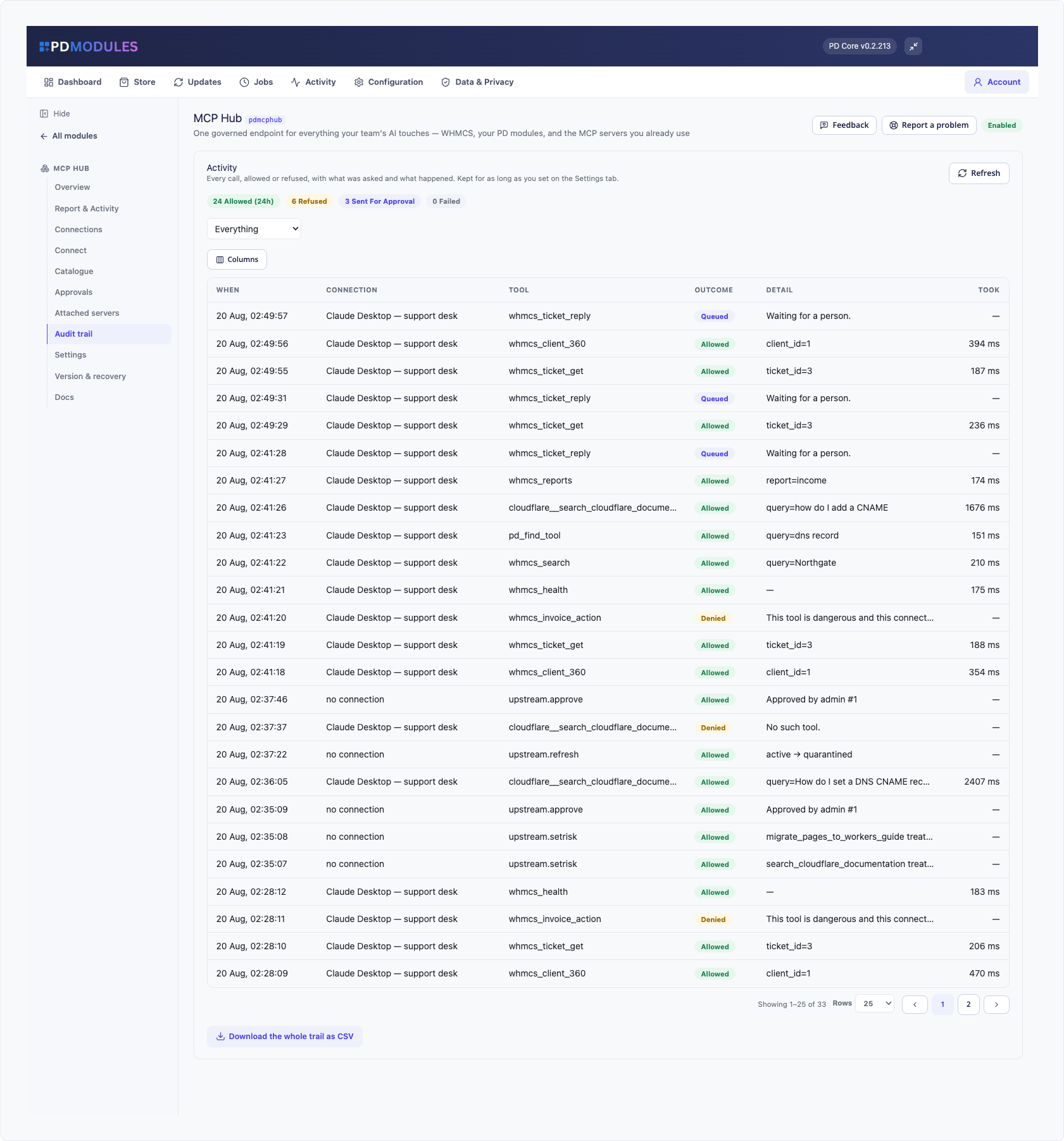
Everything is on the record, including the refusals. The audit trail logs every call with the time, the connection, the tool, the outcome, how long it took and its arguments, with passwords, card details and API credentials removed. Every refusal is there too, with its reason, and the whole trail downloads as a CSV.
Two kill switches. One in the panel stops every connection immediately, even one mid-conversation. The other is a file you create in the module's folder, which stops everything over SSH when the panel itself is the problem. Delete the file and it resumes.
Safe by default. The endpoint ships switched off and answers 503 to everything until you turn it on. A read-only switch outranks every other setting, so nothing that changes data is reachable.
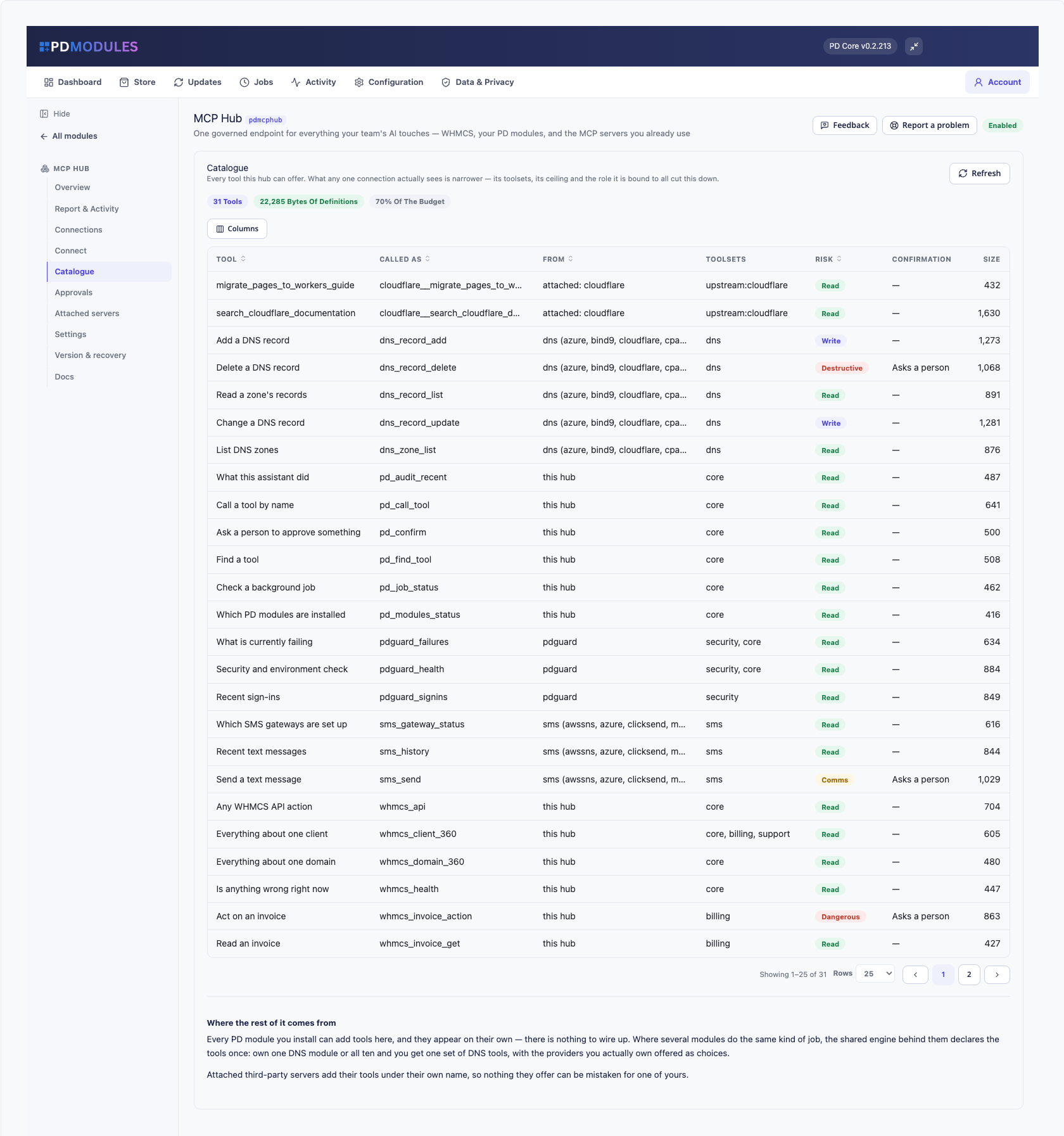
It grows with the modules you own. Installed PD modules add their tools on their own. A family such as DNS or SMS appears as one set of tools however many providers you have installed, and you give each connection access to the areas you choose.
How it works
- Create a connection. Name the assistant, choose the administrator it acts as, set its ceiling (Read, Write, Comms or Destructive), its areas, an optional address allow-list, an expiry date and a rate limit.
- Copy the token once. It is shown only at creation. Only a one-way hash is kept, and Rotate issues a new token and kills the old one at once.
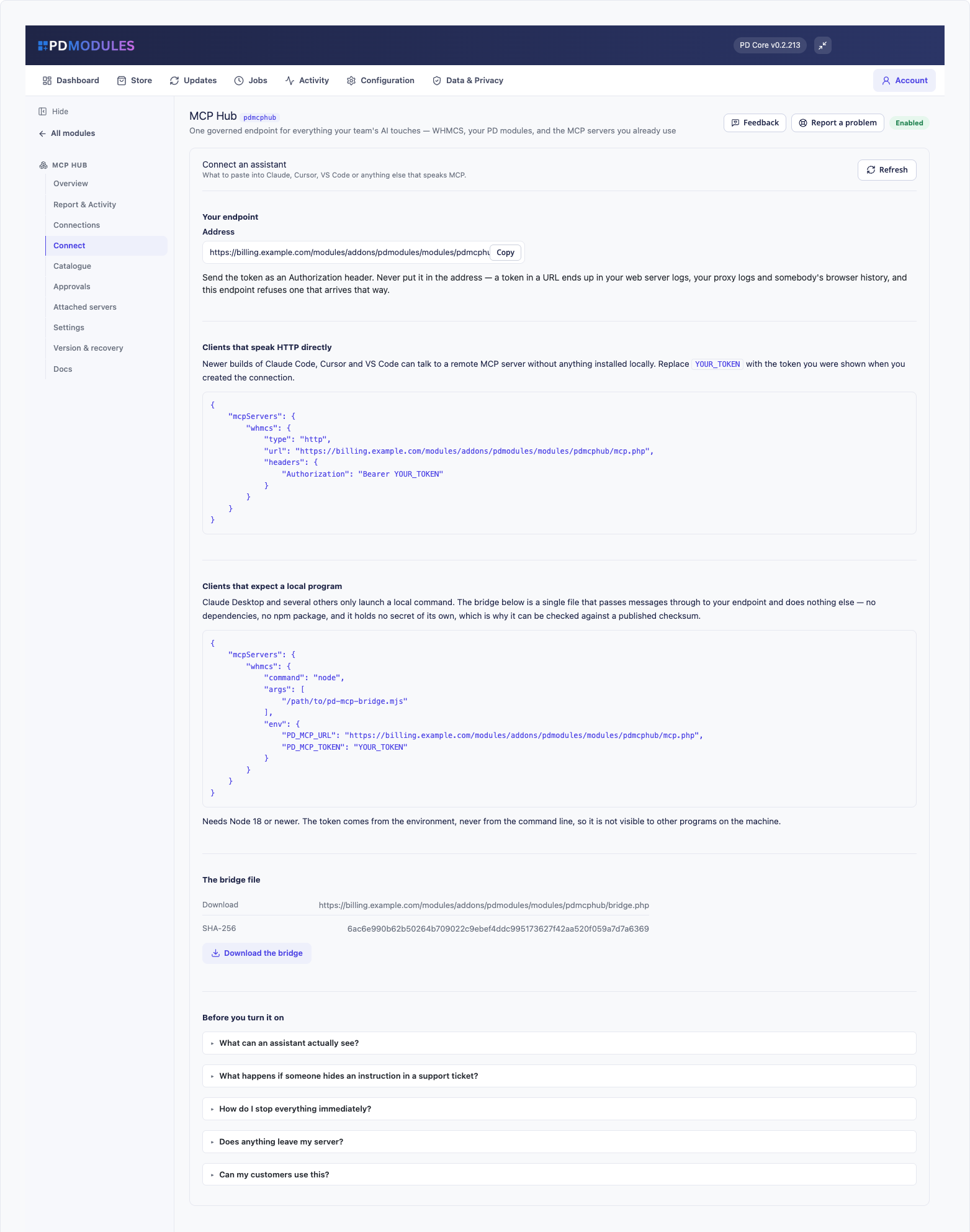
- Connect the assistant. The Connect tab shows the exact configuration to paste. Claude Code, Claude.ai, OpenAI Codex and Claude Desktop are documented, and a one-file bridge with a published checksum covers clients that only launch a local program.
- Watch and widen. Start read-only, watch the audit trail for a day, and widen the connection when you can see what it actually does.
What you get in WHMCS
Controlling access
- A ceiling per connection, and a floor from the administrator's role: a connection bound to a support operator cannot reach billing tools whatever its ceiling, and a disabled administrator's connection is refused everything
- Each tool needs the permission a person would need to do the same thing by hand
- A connection limited to specific clients is confined to them on every tool, including searches, and tools that answer across all clients are not available to it
- An address allow-list that accepts single addresses and ranges, an expiry date, and a calls-per-minute limit that answers 429 when exceeded
- Browser origin checks when you list origins, with MCP clients that send no origin unaffected
- A token placed in a web address is refused, recorded as a leak and the caller told to treat it as compromised
- Clear status codes: 401 for a bad, revoked, expired or disabled token, 403 for an address not allowed, 503 when off or killed, 429 over the limit
What an assistant can do
- A compact set of WHMCS tools: search, client, service, domain, invoice, order and ticket lookups, business numbers, health, invoice actions, ticket reply and an escape hatch for any other API action
- The escape hatch runs only individually classified actions at each action's own risk. Decrypting passwords, creating administrators and mailing staff are never available
- Find-a-tool and call-a-tool let an assistant discover what it can use, and are a route to a tool, never around one
- Add, edit and delete knowledge base articles and announcements, with a person asked before anything is deleted, and add a staff-only note to a client
- A refund request records the intent and says plainly that the money has not moved and where to finish it
- Ticket text written by customers reaches the assistant marked as customer-written data
Attaching other servers
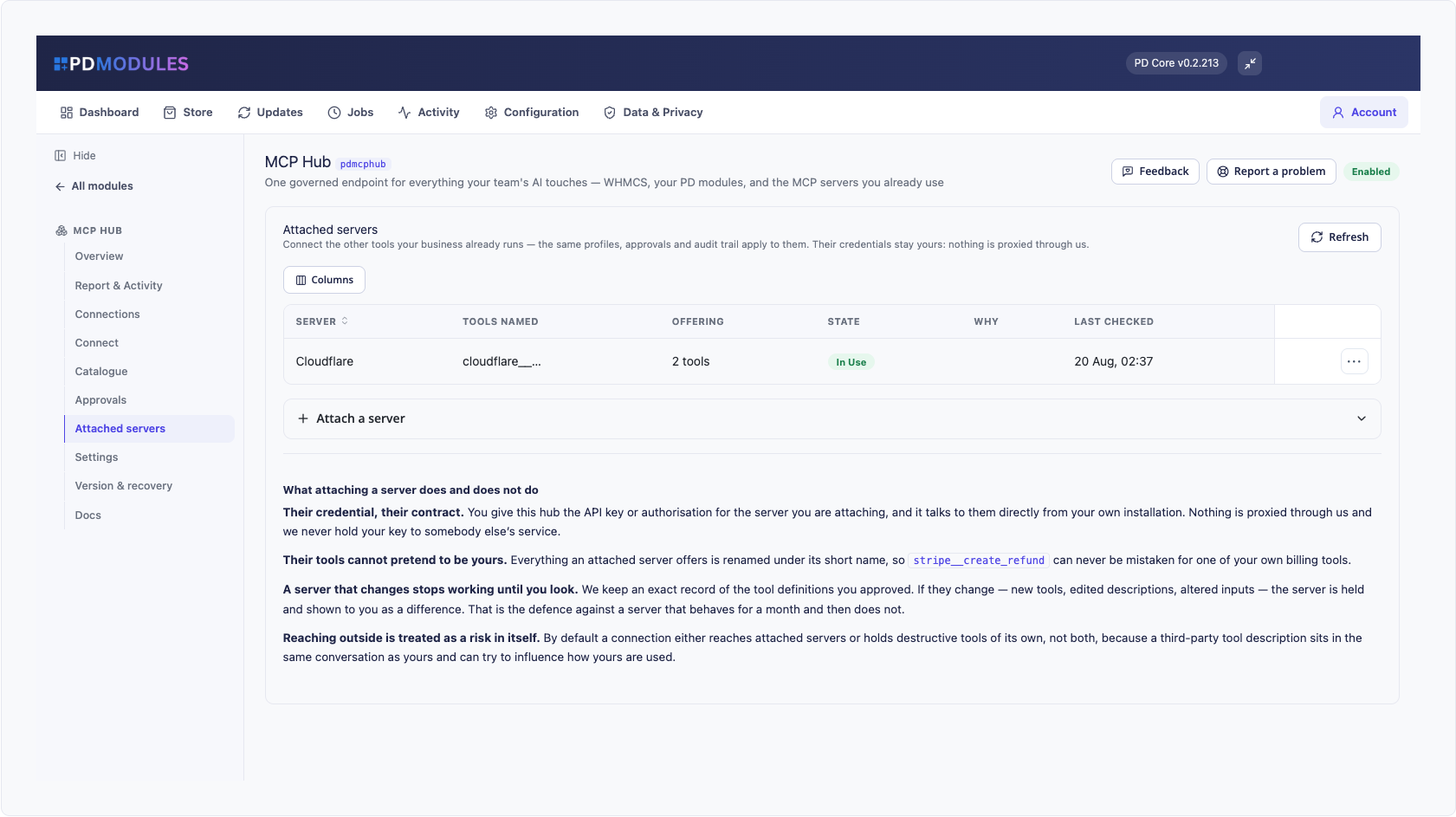
- Attach the MCP servers you already run, over HTTPS only, and put them under the same rules. Their tools are renamed under the server's short name, treated as dangerous and scanned for instruction-like text
- Nothing an attached server offers is available until you approve it and tick it on a connection
- A re-check that finds changed definitions holds the server and withdraws its tools until you review. A server that fails three checks in a row is withdrawn, and removing a server withdraws it from every connection
- By default a connection reaches attached servers or holds destructive tools of its own, not both, unless you accept the risk on that connection
Running it day to day
- The Catalogue tab lists every tool with its risk class and what the list costs an assistant's context
- Audit rows are pruned after the retention you set, 90 days by default, by the hourly maintenance job
- Behind Cloudflare, the documented WAF skip rule on the endpoint path lets hosted assistants through, and the path stays protected by token, allow-list and rate limit
Security built in
- Tokens are hashed, shown once, and never accepted in a web address
- Nothing passes through us: your WHMCS talks directly to the assistant and to any server you attach
- There is no client-area surface at all, permanently, so no customer session can reach these tools
- If you attach other servers, their credentials stay yours and nothing is proxied
- On Apache, the shipped configuration restores an Authorization header the server would otherwise strip
One product, every feature
PD MCP Hub is free, with every control included. It does no background work unless you attach a server, and those re-checks run on your cron, never while an assistant is waiting. It installs into PD Modules in one click and uninstalls cleanly, removing its connections, audit trail, approvals and attached servers.
When PD AI Assistant is installed too, you can switch on the bridge so its co-pilot gains the hub's tools under the connection's limits.
Requirements
- WHMCS 9 or later on PHP 8.2 or later
- An MCP-capable assistant that can reach your WHMCS over HTTPS
- PD Modules, the free control panel every PD module installs into