PD MCP Hub — Let Claude, Cursor and Copilot Work in Your WHMCS and Blesta, Safely
One governed endpoint for everything your team's AI touches — WHMCS or Blesta, your PD modules, and the MCP servers you already use
Made and supported by Projektif Digital Ltd. Runs inside PD Modules, the panel every module installs into.
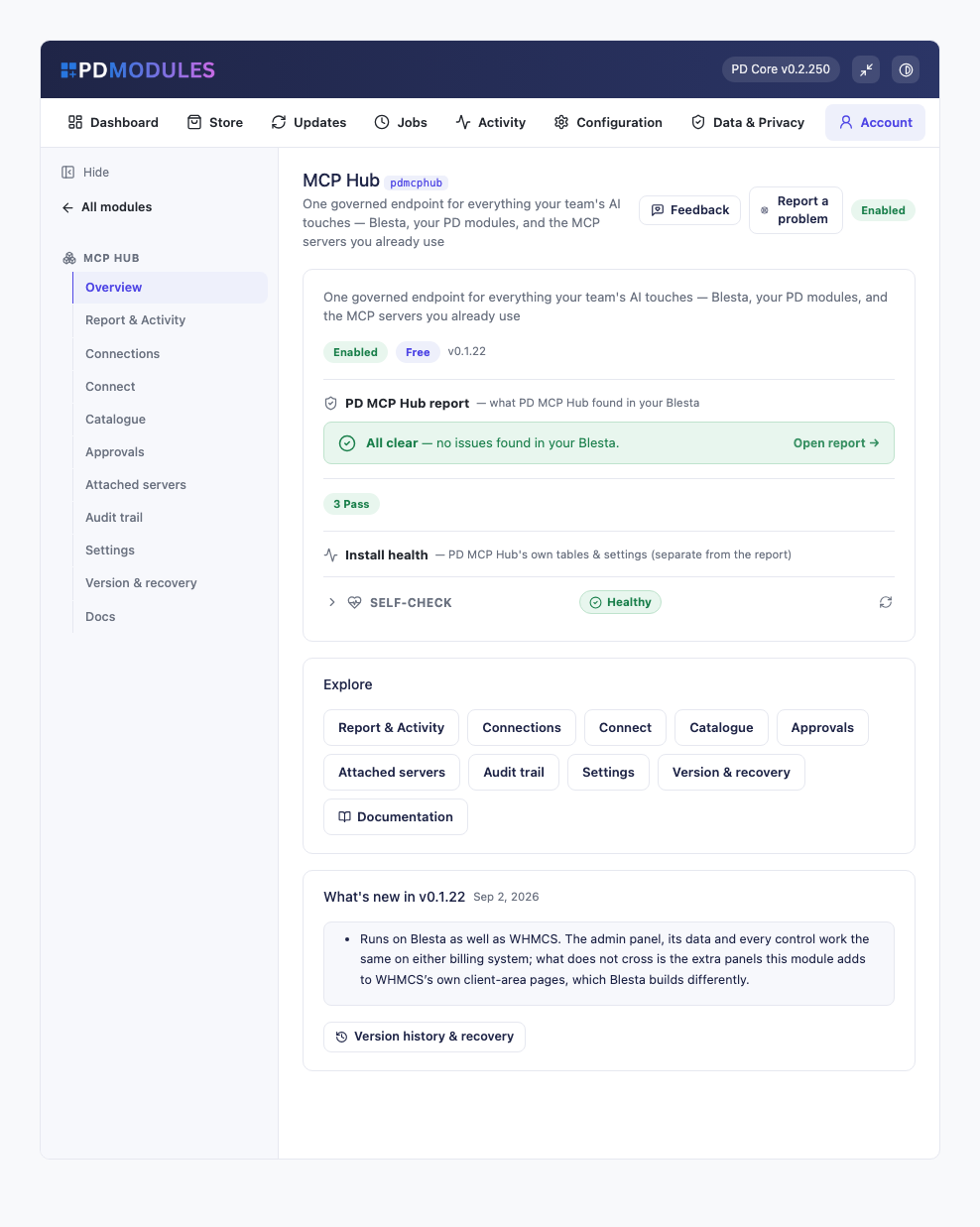
Available for WHMCS and Blesta
Your team already uses AI. The question is whether it can see your billing system, and on what terms.
PD MCP Hub gives Claude, Cursor, VS Code — anything speaking the Model Context Protocol — a way into your WHMCS or Blesta that you control precisely. Every assistant gets its own connection with its own risk ceiling, its own areas, the administrator it acts as, and optionally a list of clients it may touch. A connection that reads tickets has no financial tools at all, which is what makes it safe to point one at your support queue.
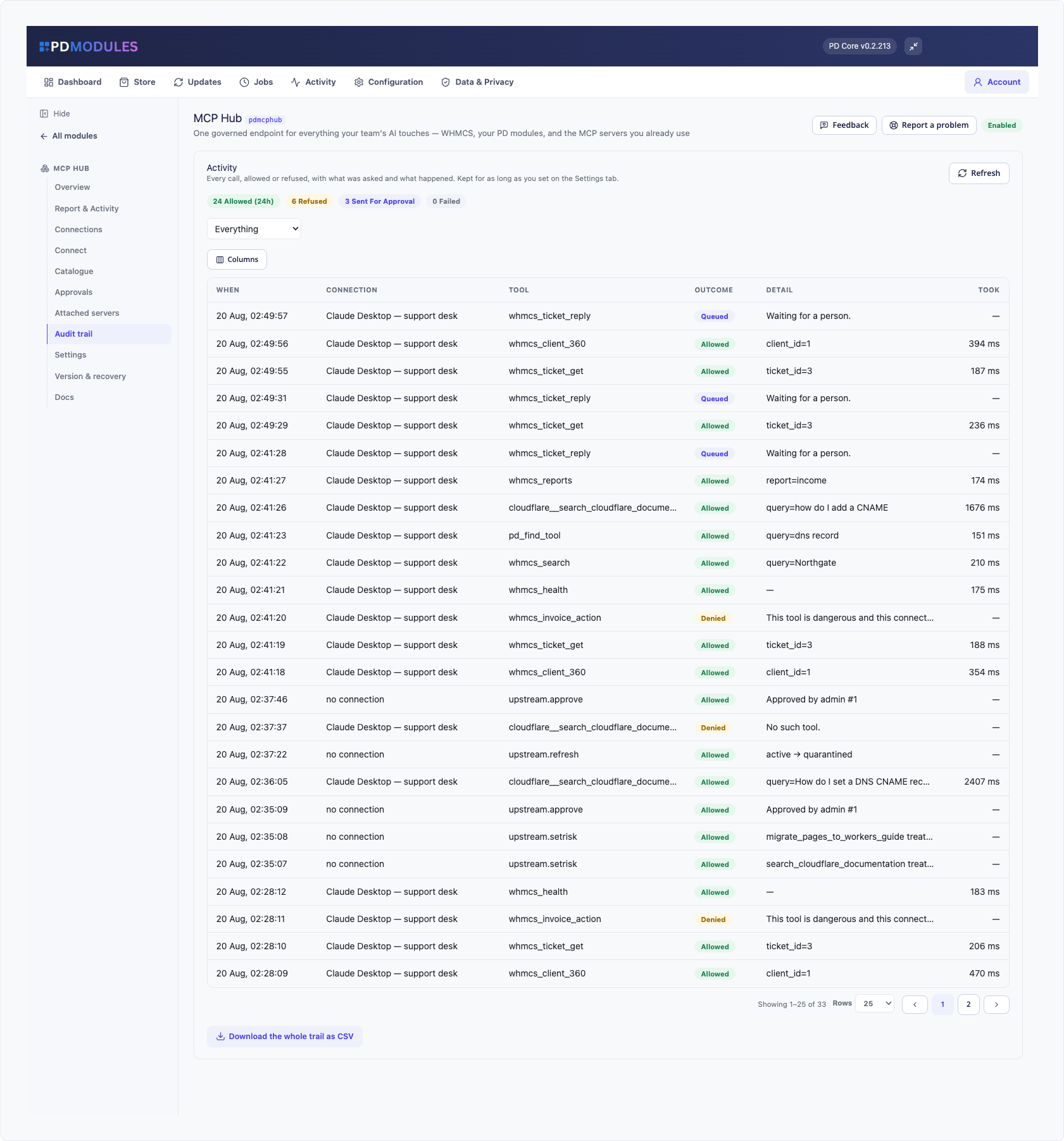
Anything that moves money, sends mail or deletes something stops and waits for a person. The description you read is written from the actual request rather than by the assistant, and it shows what the assistant had just read before asking — which is where a planted instruction becomes obvious.
Everything is recorded, including every refusal, because a refusal is the only trace an unwanted instruction leaves. There are two kill switches: one in the panel, and one that works over SSH for when the panel is what has been compromised.
Every PD module you own adds its tools here automatically, and you can attach the third-party MCP servers you already use — their tools namespaced, their credentials staying on your server, and nothing available until you have read and approved the definitions.
Free, with no paid tier. Every safety control is included — the kill switch, read-only mode, the approval queue, the audit trail, client scoping — along with as many connection profiles as your setup needs.
Questions
Which billing platforms does PD MCP Hub work with?
PD MCP Hub is available for WHMCS (8.13 or later) and Blesta (6.0 or later). Each has its own page with the screenshots, requirements and price for that system. A module is added to the PD Modules licence of the installation it runs on, so a WHMCS installation and a Blesta installation each hold their own licence.
Is PD MCP Hub really free?
Yes. Every feature is included, there is nothing to upgrade to, and no part of it is held back for a paid plan — the kill switch, read-only mode, the approval queue, the full audit trail, client scoping and as many connection profiles as you need. Separate profiles are how you keep an assistant that reads tickets away from anything that moves money, so you get as many as your setup calls for. A £0 licence still ties the install to your account so updates and support work.
What can an AI assistant actually see?
Exactly what the connection you gave it allows. Each connection has a risk ceiling, a set of areas it can reach, a WHMCS or Blesta administrator it acts as, and optionally a list of clients it may touch. The narrowest of those wins. Start read-only, watch the audit trail for a day, and widen it when you can see what it is actually doing.
What stops someone hiding an instruction in a support ticket?
Mostly the shape of the connection. Customer-written content is handed to the model marked as data rather than instructions, which helps and is not a defence on its own. The real answer is that the connection reading tickets has no financial tools at all, so an instruction saying "refund invoice 4821" has nothing to reach. Anything that does move money stops and asks a person, and the description they read is written from the actual request, with the ticket the assistant had just read shown beside it.
How do I stop everything immediately?
The kill switch on the Settings tab cuts every connection, including conversations in progress. If the panel itself is the problem, create a file called .mcp-kill in the module's directory over SSH — that works with no database, no login and no working panel.
Does any of my data go to you?
No. Your WHMCS or Blesta talks directly to the assistant you connected, and directly to any third-party MCP server you attached, using your own credentials. Nothing is proxied through us and we host nothing on the path.
Which AI clients does it work with?
Anything that speaks the Model Context Protocol. Newer builds of Claude Code, Cursor and VS Code can connect to the endpoint directly over HTTPS. Claude Desktop and some others launch a local command instead, so a small bridge file is included — one file, Node 18 or newer, no dependencies, with its checksum shown in the panel so you can verify what you downloaded.
Can my customers use this?
No, and that is permanent rather than a phase. This is an administrator tool with no client-area surface at all, so there is no route by which a signed-in customer could reach it.
What does "attach another MCP server" mean?
You can connect the other tools your business already runs — Cloudflare, Stripe, GitHub, Sentry, or anything else that speaks Streamable HTTP over HTTPS — so one assistant can work across them and your WHMCS or Blesta together. Their tools appear under their own name, their credentials stay on your server, and nothing they offer is available until you have read the definitions and approved them.
What if an attached server changes its tools later?
It stops working until you look. We keep an exact record of the definitions you approved and re-check on your cron. If they change — new tools, edited descriptions, altered inputs — the server is held and shown to you as a difference, and its tools disappear from every connection until you approve the new set. That is the defence against a server that behaves for a month and then does not.
Do my other PD modules add anything?
Yes, automatically. Any PD module that contributes tools makes them available here with nothing to wire up — DNS zones and records, SMS sending and history, security checks. Where several modules do the same kind of job the tools are shared, so owning one DNS module or all ten gives you one set of DNS tools, with the providers you actually own offered as choices.
Will it slow my WHMCS or Blesta down?
It does no background work unless you attach a third-party server, and even then the re-checks run on your cron rather than while an assistant is waiting. Listing tools reads manifests and loads no module code; exactly one module is loaded when one of its tools is actually called.
How does this differ from just giving the AI an API key?
An API key is all-or-nothing and has no memory. This has a ceiling per connection, a floor from the bound administrator's role, a human step in front of anything irreversible, a per-minute rate limit, and a record of every call and every refusal. It is also the difference between an assistant that can look something up and one that can quietly issue a refund.
You might also need
An AI co-pilot woven into WHMCS or Blesta — for your staff and your customers, on the AI provider you connect
 Featured
Stop fake signups & order fraud before they provision
