PD Google Cloud PostgreSQL — Sell Managed PostgreSQL on Google Cloud as a Native WHMCS Product
Sell managed PostgreSQL databases on Google Cloud under your own brand — provisioned, billed and managed in WHMCS
Made and supported by Projektif Digital Ltd.
Runs inside PD Modules, the panel
every module installs into.
Databases
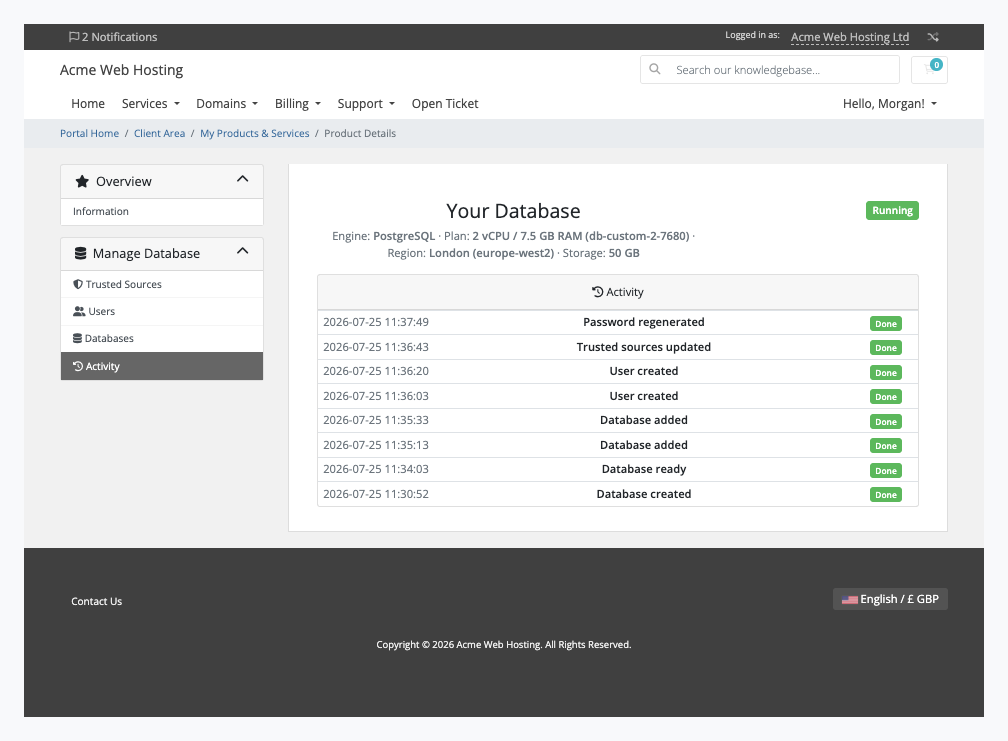
One click turns any product into a PostgreSQL plan builder — region, machine size, storage and engine version, all customer-selectable at checkout, priced however you like.Every customer's PostgreSQL database in one list — plan, region, live endpoint and status, so you never have to open the Google Cloud console to check on a client.A complete audit trail of every provisioning action across your whole install — built in, with nothing extra to set up.Connection details your customers can actually use — host, port, credentials and a ready-to-paste psql command, secured with SSL/TLS by default.Deny-by-default access control — customers open their database to only the IP addresses they trust, right from their client area.Customers create and manage their own databases without a support ticket — or your help.Separate logins for every application and team member — customers create and remove database users themselves, each with its own password.Full transparency for your customers — every change to their database, timestamped, right in their client area.1 / 8
PD Google Cloud PostgreSQL lets a hosting company sell managed PostgreSQL databases as its own product. Your customer orders in your WHMCS cart, a dedicated Cloud SQL for PostgreSQL instance is created in your Google Cloud project, and your customer runs it from your client area: connection details, trusted addresses, databases and database users. Google bills you at cost, you set the price, and the difference is your margin.
It is built for hosts whose customers build on PostgreSQL, such as Django, Rails, Laravel and Node.js developers who want a managed database with a current version and no server to patch. You get the product without building a control panel, and your customers never need a Google Cloud account.
Why hosts choose PD Google Cloud PostgreSQL
Four supported versions to sell. PostgreSQL 18 is the default, with 17, 16 and 15 alongside it. Customers can pick a version at checkout, or you fix it per product. A blank setting uses 18, and the setting says so, so you can keep older projects on the version they were built for.
A dedicated instance for every order. Each order gets its own Cloud SQL instance and its own credentials, created in the region the customer chose from more than 40 Google Cloud regions. Nothing is shared between customers.
Orders set themselves up. A paid order creates the instance with no step from you. It is built in the background and the connection details appear on their own once Google reports it running. If a create fails, Google's reason is shown in the service's activity, and the order is never left spinning as "creating".
Less support for you. Trusted addresses, databases, database users and password changes all live on the customer's own service page.
Nothing left billing. Terminating a service deletes the instance and the module confirms it is gone, even when your licence has lapsed.
Your Google account stays yours. The service-account key is stored encrypted on your WHMCS server and never reaches a customer page or message.
How it works
Connect your Google Cloud project. Create a service account with the Cloud SQL Admin role, paste its JSON key into a WHMCS server record and press Test Connection, which makes one read-only call. A missing role, a disabled API, a project without billing, or an organisation policy that blocks key creation is named in plain words, with the Console path and gcloud command for the policy.
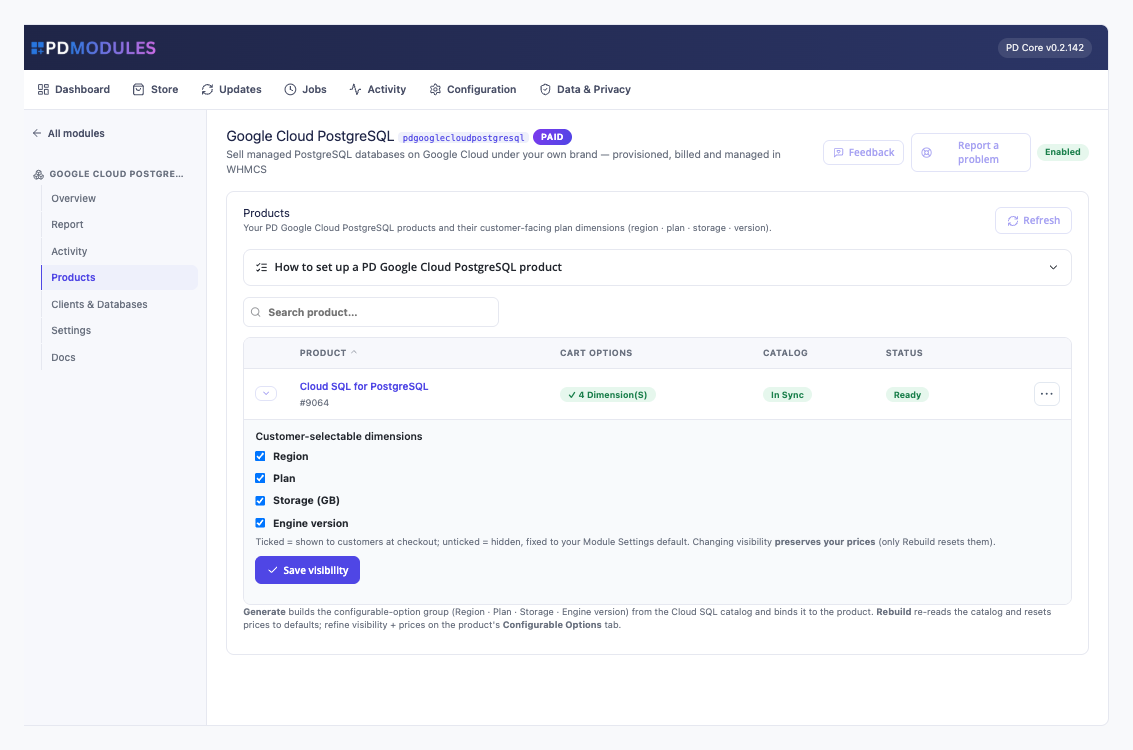
Create your product. Set a default region, plan, PostgreSQL version and storage, then generate the cart options in one click: Region, Plan, Engine version and Storage. Generated choices start at zero for you to price.
Your customer orders. They choose their options at checkout and pay. The instance is created and named with your prefix. Until it is ready the customer sees a "being set up" message, not an error.
You get paid, they manage it. WHMCS keeps billing. Plan and storage upgrades use WHMCS's own upgrade flow.
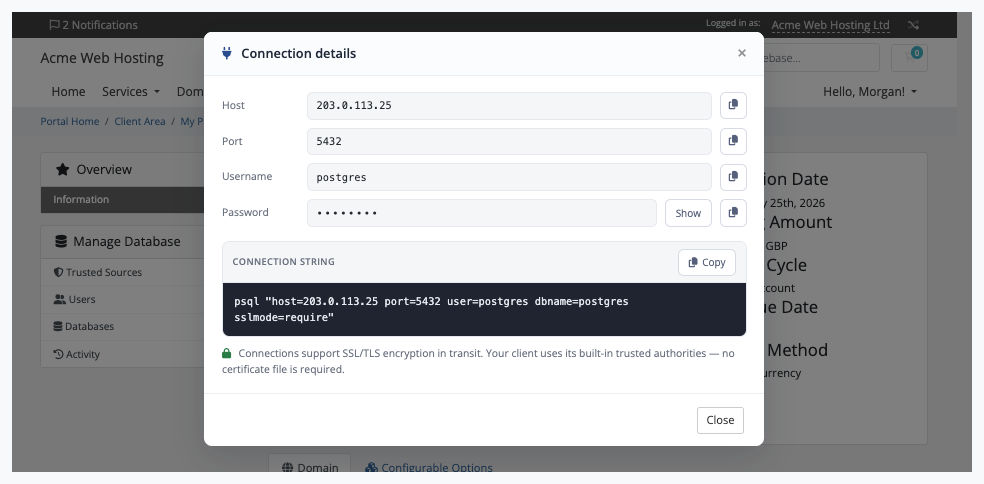
Connection details: host, port 5432, the postgres login, a hidden password with Show and Copy, and a ready-to-run psql string that requires SSL
What you get in WHMCS
Selling and pricing
Cart options generated for you and linked to the product: Region, Plan, Engine version and Storage
Choose which options customers see; hidden ones are fixed to your product setting
Prices you set survive a sync. Rebuild from Google Cloud re-reads the catalogue and warns that prices return to their starting value
Plans from shared-core db-f1-micro and db-g1-small up to db-custom vCPU and RAM sizes, from a catalogue curated against Google's published lists
Storage from 10 GB, which can be sold as an option
A name prefix on every instance, so names read as yours
Provisioning you can trust
Running Create again never builds a second instance; the recorded one is reused
Upgrades and downgrades resize the instance in place and keep the data. Storage grows in place and a smaller size is refused
A plan and storage change together applies both
Changes to one instance are applied one at a time, and a request that arrives mid-change is told to try again in a minute
Suspend stops the instance and keeps the data. A suspension that arrives while Google is busy is queued rather than dropped. Google still bills storage for a stopped instance, so terminate to stop all billing
An instance deleted directly at Google is detected and flagged to you, without changing your billing
Running it day to day
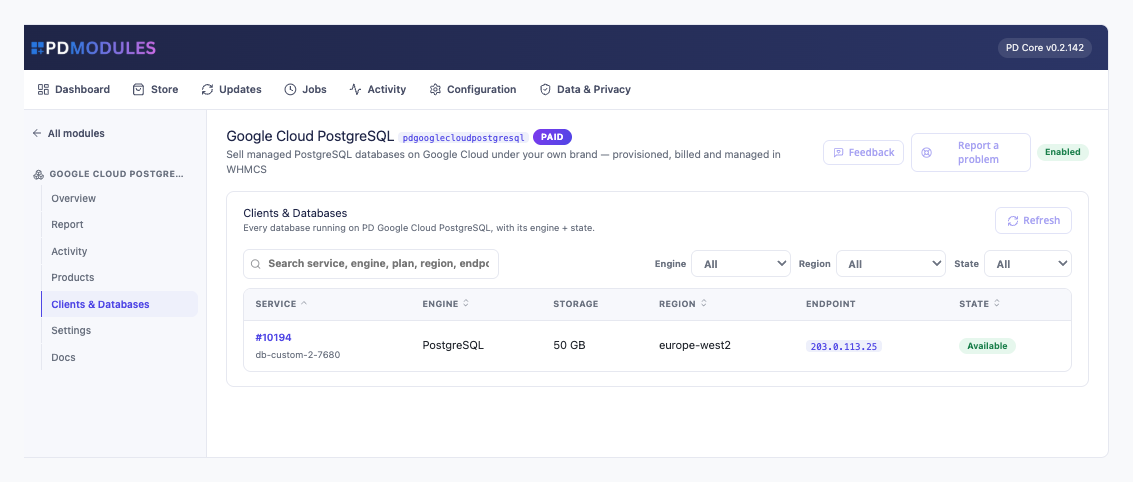
Clients and Databases lists every instance against its service, with its state
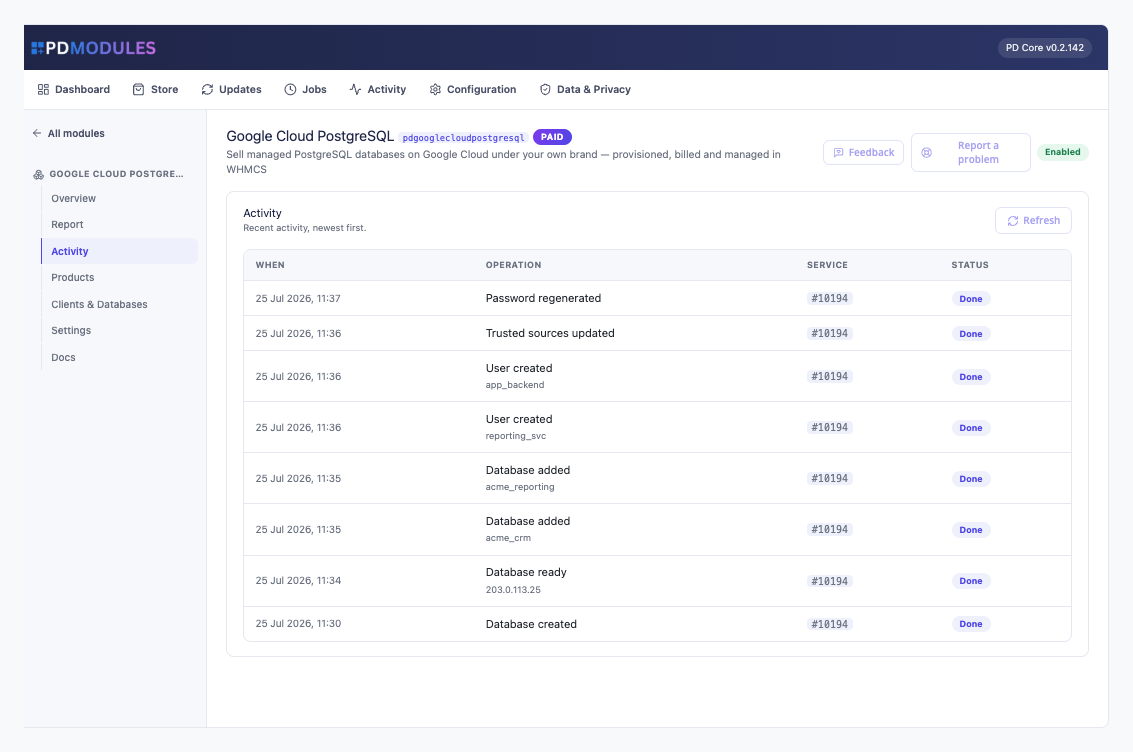
An activity log of provisioning, upgrades and password resets, each with its outcome
Read-only assistant tools report a service's instance, engine, version, size, region and state, list your databases and show recent provisioning. They cannot create, resize, delete or restore anything
What your customers get
Connection details to copy: host, port 5432, the postgres login, a password to show or copy, and a ready psql connection string. Connections can use SSL/TLS
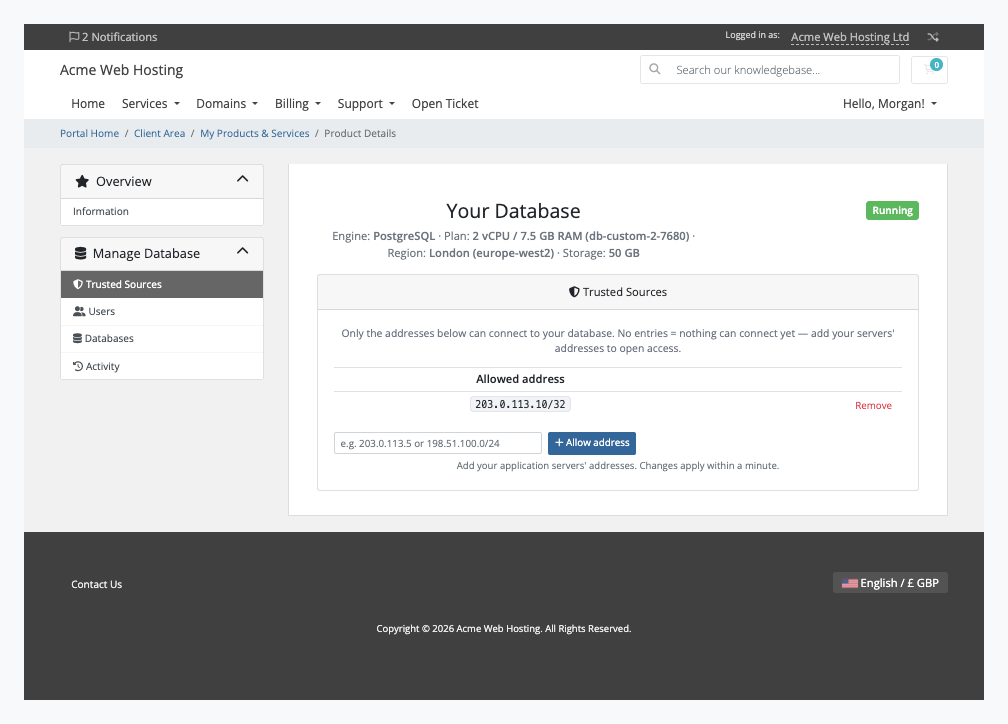
Trusted sources: a new instance accepts no connections until the customer adds an address. They manage the list, invalid entries are refused with a message, and changes apply within a minute
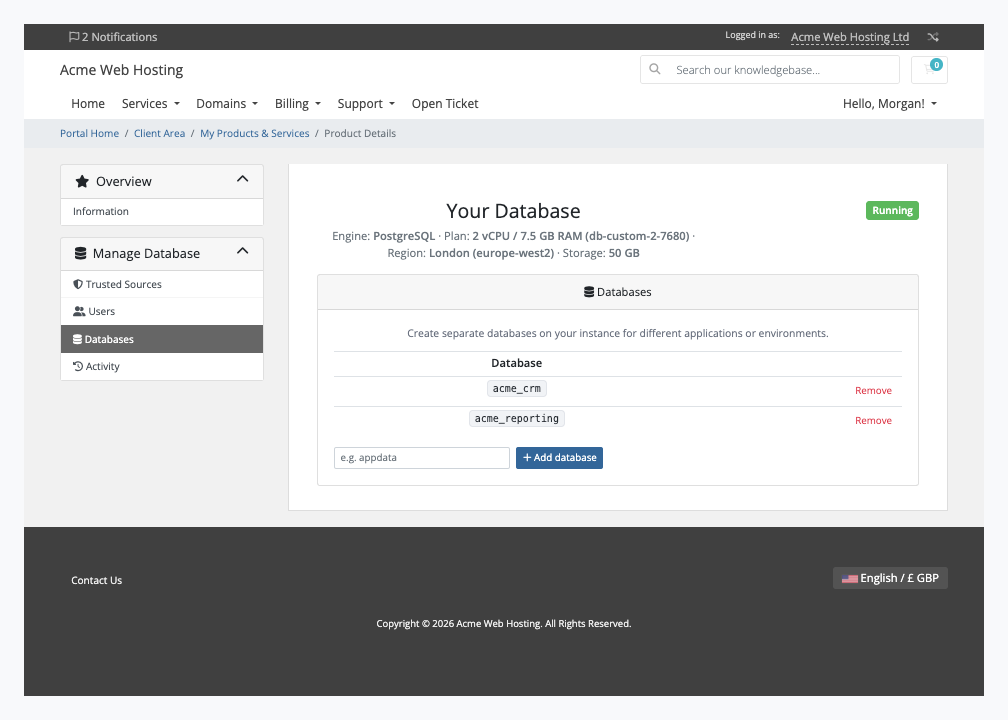
Their own databases, created and dropped from the client area, with system databases protected
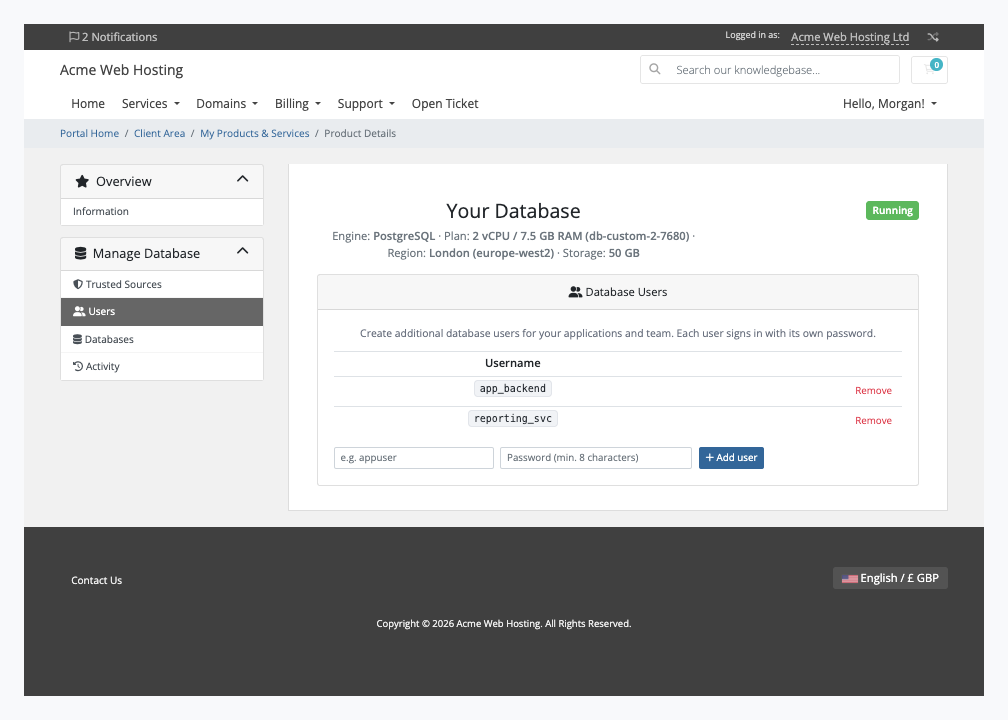
Their own PostgreSQL users with passwords they choose; the postgres login and system accounts are protected
A new postgres password in one click, shown in the connection details
Recent activity with the outcome of each action
Confirmation first in an in-page dialog before anything destructive
Trusted sources: only the listed addresses can connect, and changes apply within a minuteDatabases: one instance, separate databases for each application, created and removed by the customerUsers: separate logins for each application and team member, each with its own passwordActivity: a timestamped history of database, user, trusted-source and password changes
Each section is a switch on the product: Firewall, Connection details, Users and Databases. Switch one off and the customer cannot see it and the server refuses it. The pages render on WHMCS's Six, Twenty-One and Nexus themes and are fully translatable with wording overrides that survive updates.
Every instance is created with automated daily backups and point-in-time recovery switched on. Restores are done by you in the Google Cloud console; customers ask you.
Security built in
Your Google key is encrypted on the server record and never shown to a customer.
Each database password is stored encrypted and shown only to the signed-in owner.
Customer actions need a signed-in owner and a valid security token.
Failures on your side, such as a missing role or a policy, show the customer a neutral message and put the detail in your log.
Customer data, credentials and connection details are never sent to us. Only Google's Cloud SQL Admin API and the licence check are called.
One product, every feature
PD Google Cloud PostgreSQL is one paid module with everything included. There are no tiers and no per-instance fees to us; you pay Google at cost and keep the margin. It adds its own tables and templates, leaves WHMCS files alone, and uninstalls cleanly.
If your subscription lapses, your customers' databases keep running. The module never stops, deletes or alters an instance. New provisioning and your management screens are withdrawn while read-only visibility stays, and everything returns once you are in good standing.
Requirements
WHMCS 9 or later on PHP 8.2 or later, with the ionCube Loader
A Google Cloud project with billing and the Cloud SQL Admin API enabled, and a service-account key with the Cloud SQL Admin role
PD Modules, the free control panel every PD module installs into
Questions
Do I need my own Google Cloud account?
Yes. You connect a Google Cloud service-account key once, and every client's database is provisioned into your Google Cloud subscription — Google bills you, you bill your client through WHMCS, and the difference is your margin.
Which PostgreSQL versions can I sell?
PostgreSQL 18 (the default), 17, 16 and 15 — the modern supported majors. You can expose the version as a choice at checkout or fix it per product.
Can clients connect to their database from outside the cloud?
Yes. Each server gets a public endpoint on port 5432 with SSL/TLS, protected by a trusted-sources allow-list the client manages themselves — nothing can connect until they add an address.
Can clients manage their own databases and users?
Yes — from their client area they create and drop databases and users, set passwords and regenerate the `postgres` admin password, all with a ready-to-paste `psql` command and no Google Cloud console.
What happens to a client's database if their invoice lapses?
Their service is suspended: the instance is stopped and the data kept untouched (Google still bills its storage while it is stopped). When the invoice is paid and the service unsuspended, the instance starts again. Data is only ever removed on termination.
Can clients upgrade their machine size or storage later?
Yes, through WHMCS's normal Upgrade/Downgrade flow. The server is resized in place with the data preserved, and storage also auto-grows on its own before the disk fills.
Which WHMCS and PHP versions does it need?
WHMCS 9 or later, on PHP 8.2 or later. It installs alongside whatever else you run — it adds its own tables and templates rather than modifying WHMCS files, so it does not collide with other vendors' modules or with a customised theme. Uninstalling removes its own tables and settings and leaves no orphans behind.