PD AWS Route 53 DNS lets a hosting company give its customers self-service DNS on Amazon Route 53 from inside WHMCS. A hosted zone is created in your AWS account when a domain is registered, your customer edits its records in your client area under your brand, and your team manages every zone from one list without handing out AWS console logins.
It is built for hosts and registrars who already run their customers' DNS on Route 53, or who want its reliability behind their own client area, and who do not want to give customers access to AWS or give support staff the AWS console.
Why hosts choose PD AWS Route 53 DNS
Keep AWS out of your customers' sight. Customers manage DNS in your client area, with your branding. They never need an AWS account, and they never see a key. Their pages do not name the service that answers their DNS.
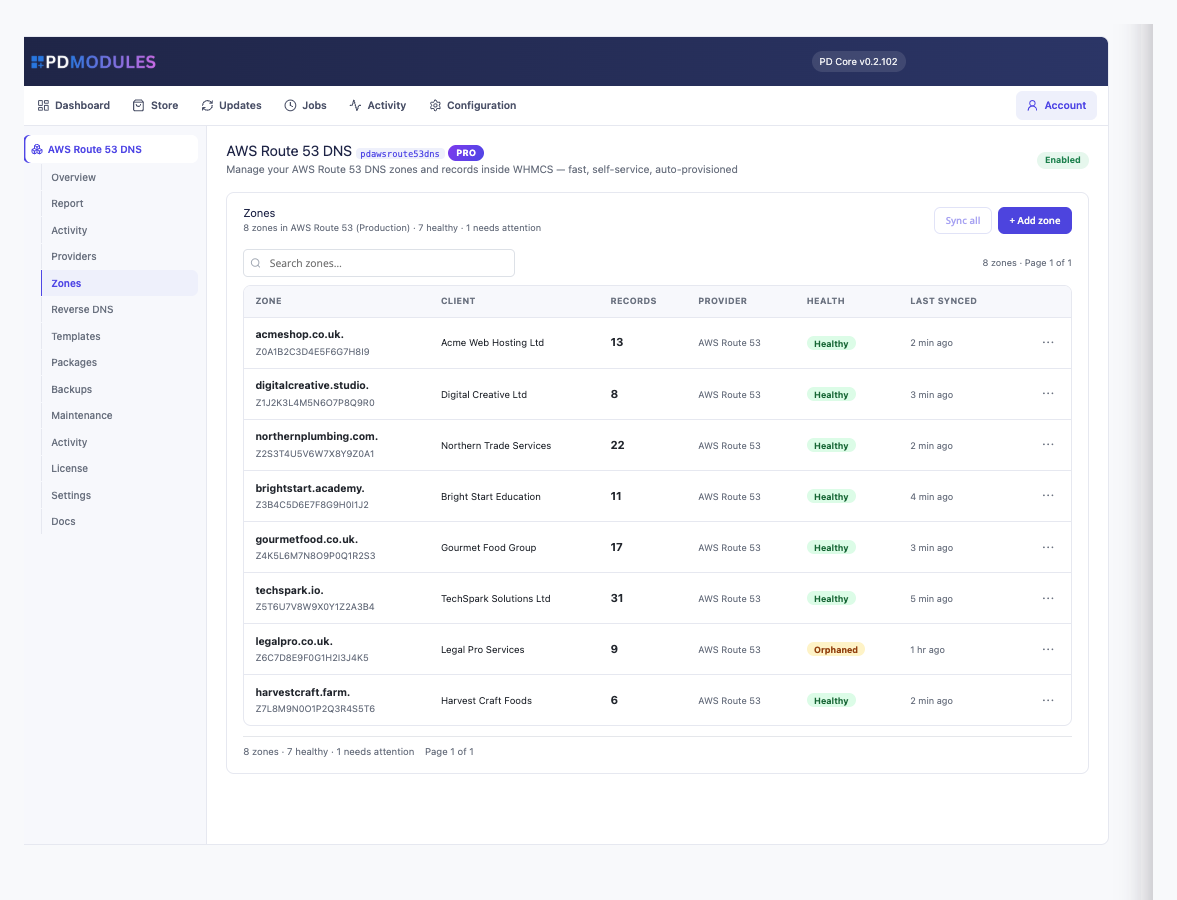
Hosted zones appear without an import. Add one IAM access key and every hosted zone in the account is listed straight away, read live from Route 53 with no sync job and nothing to go stale. Changes are written straight back.
Give support the zones, not the console. Your team opens a zone, sees its client and its health, and changes records in WHMCS. Nobody needs console access to answer "can you add an MX record".
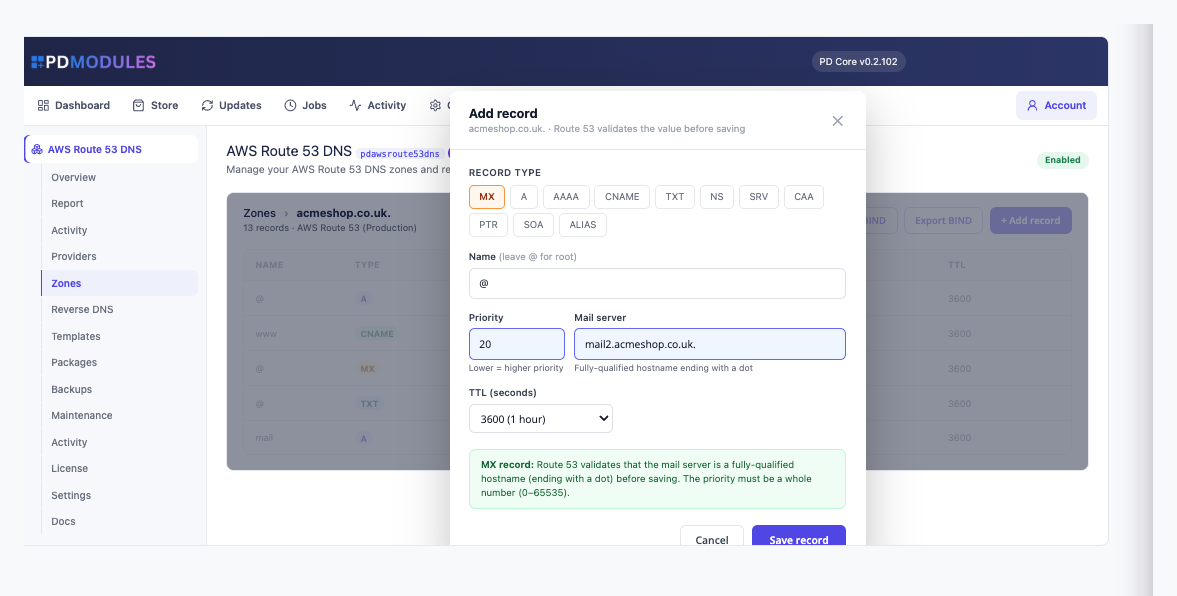
Alias records, supported properly. ALIAS records, Route 53's answer to a CNAME at the apex, are managed alongside the standard record types in the same editor.
A policy that matches what the module does. The IAM policy in the documentation grants exactly the seven Route 53 actions the module calls, from listing hosted zones to changing record sets. With it, every feature works, and nothing else in your AWS account is reachable.
Your keys stay with you. AWS credentials live in your own WHMCS database and are used only for Route 53 calls. They are never sent to PD Modules. Route 53 is global, so the region field only signs requests and can be left blank.
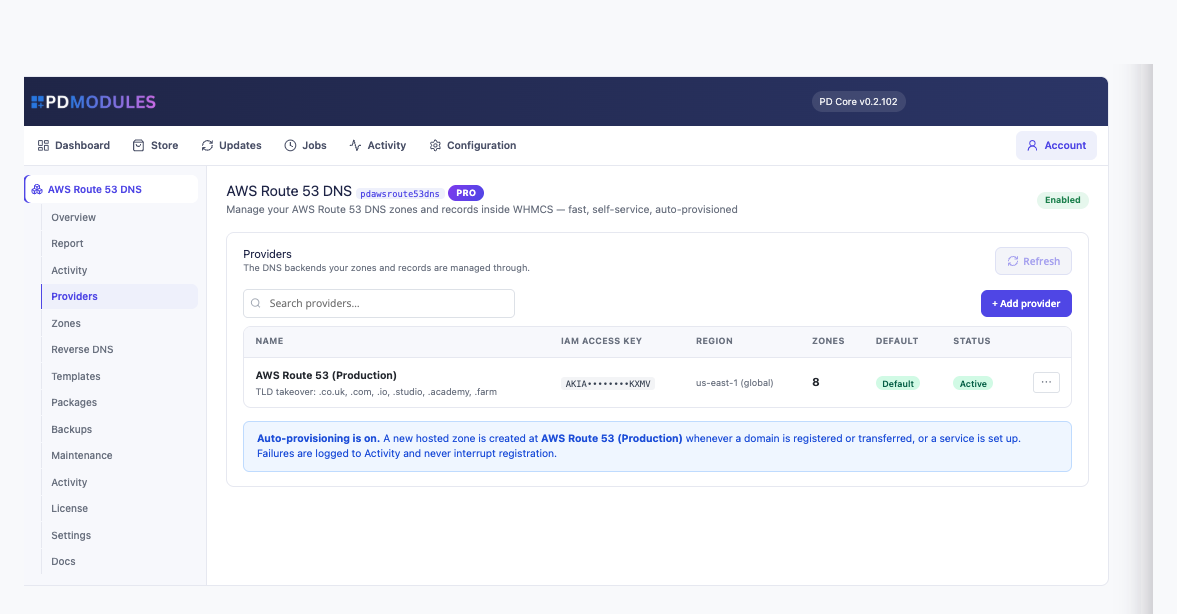
DNS that sets itself up. With auto-provision on, a hosted zone is created when a domain is registered or transferred, or a service with a domain is set up. For the extensions you choose, the module also points the domain's nameservers at Route 53 through your registrar module.
How it works
- Create an IAM user. Use the policy from the documentation, which grants only the Route 53 actions the module needs, and create an access key.
- Connect it. Add the key under Providers and press Test connection, which says whether the module can reach the account and what to fix if it cannot. Your hosted zones load immediately.
- Choose how zones are created. Switch on auto-provision, choose which extensions to host with you, or create zones by hand.
- Your customers manage the rest. They edit records, import and export zone files and take backups from your client area.
What you get in WHMCS
Zones and records
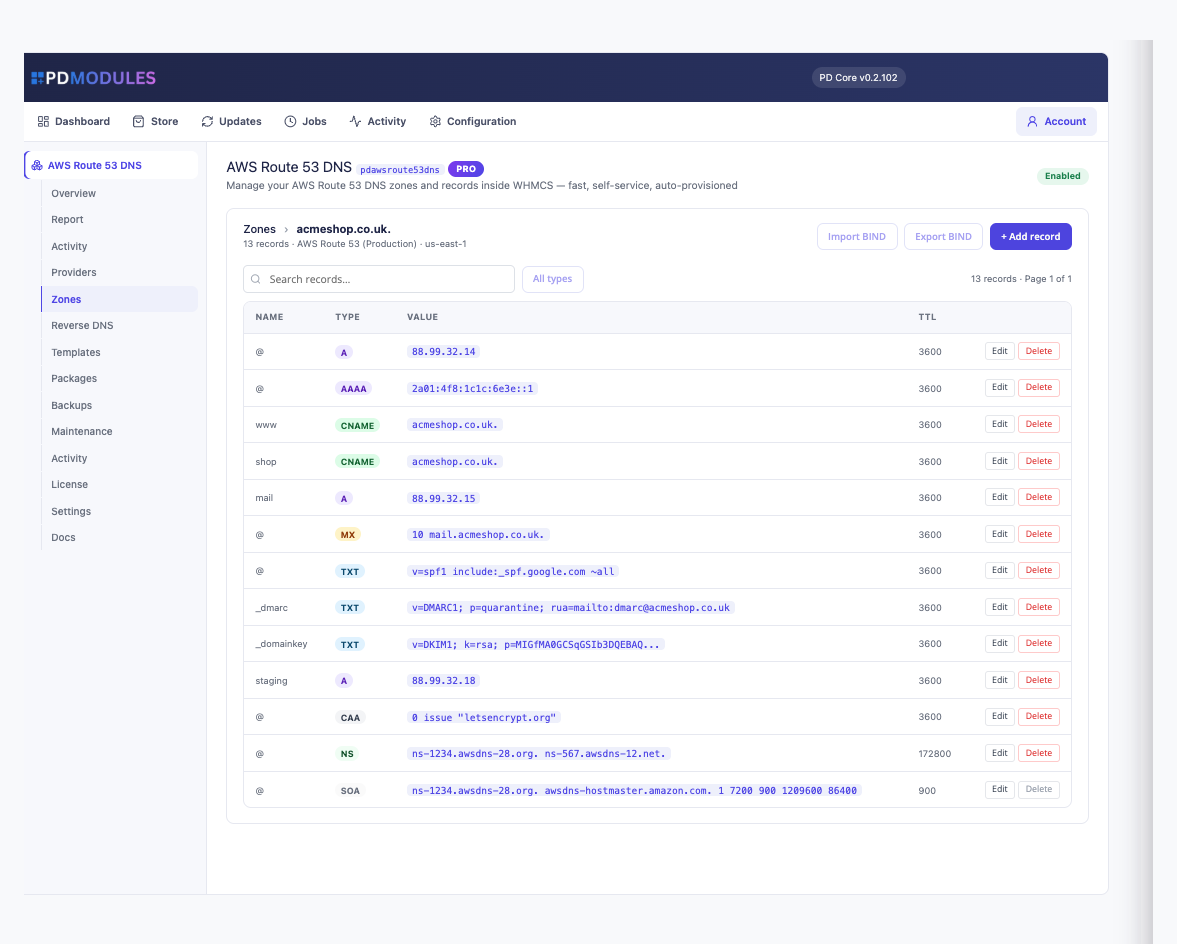
- A live Zones list with search and filters by status, tracking state and client; each zone shows its client, nameservers, health, sync state and last backup
- A type-aware record editor that shows only the fields a record type needs: priority and mail server for MX, priority, weight, port and target for SRV, flags, tag and value for CAA
- Addresses and hostnames are checked before saving, so a malformed record never reaches Route 53
- Standard types alongside ALIAS records
- The TTL you enter is the TTL Route 53 stores
- Import a BIND zone file with a count of the records it will add, and export any zone as a BIND file
- Record templates with merge fields such as {domain}, {ip} and {ns1} to {ns5}, applied in one click and safe to apply twice
- Reverse DNS ranges, with each PTR written to the matching reverse zone
- Bulk changes to a record across many zones, with per-zone results
- More than one AWS account can be connected side by side
Selling and controlling DNS
- Quota packages that cap zones per customer and records per zone, and per record type, linked to the WHMCS products you sell
- Content policies: blocked patterns and allow and deny lists for the addresses a customer's A and AAAA records may point at, for customer saves only, never your own changes
- A zone can be locked against customer edits while you work on it, and domain-only customers can be set to full editing, view only or hidden
- A scoped REST API with read and write tokens, limited by source address and rate limited, with every write logged
Running it day to day
- Scheduled backups every 24 hours by default, keeping the newest ten per zone, with on-demand backups, restore after a safety snapshot and Recover zone for one deleted by mistake
- Health, reconcile and orphan checks on WHMCS's own cron. An orphan is only flagged by default and nothing is deleted in AWS unless you choose it
- A terminated service's zone stays in Route 53 unless you switch that off
- An activity log of every zone and record change with who made it and whether it worked
- Optional emails to customers and to your team, all off by default
What your customers get
- A DNS area in your client area with records, import and export, and backups, reached by sidebar links, tabs or both
- The same validating editor you use, limited to the zones that are theirs. Another account's zone cannot be reached, even by guessing an ID
- Quick set-ups for Google Workspace, Microsoft 365 or an SPF lockdown that never change an existing record and never add a second SPF record
- Self-service backups and restores, with a safety snapshot taken first
- A set-up button for a domain of theirs that has no zone yet
This module does not sign zones or manage DNSSEC keys, and it offers no DNSSEC control. A Manage DNS link appears on a client's domain and service pages, and the pages render natively on WHMCS's Six, Twenty-One and Nexus themes.
Security built in
- AWS keys are stored encrypted in your WHMCS database and never shown back in the form.
- Keys are used only for Route 53 calls and are never sent to PD Modules.
- A policy limited to the seven actions the module uses keeps the rest of your AWS account out of reach.
- API tokens are shown once and stored only as a hash.
One product, every feature
PD AWS Route 53 DNS is one paid module with every feature included. AWS bills you for Route 53 directly and there is no per-zone fee on top. It activates from your PD Modules subscription with no key to paste, adds its own tables and modifies no WHMCS files.
If your subscription lapses, your DNS records are never touched and Route 53 keeps answering for every zone. Admin management locks first while customers keep their self-service, and customer management stops later behind a neutral message. Renewing restores everything.
Requirements
- WHMCS 9 or later on PHP 8.2 or later, with the ionCube Loader
- An AWS account with Route 53 and an IAM access key
- PD Modules, the free control panel every PD module installs into
 Featured