PD AWS DocumentDB — Resell Fully-Managed MongoDB-Compatible Databases on AWS in WHMCS
Resell fully-managed, MongoDB-compatible databases on AWS — provisioned, billed and managed in WHMCS
Made and supported by Projektif Digital Ltd.
Runs inside PD Modules, the panel
every module installs into.
Databases
Real-time readiness dashboard — licence status, SDK availability and live database count verified green before anything leaves your hands.Every database your clients are running, in one view — endpoint, region, and live state visible the moment you land on the page.A full audit trail of provisioning events across all services — firewall changes, snapshots, start/stop cycles and initial creation, all timestamped.One click to connect — host, port, credentials and a ready-to-run mongosh command with TLS guidance, so clients are up and running without a support ticket.Live usage graphs (CPU, connections, memory, storage) give clients visibility into their database's performance without leaving WHMCS.One-click on-demand snapshots — clients create, list and delete their own backups directly from the client area.Self-serve IP allowlisting — clients lock down external access to their own IP ranges without raising a ticket.A transparent activity log gives clients confidence — every action on their database recorded with its outcome, always visible.1 / 8
PD AWS DocumentDB lets a hosting company sell Amazon DocumentDB, AWS's managed document database for MongoDB-style applications, as its own database product. Your customer orders in your WHMCS cart, a dedicated cluster is built in your AWS account, and your customer manages it from your client area: connection details, usage graphs, snapshots and an allowed-address list, with no AWS console and no mention of Amazon. You set the price, AWS bills you the cost, and the difference is your margin.
It is built for hosts whose customers run applications written for MongoDB: web agencies, SaaS teams and developers who want a managed document store without running replica sets themselves, and who would rather buy it from their host than open an AWS account.
Why hosts choose PD AWS DocumentDB
A document database you can resell. Customers who build on Node.js, Python or any MongoDB driver get a cluster that speaks the protocol they already use. You offer it as a product line next to your hosting, with your pricing and your brand on every page.
Every order sets itself up. A paid order creates a dedicated DocumentDB cluster in the region the customer chose, with the instance size and version they picked at checkout. No one on your team opens the AWS console.
Nothing is shared between customers. Each cluster gets its own security group, named for the service. If the region has no default network, or your key cannot create a security group, the order is refused with the reason in your Activity log. The cluster is never placed on a shared firewall.
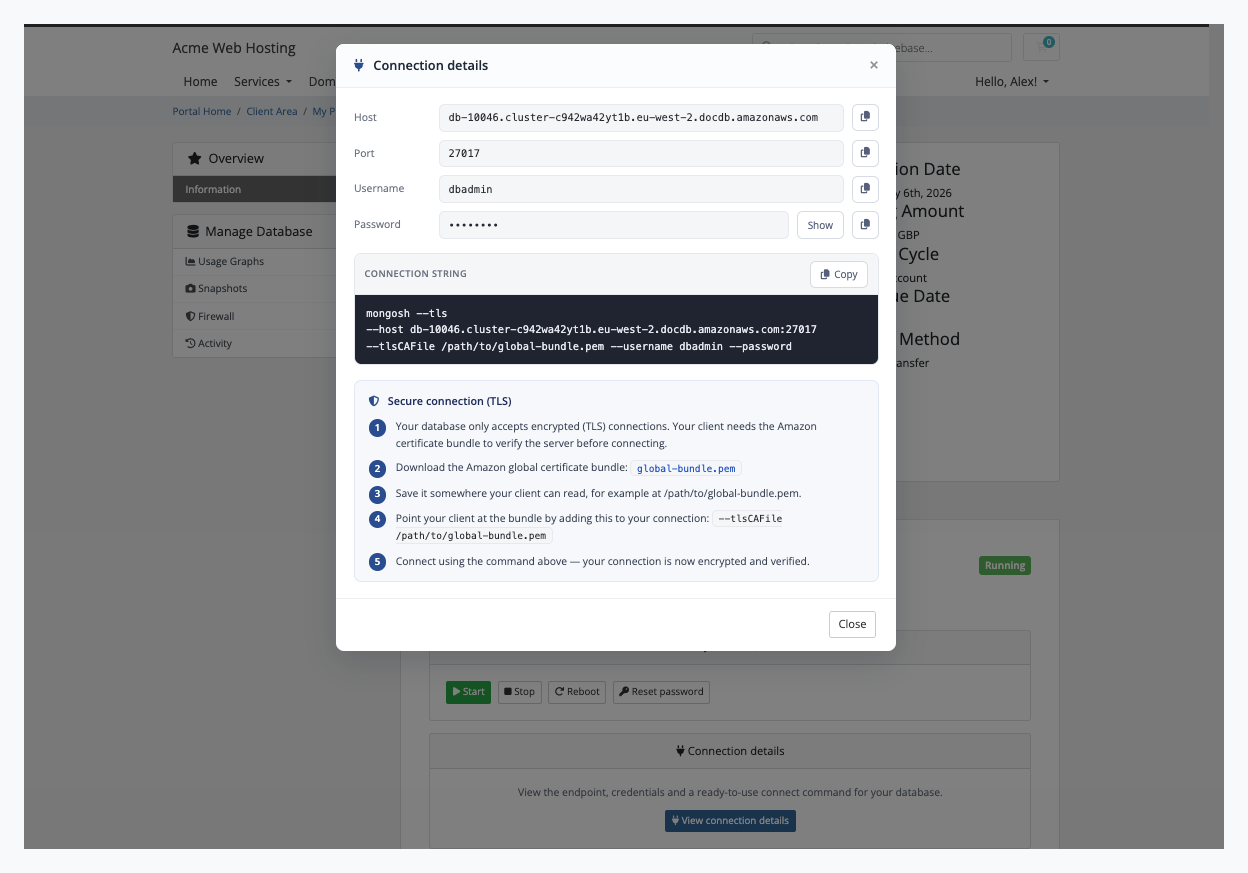
Customers connect without a ticket. The connection details open in one click: endpoint, port, username, password and a ready-to-paste mongosh command with the TLS flags already filled in. The command is checked to connect and to write.
Nothing left billing. Terminating a service removes the cluster, its instances, its own firewall and its manual snapshots, then confirms at AWS that they are gone. A cluster that was stopped for suspension is started first so AWS will delete it.
Honest about what DocumentDB is. Each cluster has one instance, so a failure means a short outage rather than a failover, and your customers are told so. Storage grows by itself, so there is no disk size to choose or outgrow.
How it works
Connect your AWS account. Create an IAM user with the policy in our guide and add its keys once on a WHMCS server record. Test Connection makes one read-only call to check them; nothing is created.
Create your product. Choose the Other product type and switch automatic setup on, then pick a region, plan and DocumentDB version. One click generates the Region, Plan and Version options for the cart from what AWS offers in that region, each at price zero.
Set your prices. You price every option on WHMCS's own Configurable Options screen. The module never changes a price after generation unless you press Rebuild, and the button warns you first.
Your customer orders. They choose their options and pay. The cluster is built, and its connection details appear on their service page as soon as AWS reports it available.
What you get in WHMCS
Selling and pricing
Region, Plan and Version generated as cart options, with plans trimmed to what AWS actually offers in the product's region
A default plan that is always one AWS currently offers
A blank version means whatever AWS uses for new clusters; a chosen version is the one provisioned
A chosen option's price is what the invoice and every renewal charge, in the customer's currency
A resource name prefix of your choice, so clusters read as <prefix>-<service id> in AWS
Switches for each customer feature, per product: snapshots, firewall, connection details and usage graphs
Provisioning you can trust
If AWS refuses an order, you see AWS's reason in the Activity log and the customer is told it could not be set up, never left on "still provisioning"
Creating a service again adopts the cluster that already exists instead of building a second one
Plan upgrades and downgrades resize the cluster in place and keep the data
Suspending stops the cluster and keeps the data. AWS restarts a stopped cluster after seven days, and the module stops it again
A cluster deleted outside WHMCS is reported to you in the Activity log, never to the customer
The module refuses to be deactivated while it still tracks clusters, so no record is orphaned
Running it day to day
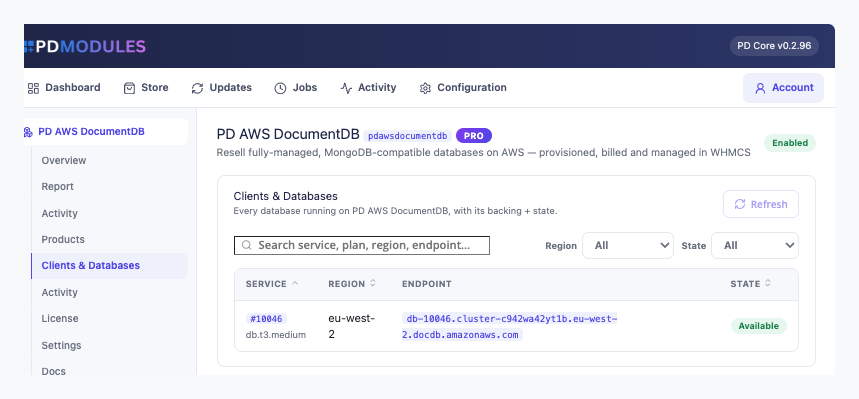
Clients and Databases: every cluster with its service, plan, region, endpoint and state
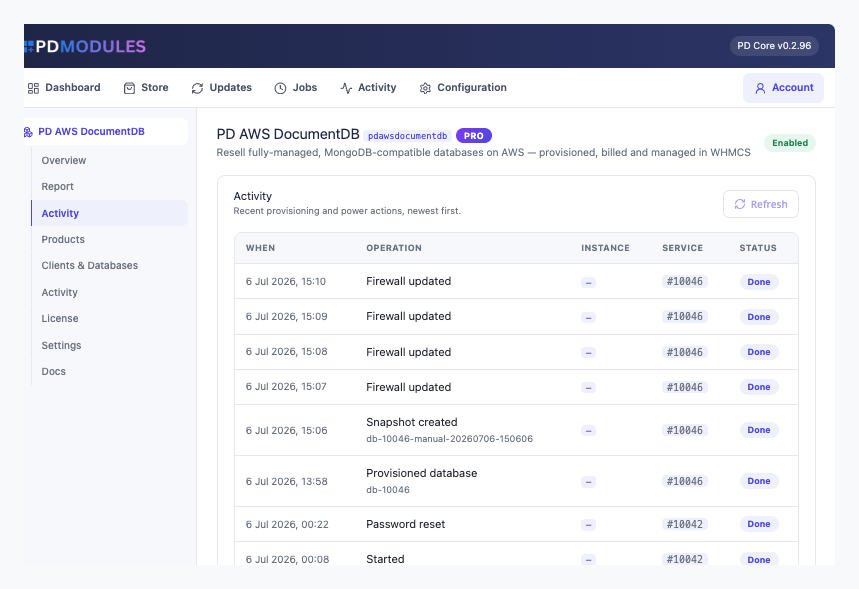
Activity: recent provisioning and actions across all clients, with the outcome and AWS's reason for any failure
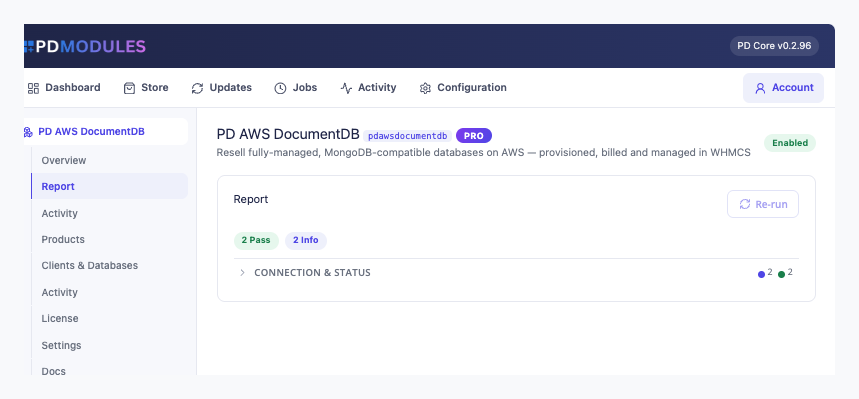
A Report showing licence state, your configured AWS accounts and the database count
Read-only AI tools for service status, the database list and recent activity; nothing can create, resize or delete a database through them
What your customers get
Start, stop, reboot and reset password, each behind a confirmation dialog in the page, and pressing one twice while the first is queued does it once
Connection details with copy buttons and the Amazon certificate bundle linked beside the command
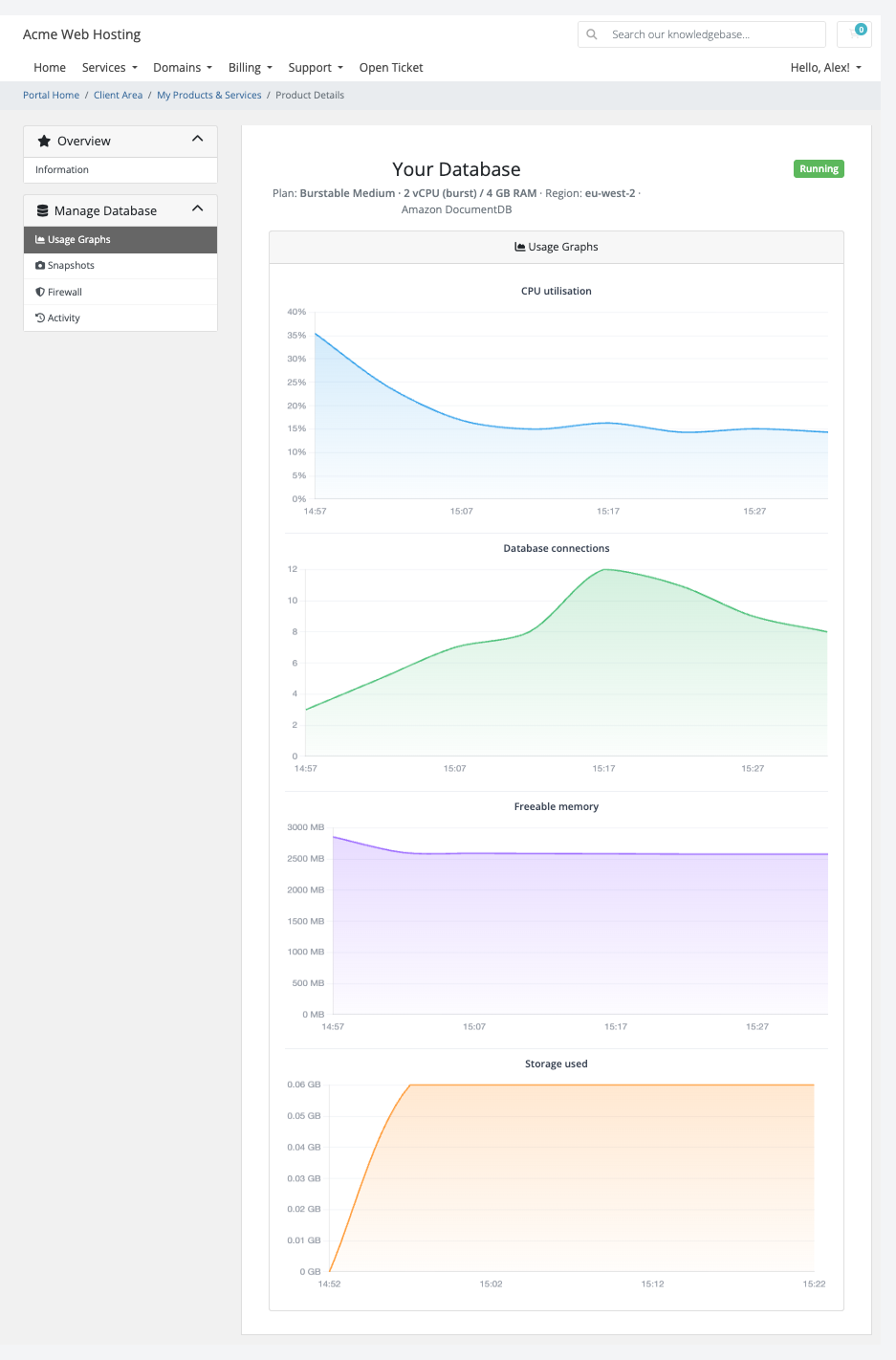
Usage graphs for CPU, connections, freeable memory and storage over the last 24 hours
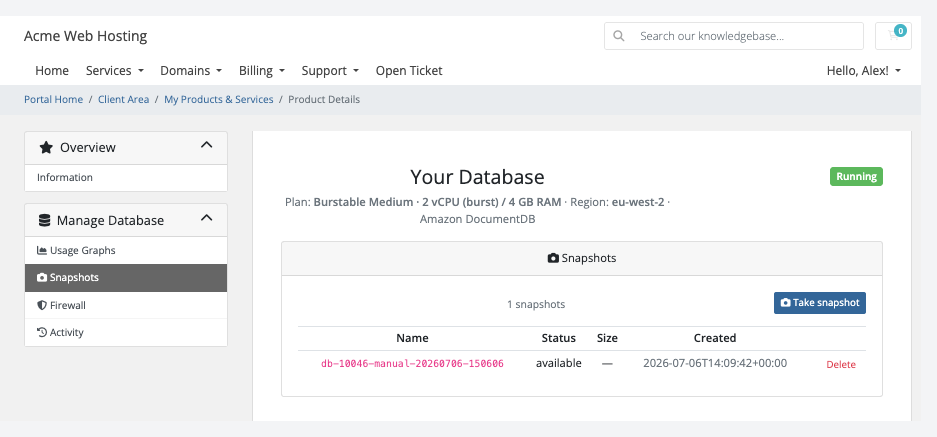
Snapshots they take in one click and delete when finished, each with its date. AWS also keeps automated daily backups for seven days
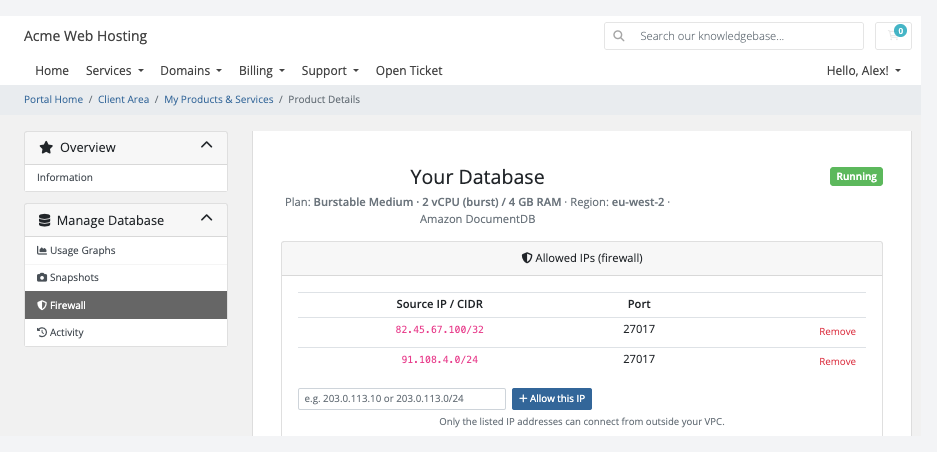
A firewall where they add and remove IPv4 addresses or ranges. A new cluster allows nothing until they do, and an invalid entry is refused with a message
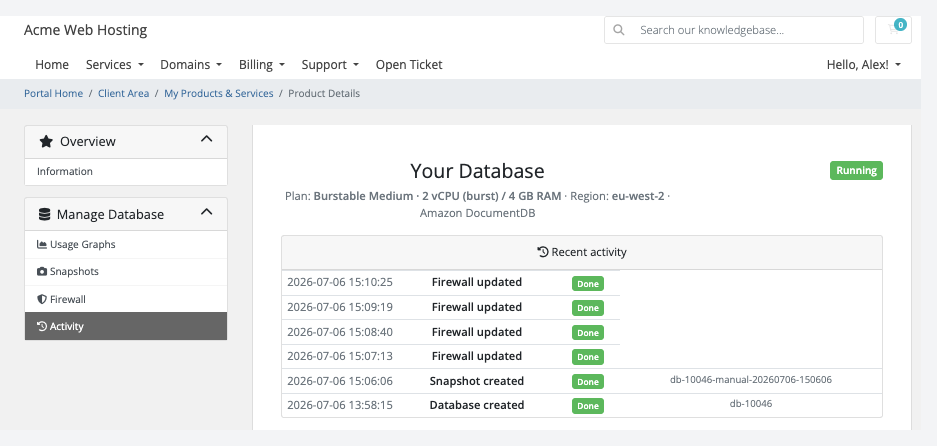
Activity, the last 40 actions in plain words with when and how each ended
Usage graphs: CPU utilisation, database connections, freeable memory and storage used for the customer's clusterSnapshots: the customer takes a snapshot in one click and deletes the ones they tookActivity: every action on the database in the customer's words, with its outcome
Restoring a snapshot is your job in AWS, and the pages never promise otherwise. Clusters are private to your AWS network and never get a public address, so customers connect from an application server inside it, or through an SSH tunnel to one. Every feature is a switch on the product: turn one off and it disappears from the customer's menu and the server refuses it too. The pages render natively on WHMCS's Six, Twenty-One and Nexus themes and are fully translatable, with overrides that survive updates.
Security built in
Your AWS key lives on the WHMCS server record, stored encrypted, and never reaches a customer page.
The database password is stored encrypted on the service and shown only to its owner. Reset password changes it at AWS within minutes and the old one stops working.
All connections use TLS, verified against the Amazon certificate bundle.
A suspended, terminated, cancelled or fraud-held service cannot start, snapshot or reset anything.
Only licence data reaches us. Customer data and credentials never do.
One product, every feature
PD AWS DocumentDB is one paid module with everything included: provisioning, power, snapshots, firewall, usage graphs and teardown. There are no tiers to compare. It installs into PD Modules in one click, updates itself, and uninstalls cleanly without modifying any WHMCS files.
If your subscription ever lapses, nothing the module built is touched. You get a 14-day grace period with everything working, then admin management locks while customers keep being served, and only after that do customer features pause, behind a neutral message that never mentions licensing. Renewing restores everything at once.
Requirements
WHMCS 9 or later on PHP 8.2 or later, with the ionCube Loader
An AWS account and an IAM user with the policy we provide
PD Modules, the free control panel every PD module installs into
Questions
Where do the databases run?
On your own AWS account — as dedicated, isolated Amazon DocumentDB clusters provisioned in the region you choose. You pay AWS for the compute and storage; you set the sell price in WHMCS and keep the difference.
What is Amazon DocumentDB?
Amazon DocumentDB is a fully-managed, MongoDB-compatible document database on AWS. It is compatible with MongoDB drivers and tools (mongosh, Compass, and others) while AWS handles patching, backups, storage scaling and high availability.
Do I need my own AWS account?
Yes. You connect your AWS credentials in the WHMCS Server settings once, and every client cluster is provisioned automatically into your account. No per-client AWS access required.
Does storage auto-scale?
Yes. Amazon DocumentDB grows its storage automatically as data is added — there is no disk size to choose at order time. Neither you nor your clients ever need to resize storage manually.
Can clients upgrade to a bigger plan?
Yes. Changing the configurable option on the service resizes the underlying instance class in place — all data is preserved.
How do clients connect to their database?
The client area shows the cluster endpoint, port, username, and a ready-to-paste mongosh connection string (TLS flags pre-filled). MongoDB drivers and tools use the same endpoint. TLS with the Amazon global CA bundle is required; a download link is on the Overview page.
Is a free trial available?
Trial availability is set per product by the hosting provider. Note that a DocumentDB trial provisions a real AWS cluster, so factor that into how you offer it.
Does the module require any additional software on my WHMCS server?
No. The module communicates with AWS through the AWS SDK bundled with PD Core — nothing else needs to be installed on your server.
What happens if my subscription lapses?
Nothing of yours is touched, and nothing is deleted. The module steps down in stages instead: a 14-day grace period where everything still works and you get a renewal reminder, then admin management locks while your customers carry on being served, and only after that do the customer-facing features stop — behind a neutral "temporarily unavailable, please contact support" message that never mentions licensing to your customer. Anything the module provisioned keeps running in your own account throughout, and your data and settings stay exactly where they are. Renewing restores everything immediately.
What data leaves my server?
Your customers' data stays in your WHMCS. To confirm your licence, the platform sends us four things and nothing else: your licence key, the domain, your server's own IP address and the directory it is installed in — the four values recorded against your licence in your client area. Alongside that we see which module and version you run and whether its licence is healthy, so we can ship compatible updates. We never receive your clients' personal data, your credentials, or the contents of your WHMCS. Crash reports are off unless you turn them on, and a diagnostic report is only ever sent when you send one, after showing you a preview you can edit.
How do I get help?
Open a ticket from your client area, or use Get help inside the PD Modules panel, which attaches a diagnostic report — you see a preview of exactly what it contains, and can exclude any part of it, before anything is sent. Support is included with an active subscription; bug reports are welcome whatever your licence state.
What’s new in 0.3.67
On Blesta, the plan options screen now says the region, plan and version are chosen on the package, instead of reporting a database error.