PD Uptime & Status — Self-Enrolling Uptime Monitoring, Incidents & Status Page
Monitors that create themselves — every service you provision is watched from the moment it goes live
Made and supported by Projektif Digital Ltd. Runs inside PD Modules, the panel every module installs into.
Available for WHMCS and Blesta
Every other uptime module asks you to add each monitor by hand.
Which means the important ones get added, the rest never do, and six months later nobody is quite sure what is actually being watched.
PD Uptime & Status watches your customers' services because you sold them.
How it works
You install it. That is genuinely the setup.
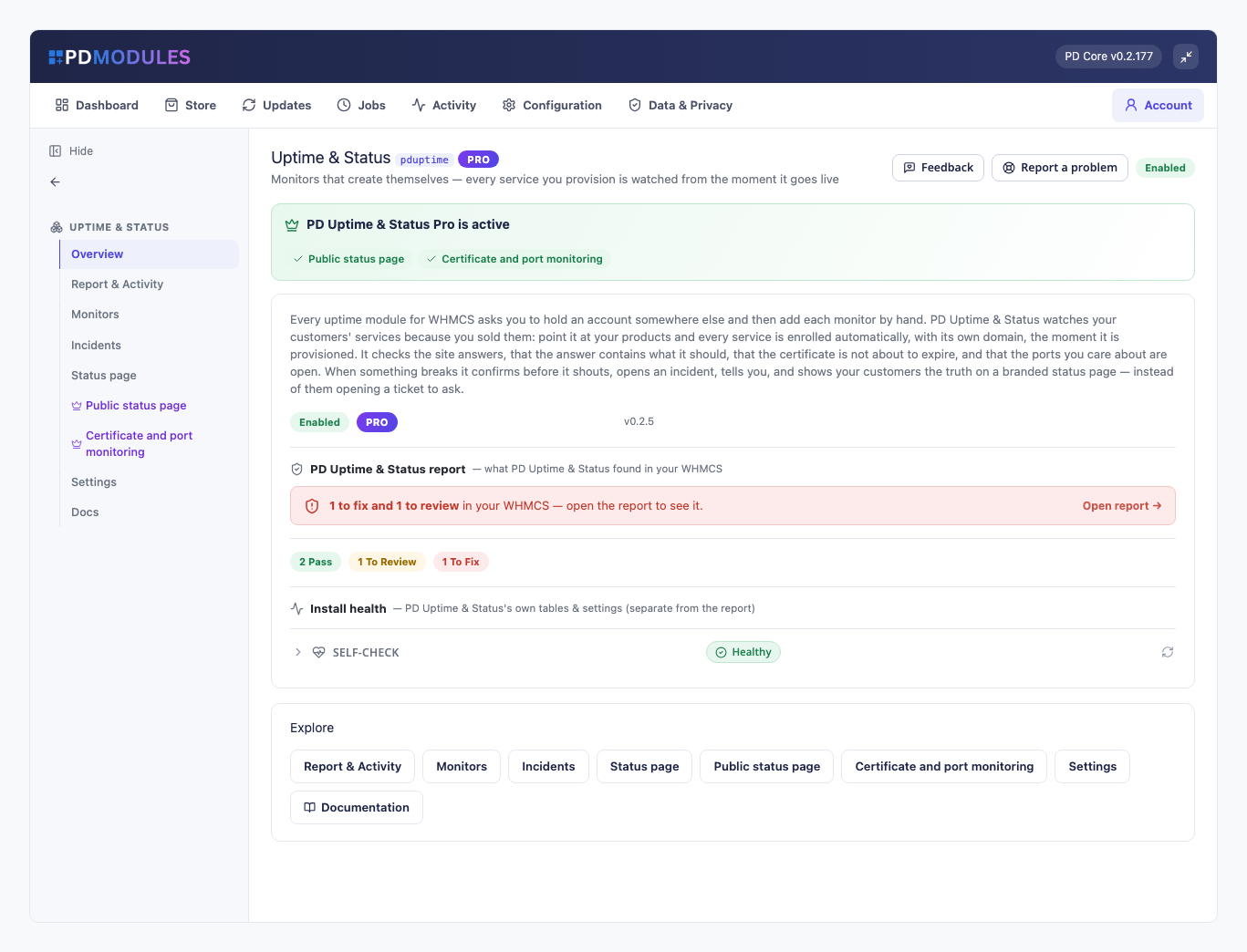
The module enrols every service you provision from the moment it goes live, probes each one on your schedule from your own server, opens an incident when something stops answering and closes it when it comes back, and emails you on the change rather than every five minutes. On Pro it also watches TLS certificates and ports, and publishes a branded status page.
Your customer either sees nothing, or — if you publish it — a status page they check instead of opening a ticket.
Monitors that create themselves are the difference between coverage that keeps up with your customer base and coverage that quietly stops at whatever you remembered to add.
Monitors that create themselves
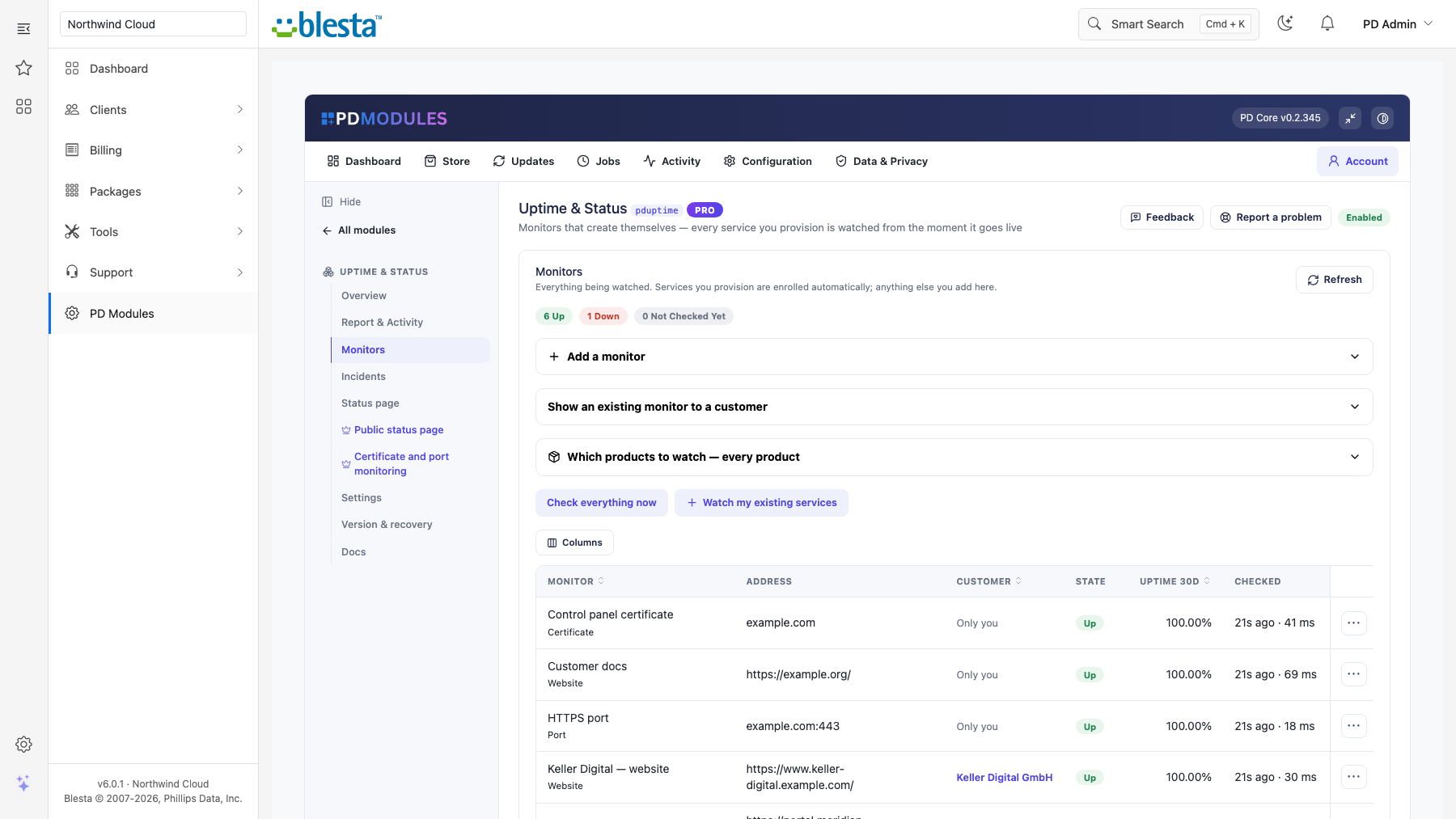
Point it at your products. Every service is enrolled the moment it is provisioned, using the domain on the service — and the monitor is removed again when the service is terminated. A monitor you added by hand is never deleted behind your back.
There is no third-party account to hold. Checks run from your own server, on your own cron.
Checks that catch what matters
- Website — any 2xx or 3xx is up, redirects followed, so
http → https → wwwis success and not an outage. Add a keyword the page must contain and you also catch the case a plain check misses: the site answers, but with a parked page, a database error, or a suspension notice. - Ports (Pro) — mail, databases, control panels. A website check tells you nothing about whether mail is flowing.
- Certificates (Pro) — fails while the certificate is within 21 days of expiry, so you find out on day 21 rather than the morning it breaks.
Alerts you will still trust in a year
A monitor must fail more than once before it counts as down — you choose how many. Alerts fire on transitions only, so a four-hour outage sends two emails rather than forty-eight. Recovery is immediate and closes the incident.
And when your own server cannot run a check, that is recorded as inconclusive: no incident, no alert, no pretending your customer was down because of a problem at your end.
Your customers can see for themselves
An Availability panel on each service page shows current state, 30-day uptime and recent interruptions. With Pro, a branded status page shows exactly what you choose to publish — your shared infrastructure, not your customers' individual sites, unless you pick them.
That is the ticket you never receive.
Free, with a Pro tier
Ten monitors, website checks, confirmation, incidents, email alerts and the customer panel are free. Pro removes the limit and adds certificates, ports, the status page and webhook alerts — an upgrade on the same licence, applied in place.
Questions
Which billing platforms does PD Uptime & Status work with?
PD Uptime & Status is available for WHMCS (8.13 or later) and Blesta (6.0 or later). Each has its own page with the screenshots, requirements and price for that system. A module is added to the PD Modules licence of the installation it runs on, so a WHMCS installation and a Blesta installation each hold their own licence.
Do I need an account with an uptime service?
No. Checks run from your own WHMCS or Blesta server on your own cron. There is nothing to sign up for and nothing leaves your server except the checks themselves.
What does "monitors that create themselves" mean?
When a service is provisioned, a monitor is created for its domain automatically; when the service is terminated, that monitor is removed. You never have to remember to add or clean one up — the difference between monitoring everything and monitoring the three things you thought of.
Will one slow moment page me at 3am?
No. A monitor must fail the number of checks you choose (two by default) before it counts as down, and alerts fire only when the state changes. A four-hour outage sends two emails: down, and back up.
What if my server cannot make outbound requests?
The check is recorded as inconclusive — not as your customer's outage. Nothing is alerted and no incident is opened, and the monitor's last error tells you what happened at your end.
Does the status page expose my customers?
Only if you choose. Nothing appears unless you explicitly publish that monitor, and incidents for unpublished monitors are never shown. Most hosts publish shared infrastructure and keep customer sites private.
What is the keyword check for?
The failure a plain up/down check misses: the site answers with a 200 but the page is parked, showing a database error, or a suspension notice. Requiring a word you expect turns that into a detected outage.
How is uptime calculated?
From the recorded checks over the window — successful divided by total. Where there is not enough history yet the figure shows as a dash rather than a misleading 100%.
What happens if Pro lapses?
Monitoring carries on as the free tier. Your monitors are kept, the status page stops being served, and certificate and port monitors stop being checked. Nothing is deleted.
Does this expire, or turn into a paid version later?
The free tier never expires — it arrives with your PD Modules licence and keeps working, with no trial clock and nothing that switches off later. If you add Pro and then let it lapse, only the Pro features step down, in stages: a 14-day grace period where everything still works, then the Pro features lock and the module carries on as the free version. Nothing is deleted, nothing you configured is lost, and adding Pro again restores it immediately.
What does it cost to run, on top of the subscription?
Nothing metered. The free tier costs nothing, Pro is a flat subscription, and PD Uptime & Status runs inside your WHMCS or Blesta without connecting to a paid third-party service — so there is no usage bill, no per-message or per-GB charge, and no surprise on top of what you chose to pay.
What data leaves my server?
Your customers' data stays in your WHMCS or Blesta. To confirm your licence, the platform sends us four things and nothing else: your licence key, the domain, your server's own IP address and the directory it is installed in — the four values recorded against your licence in your client area. Alongside that we see which module and version you run and whether its licence is healthy, so we can ship compatible updates. We never receive your clients' personal data, your credentials, or the contents of your WHMCS or Blesta. Crash reports are off unless you turn them on, and a diagnostic report is only ever sent when you send one, after showing you a preview you can edit.
How do I get help?
Open a ticket from your client area, or use Get help inside the PD Modules panel, which attaches a diagnostic report — you see a preview of exactly what it contains, and can exclude any part of it, before anything is sent. Support is included with an active subscription; bug reports are welcome whatever your licence state.
You might also need
 Featured
Stop fake signups & order fraud before they provision
Know about a domain problem before your customer does
Prove the retainer is worth paying, automatically, every month
