PD Onboard for WHMCS and Blesta
Stop chasing customers for what you need — a guided onboarding checklist that collects it for you
Made and supported by Projektif Digital Ltd. Runs inside PD Modules, the panel every module installs into.
Available for WHMCS and Blesta
The order completes, and then nothing happens.
Not because anything is broken, but because you are waiting on the customer: nameservers, a logo, the content, a login, a decision. So you email them. Then you email them again. Meanwhile the project sits, and nobody can see which customers are stuck or on what.
PD Onboard turns that into a checklist the customer actually works through.
How it works
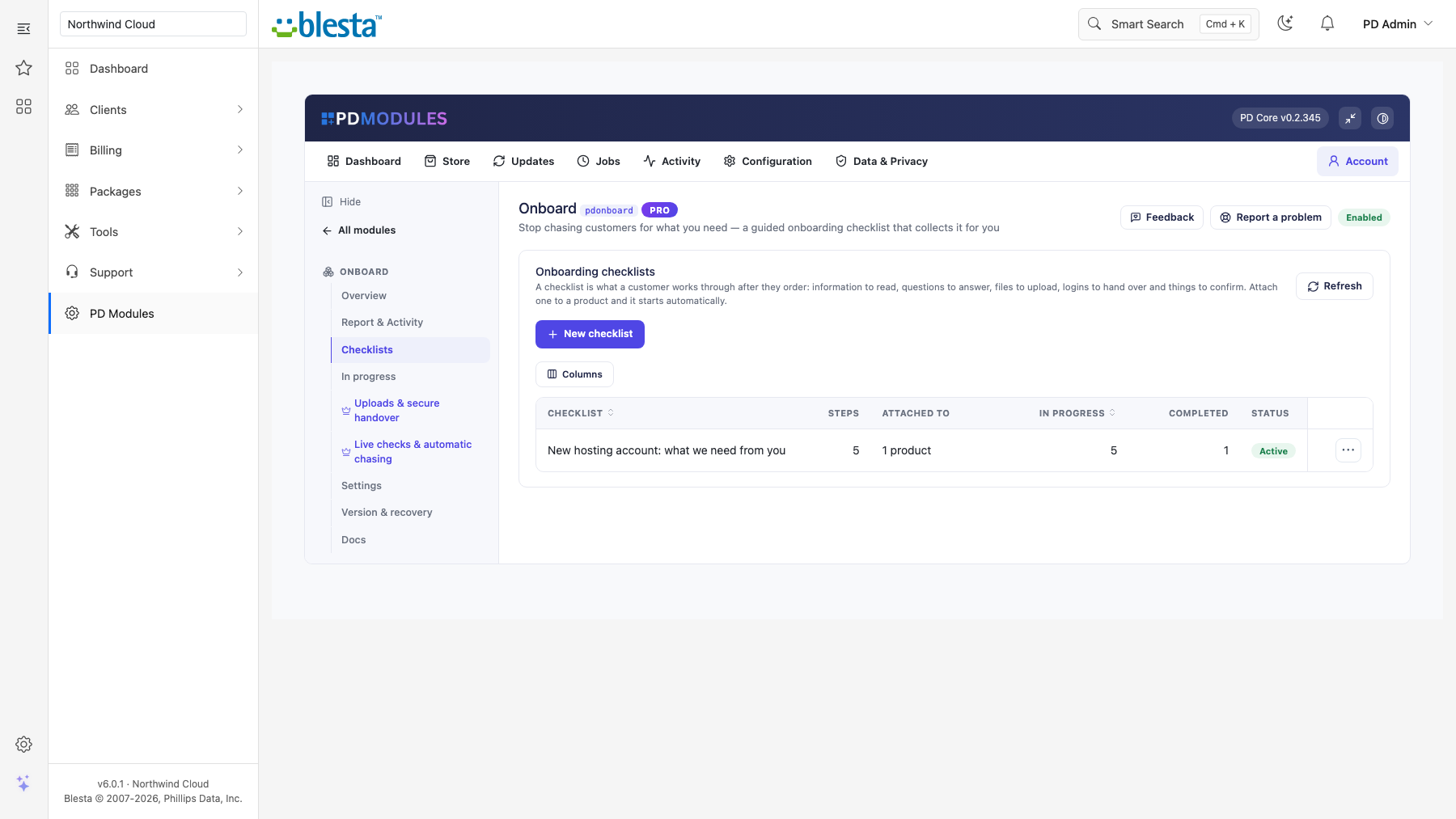
You build a checklist once — the things you always have to ask a new customer for.
The module starts it by itself the moment an order goes active, gives each customer one page with every step on it, keeps what they send against the step it answers, and (on Pro) chases the ones who stall and verifies answers against real DNS or the live website before accepting them.
You stop writing the same "just chasing this" email, and you can see at a glance which customer is stuck.
One checklist, reused forever
Write down what you need — once. Attach it to a product, a whole product group, or set it as the fallback for everything else. From then on, every new order starts it automatically, and the customer sees a Getting started panel on their dashboard with their progress.
Steps that fit real life
- Information to read — "here is what happens next".
- A question to answer — short text, long text, a choice, a date, an email address or a URL.
- A file to upload (Pro) — logo, brand pack, backup, signed document.
- A login to hand over (Pro) — captured straight into your encrypted password vault.
- Something to confirm — optionally verified against real DNS.
- A task for your team — internal only.
Order them, mark each required or optional, and duplicate a whole checklist in one click.
Confirmations that are actually checked
A "point your nameservers at us" step can check DNS before it accepts the answer. If the domain points somewhere else, the customer is told exactly where. If the check cannot run — DNS not propagated, network unavailable — the step is accepted and the customer is told we took their word for it. A check that cannot run must never block a customer.
Logins that never sit in an inbox
A credential step writes into PD Password Manager's encrypted vault. The onboarding record shows only "Stored securely".
A view that tells you who is stuck
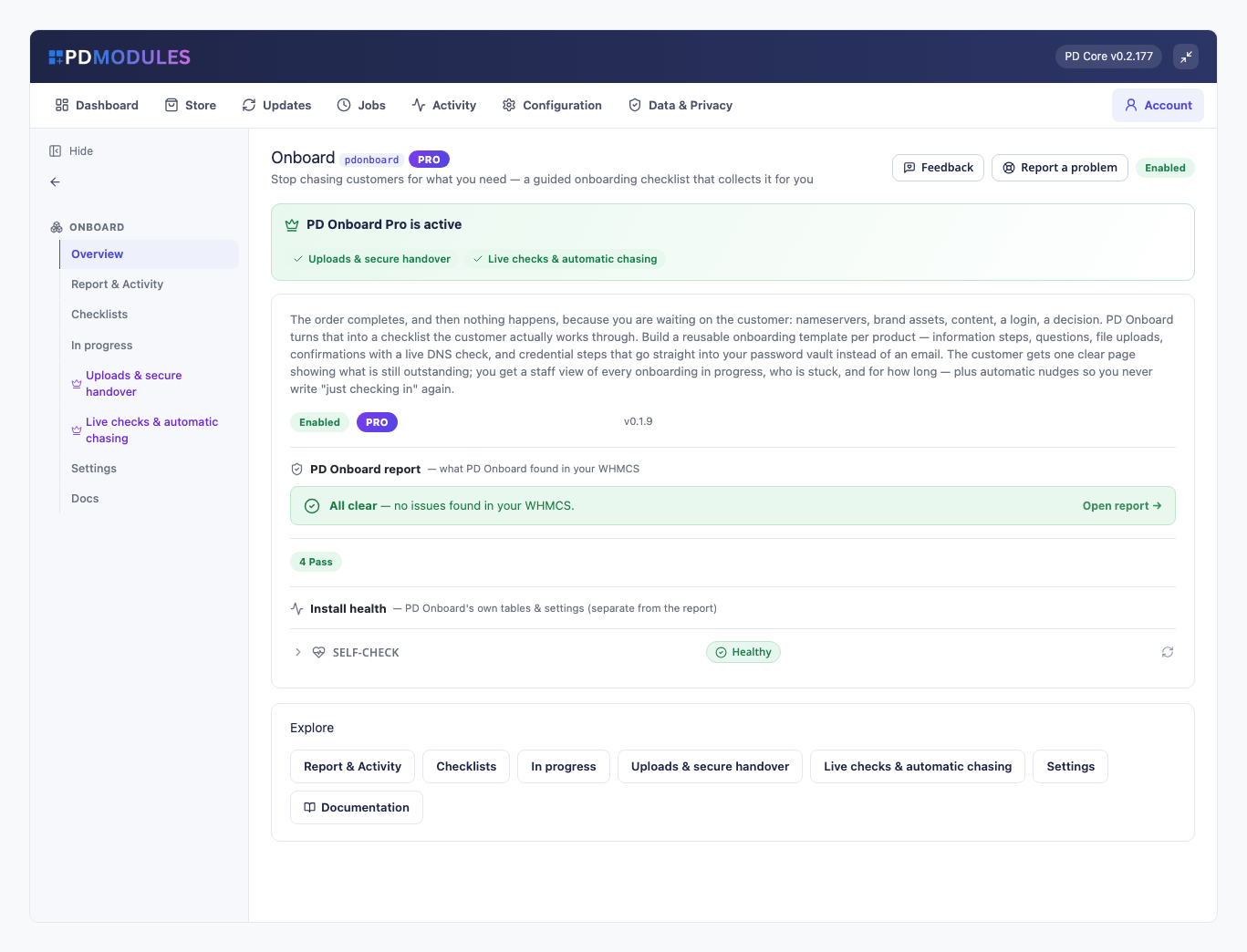
Every onboarding, its progress, and how long since the customer last did anything. Mark a step done when they email you the answer instead. Reopen one that needs redoing. Download what they sent. Send a reminder, cancel, reopen or delete — and deleting takes the uploaded files with it.
Nudges you don't have to write
A customer who stops part-way gets a polite reminder listing exactly what is outstanding. If they still go quiet, your team gets one alert so a human can pick up the phone.
Free, with a Pro tier
Unlimited checklists, information, questions, confirmations, staff steps, the customer page, the dashboard panel and the full staff view are free. Pro adds file uploads, credential capture, live checks, automatic reminders, stalled alerts and the completion email — an upgrade on the same licence, applied in place.
Questions
Which billing platforms does PD Onboard work with?
PD Onboard is available for WHMCS (8.13 or later) and Blesta (6.0 or later). Each has its own page with the screenshots, requirements and price for that system. A module is added to the PD Modules licence of the installation it runs on, so a WHMCS installation and a Blesta installation each hold their own licence.
Does the customer need to log in?
Yes — the onboarding page is tied to their account, so only they can see it and only they can answer. That is what makes the collected information trustworthy. The reminder email links straight there.
What if a customer emails me the answer instead of using the page?
Open their onboarding and use Mark done on that step. It is recorded as completed by staff, so your view of what is outstanding stays accurate.
Which checklist is used when several could match?
The most specific one wins: a checklist targeted at that exact product beats one targeted at its product group, which beats the fallback checklist. If nothing matches, no onboarding is started — better than starting the wrong one.
Are uploaded files safe?
They are stored in PD Modules' own storage folder with generated filenames, a folder the web server is told to refuse (on nginx, add a deny rule for it), restricted to documents and images, capped at 12 MB, and served only through a page that checks whether the person asking is your staff or the customer who uploaded them. A direct URL will not work.
Where do collected passwords go?
Into PD Password Manager's encrypted vault when it is installed — the credential never sits in an inbox. Without PD Password Manager there is no vault, and the login is kept in the onboarding record as ordinary text your staff can read — install it first if logins should be encrypted.
Will the DNS check block a customer whose domain has not propagated yet?
No. A check that cannot run is treated as "we could not verify this, so we took your word for it" and the step completes. Only a check that actively contradicts the customer holds the step open — and then the message says exactly what it found.
Can I change a checklist after customers have started it?
Yes. Adding a step means everyone in progress sees it; removing one stops it being asked for. Progress is recalculated from what has actually been answered, so the numbers never go strange.
What happens if my licence lapses?
Onboarding already in progress keeps working for your customers and everything collected stays readable. Pro features pause and the module continues as the free version.
How do I get help?
Open a ticket from your client area, or use Get help inside the PD Modules panel, which attaches a diagnostic report — you see a preview of exactly what it contains, and can exclude any part of it, before anything is sent. Support is included with an active subscription; bug reports are welcome whatever your licence state.
You might also need
Rich client, service & domain notes with reminders
Generate, store and securely hand off passwords — with one-time links and a health check
Versioned terms, contracts and SOWs your customers actually sign — with evidence you can produce years later
Prove the retainer is worth paying, automatically, every month
