PD Azure VM — Resell Azure Virtual Machines as Your Own Cloud Servers in WHMCS
Sell cloud servers on Microsoft Azure under your own brand — provisioned, billed and managed in WHMCS
Made and supported by Projektif Digital Ltd.
Runs inside PD Modules, the panel
every module installs into.
Servers & Compute
The customer's own control panel — power, connect and live usage at a glance, styled to match their WHMCS theme automatically.A per-server firewall built into the client area — customers open exactly the ports they need from any browser, no Azure portal access required.Self-service SSH key management — customers add their own keys and they're applied automatically on the next reinstall.Extra storage on demand — customers create, attach and detach data disks themselves, no ticket to your team required.One-click snapshots let customers keep their own restore points before risky changes.Live boot diagnostics — a real console screenshot and serial log so customers can self-rescue a server that won't come up cleanly.Real-time CPU, network and disk usage graphs customers can check themselves — fewer 'is my server slow?' tickets for your support team.A full activity trail of every firewall change, snapshot and key update — transparent self-service that builds customer trust.Connection details on tap — a ready-to-use SSH command and private key download, connected in seconds.One dashboard for every Azure VM you sell — search, filter and monitor state across your whole customer base.Turn Azure regions, sizes and images into a priced WHMCS product in one click — no manual configurable-option building.A complete audit trail of every provisioning action, ready when support or billing needs to see exactly what happened.1 / 12
PD Azure VM lets a hosting company sell Microsoft Azure virtual machines as its own cloud server product. Your customer orders in your WHMCS cart, a dedicated server is built in your Azure subscription within a few minutes, and your customer manages it from your client area: a control panel in your brand that never names Azure in its own words. You set the price, Microsoft bills you the cost, and the difference is your margin.
It is built for hosts who want to offer cloud servers on Azure without building a control panel, without giving customers access to the Azure portal, and without a support ticket every time a customer needs a reboot or a firewall rule.
Why hosts choose PD Azure VM
Sell cloud servers under your own brand. Your customers see your company, your prices and your client area. They never need an Azure login, and there are no per-server fees to us: you pay a flat module subscription and Microsoft bills your own subscription.
Every order sets itself up. The server is created while WHMCS processes the order, with the region, server plan and operating system the customer picked at checkout. Provisioning resumes from the step it reached if anything needs retrying, and an order Azure cannot fulfil fails with the reason instead of sitting half-built.
Each customer is isolated. Every service gets its own Azure resource group holding its server, disks, private network, firewall, public IP and snapshots. The module leaves the rest of your subscription alone.
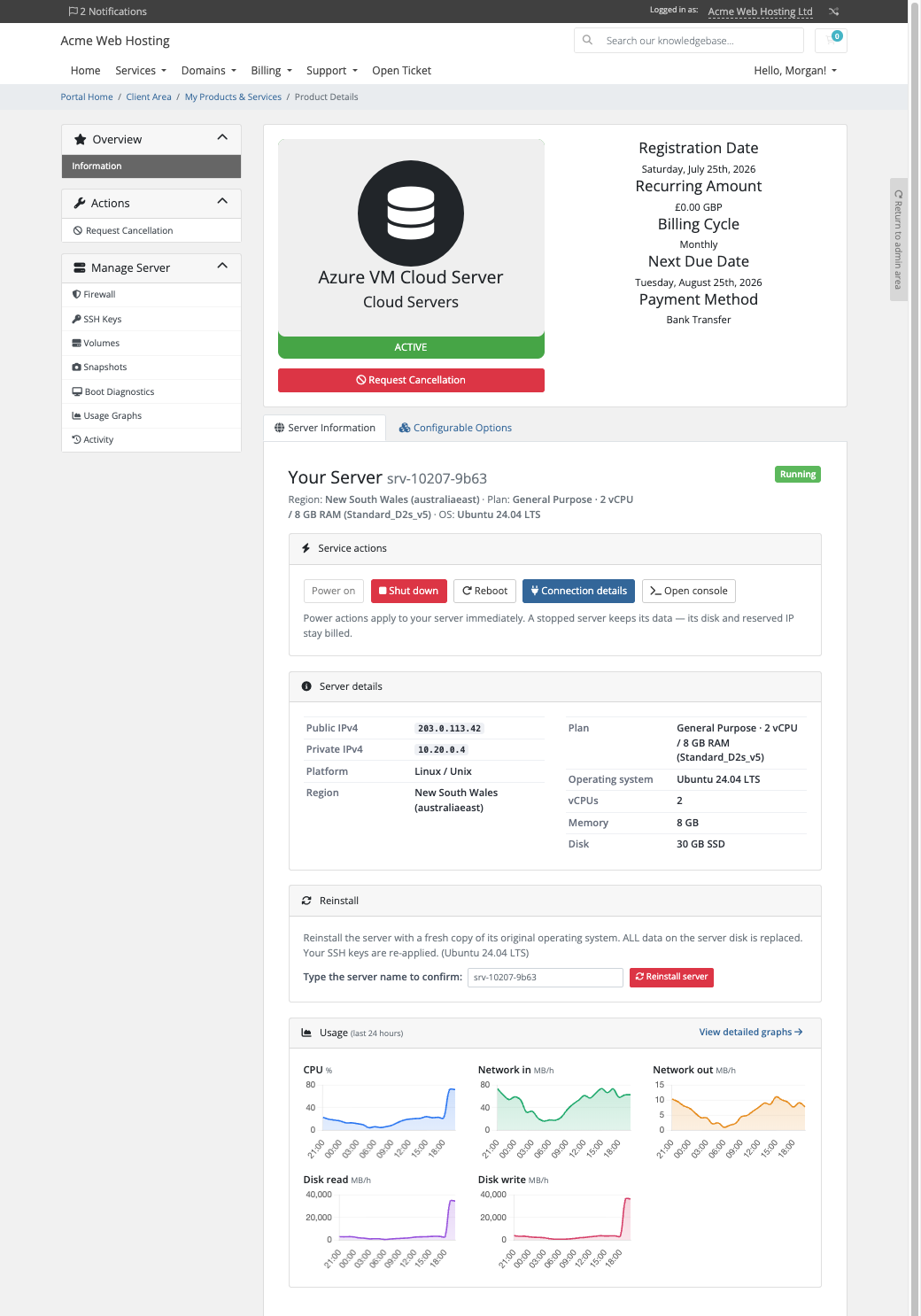
Customers help themselves. Power controls, connection details, snapshots, extra disks, a firewall, SSH keys, boot diagnostics, usage graphs and an optional in-browser terminal are all on the customer's own service page. That is most of the tickets a server product normally generates.
Problems caught before they cost you. An order whose size does not fit the region's vCPU quota is refused with the exact steps to raise it, before anything is created. The cart only lets a customer combine a region and a size that Azure actually offers there, so a refusal never becomes a paid order that then fails.
Nothing left billing. Terminating a service deletes its whole resource group in one ordered operation, then verifies at Azure that nothing is left. No forgotten disks or addresses on your Azure bill.
How it works
Connect your Azure subscription. Create an app registration with the Contributor role on your subscription and paste its four values into a WHMCS server record. Test Connection verifies the sign-in, checks that the compute and network services are registered, shows your vCPU quota in the default region and names the exact piece that is wrong if it fails.
Create your products. One click generates the cart options (region, server plan, operating system, disk size and snapshots you can keep) from your live Azure catalogue. You choose which ones customers see.
Your customer orders. They choose their options at checkout and pay. The server is built in its own resource group with a reserved public IP, a firewall and a ready-to-use SSH key.
You get paid, they manage it. WHMCS keeps billing as usual. Plan upgrades apply in place through WHMCS's normal upgrade flow and keep the customer's disk and data.
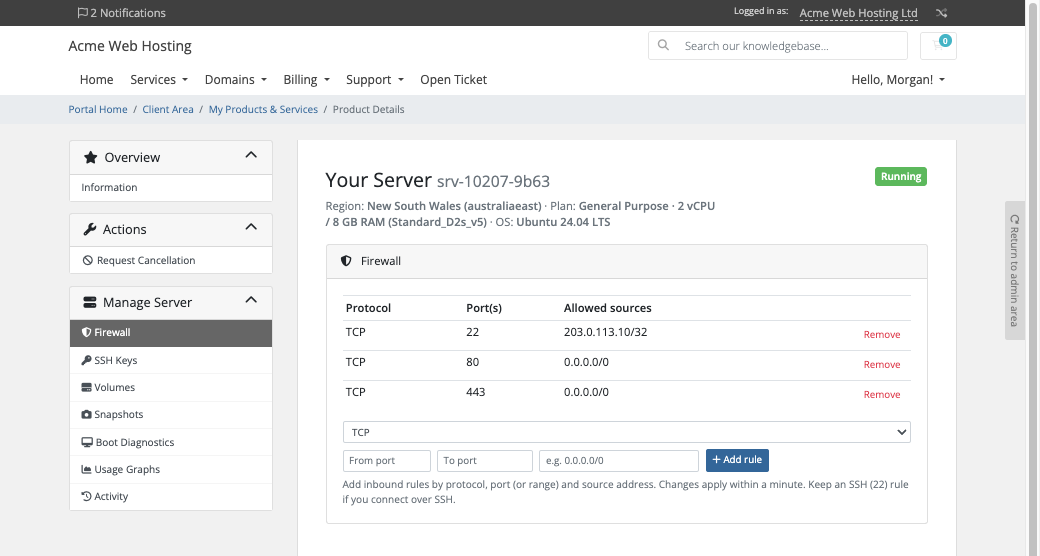
The firewall page: customers open and close ports for their own server, with no Azure portal
What you get in WHMCS
Selling and pricing
Cart options generated from Azure: region, server plan, operating system, disk size and the number of snapshots a customer can keep
Server sizes read live from Azure for each region, and curated official Linux images: Ubuntu 24.04 and 22.04 LTS, Debian 13 and 12, Rocky Linux 9 and AlmaLinux 9
Choose which options customers see; anything you hide is fixed to your product's setting, and saving visibility keeps every price
Included snapshots per product when you are not selling them as an option
A customer can submit their own SSH key at checkout
More than one Azure account if you need them
Provisioning you can trust
A server size the region does not offer is refused before anything is built
A failed create removes everything it had started, so a failed order never leaves resources billing
Suspend deallocates the server so compute billing stops, with its data untouched. Unsuspend starts it again on the same public IP. The page says plainly that the disk and reserved IP keep billing
The public IP stays the same across stop and start, reinstall and restore, so DNS keeps working
Plan upgrades apply in place, with a brief power-off only where Azure needs one, and a bigger disk grows without touching data
Running it day to day
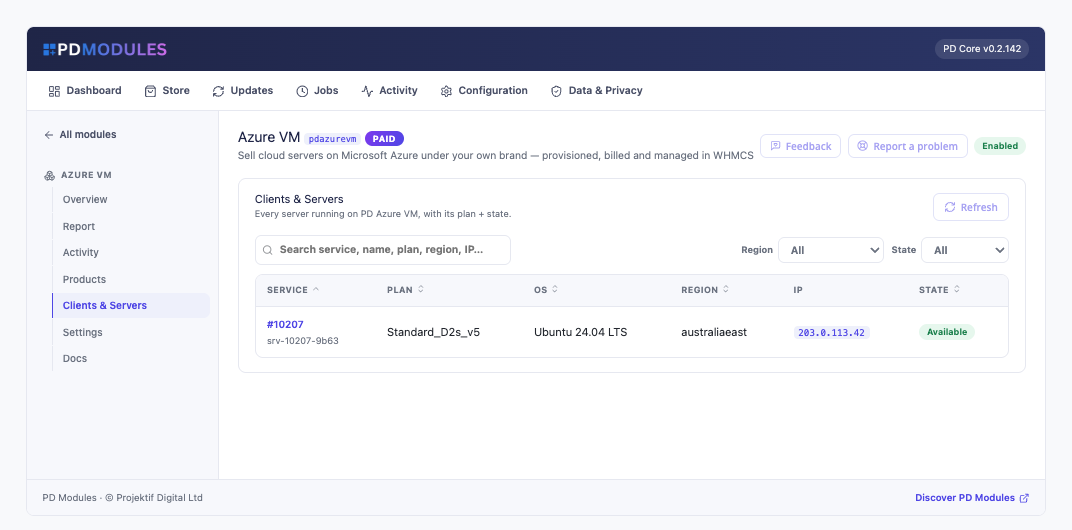
Clients and Servers: every server with its client, plan, operating system, region, IP and live state
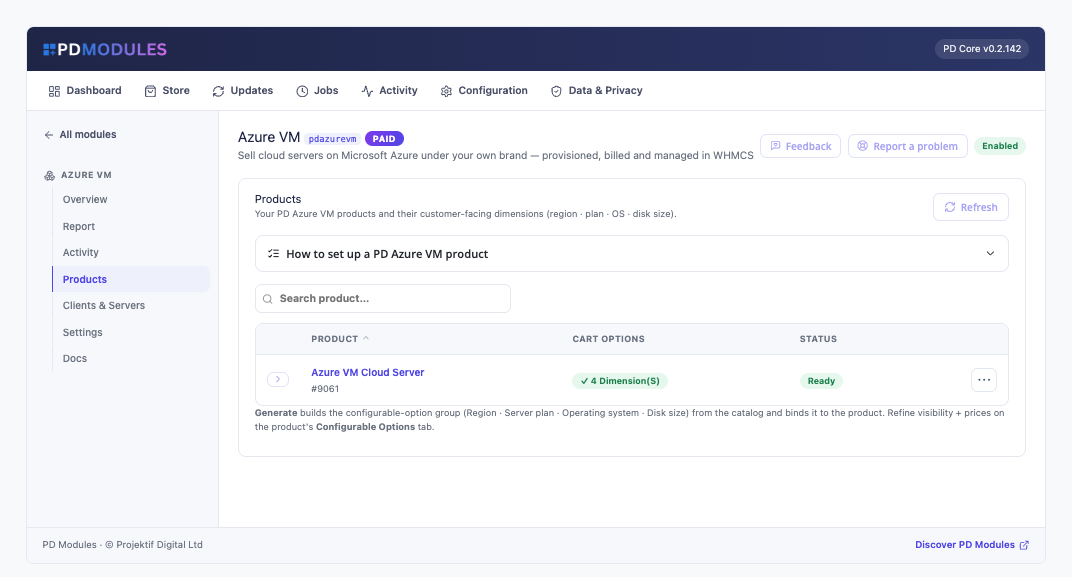
A Products screen that shows what each product still needs to go live
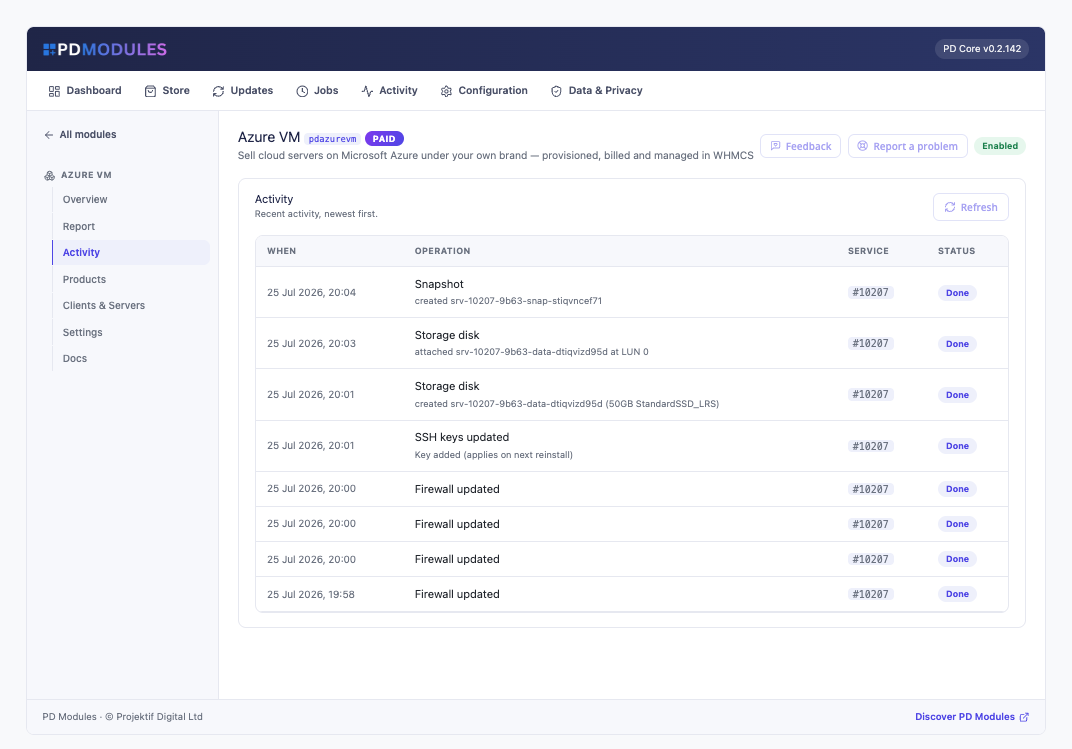
A full activity log of every provisioning step, snapshot, disk and firewall change
A report of your connected accounts, with a warning 60, 30 and 7 days before a client secret you have dated is due to expire
What your customers get
Start, shut down and reboot, with a confirmation and a progress indicator. Shutting down releases the compute so it stops billing, and the page says so
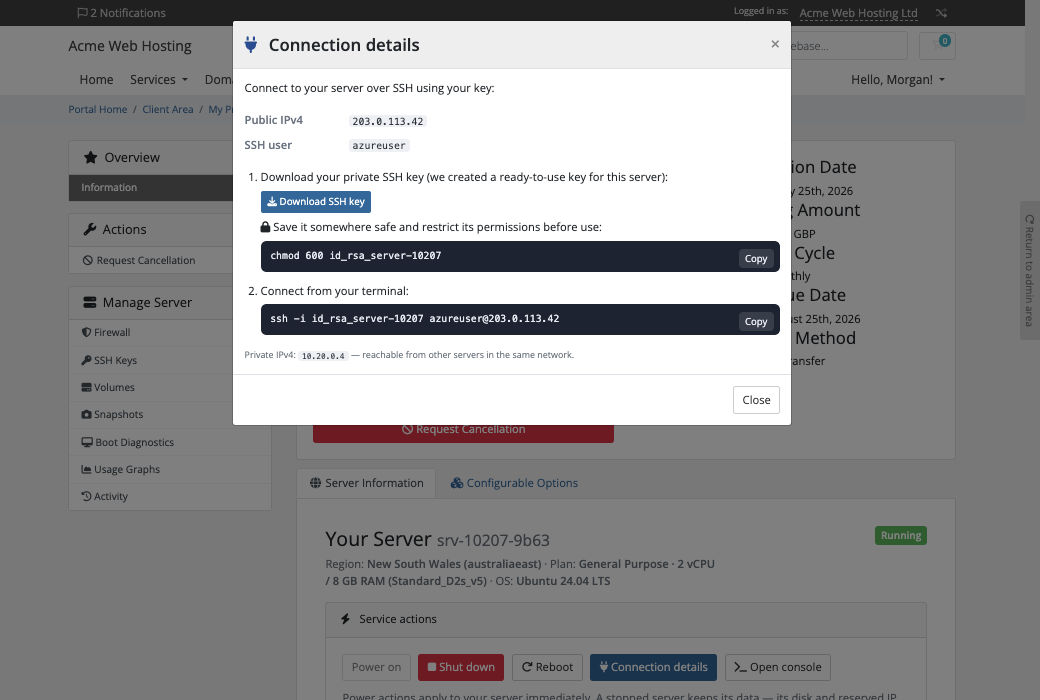
Connection details ready to copy: the public IP, SSH user, a private-key download and the exact ssh command
A firewall they manage themselves: add rules by protocol, port or range and source, remove any rule, and lock a port to their own IP range. The default allows SSH only
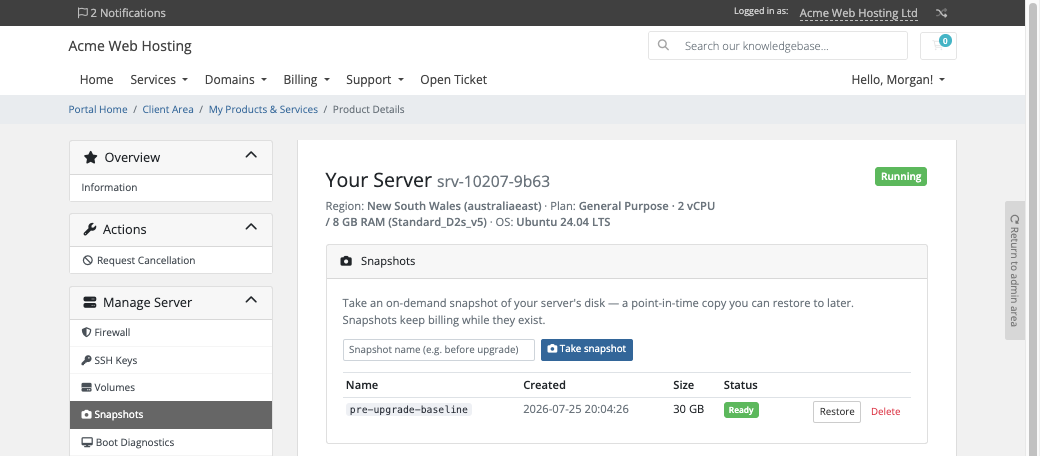
Snapshots they name, take, restore and delete, up to the allowance they bought
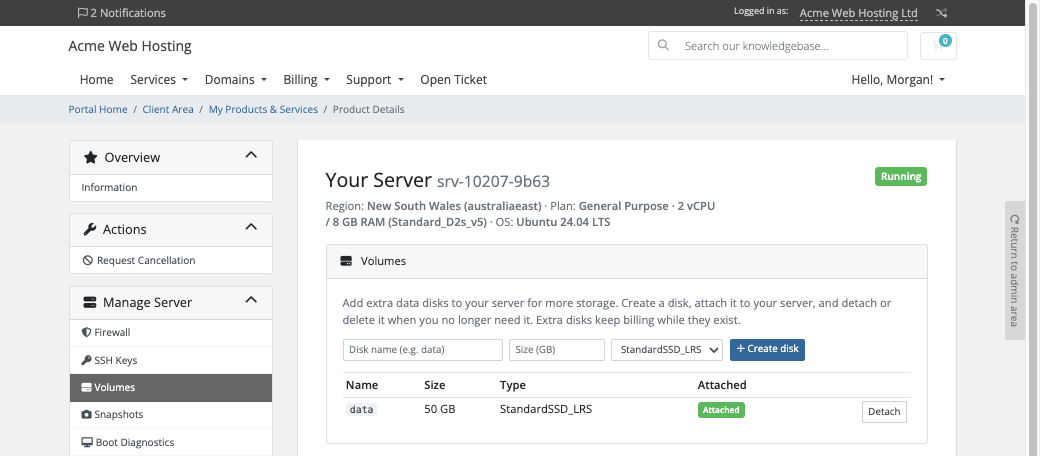
Extra disks they create, attach, detach and delete
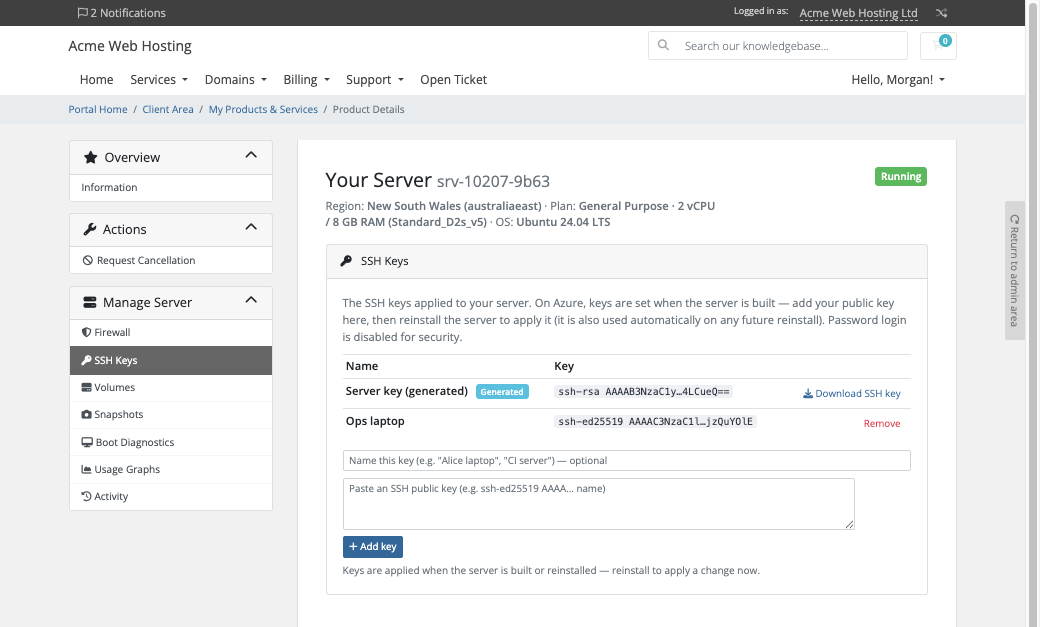
Their own SSH keys, saved by title and applied on the next reinstall. Password login is disabled
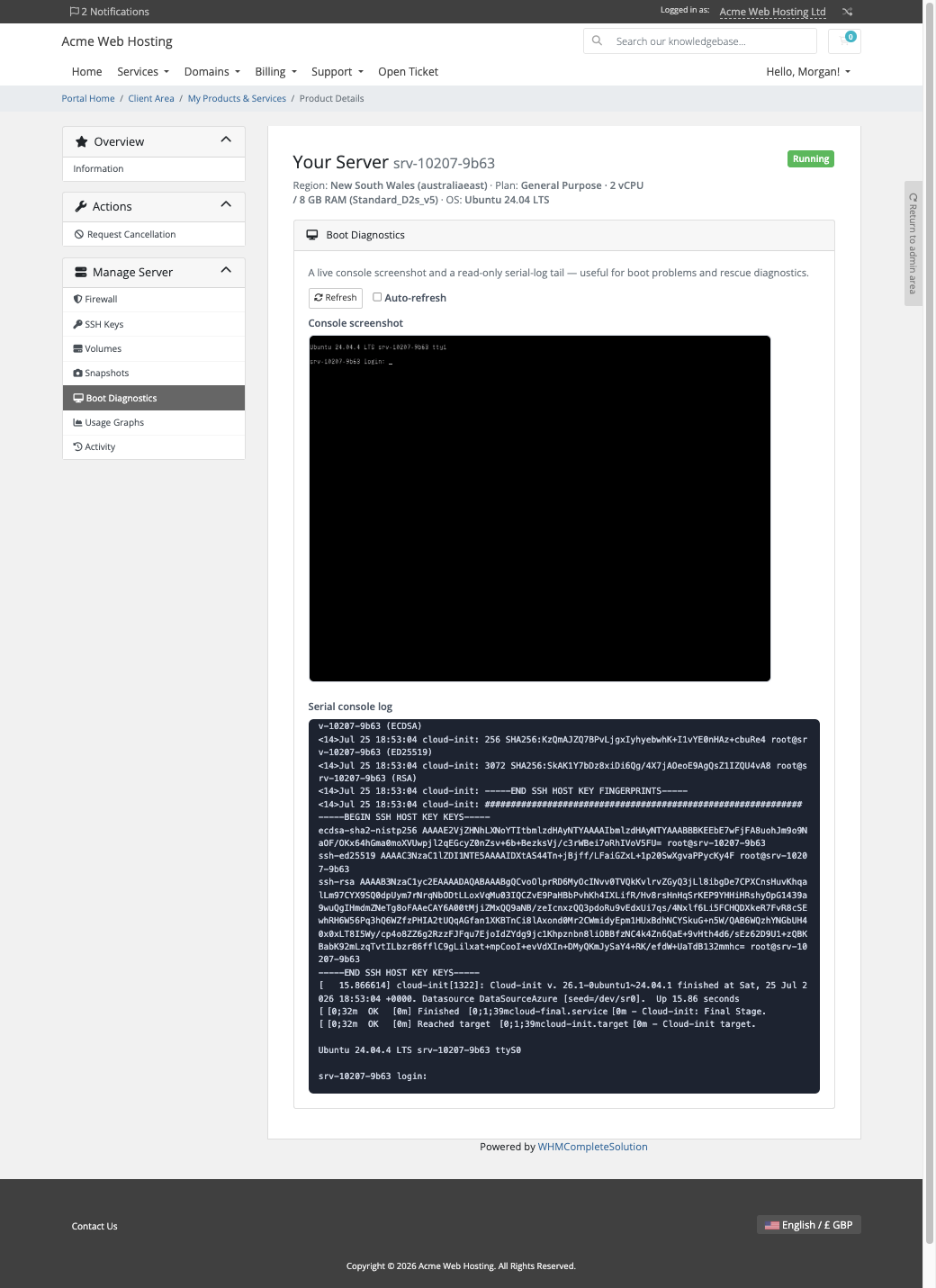
Boot diagnostics: a live console screenshot and a serial log, so they can diagnose a server that will not start before they reboot, reinstall or restore it
Reinstall to a clean copy of the original operating system, behind a typed confirmation
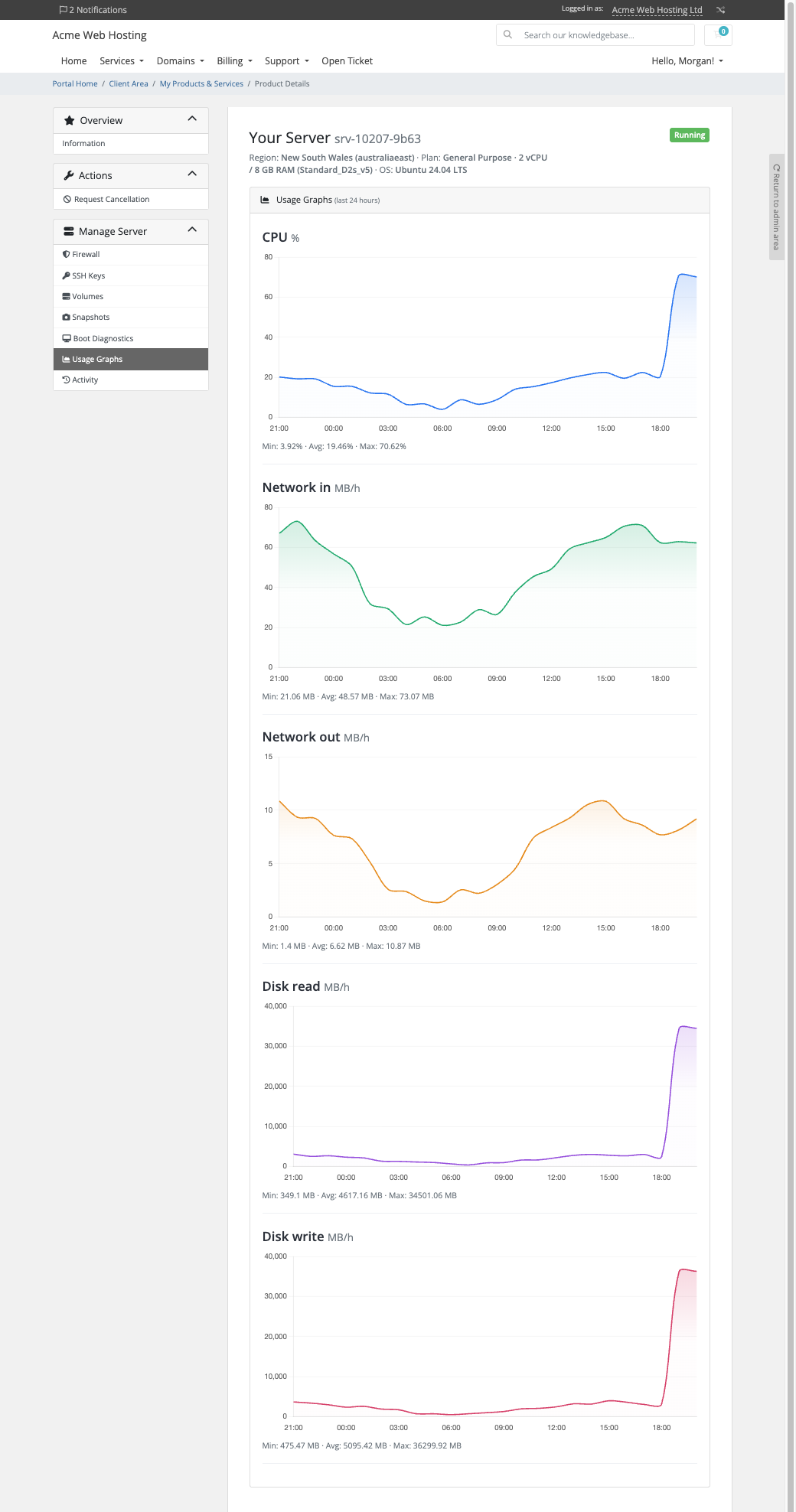
Usage graphs for CPU, network and disk over the last six hours
An in-browser terminal, off until you switch it on, with no SSH client to install
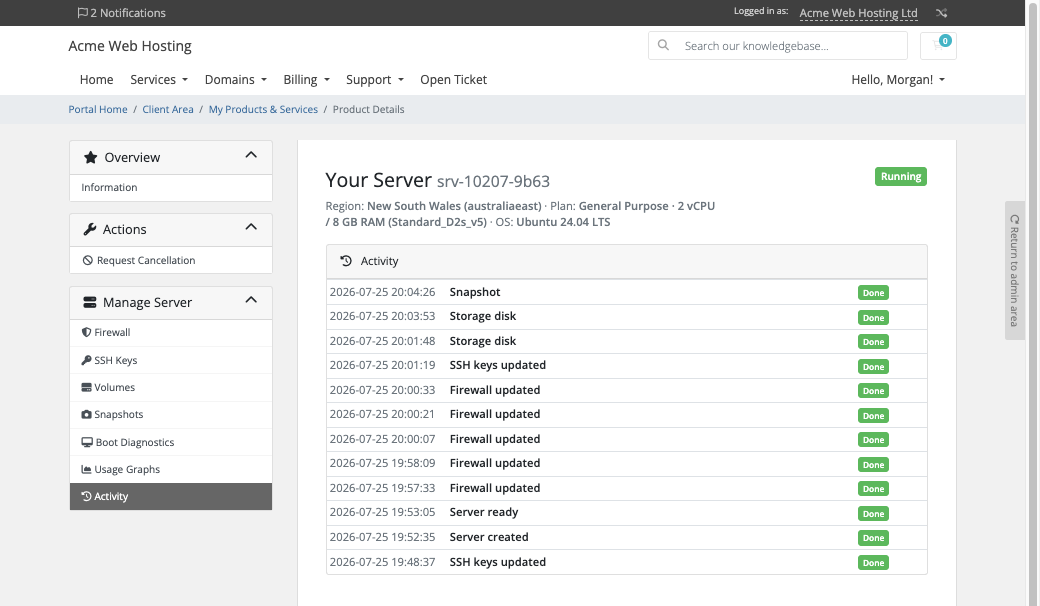
Activity: a timeline of everything that happened to the server, each with a time
Snapshots: customers take, restore and delete their own restore pointsVolumes: customers create, attach and detach extra data disks themselvesSSH keys: the server's generated key to download, plus the customer's own saved keys
Every one of these is a switch on the product. Turn one off and it disappears from the customer's page, and the server refuses it too. The pages render natively on WHMCS's Six, Twenty-One and Nexus themes and are fully translatable, with wording overrides that survive updates.
Connection details: the public IP, SSH user, key download and a ready-to-copy ssh command
Security built in
Your Azure credential is stored encrypted on your WHMCS server record, never appears on a customer page, and is sent only to Microsoft's own sign-in.
Every server uses SSH-key login only. With the default setting each server gets its own key pair, and only the signed-in owner of the service can download the private key.
The in-browser terminal is off until you switch it on, at the module and on each product. Sessions are short-lived, single-use and bound to the customer and server, the key never reaches the browser, and the contents of a session are not recorded.
Nothing about your customers is sent to us. The module talks to Azure, the PD Modules licence service and, only while a customer uses the console, our relay.
One product, every feature
PD Azure VM is one paid module with everything included: provisioning, power, snapshots, disks, firewall, boot diagnostics, metrics, upgrades and the browser console. There are no add-ons or tiers to compare. It installs into PD Modules in one click, updates itself, and uninstalls cleanly without modifying any WHMCS files.
If your subscription ever lapses, your customers are not cut off. Their servers keep running in your Azure subscription throughout, and customers can keep managing them until the subscription is suspended. New provisioning and admin configuration lock when it expires, and the browser console stops at that point. Terminations still complete, so nothing is left billing you.
Requirements
WHMCS 9 or later on PHP 8.2 or later, with the ionCube Loader
A Microsoft Azure subscription, and an app registration with the Contributor role on it
PD Modules, the free control panel every PD module installs into
Questions
Do I need my own Microsoft Azure account?
Yes. You connect an Azure service-principal credential once, and every client's VM is provisioned into your Azure subscription — Microsoft bills you, you bill your client through WHMCS, and the difference is your margin.
Do my VM sizes and images stay current?
Yes. VM sizes are read live from Azure for each region (refreshed every 12 hours, and whenever you rebuild the options); OS images come from a curated list of Microsoft's own images. A size a region does not offer is refused before anything is built.
Can clients diagnose a VM that won't boot?
Yes — the client area shows boot diagnostics (the boot screen and a read-only serial log), and the customer can then reboot, reinstall or restore a snapshot, without any access to your Azure subscription.
What happens to a client's VM if their invoice lapses?
The VM is deallocated, not destroyed — a lapse never deletes data. Everything is restored once the account is brought back into good standing. Data is only ever removed on an explicit termination.
Do plan upgrades destroy the VM?
No. Size and disk upgrades apply in place with the data preserved, through WHMCS's normal Upgrade/Downgrade flow.
Is this one price or lots of tiers?
One paid product unlocks every feature — no add-ons or tiers to juggle. You set your own price for each VM size.
Which WHMCS and PHP versions does it need?
WHMCS 9 or later, on PHP 8.2 or later. It installs alongside whatever else you run — it adds its own tables and templates rather than modifying WHMCS files, so it does not collide with other vendors' modules or with a customised theme. Uninstalling removes its own tables and settings. Terminate its services and let their cleanup finish first — uninstalling also removes the record of any cleanup still in progress.
How do I get help?
Open a ticket from your client area, or use Get help inside the PD Modules panel, which attaches a diagnostic report — you see a preview of exactly what it contains, and can exclude any part of it, before anything is sent. Support is included with an active subscription; bug reports are welcome whatever your licence state.
What’s new in 0.1.55
Server sizes Azure restricts in only one availability zone are no longer hidden from the plan lists, so the sizes that can actually be deployed in a region are the ones offered.
The product's server plan list now shows only the sizes Azure can deploy in that product's region for your subscription, so a plan cannot be saved that every order would fail on.
An order Azure cannot fulfil — for example when the chosen size has no capacity in that region — now fails with the reason and removes anything it had started, instead of showing as provisioning indefinitely.