PD PowerDNS for WHMCS
£12/mo or £120 annual (save £24)
- Requires
- WHMCS 8.13 or later
- Version
- 0.1.102
- Updated
- 5 Nov 2026
Manage your PowerDNS zones and records inside WHMCS or Blesta — fast, self-service, auto-provisioned
Made and supported by Projektif Digital Ltd. Runs inside PD Modules, the panel every module installs into.
£12/mo or £120 annual (save £24)
£12/mo or £120 annual (save £24)
If your infrastructure runs on PowerDNS nameservers, PD PowerDNS brings every zone and record under your WHMCS or Blesta admin — and gives your customers a clean, self-service Manage DNS portal so they can add and update their own records without opening a support ticket.
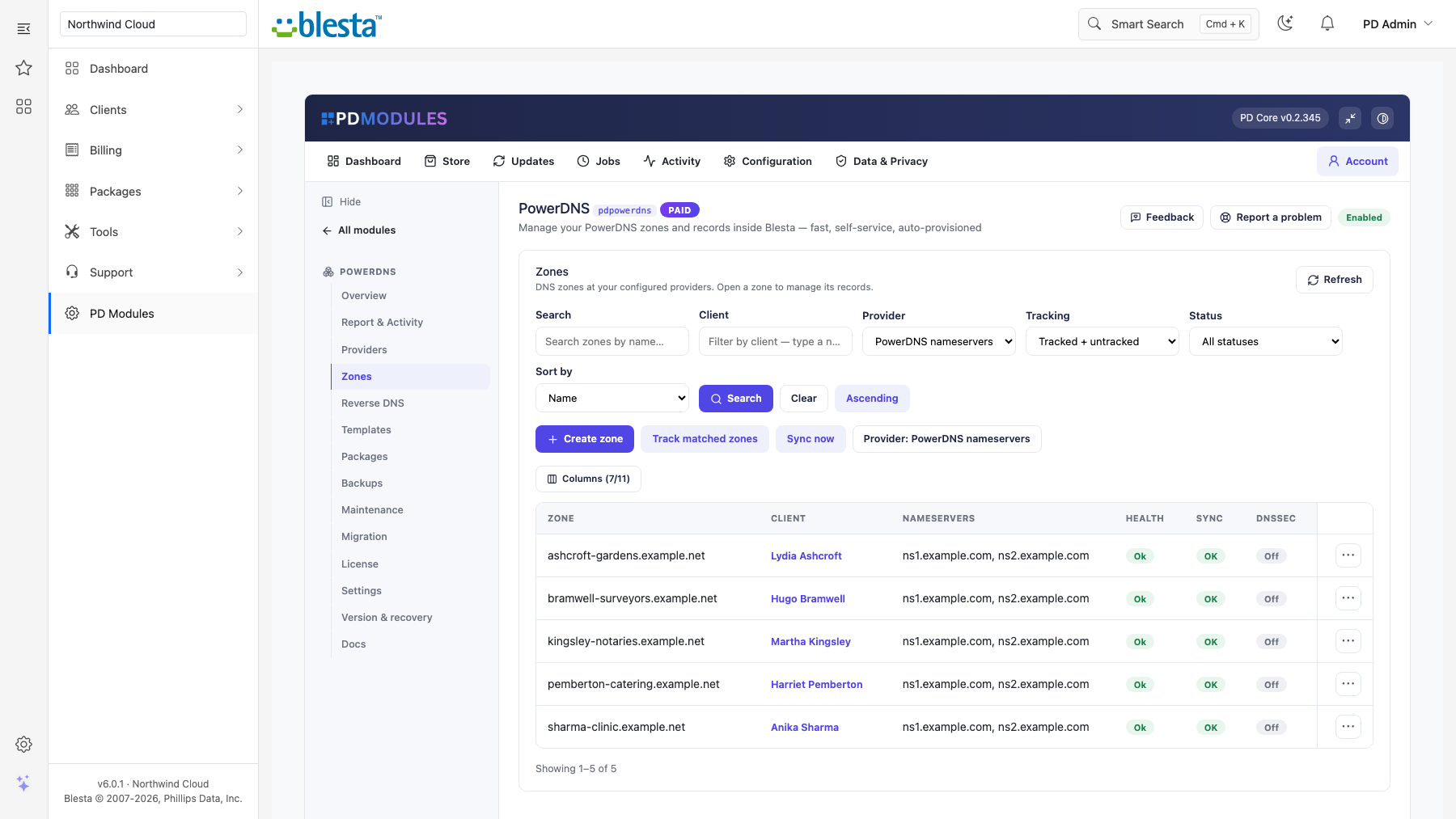
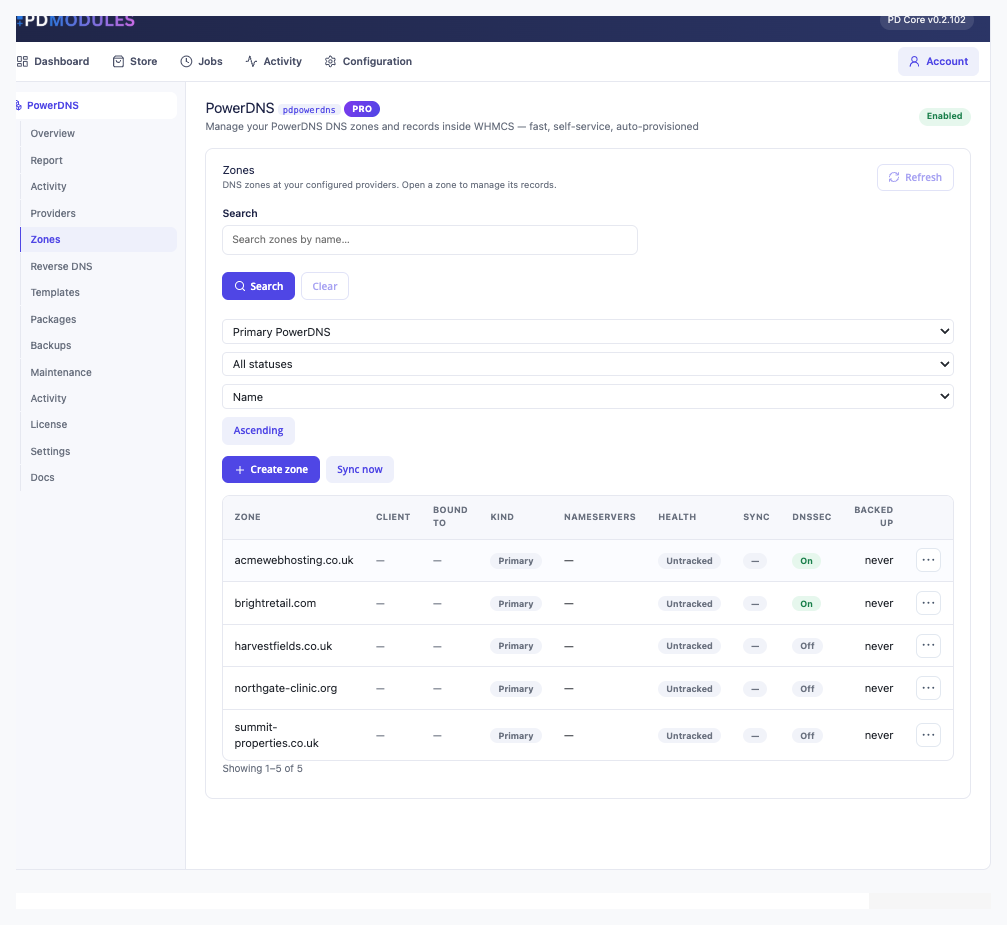
Connect your PowerDNS server once and every DNS zone appears immediately — no import, no sync, no manual setup per zone. The list pages server-side, so performance stays consistent whether you have ten zones or ten thousand.
Open any zone and you get a full record editor with live filtering by type and name. Changes write directly to your PowerDNS server — there is no local cache to get out of sync.
Choosing a record type in the editor shows exactly the right fields for that type — and only those fields. An MX record gets a priority and a mail server target; an SRV record gets all four SRV fields; a TXT record gets a content area with the right length validation. Built-in validators prevent a malformed record from being saved.
Supports A, AAAA, CNAME, MX, TXT, NS, SRV, CAA, PTR and more.
Enable DNSSEC on any zone with a single button. PD PowerDNS surfaces the DS record and DNSKEY details in a copy-ready block so you or your customer can hand them straight to the registrar. Disable it just as easily — without leaving WHMCS or Blesta.
Bind any zone to a WHMCS or Blesta client and a Manage DNS link appears in their client portal — on their domain page, their service page, or in the navigation. Customers use the same type-aware editor to add, edit and delete their own records, without support involvement and without any access to your PowerDNS server.
The link and wording are configurable; the page renders on all bundled WHMCS or Blesta themes.
Scheduled BIND-format snapshots of every zone run automatically. Set how often they run, how many to keep per zone, and an optional age cap. Restore any zone to a previous state in one click. Download any snapshot as a standard BIND zone file. Take an on-demand backup before bulk changes.
Turn on auto-provisioning and a DNS zone is created on your PowerDNS server automatically whenever a customer registers or transfers a domain, or orders a service. Restrict it to specific TLDs with the per-provider TLD takeover list. Failures are logged and never interrupt registration or provisioning.
Save a standard set of records — SPF, DKIM, DMARC, hosting A records — as a template and apply it to any zone in one click. PowerDNS also supports zone templates natively, so a standard record set can be saved and applied to new zones as they are created. Set per-product-group zone quotas with packages. Manage PTR records for your IP ranges in the Reverse DNS panel.
---
PD PowerDNS is available for WHMCS (8.13 or later) and Blesta (6.0 or later). Each has its own page with the screenshots, requirements and price for that system. A module is added to the PD Modules licence of the installation it runs on, so a WHMCS installation and a Blesta installation each hold their own licence.
No. PD PowerDNS reads records live from your PowerDNS server through its HTTP API and writes changes back immediately. PowerDNS remains the authoritative source of truth. The module stores only metadata — zone ownership, backup snapshots and activity logs — in your WHMCS or Blesta database.
PD PowerDNS works with PowerDNS Authoritative Server 4.x and 5.x, with the HTTP API (webserver) enabled and an api-key set. In pdns.conf that means api=yes and an api-key value; the module connects to the webserver on its usual port (commonly 8081).
Enter your PowerDNS webserver API base URL (usually on port 8081 — the /api/v1 path is added for you), the api-key from your pdns.conf, and an optional server id, which is almost always 'localhost'. The API key is stored encrypted and shown masked in the panel.
No, not unless you explicitly enable the 'When cleaning an orphan, also delete the zone at the provider' setting. By default, removing a zone binding only removes the local tracking entry — the zone and all its records remain on your PowerDNS server.
A, AAAA, CNAME, MX, TXT, NS, SRV, CAA, PTR. Additional types may be supported depending on your PowerDNS version and server configuration. Records are written as whole rrsets, exactly the way the PowerDNS API expects.
Yes. DNSSEC can be enabled or disabled per zone directly from the panel. When enabled, PD PowerDNS shows the DS record and DNSKEY details in a copy-ready block to hand to the registrar.
DNS records are never touched on subscription lapse — your PowerDNS zones and records stay exactly as they are. A lapsed subscription withdraws admin management and customer self-service access, but PowerDNS continues to serve the zones without interruption. Management resumes as soon as the subscription is renewed.
Yes. Enable 'Automatically create a DNS zone on registration and new services' in Settings. You can also restrict this to specific TLDs using the TLD takeover list on your provider.
 Featured
Manage DNS zones and records for any provider — Cloudflare, Route 53, cPanel, PowerDNS and more, in WHMCS or Blesta
Rich client, service & domain notes with reminders
Know about a domain problem before your customer does
Forward a domain or its email — without hosting it. Set up URL and email forwarding inside WHMCS or Blesta.