PD Domain & Email Forwarder for WHMCS
£12/mo or £120 annual (save £24)
- Requires
- WHMCS 8.13 or later
- Version
- 0.1.115
- Updated
- 5 Nov 2026
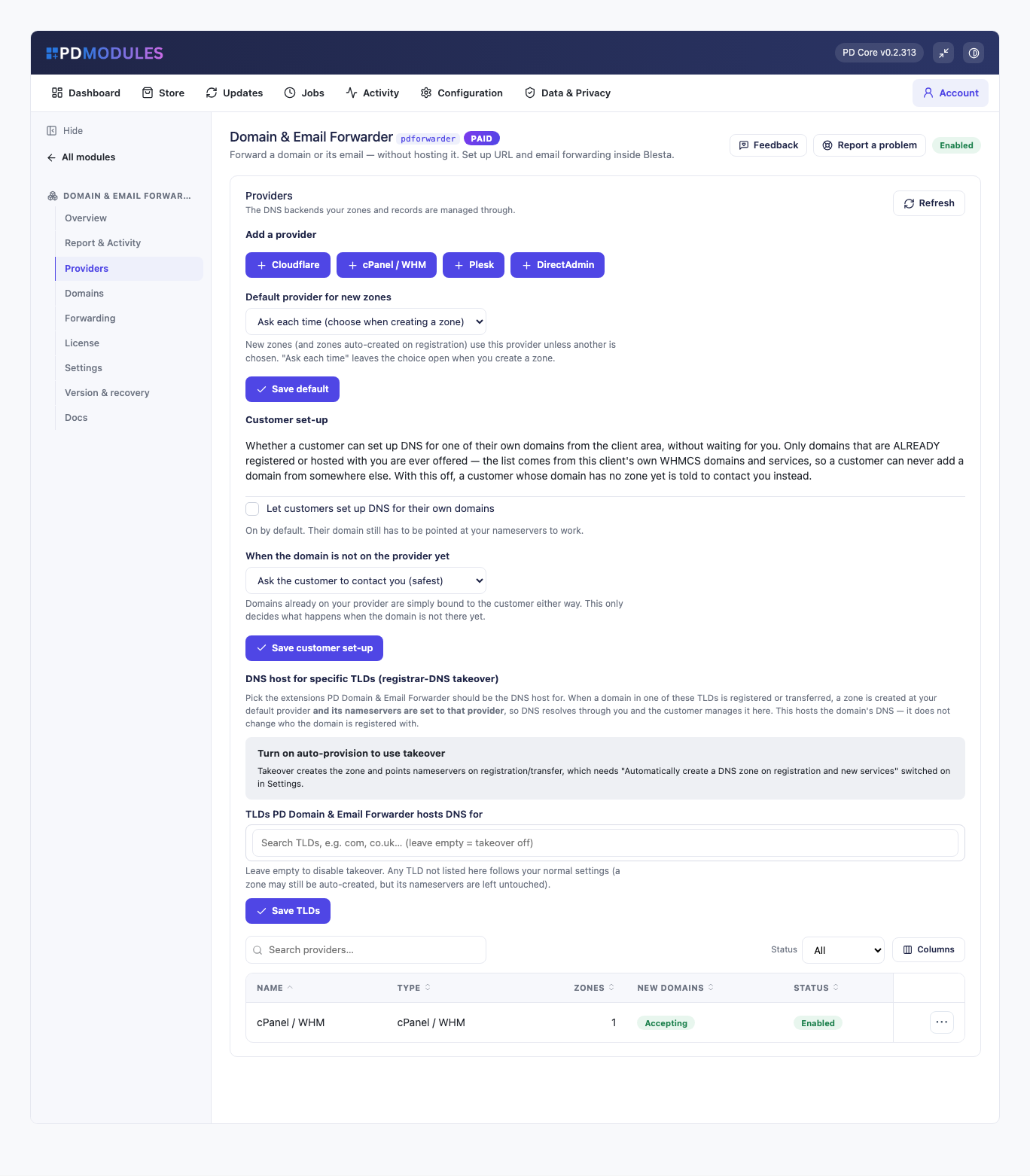
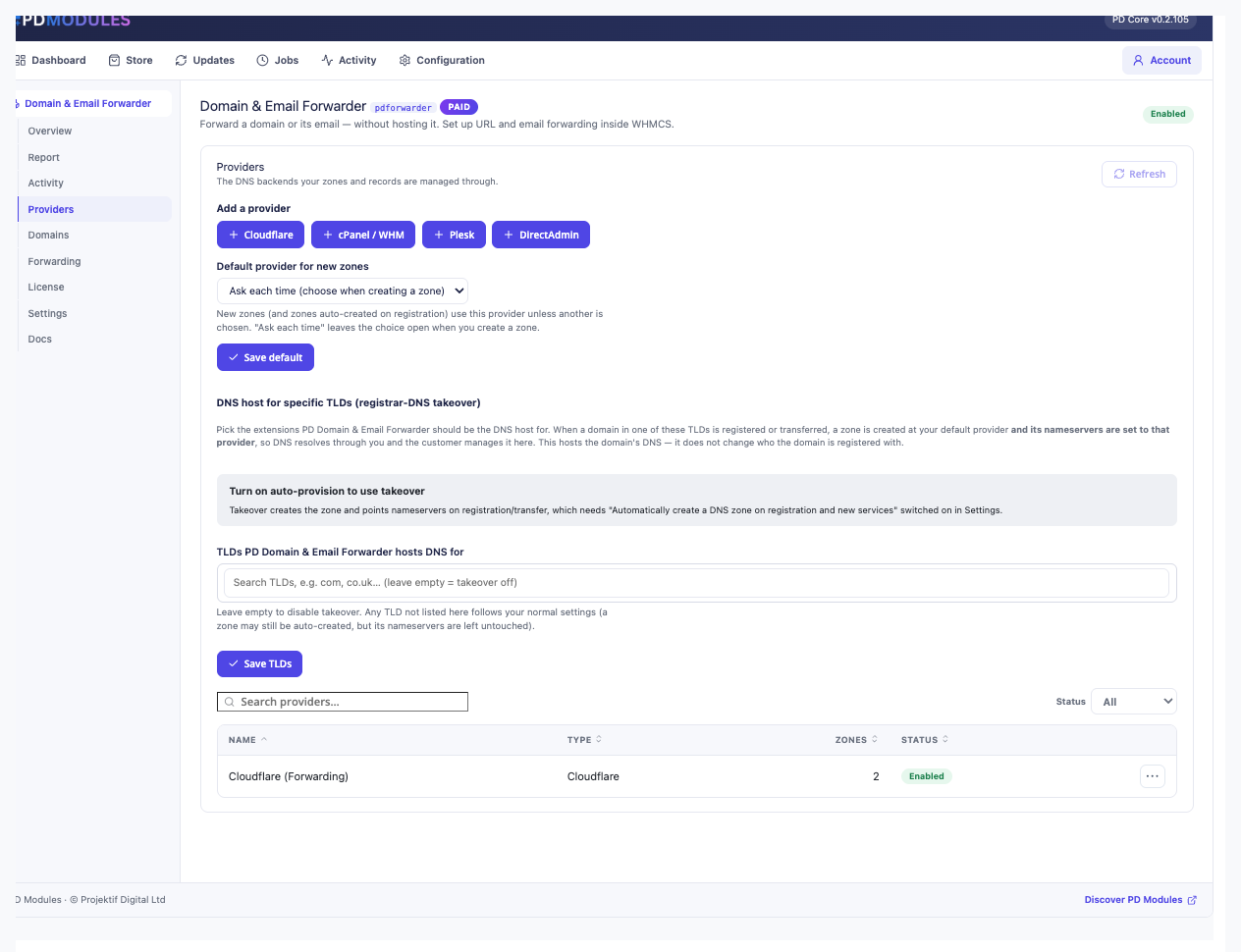
Forward a domain or its email — without hosting it. Set up URL and email forwarding inside WHMCS or Blesta.
Made and supported by Projektif Digital Ltd. Runs inside PD Modules, the panel every module installs into.
£12/mo or £120 annual (save £24)
£12/mo or £120 annual (save £24)
Forward a domain, or its email, from inside WHMCS or Blesta — with no hosting account behind it. A parked domain becomes a product you can sell instead of a record you maintain for free.
sales@ reaches whoever actually reads it without anyone hosting a mailbox.Every registrar has customers whose domains do nothing — parked, redirected to a Facebook page, or forwarding mail to a Gmail address. Those customers are usually paying someone else for the privilege, or asking you to do it by hand. This turns both into a product that manages itself.
PD Domain & Email Forwarder is available for WHMCS (8.13 or later) and Blesta (6.0 or later). Each has its own page with the screenshots, requirements and price for that system. A module is added to the PD Modules licence of the installation it runs on, so a WHMCS installation and a Blesta installation each hold their own licence.
No, and that is the point. Forwarding needs DNS, not a web or mail server, so a domain with no hosting behind it can still redirect visitors and forward mail.
A redirect sends the visitor to the destination, and their address bar shows it. A masked forward keeps your customer's domain in the address bar and loads the destination inside a frame. Redirects are better for search engines; masking is what customers usually ask for by name.
Yes. A certificate is needed for the source domain so visitors arriving on https:// do not see a warning, and the module handles that as part of setting the forward up.
Yes — that is how it is meant to be used. Customers manage their forwards in the client area, so adding one does not become a support ticket for you.
Forwarded mail is re-sent from your infrastructure, so the domain's SPF record needs to permit that. The documentation covers exactly what to publish; get it right and delivery is normal.
Yes. Forwards are created as ordinary records in the domain's zone, so everything stays visible and editable through whatever you already use — nothing is locked inside this module.
As long as DNS propagation takes, which is usually minutes but can be longer depending on the previous record's TTL. Until then some visitors reach the new destination and some do not, which is normal rather than a fault.
Yes. Attach it to a domain product as a paid configurable option, or include it free to make your registrations more attractive. Both are ordinary WHMCS or Blesta product setups.
Nothing of yours is touched, and nothing is deleted. The module steps down in stages instead: a 14-day grace period where everything still works and you get a renewal reminder, then admin management locks while your customers carry on being served, and only after that do the customer-facing features stop — behind a neutral "temporarily unavailable, please contact support" message that never mentions licensing to your customer. Anything the module provisioned keeps running in your own account throughout, and your data and settings stay exactly where they are. Renewing restores everything immediately.
Only what you already pay your provider. PD Domain & Email Forwarder adds no per-unit fee and takes no cut — it connects to your own account with your own credentials, so the provider bills you directly at your rates, and you set what you charge your customers. From us it is the module subscription and nothing else.
Your customers' data stays in your WHMCS or Blesta. To confirm your licence, the platform sends us four things and nothing else: your licence key, the domain, your server's own IP address and the directory it is installed in — the four values recorded against your licence in your client area. Alongside that we see which module and version you run and whether its licence is healthy, so we can ship compatible updates. We never receive your clients' personal data, your credentials, or the contents of your WHMCS or Blesta. Crash reports are off unless you turn them on, and a diagnostic report is only ever sent when you send one, after showing you a preview you can edit.
 Featured
Manage DNS zones and records for any provider — Cloudflare, Route 53, cPanel, PowerDNS and more, in WHMCS or Blesta
Manage your Cloudflare DNS zones and records inside WHMCS or Blesta — fast, self-service, auto-provisioned

Rich client, service & domain notes with reminders
Prove the retainer is worth paying, automatically, every month