PD AI Assistant for WHMCS
£18/mo or £180 annual (save £36)
- Requires
- WHMCS 8.13 or later
- Version
- 0.7.73
- Updated
- 5 Nov 2026
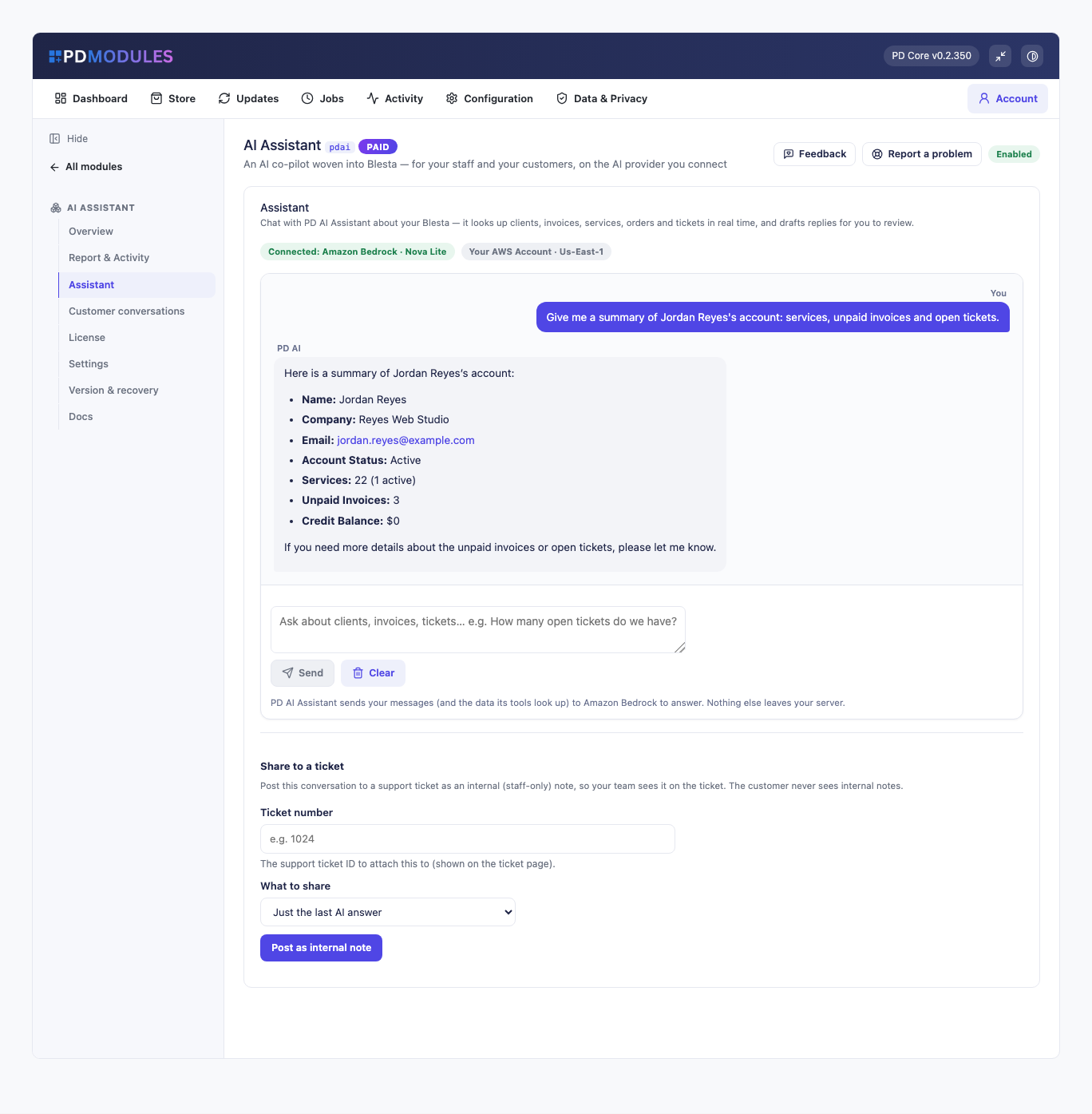
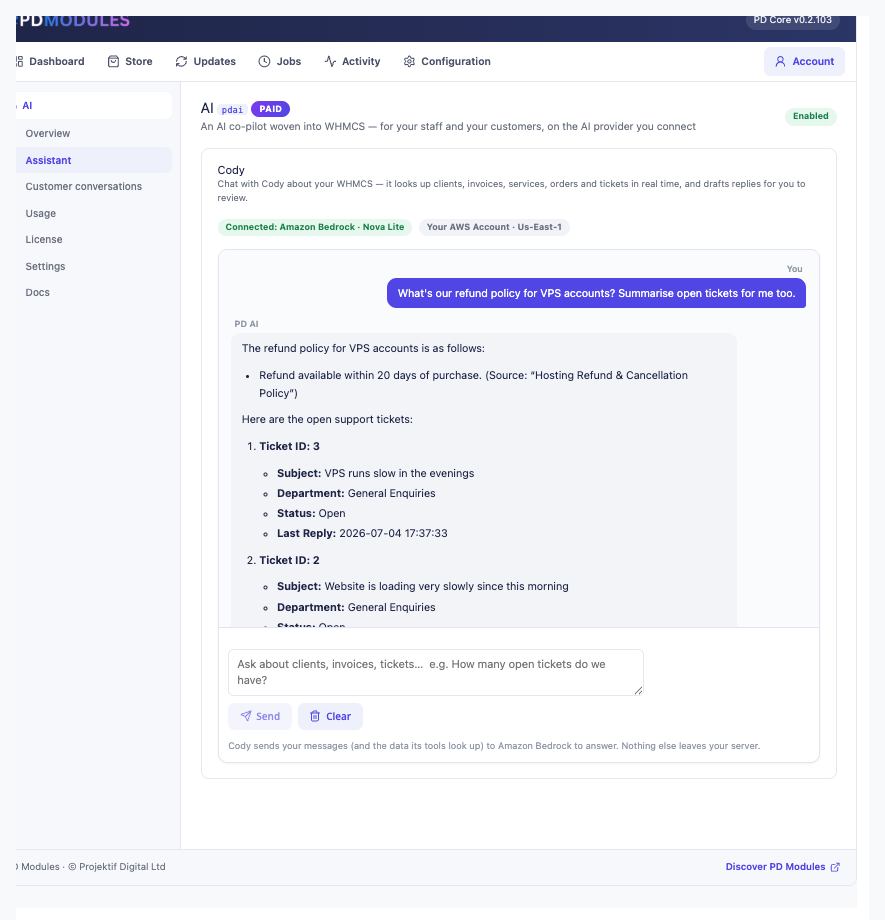
An AI co-pilot woven into WHMCS or Blesta — for your staff and your customers, on the AI provider you connect
Made and supported by Projektif Digital Ltd. Runs inside PD Modules, the panel every module installs into.
£18/mo or £180 annual (save £36)
£18/mo or £180 annual (save £36)
Powerful the moment you install it — and genuinely useful, not a novelty.
PD AI Assistant is available for WHMCS (8.13 or later) and Blesta (6.0 or later). Each has its own page with the screenshots, requirements and price for that system. A module is added to the PD Modules licence of the installation it runs on, so a WHMCS installation and a Blesta installation each hold their own licence.
Both. For your team it's a floating co-pilot on every admin page (tickets, clients, invoices) that drafts replies and summarises tickets. For your customers it's an optional client-area assistant that answers about their own account only. The two have completely separate data scopes.
It takes real actions — but always with your confirmation. On a ticket it drafts a reply and you click Apply to drop it into the reply box; it never sends on its own. Every write is previewed first.
Amazon Bedrock (Nova) by default — it runs in your own AWS account and PD AI Assistant can create a dedicated least-privilege key in one click. Or bring your own OpenAI / Gemini key, or point at a custom OpenAI-compatible proxy. Models are always picked from a dropdown, so there's nothing to mistype.
You control it. Choose whether the AI works on tickets at all (Off / Suggest on demand / Auto-draft), and optionally strip secrets before anything is sent. Bedrock and the API providers don't train on your data. Customers can only ever reach their own records — enforced server-side from their session.
Yes. The co-pilot's conversation on a ticket or client is a shared thread the whole team sees when they open that ticket/client, while your personal chats stay private. You can also share a conversation to a ticket as an internal note.
Yes — paste text or upload a .txt, .md, .pdf or .docx file in Settings → Knowledge and PD AI Assistant extracts the text, chunks and embeds it. Each source is scoped staff-only or client-visible, so private procedures never reach the customer assistant.
Yes — the powerful, safe features are on by default (the co-pilot, ticket summaries, Knowledge-Base grounding, suggest-on-demand on tickets), so you see the value immediately. The customer-facing assistant stays off until you switch it on.
Nothing of yours is touched, and nothing is deleted. The module steps down in stages instead: a 14-day grace period where everything still works and you get a renewal reminder, then admin management locks while your customers carry on being served, and only after that do the customer-facing features stop — behind a neutral "temporarily unavailable, please contact support" message that never mentions licensing to your customer. Anything the module provisioned keeps running in your own account throughout, and your data and settings stay exactly where they are. Renewing restores everything immediately.
 Featured
Stop fake signups & order fraud before they provision
 Featured
One governed endpoint for everything your team's AI touches — WHMCS or Blesta, your PD modules, and the MCP servers you already use