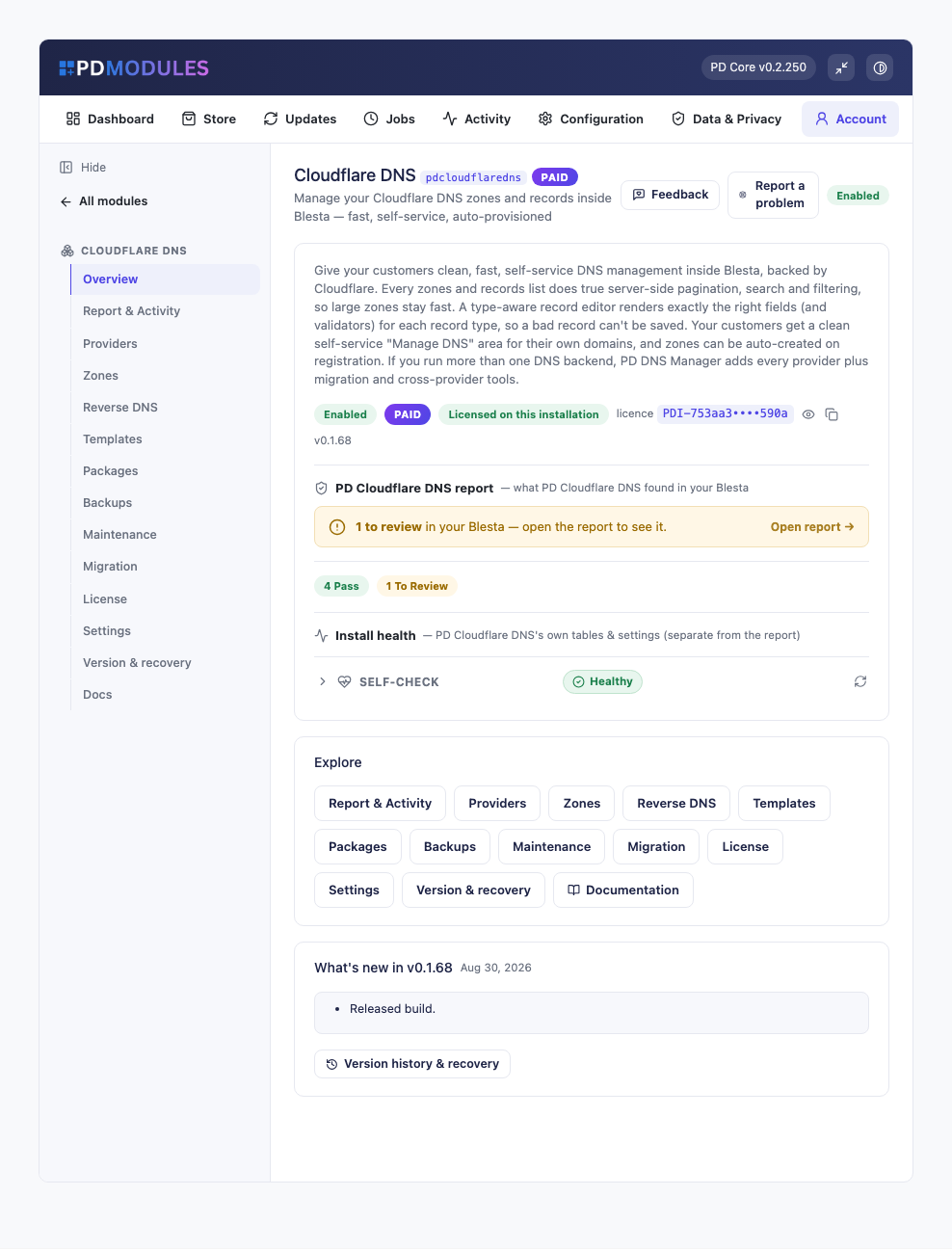
PD Cloudflare DNS lets a hosting company give its customers self-service DNS on Cloudflare from inside Blesta. A zone is created in your Cloudflare account when a domain is activated, your customer edits its records in your client portal under your brand, and your team manages every zone from one list without handing out Cloudflare logins. It works on every Cloudflare plan, the Free plan included.
It is built for hosts and registrars who use Cloudflare for their customers' DNS and want it sold, supported and billed through Blesta rather than through the Cloudflare dashboard.
Why hosts choose PD Cloudflare DNS
Customers never need a Cloudflare account. Their DNS pages sit in your client portal and never mention Cloudflare. Your API token stays on your Blesta server and never reaches a customer's page.
Every Cloudflare plan works. The module needs only an API token, so it runs on the Free plan as well as paid ones. You pay Cloudflare whatever you pay it today and PD Cloudflare DNS adds no per-zone fee.
Zones appear without importing anything. Add your token and every zone it can see is listed straight away, read live from Cloudflare. If the token is limited to certain zones, only those appear, and widening it to all zones shows the rest after a re-test.
Cloudflare's own features, inside Blesta. A record can be routed through Cloudflare's proxy with a toggle in the editor, for you and for your customers. Purge cache clears a zone's edge cache from the zone menu. Website and email forwarding work for domains that have no hosting.
Least-privilege tokens, with honest errors. A token with Zone Read and DNS Edit manages the records of existing zones. Creating zones, purging cache, forwarding and deleting a zone each need one extra permission, and without it only that action is refused, with a message that says so. Everything else keeps working.
DNS that sets itself up. With auto-provision on, a zone is created at Cloudflare when a domain, or a service with a domain, is activated. For extensions you choose, the module also points the domain's nameservers at Cloudflare through your registrar module.
How it works
- Create a token. In Cloudflare, create an API token from the Edit zone DNS template and, if you want the extra features, add the permissions for them. The account id is optional and only matters when one token covers more than one Cloudflare account.
- Connect it. Add the token under Providers and press Test connection. Your zones load immediately.
- Choose how zones are created. Switch on auto-provision, choose which extensions use Cloudflare for DNS, or create zones by hand.
- Your customers manage the rest. They edit records, turn on DNSSEC and take backups from My Tools in the client portal.
What you get in Blesta
Zones and records
- A live Zones list with search and filters by status, tracking state and client, each zone showing its client, nameservers, health, sync and DNSSEC state and last backup
- A type-aware record editor that shows only the fields a record type needs and checks addresses and hostnames before anything is sent to Cloudflare
- A Proxied toggle on A, AAAA and CNAME records
- DNSSEC switched on per zone with one button, with the DS record shown ready to copy for the registrar
- The TTL you enter is what Cloudflare stores, raised to its minimum where it has one
- Import a BIND file with a preview of how many records it will add, and export any zone as a BIND file
- Record templates with merge fields such as {domain} and {ip}, applied to a zone in one click
- Purge cache from a zone's menu
- Reverse DNS ranges and bulk record changes across many zones
Forwarding
- Website forwards with 301 or 302 redirects, www, all-subdomain and keep-the-path options, and email forwards with a catch-all, for domains that have no hosting
- A warning before a forward overrides a host that already has active hosting or a record in real use
- The records a forward relies on are protected from edits and deletes, so changing the forward is how they change
Selling and controlling DNS
- Quota packages that cap zones per customer and records per zone, and per record type, linked to your Blesta packages
- Content policies: blocked patterns and allow and deny lists for the addresses a customer's A and AAAA records may point at, for customer saves only, never your own changes
- A zone can be locked against customer edits while you work on it, and domain-only customers can be set to full editing, view only or hidden
- Scheduled backups every 24 hours by default, keeping the newest ten per zone, with restore and a Recover zone for one deleted by mistake
- A scoped REST API with read and write tokens, limited by source address and rate limited, with every write logged
What your customers get
- A DNS area under My Tools in the client portal, with records, DNSSEC, import and export, forwarding and backups on tabs
- The proxy toggle on their own A, AAAA and CNAME records
- Quick set-ups for Google Workspace, Microsoft 365 or an SPF lockdown that never change an existing record and never add a second SPF record
- Self-service backups and restores, with a safety snapshot taken first
- Only their own zones. Another account's zone cannot be reached, even by guessing an ID
The pages use Blesta's own client portal look and every string is translatable.
Security built in
- Your Cloudflare token is stored encrypted in your Blesta database and never shown back in the form.
- The token is used only to read and update zones and records in your account.
- Customers never see Cloudflare's name or your token.
- API tokens are shown once and stored only as a hash.
One product, every feature
PD Cloudflare DNS is one paid module with every feature included and no per-zone fee. It activates from your PD Modules subscription with no key to paste, adds its own tables and modifies no Blesta files.
If your subscription lapses, your DNS records are never touched and Cloudflare keeps serving every zone. Admin management locks first while customers keep their self-service, and customer management stops later behind a neutral message. Renewing restores everything.
Requirements
- Blesta 6 or later on PHP 8.2 or later, with the ionCube Loader
- A Cloudflare account, on any plan, and an API token
- PD Modules, the free control panel every PD module installs into
 Featured