How to Deactivate and Delete a WordPress Plugin

Skip to main content
Print

How to Deactivate and Delete a WordPress Plugin

You can deactivate and delete unused plugins from the WordPress dashboard.

1. Log in to the WordPress dashboard.

2. From the Dashboard menu, go to Plugins and click on Installed Plugins.
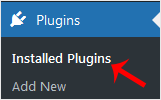
Installed Plugins

3. If you want to deactivate the Hello Dolly plugin, click on Deactivate, which appears below the plugin’s name.
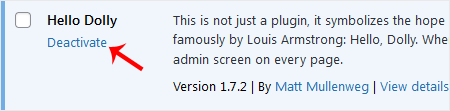
Deactivate WordPress Plugin

How to Delete a Plugin in WordPress?

Once the plugin is deactivated, the delete option will appear.

Click on Delete, displayed at the bottom of the deactivated plugin’s name. Confirm with OK to remove it.
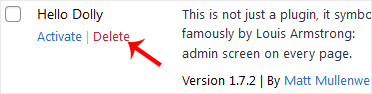
Delete WordPress Plugin
Table of Contents

Get your website online with PD Hosting

UK hosting, domains and support from a real team. From a first site to a full server.

Terms and Conditions  ·  Privacy Policy

PD Hosting is the trading name of Projektif Digital Ltd, registered in England and Wales, company number 12482555.

PD Hosting
Privacy Overview

This website uses cookies so that we can provide you with the best user experience possible. Cookie information is stored in your browser and performs functions such as recognising you when you return to our website and helping our team to understand which sections of the website you find most interesting and useful.
