PD DigitalOcean Spaces — Sell DigitalOcean Spaces Storage as a Native Blesta Package
Sell DigitalOcean Spaces object storage under your own brand — provisioned, metered and billed in Blesta
Made and supported by Projektif Digital Ltd.
Runs inside PD Modules, the panel
every module installs into.
Object Storage
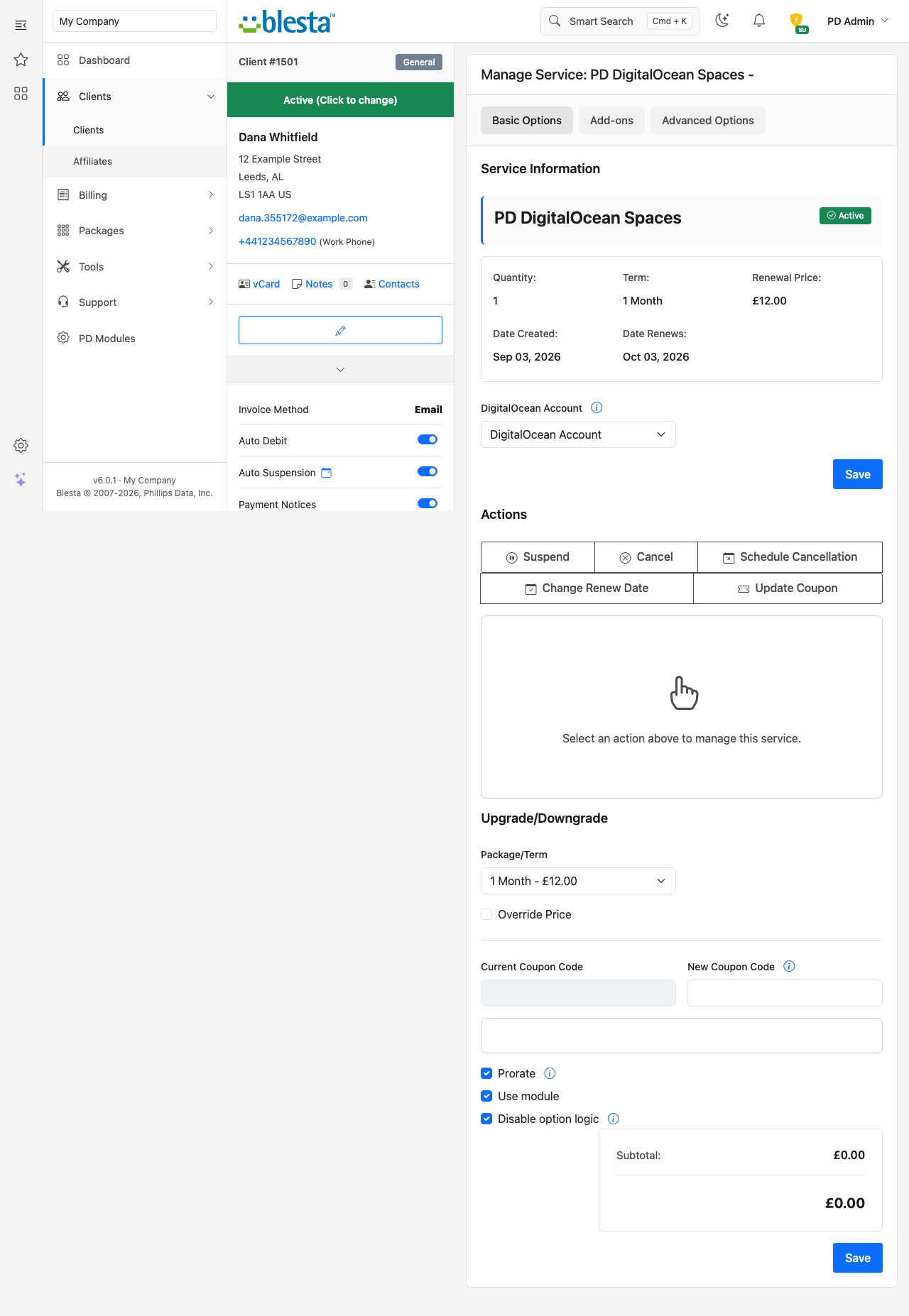
Build the package once — plan, region and limits — and it is ready to sell.The service as you see it: its state at the provider and every control, in one place.Connect your own provider accounts — your keys, your billing, no middleman.What your customer sees: their service, its state, and the controls they can use themselves.Connection details your customer can copy safely, without you emailing credentials.Live usage your customer can read without asking you for it.Ready-made connection setups — endpoint and keys pre-filled for the tools they already use.1 / 7
PD DigitalOcean Spaces lets a hosting company sell DigitalOcean Spaces object storage as its own product in Blesta. Your customer orders a storage package, and a private Spaces bucket with its own access keys is created in your DigitalOcean account within minutes. The customer manages it from your Blesta client portal, you set the price, DigitalOcean bills you at cost, and the difference is your margin.
It is built for hosts who already use DigitalOcean, or who want a simple S3-compatible storage line for backups, media and application data, without handing out DigitalOcean logins and without building the tooling to create buckets and keys by hand.
Why hosts choose PD DigitalOcean Spaces
Twelve datacenters, chosen by the customer. Customers pick their bucket's location: New York, Atlanta, Richmond, San Francisco, Toronto, Kansas City, Amsterdam, London, Frankfurt, Bangalore, Singapore or Sydney. One package covers four continents.
Every customer is isolated by DigitalOcean itself. Each service gets its own bucket and its own Spaces access key whose grants cover that bucket only. A customer's key cannot list or reach any other bucket or any other data in your account, even if they try. Isolation is enforced by the provider, not by convention.
One token to connect. You connect your account with a single DigitalOcean Personal Access Token, stored encrypted and never shown to customers. Customer keys are never sent to DigitalOcean for storage.
Your other DigitalOcean resources are untouched. Droplets, databases and existing Spaces carry on exactly as before. The module works only inside its own bucket namespace, so you can run it on the account you already use.
Works with every S3 tool. The endpoint is the standard Spaces address for the customer's region, and any S3-compatible client or SDK that supports a custom endpoint connects with no modification.
Quotas you can sell in tiers. Blesta does not invoice usage-based overage, so storage is sold in quota tiers, one package option per tier. Usage is measured daily and shown to customers against their quota, and you see who is over in the admin panel.
How it works
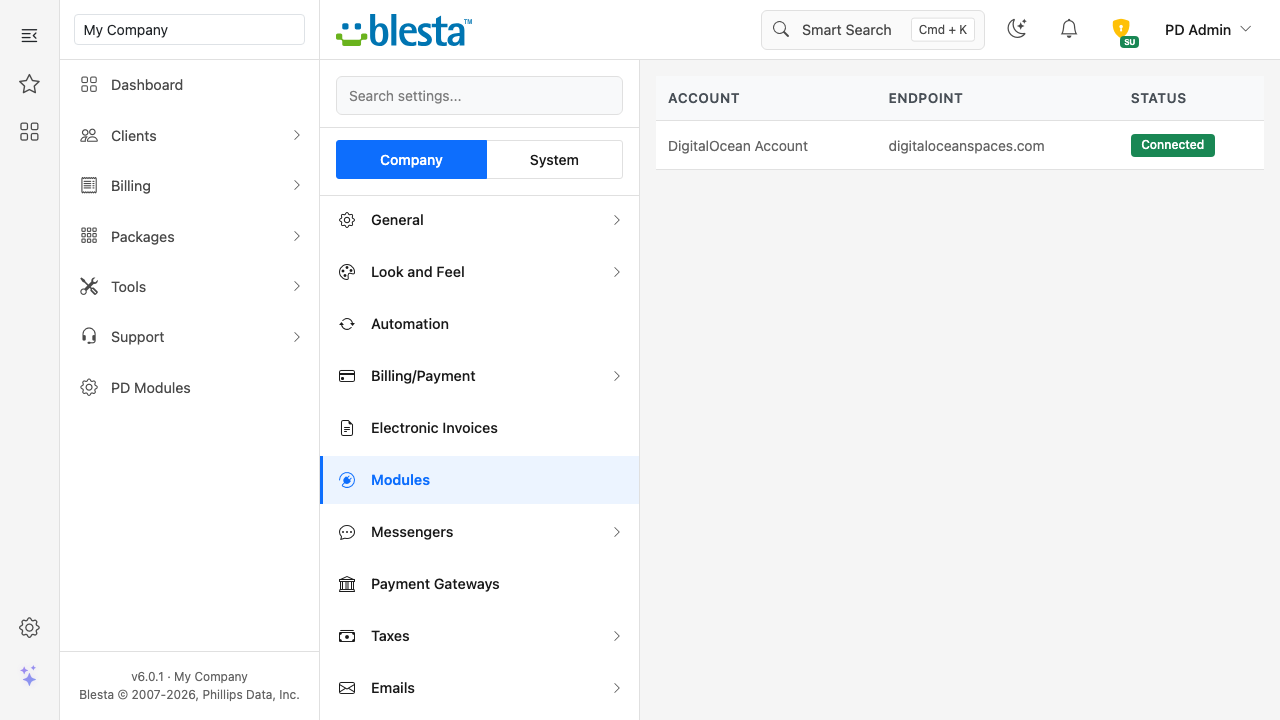
Connect your DigitalOcean account. Create a Personal Access Token in the DigitalOcean control panel and add it under Settings, Company, Modules as a DigitalOcean Account. Test Connection checks it can issue Spaces keys and reach the storage service, using a temporary key that is removed again.
Create your packages. Add a package with this module and your account, then use Generate options to build the Storage Quota, Max Buckets, Region and Versioning options and price them under Configurable Options.
Your customer orders. They pick a quota and a datacenter and pay. Once the invoice is paid, Blesta provisions the service and the bucket and keys are created.
You get paid, they manage it. Blesta keeps billing as usual. Upgrades and downgrades use Blesta's normal flow and keep the customer's data.
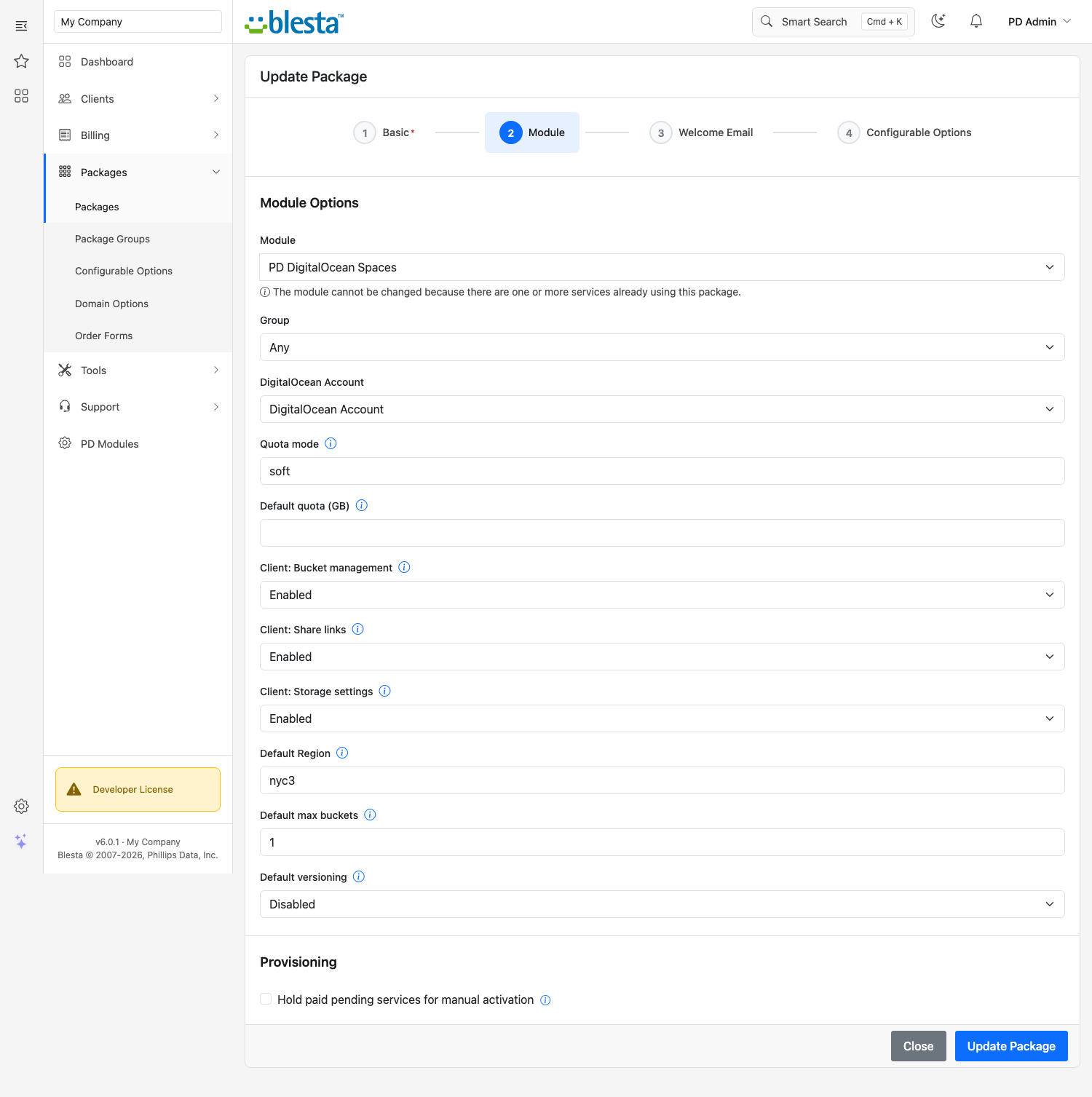
The package's module options: DigitalOcean account, quota behaviour, the controls your customers get and the default region
What you get in Blesta
Selling and pricing
Package options generated in one click: Storage Quota from 10 GB to 5 TB or Unlimited, Max Buckets from 1 to 10, Versioning on or off, and Region
Choose which options customers see; anything you hide uses the package's default
Customers are emailed at 80% and again at 100% of their quota, and you can copy those emails to your administrators
Bucket names are generated from a prefix you choose, so your brand is on every bucket
Default region and quota for packages that do not offer a choice
Provisioning you can trust
One bucket and one key pair per service, created automatically once the service is provisioned
A service added to a client directly from their profile is provisioned the same way
If no DigitalOcean account is connected, an order is refused up front instead of leaving a half-made service
A failed setup is never shown as done: the customer sees a plain message and the exact error is kept in your Activity log
Moving a customer to a smaller plan than they already use never deletes anything
Nothing is installed on any server, and no daemon runs: the module talks to Spaces over HTTPS
Running it day to day
Clients & Storage lists every service with its client, state, access mode, quota percentage, usage and last measurement
Set any service to read and write, read-only or disabled without changing the customer's keys or touching their data
Rotate a customer's keys in one click, with the old key deleted from DigitalOcean and stopped immediately
Retention lists terminated services with a countdown to purge eligibility, with approve and hold controls. Cancelling a service in Blesta terminates it
Reconcile compares your DigitalOcean account with Blesta and flags orphan buckets, missing buckets and stray keys. It only reports and never changes anything
A health report covers the licence, DigitalOcean connection, services and metering
What your customers get
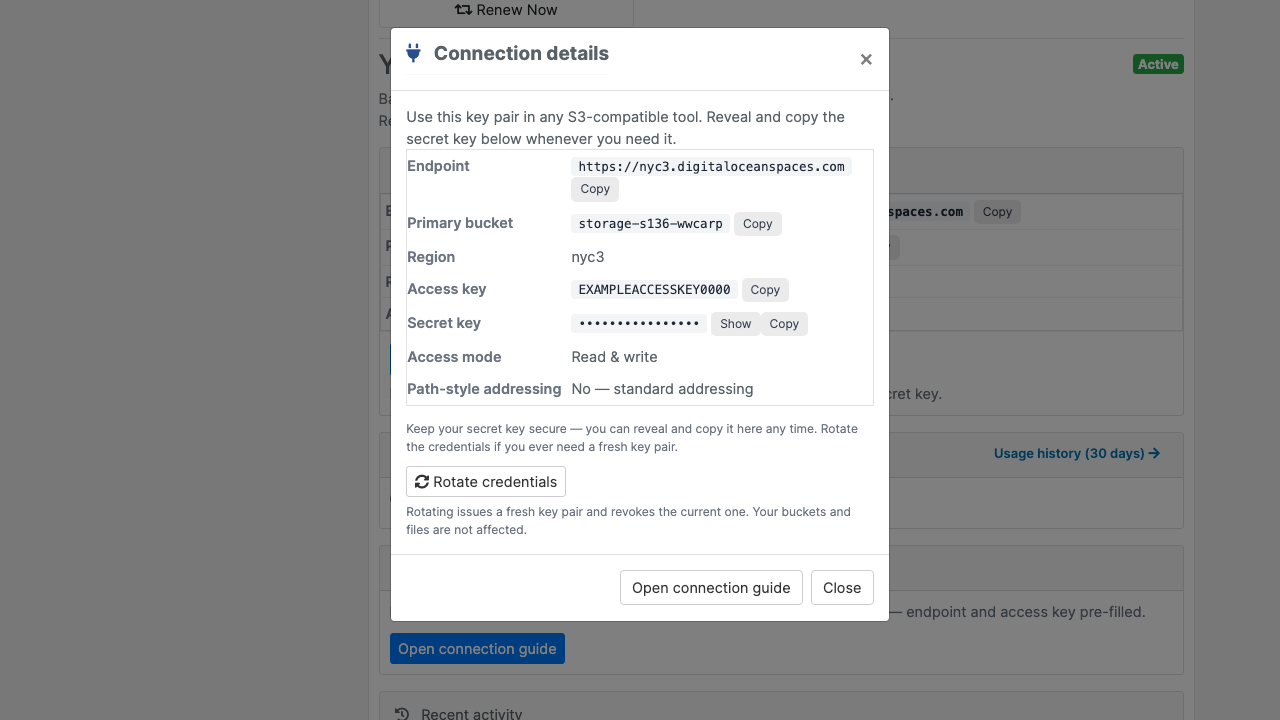
Connection details with copy buttons for the endpoint, bucket, region and access key, and the secret key whenever they need it
Their own buckets, created within the plan limit, with a typed confirmation before deletion
Versioning per bucket, to recover files that were overwritten or deleted
Automatic clean-up rules to delete files after a number of days or remove stalled uploads
Browser access (CORS) rules for web apps, with no DigitalOcean console access needed
Expiring share links to download a file, or to let someone send one in, with no account on their side
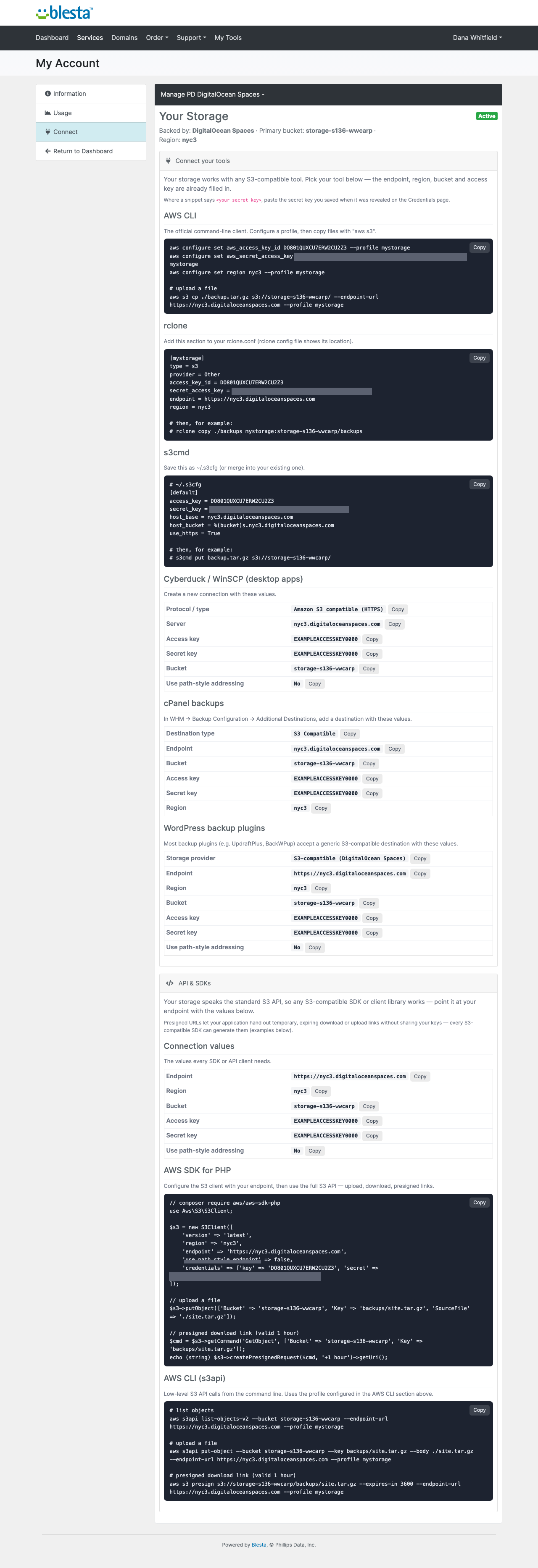
Ready-made setups for the AWS CLI, rclone, s3cmd, Cyberduck and WinSCP, cPanel backups and WordPress backup plugins
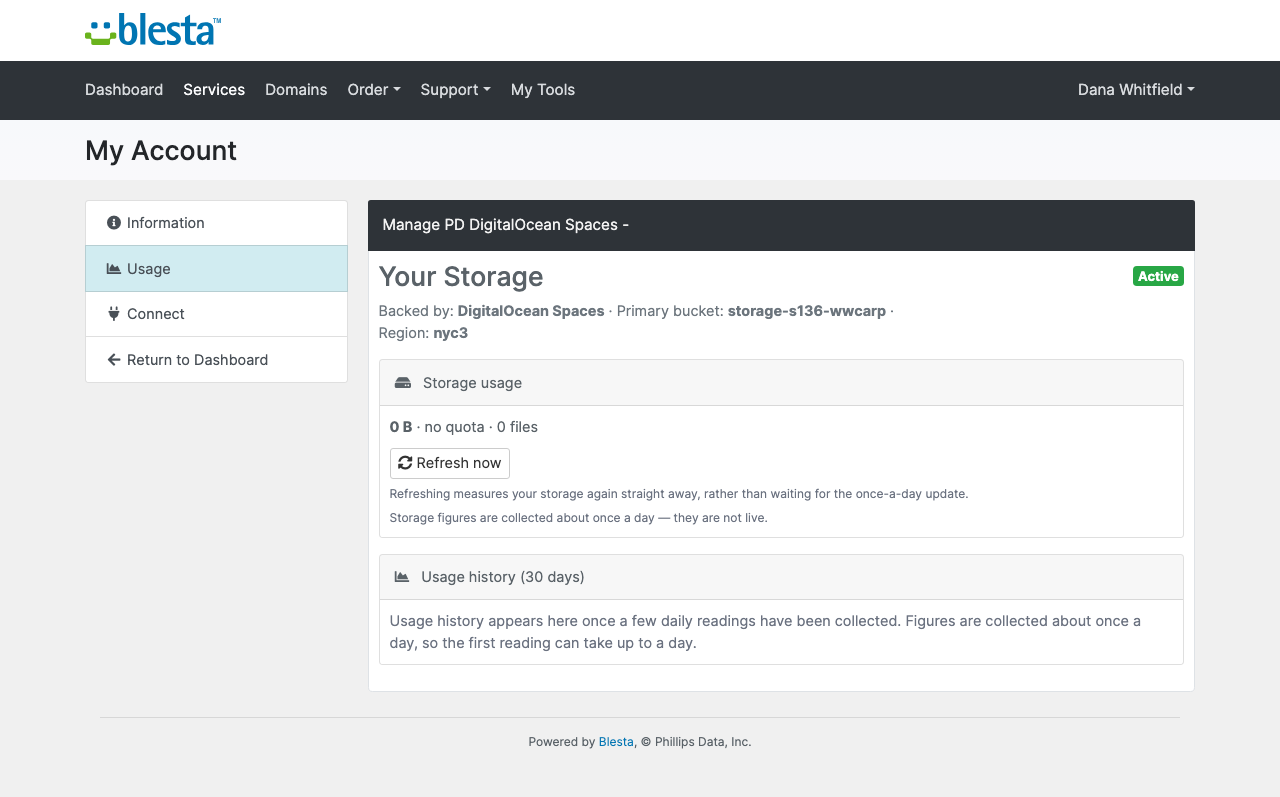
Usage against their quota, with a 30-day history
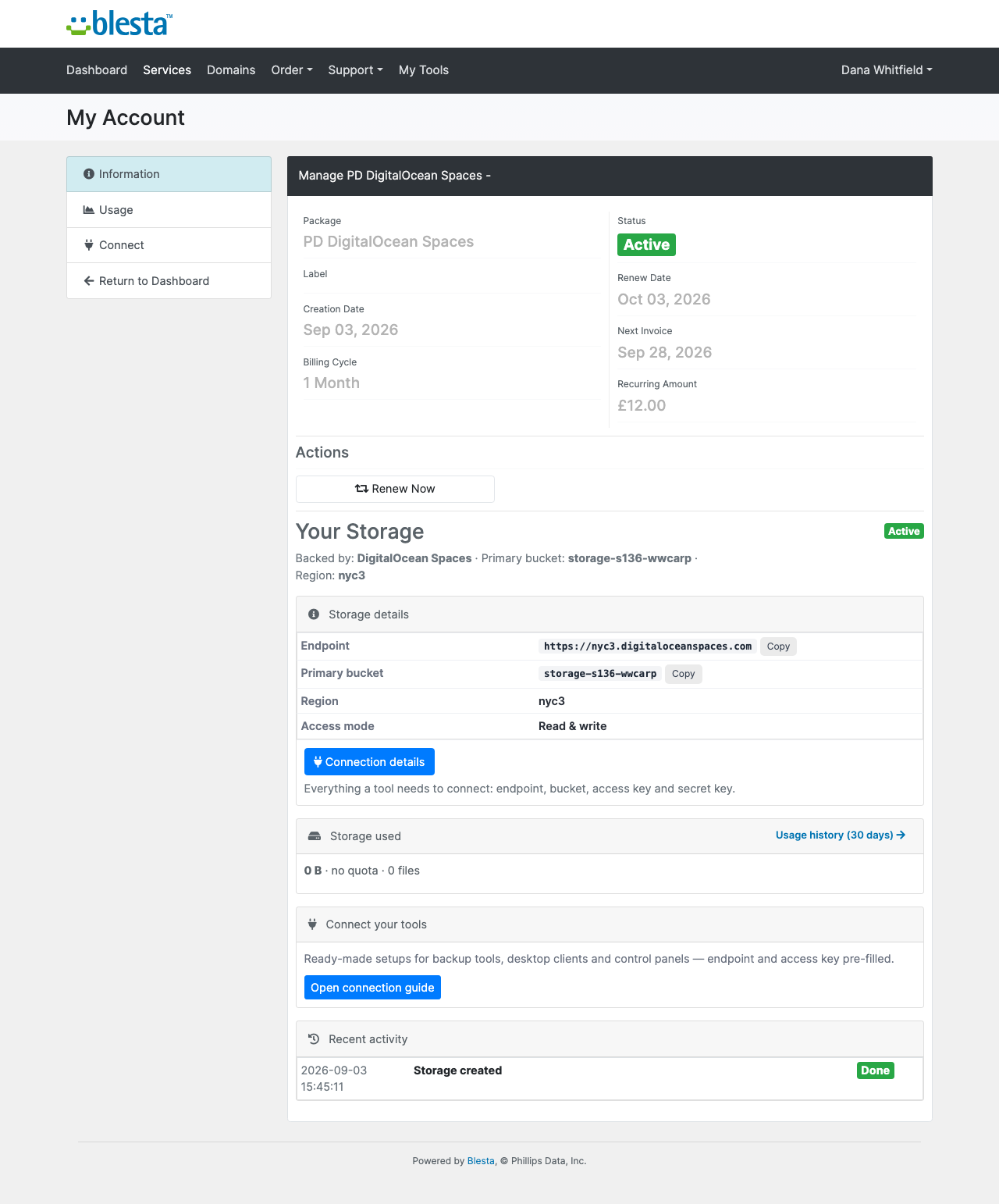
The customer's service page in the Blesta client portal: endpoint, bucket, region, access mode and ready-made connection guidesConnection details: endpoint, bucket, access key, a secret key the customer can reveal any time, and one-click rotation
Bucket management, share links and storage settings are each a switch on the package. Turn one off and it disappears from the customer's page and its actions are refused. The pages follow Blesta's client portal theme and are fully translatable.
Security built in
Your Personal Access Token is stored encrypted and never leaves your Blesta server, apart from calls to the DigitalOcean API over HTTPS.
Customer keys are stored encrypted, and no customer data, bucket names, keys, files or usage figures are sent to us.
Suspension defaults to read-only: writes and deletes are denied, downloads continue, and no file is touched. Disabled blocks all access.
Termination revokes the key at once and deletes nothing. Files are kept for a window you set, from 7 to 90 days, and the default purge mode needs your approval. An immediate purge needs the bucket name typed in.
One product, every feature
PD DigitalOcean Spaces is one paid module with everything included: provisioning, metering, quotas, versioning, clean-up rules, CORS, share links, retention and reconcile. There is no free tier. There are no per-gigabyte fees to us: your buckets live in your own DigitalOcean account, you pay DigitalOcean at cost and set your own sell price.
Quota emails warn at 80% and 100%. On Spaces, going over quota never pauses uploads, in either quota mode, because a Spaces key cannot allow deleting files without also allowing uploads. Downloads always keep working.
If your subscription ever lapses, nothing is deleted. You get a 14-day grace period with everything working, then admin management locks while customers keep being served, and only after that do customer features pause behind a neutral message.
Requirements
Blesta 6 or later on PHP 8.2 or later, with the ionCube Loader
A DigitalOcean account with Spaces enabled and a Personal Access Token. A dedicated account is not needed
Blesta's cron running, at least once a day, and its Provision Paid Pending Services task enabled
PD Modules, the free control panel every PD module installs into
Questions
Whose DigitalOcean Spaces account is used?
Yours. You connect your own account, and every customer bucket is provisioned into it. You pay the provider at cost, set your sell price in Blesta, and keep the difference.
How is each customer isolated?
Every order gets its own bucket and a Spaces key scoped to that bucket alone. One customer's credential cannot reach another's data, and your master credentials stay on your Blesta server — they are never sent to the customer or stored in the client area.
How does billing work?
A daily task measures each service's real usage and writes it into Blesta's disk-usage fields. Native overage billing, quota warnings and the client-area usage graph then work exactly as they do for hosting products — there is nothing extra to configure.
What happens when a customer hits their quota?
New uploads are blocked, but downloads always keep working, so a customer over quota can still retrieve everything they have stored. Raising their plan restores uploads immediately with all data preserved.
Is data ever deleted automatically?
Only if you choose that. By default, terminating a service revokes access instantly but keeps the bucket and its contents for a retention window you set. Purging then needs your approval and typing the bucket name to confirm — there is no single click that destroys a customer's data.
Can customers upgrade or downgrade?
Yes, through the standard Blesta upgrade/downgrade flow. Quota changes apply with data preserved in both directions; downgrading below current usage pauses uploads rather than deleting anything.
What do I need on my Blesta server?
PHP 8.1+ and a working Blesta's cron. The module talks to DigitalOcean Spaces over its standard HTTPS API — there is nothing to install on the server and no daemon to run.
How is this different from PD Object Storage?
PD Object Storage is the flagship covering Amazon S3, Cloudflare R2, MinIO and DigitalOcean Spaces in one module. This edition is the same engine focused on DigitalOcean Spaces alone — choose it if that is the only backend you sell, and move up to the flagship if you later add another.
What’s new in 0.1.50
Fixed: the Products screen listed nothing when the products were there. It now finds every product this module provisions, whichever billing system you run.