PD DigitalOcean Droplets — Sell Cloud Servers as a Native Blesta Package
Sell cloud servers on DigitalOcean under your own brand — provisioned, billed and managed in Blesta
Made and supported by Projektif Digital Ltd.
Runs inside PD Modules, the panel
every module installs into.
Servers & Compute
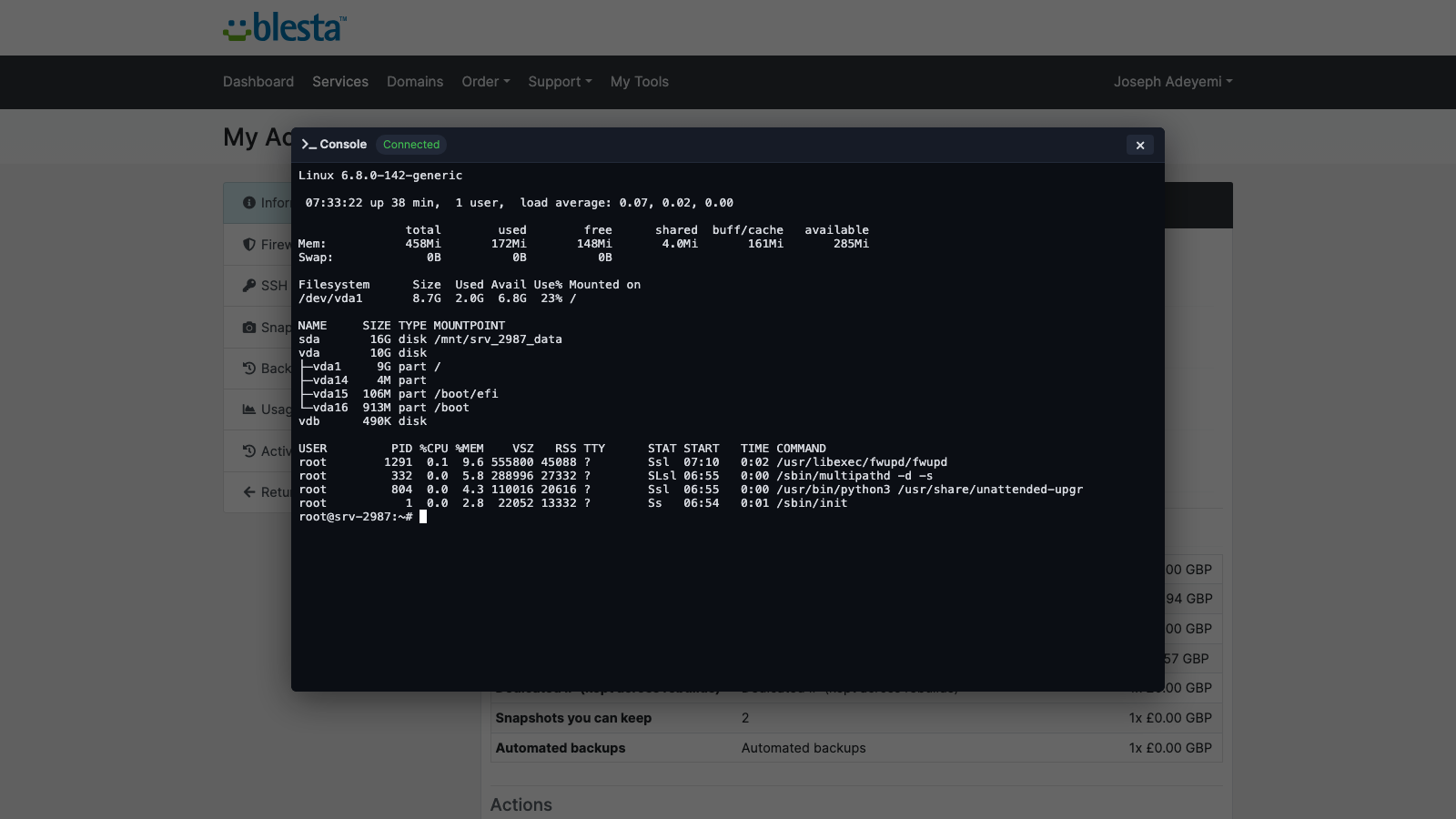
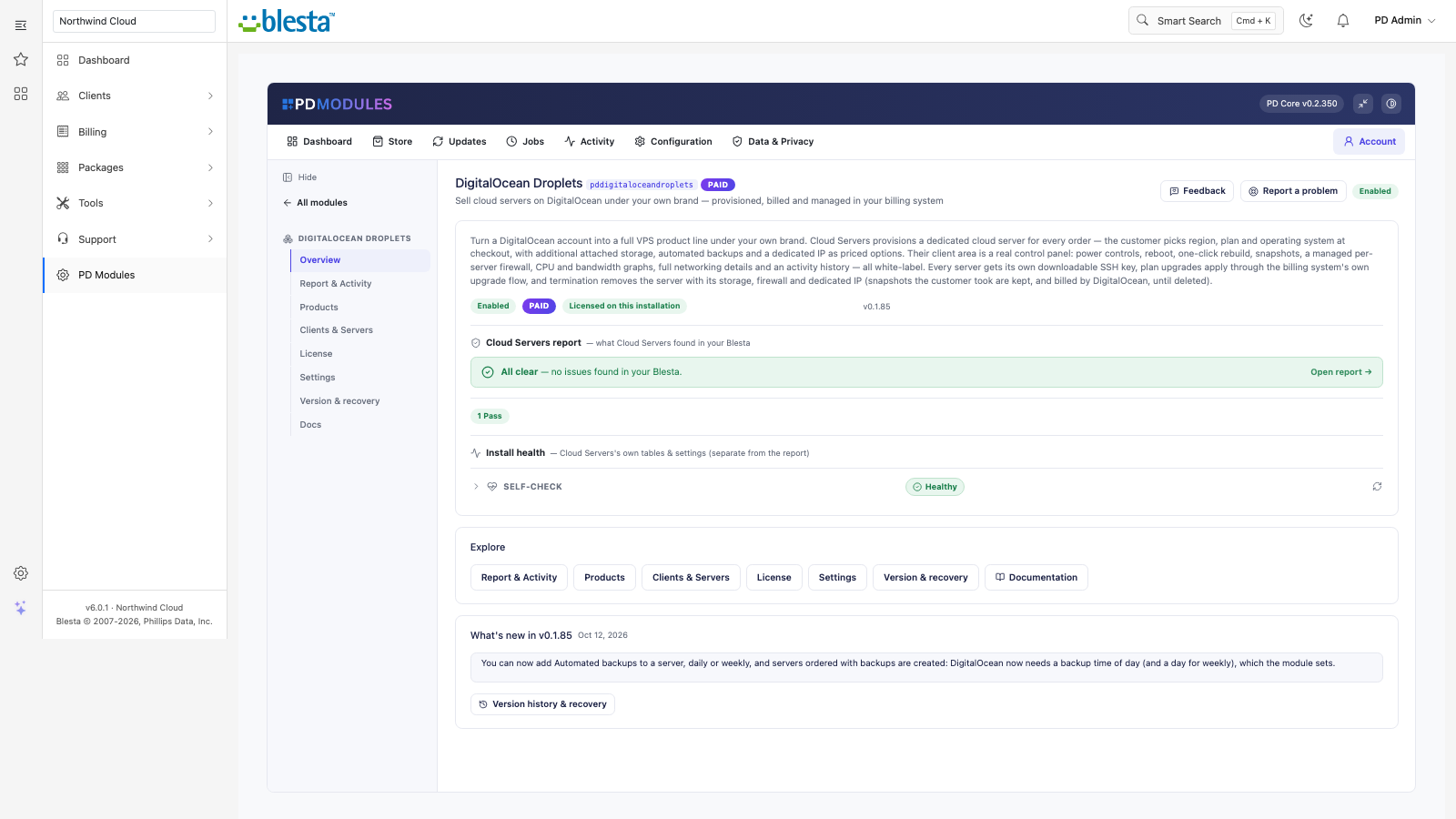
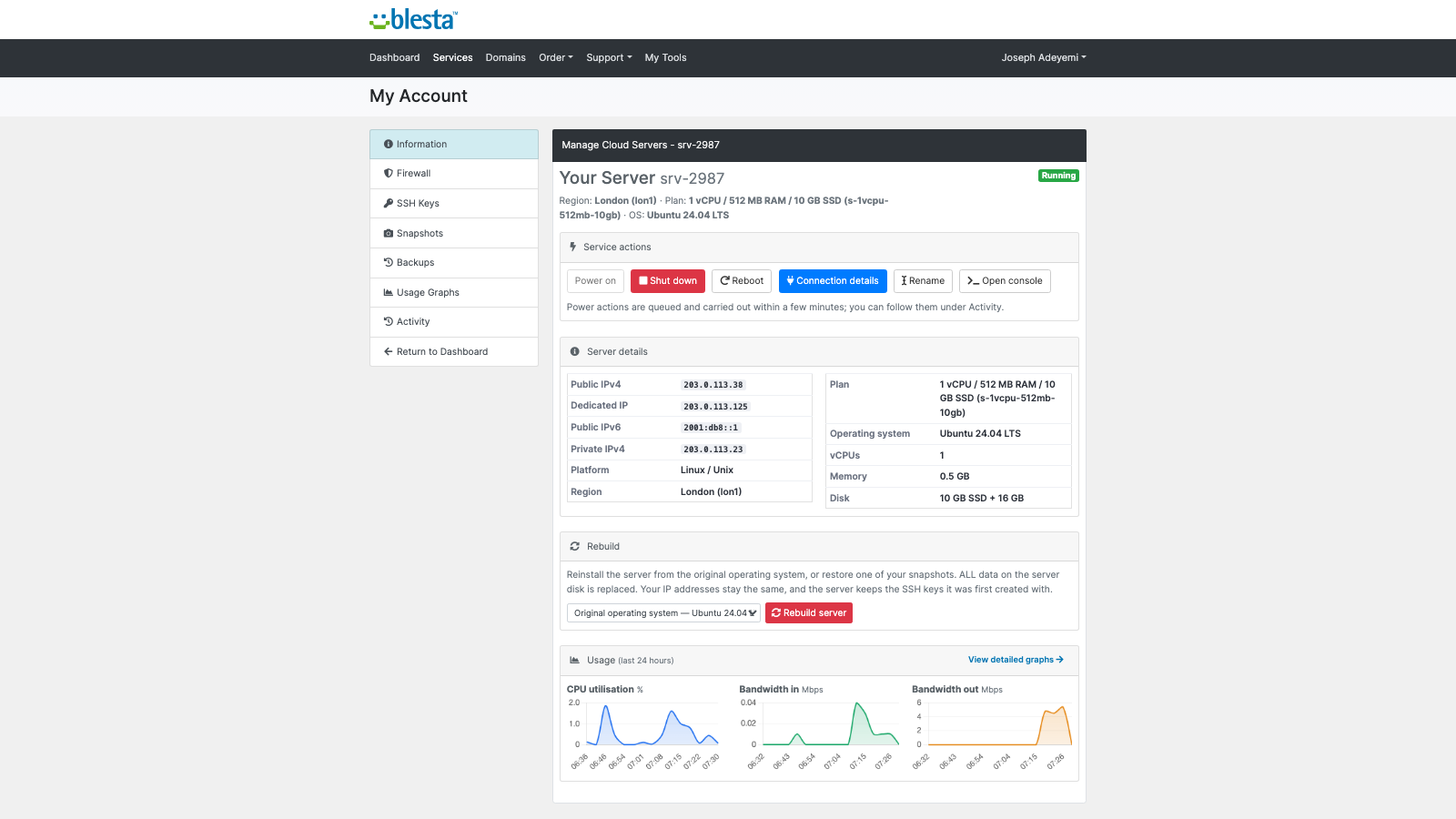
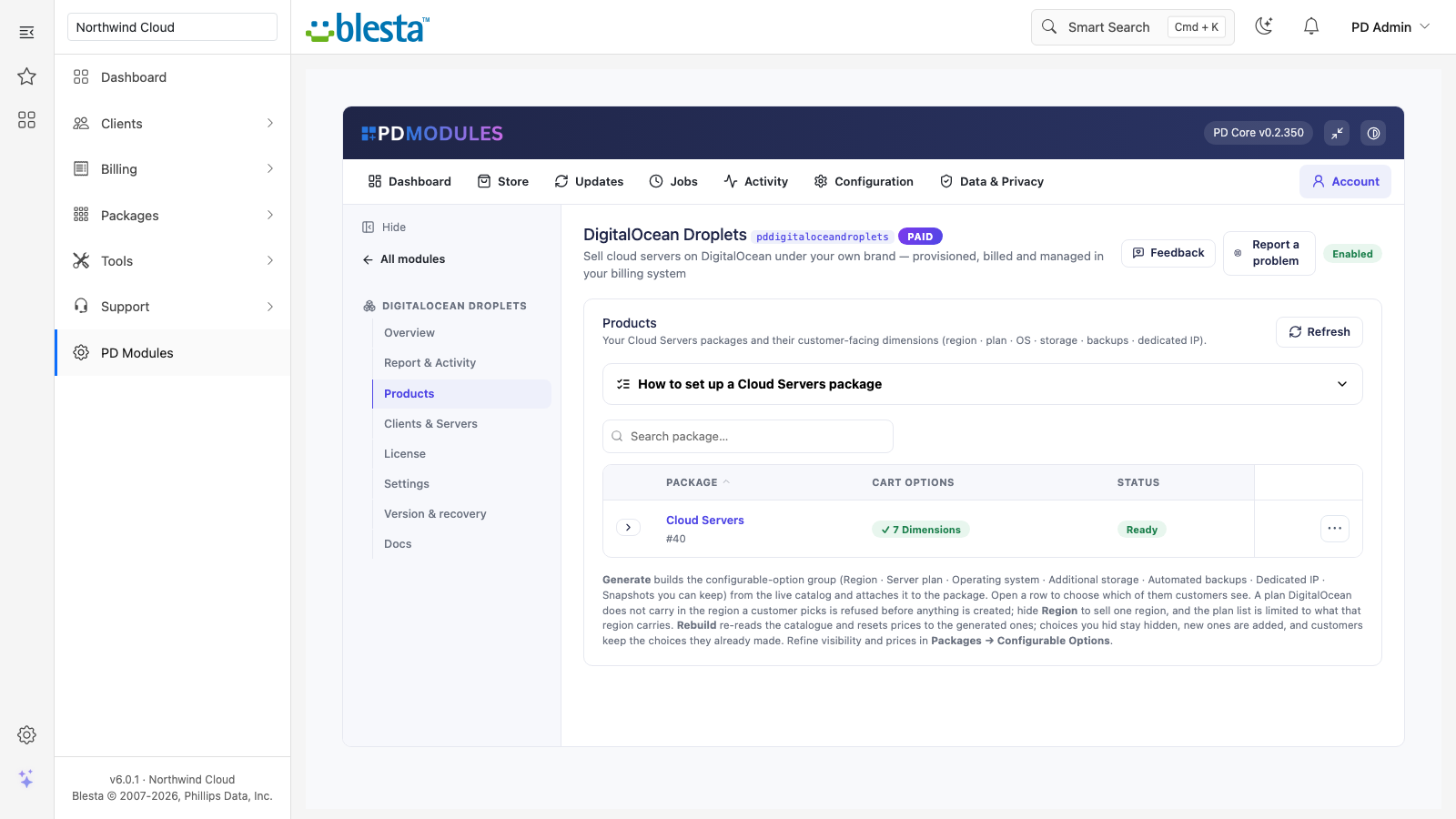
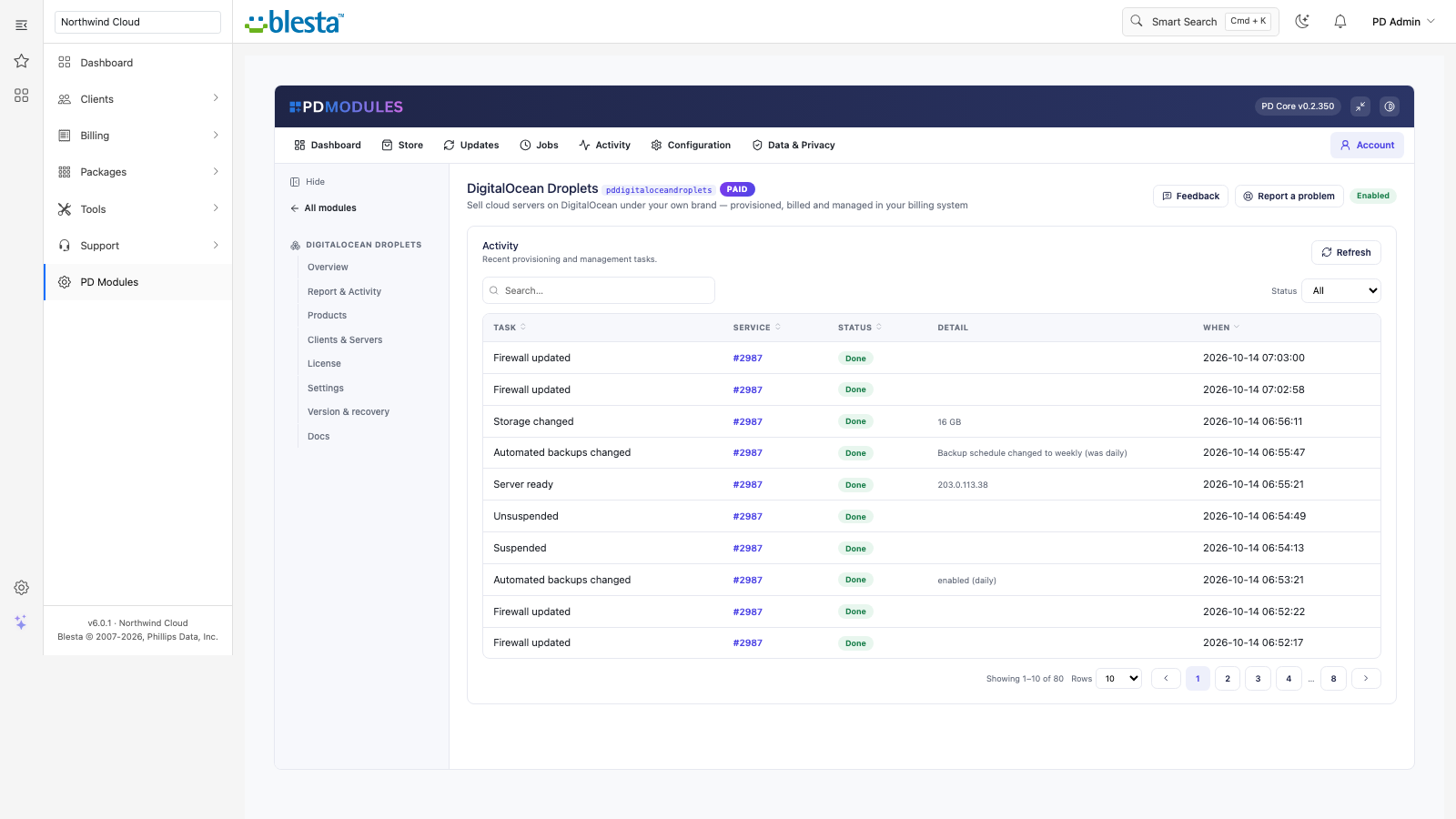
Every provisioned service in one place, with its real state from the provider.Connection details your customer can copy safely, without you emailing credentials.Customers manage their own access rules — no ticket, no waiting on you.The customer-facing side of DigitalOcean Droplets, on their own service page.Snapshots your customer takes and restores themselves.Live usage your customer can read without asking you for it.Your customer sees exactly what happened and when — fewer "what is going on?" tickets.A working shell in the browser — no SSH client, no keys to hand out.Everything about DigitalOcean Droplets on one screen — status, usage and anything needing attention.What your customer sees: their service, its state, and the controls they can use themselves.Generate the Blesta package and its options in one click, priced and ready to sell.The admin view of DigitalOcean Droplets — everything in one place.1 / 12
PD DigitalOcean Droplets lets a hosting company sell DigitalOcean cloud servers as its own VPS package. Your customer orders in Blesta, a dedicated server is built in your DigitalOcean account within minutes, and your customer manages it from your client area: a control panel that carries your brand and never asks for a DigitalOcean login. You set the price, DigitalOcean bills you its list price, and the difference is your margin.
It is built for hosts who want a cloud server line without building a control panel, without handing out provider access, and without a support ticket every time a customer needs a reboot, a snapshot or a firewall change.
Why hosts choose PD DigitalOcean Droplets
Sell cloud servers under your own brand. Customers see your company, your prices and your client area. Servers run on your own DigitalOcean account, so customers need no account of their own, and your account and API token are never exposed to them.
Every paid order builds its server. When Blesta activates the service, whether through its Provision Paid Pending Services task or a staff member pressing Activate, the server is created exactly once with the region, plan and operating system the customer chose, plus any storage, backups or dedicated IP they ordered. Cancelling a service with Use module ticked removes the server.
Customers help themselves. Power controls, connection details, rebuild, snapshots, backups, a firewall, SSH keys, usage graphs and an optional in-browser console sit on the customer's own service page as tabs beside Information. That is most of the tickets a VPS package normally generates.
Pricing with the cost in view. The Products page shows what DigitalOcean charges each month for every server plan, read live and shown in dollars and in your default currency. Set a margin and each choice shows a suggested price and your margin per sale. The margin is optional and changes nothing until you use it.
Nothing left billing. Cancelling a service deletes the server, its attached storage, its firewall, its dedicated IP and the SSH keys the module registered. The one exception is snapshots a customer took: those are kept, and DigitalOcean bills you for each until it is deleted.
No server is ever untracked. Every server is tagged and recorded before DigitalOcean is called, so a retry or a double request cannot leave a second server running unseen. A daily read-only check flags any server deleted directly at DigitalOcean.
How it works
Connect your DigitalOcean account. Create an API token with Full Access and add it under Settings, Company, Modules as an account with a name and the token. Test Connection in PD Modules checks every connected account with one read-only call each and names any that fail.
Create your package. Set region, plan and operating system as defaults, then generate the options in one click from DigitalOcean's live catalogue: Region, Server plan, Operating system, Additional storage, Automated backups, Dedicated IP and Snapshots you can keep. You choose which the customer sees.
Your customer orders. They pick their options on the order form and pay. Their server is built, its own SSH key is generated, and the service page shows progress until it is ready.
You get paid, they manage it. Blesta keeps billing as usual, and package or option changes resize the server.
Generate the package's options in one click: region, server plan, operating system, storage, backups, dedicated IP and snapshots
What you get in Blesta
Selling and pricing
Order options generated from the live DigitalOcean catalogue as one option group assigned to the package; prices start at zero for you to set under Packages, Configurable Options
Show or hide each option; saving visibility keeps your prices, and a hidden option is fixed to the package's own setting
Rebuild from the live catalogue at any time: choices you hid stay hidden and customers keep the choices they already made
Additional storage, Automated backups (weekly or daily, your choice per package), a Dedicated IP and a snapshot allowance as paid extras, never pre-ticked at checkout
An optional SSH public key box on the order form, installed on the new server
IPv6 on by default, a name prefix for new servers, and a DigitalOcean project to group them under
Provisioning you can trust
An order is refused up front, with a message, while no DigitalOcean account is connected
A plan that DigitalOcean does not carry in the region the customer picked is refused before anything is created, with the reason
Once the server is active, the module records its addresses, attaches the extra storage, creates its firewall and assigns the dedicated IP without anyone lifting a finger
Servers are key-only: password login is disabled
Extras added in an upgrade, such as storage, backups or a dedicated IP, are applied automatically; extra storage grows online
Suspend powers the server off and keeps its data; unsuspend powers it on
Running it day to day
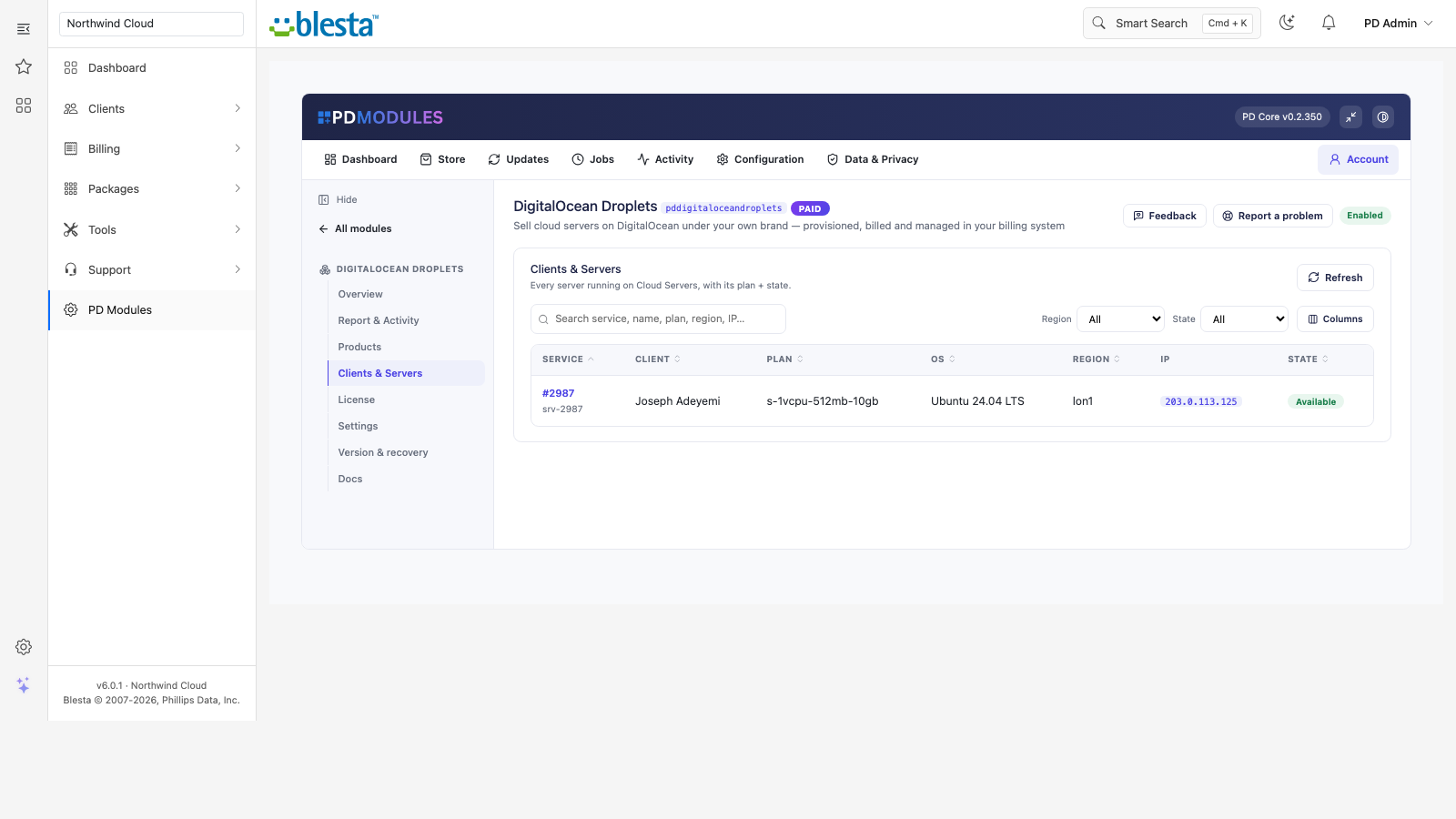
Clients and Servers lists every server against the client paying for it, with plan, operating system, region, address and live power state
A report across your licence, your DigitalOcean connection and every provisioned server
Read-only assistant tools that report a server's live state and list every server the module manages
Clients and Servers: every provisioned server with its client, plan, region, address and live state
What your customers get
Power controls: power on, orderly shutdown and reboot, with a status that refreshes while something is in progress
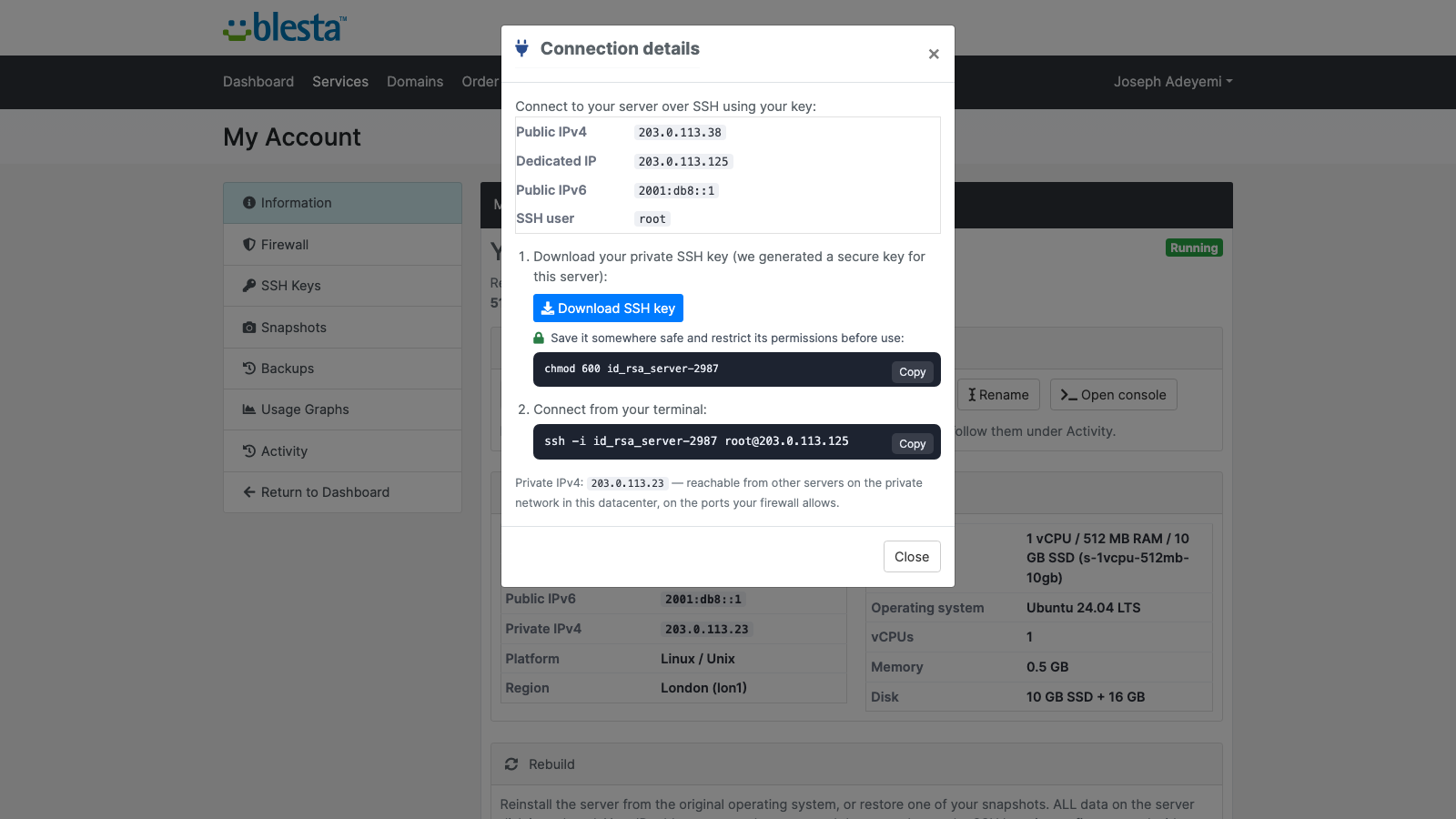
Connection details: public IPv4, IPv6, dedicated IP and SSH user, with a ready-to-copy ssh command and a private-key download
Rebuild from the original operating system or from one of their own snapshots, behind a clear warning; the server keeps its IP addresses
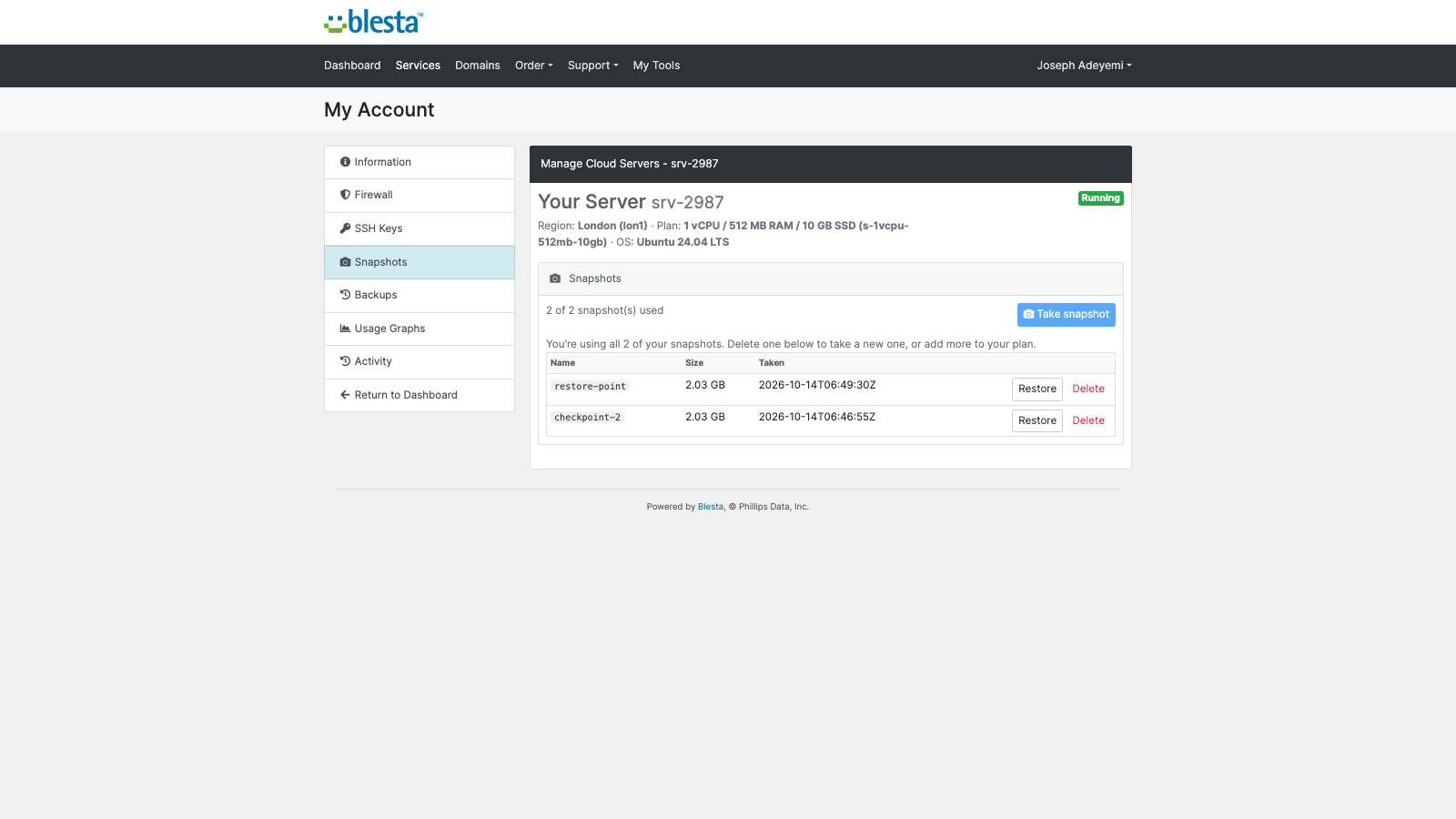
Snapshots they take, restore and delete, with a count of how many of their allowance they have used
Backups, shown as a tab when automated backups are on the server, restorable in place
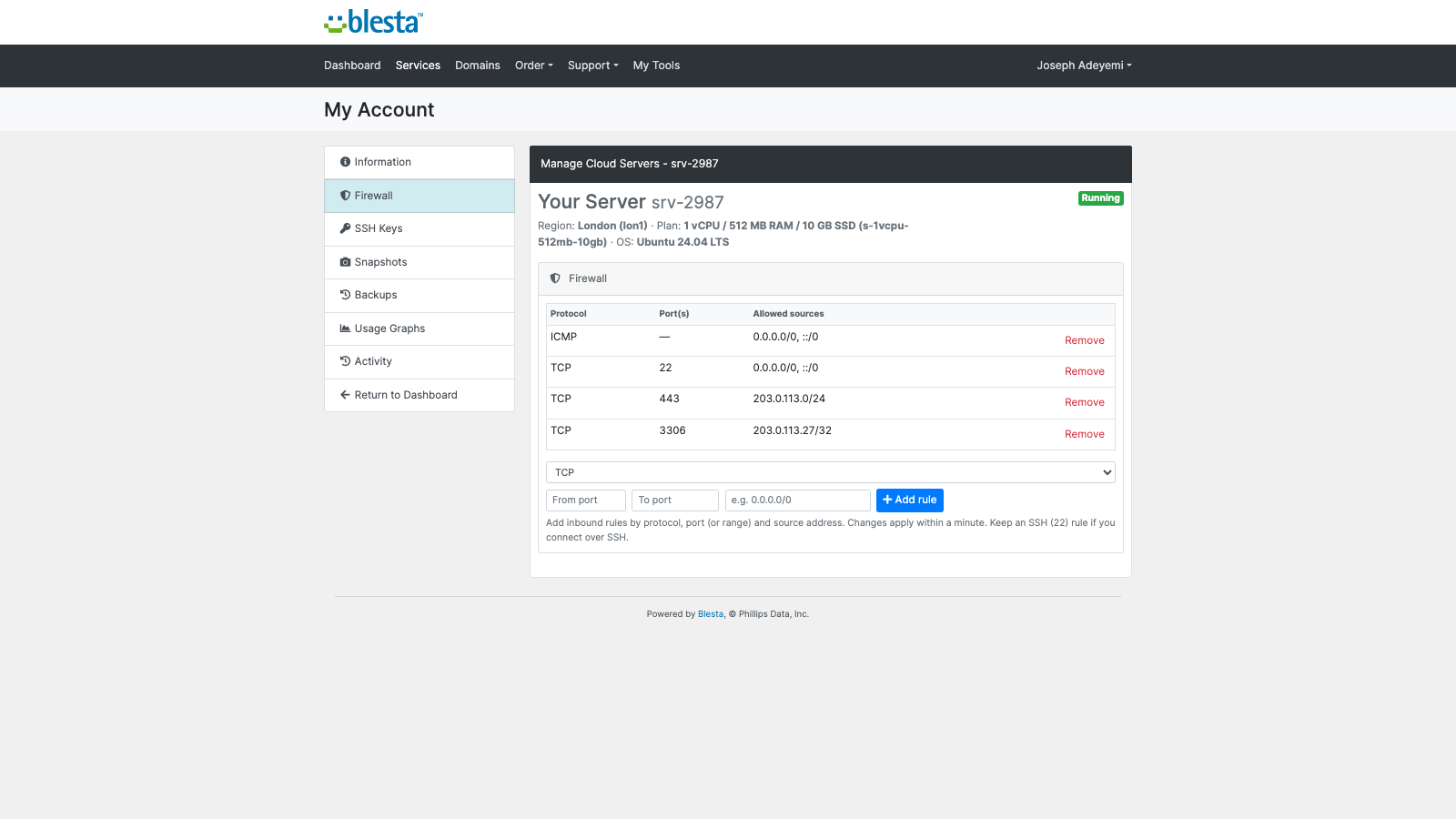
A firewall per server: allow or remove inbound rules by protocol, port or range and source, applied within a minute
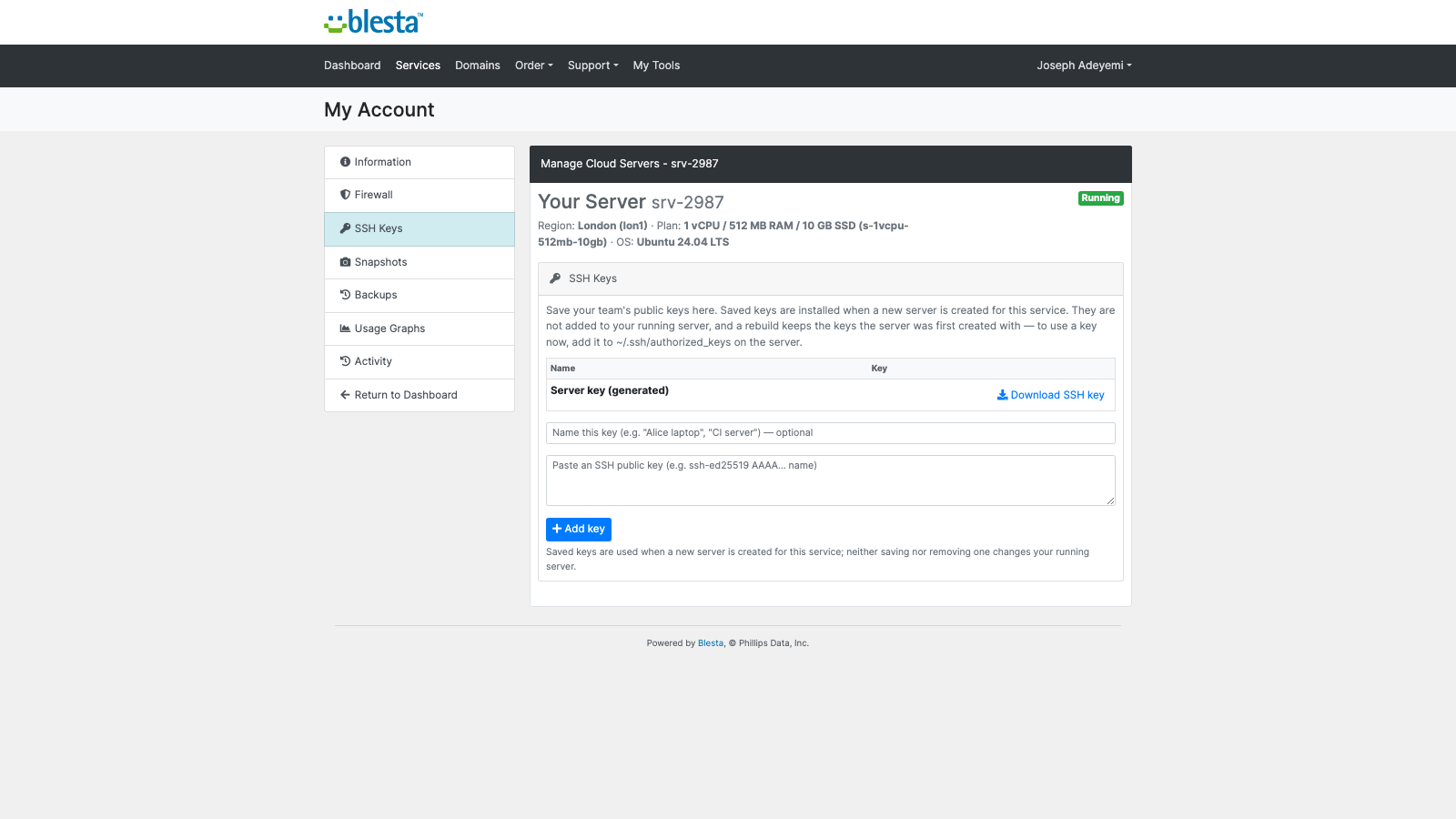
SSH keys: download the server's key and save more for the next server built for the service
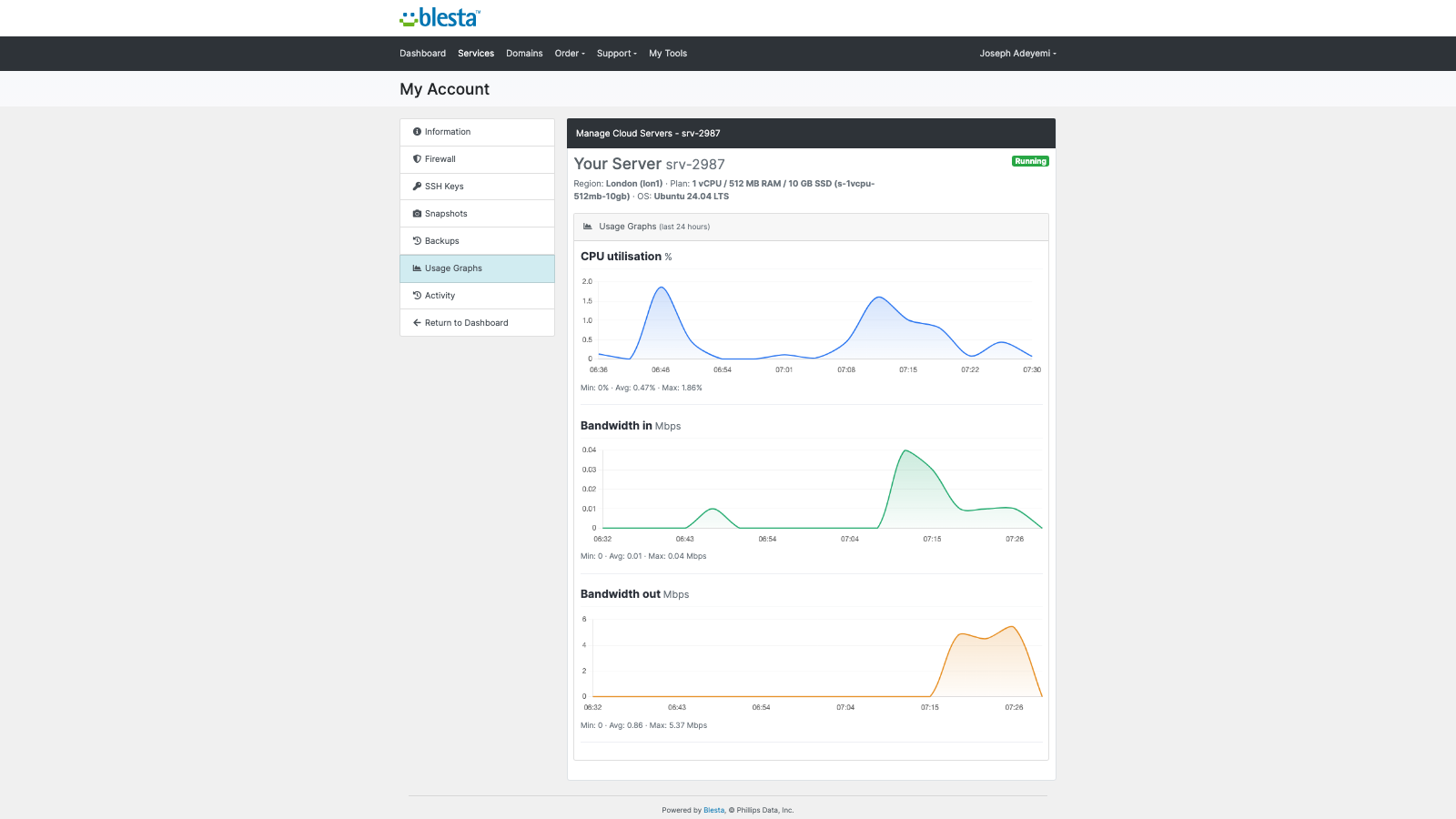
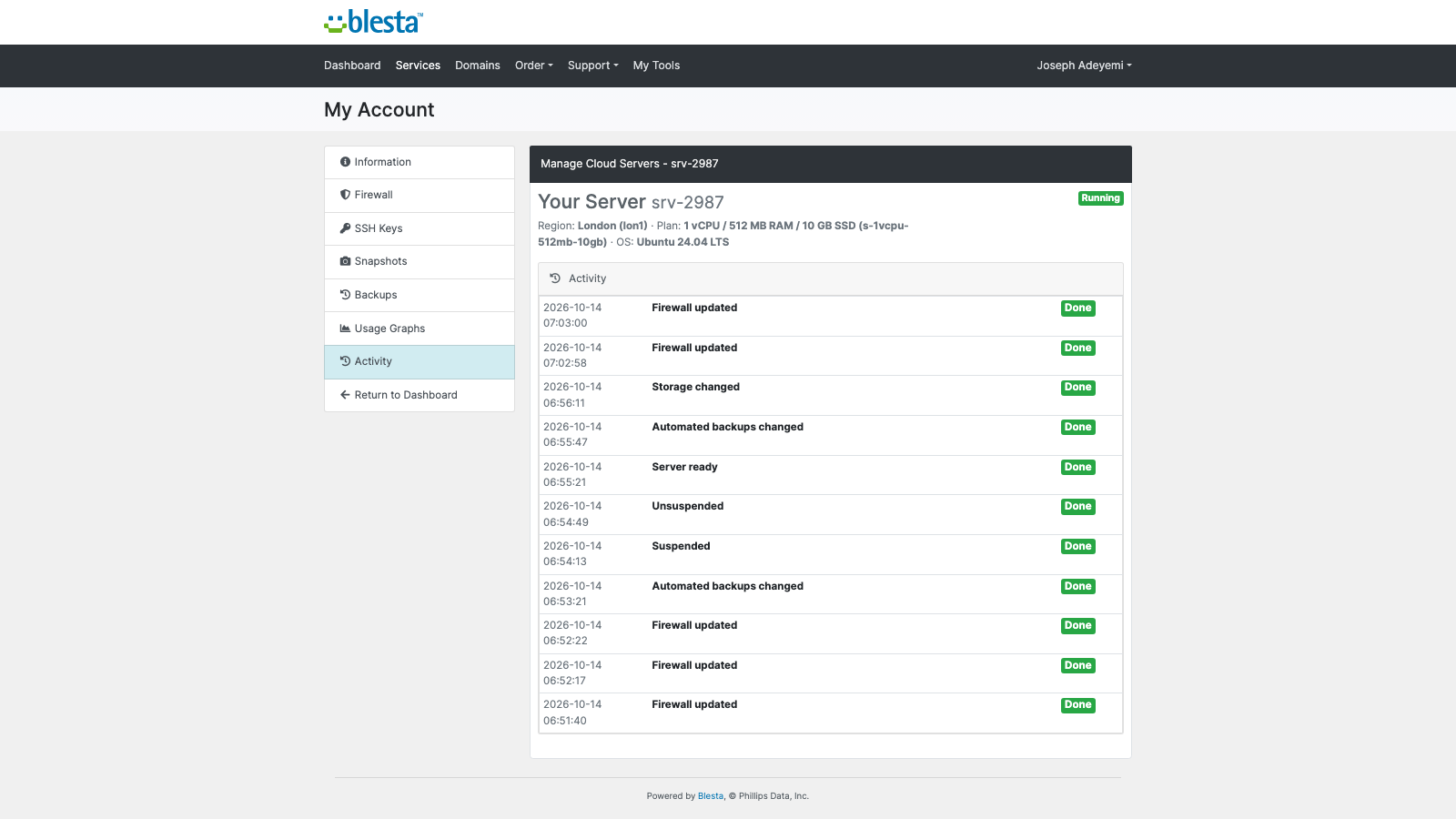
Usage graphs for CPU and bandwidth over the last 24 hours, and a plain-words Activity history
An in-browser console, with no SSH client or key handling, when you switch it on for the package
The customer's service page: power controls, server details, rebuild and usageConnection details your customer can copy, with the generated SSH key to downloadThe customer's firewall: inbound rules by protocol, port and source, with no ticket neededSnapshots the customer takes, restores or deletes themselvesA working shell in the browser, with no SSH client to install
Each tab is a switch on the package. Turn one off and it disappears from the customer's page, and the server refuses it too. Pages follow the Blesta client template and every string can be translated or reworded. No customer-facing text names DigitalOcean.
Security built in
Your API token is stored encrypted, is never shown to customers, and is sent only to DigitalOcean. When you edit an account, leaving the token box blank keeps the stored token.
Every server gets its own SSH key pair. The private key is kept encrypted on your own install, and only the signed-in owner of a service can download it.
The console is off until you switch it on for the package. A session is issued only to the owner of a running server, and each one is a short-lived, single-use handoff of at most two minutes. The browser never sees the key.
A restore is checked against that server's own backup list, so a backup of another server is refused.
One product, every feature
PD DigitalOcean Droplets is one paid module with everything included. There are no add-on tiers and no per-server fees from us: you pay DigitalOcean at cost and set your own price. It installs into PD Modules in one click, updates itself, and adds its own tables and files without modifying Blesta files.
If your subscription ever lapses, your customers are not cut off. Running servers are never stopped, deleted or changed. Once a licence has expired, new servers are no longer provisioned and the browser console stops, while customers keep managing their own servers. Only if it is later suspended does customer management pause, behind a neutral message. Teardown keeps running throughout.
Requirements
Blesta 6 or later on PHP 8.2 or later, with the ionCube Loader and Blesta's cron running every minute
A DigitalOcean account and an API token with Full Access
PD Modules, the free control panel every PD module installs into
Questions
How do customers log in to their server?
By SSH key. Add an "SSH Public Key" custom field to the package so customers submit their key at checkout — it's installed on their new server automatically. You can also install your own account key on every server for support.
What can customers do from the control panel?
Power on/off, shutdown, reboot, one-click rebuild (fresh OS or one of their snapshots), rename, take/restore/delete snapshots, manage a per-server firewall by protocol/port/source, watch CPU and bandwidth graphs, and see every network detail.
Does suspending a service stop DigitalOcean billing?
No — suspension powers the server off, and DigitalOcean still bills for a powered-off droplet. This preserves the customer's data. To stop billing entirely, terminate the service.
What gets cleaned up when a service is terminated?
The server, its attached storage volume, its cloud firewall and its dedicated IP — everything. Zero orphaned resources are left billing on your account.
Do I need my own DigitalOcean account?
Yes. You resell on your own DigitalOcean account, at your own margin. Your API token is stored encrypted on your Blesta server and is never shown to a customer.
Does a lapsed PD Modules licence break my customers' services?
No. A licence lapse withdraws the management layer in stages but never stops, deletes or alters a running customer resource. Your customers keep serving throughout.
Which Blesta and PHP versions does it need?
Blesta 6.0 or later, on PHP 8.1 or later. It installs alongside whatever else you run — it adds its own tables and templates rather than modifying Blesta files, so it does not collide with other vendors' modules or with a customised template. Uninstalling removes its own tables and settings and leaves no orphans behind.
What’s new in 0.1.89
Removing the module no longer gets stuck on an order that never provisioned.